 [Login],New User?
 [Join Free]

Hot search :
ICARSCAN |
KTAG |
KESSV2 |
IM608 |
ELITE |
ICOM |
C4 |
C5 |
C6 |
GDSVCI |
TECH2 |
Nexiq |
Consult-3 |
Digimaster3 |
MDI2 |
JPRO |
VCM2 |

 |  |  |  |
Company Info

Payment & Shipping
Company Policies
Other Business
JCB ServiceMaster 4 V26 09 Diagnostic Software Update
JCB ServiceMaster 4 has been updated to V26.09 / 2026.09, providing diagnostic and service functions for supported JCB construction machinery, agricultural equipment, engines, and other electronic systems.
For workshops, heavy-equipment technicians, fleet maintenance teams, and JCB equipment owners, ServiceMaster 4 can be used with a compatible diagnostic interface to troubleshoot faults, perform service tests, access ECU data, and carry out supported calibration and programming-related operations. Actual functions vary by machine, ECU, interface, and software configuration.
JCB ServiceMaster 4 V26.09 Software Information
Version: V26.09
Release: 2026.09
Type: Diagnostic Software
Brand: JCB
Region: Worldwide
Languages: English, French, German, Spanish, Italian, Portuguese
Software size: Approximately 36 GB
Operating system: Windows 7, Windows 8/8.1, Windows 10, and Windows 11 configurations are listed by current suppliers.
For OBD2TOOL orders requiring installation, the selected software package can be remotely installed on one compatible laptop according to the product option purchased.
What Can JCB ServiceMaster 4 Do?
JCB ServiceMaster 4 is designed to provide deeper machine diagnostics than a basic fault-code reader.
Typical supported functions include:
- Troubleshooting machine and ECU faults
- Reading diagnostic information
- Performing standard service tests
- Viewing machine and ECU data
- Viewing or editing supported generated data
- Performing supported calibration procedures
- Working with appropriate ECU flash data
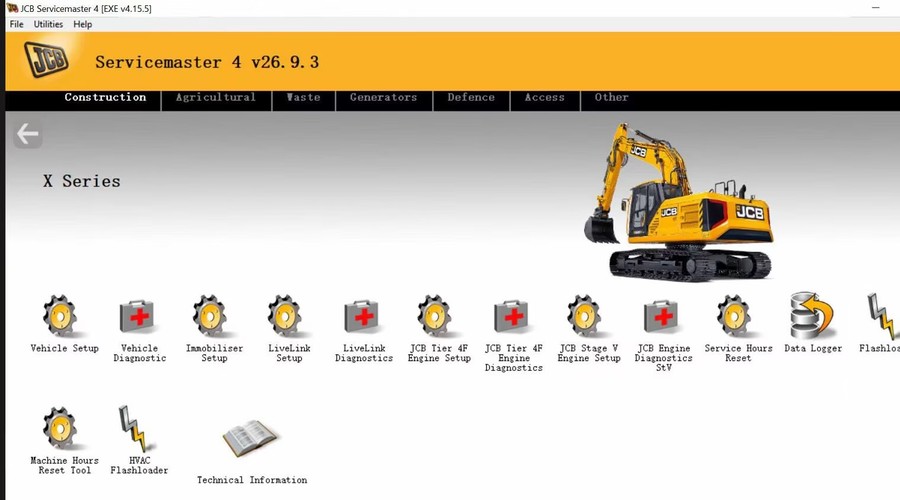
- Supporting machine setup and service operations
Function availability depends on the specific JCB machine, controller, software version, and diagnostic interface being used.
Supported JCB Equipment Categories
Construction Equipment
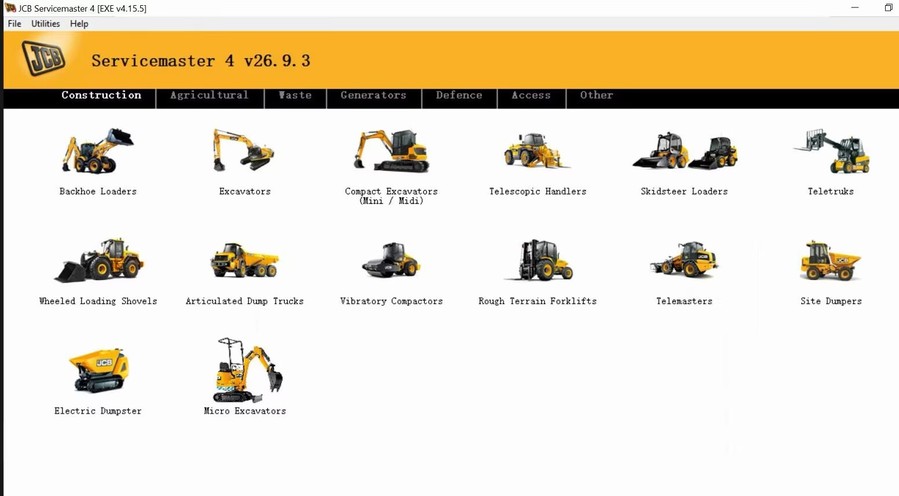
ServiceMaster 4 covers diagnostic information for many JCB construction-machine families, including:
- Backhoe Loaders
- Excavators
- Mini and Midi Excavators
- Telescopic Handlers / Loadalls
- Skid Steer Loaders
- Compact Track Loaders
- Teletruk
- Wheeled Loading Shovels
- Articulated Dump Trucks
- Vibratory Compactors
- Rough Terrain Forklifts
- Telemaster machines
- Site Dumpers
Examples listed in current coverage information include X-Series excavators, 8000-Series machines, Tier 4 Loadalls, TM220/TM310/TM320/TM420 Telemasters, and various compact, medium, and large wheel loaders.
Agricultural Equipment
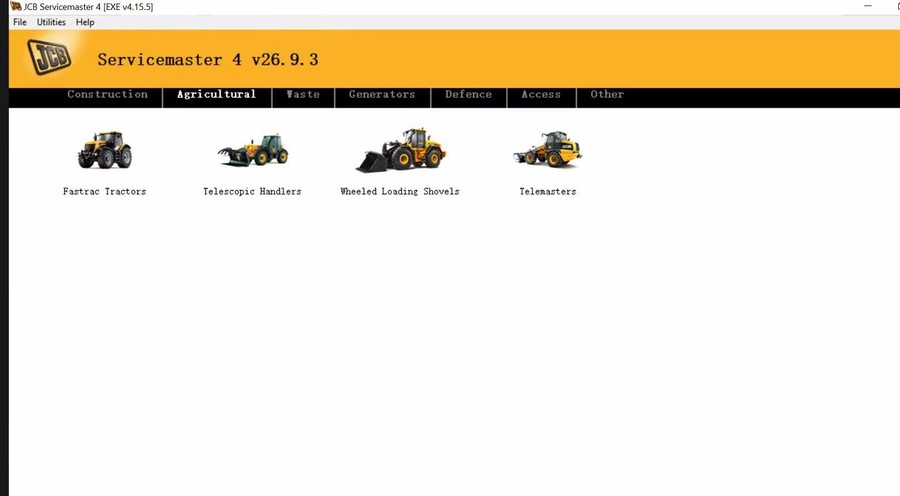
Supported agricultural-machine families include:
- Fastrac tractors
- Telescopic Handlers
- Wheeled Loading Shovels
- Telemasters
Fastrac coverage includes multiple 2000, 3000, 4000, 7000, and 8000-series families depending on machine generation and ECU configuration.
Waste and Other Equipment
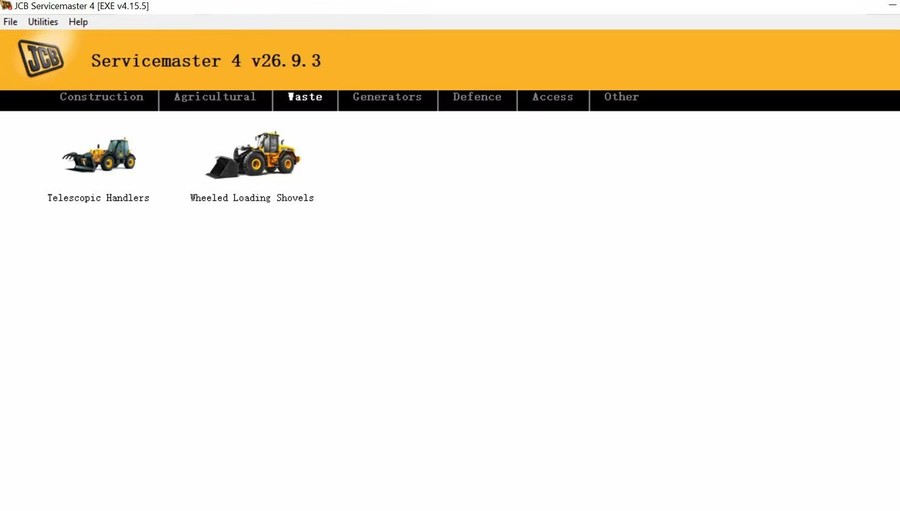
The software also contains support information for selected:
- Waste-handling telescopic handlers
- Wheeled loading shovels
- JCB engines
- LiveLink systems
- JCB Access equipment
- Generators
- Immobilizer-related systems
- General JCB machine applications
Compatibility should always be confirmed by machine model, serial number, ECU, and required service function before purchase.
Which Diagnostic Adapter Can Be Used?
For the most predictable compatibility, a JCB Electronic Service Tool / JCB diagnostic interface is the preferred hardware option.
Some installations may also communicate through supported RP1210-compatible interfaces, but driver and protocol compatibility can vary considerably between software versions and individual machines.
For third-party interfaces, do not assume universal compatibility simply because the adapter supports RP1210. Driver revision, vehicle protocol, and controller generation can all affect communication.
If a diagnostic interface is detected by Windows but ServiceMaster cannot communicate with the machine, check:
- Interface driver installation
- RP1210 device selection
- USB connection
- Machine diagnostic connector power
- Ignition/key status
- Correct machine family selection
- Driver conflicts with other heavy-duty diagnostic interfaces
OBD2TOOL has also documented a case where another diagnostic driver interfered with JCB communication, so driver conflicts should be considered when troubleshooting interface detection problems.
JCB ServiceMaster 4 V26.09 + Diagnostic Interface
For users who need both the software and communication hardware, OBD2TOOL offers the JCB Electronic Service Tool with JCB ServiceMaster 4 V26.09.
JCB Electronic Service Tool + ServiceMaster 4 V26.09:
https://www.obd2tool.com/goods-4451-JCB-Electronic-Service-Tool-JCB-Diagnostic-Interface.html
The current product listing identifies V26.09 / 2026.09 as an available ServiceMaster software option.
JCB ServiceMaster 4 Software:
https://www.obd2tool.com/goods-10573-JCB-Service-Master-4-Diagnostic-Software.html
For technicians who already have a compatible JCB interface, the software-only option may be more appropriate.
Before installation or remote configuration:
- Confirm the Windows version
- Remove or disable conflicting interface drivers where necessary
- Back up important diagnostic software and driver settings
- Connect the laptop to a reliable power source
- Verify that the required diagnostic interface is recognized correctly
- Confirm the machine model and diagnostic requirements
If several heavy-equipment diagnostic applications are installed on the same laptop, avoid unnecessarily changing RP1210 drivers or interface settings that are already working with other equipment.
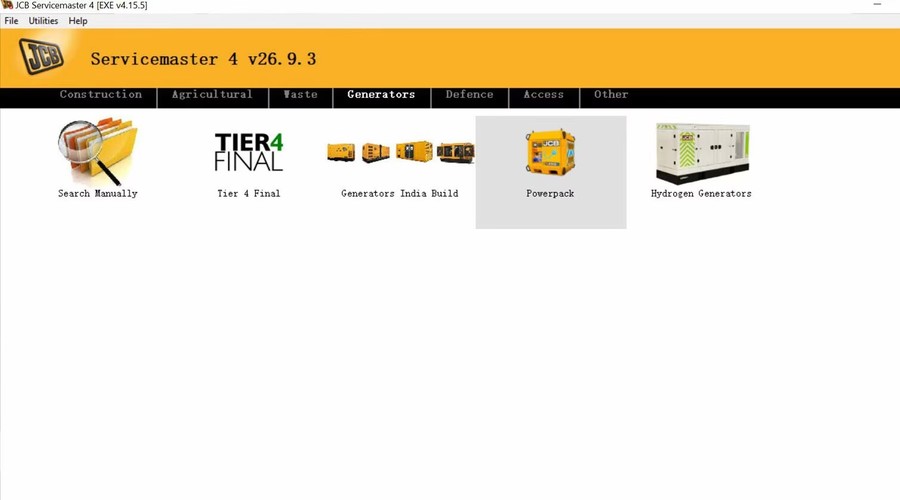
Software Display:
Conclusion
JCB ServiceMaster 4 V26.09 [2026.09] provides updated diagnostic software for technicians servicing supported JCB construction, agricultural, industrial, and engine applications.
Its main value is deeper ECU-level troubleshooting, service testing, calibration support, and access to machine-specific diagnostic information when paired with a compatible diagnostic interface.
For a complete JCB diagnostic setup, see:
JCB Electronic Service Tool with ServiceMaster 4 V26.09
https://www.obd2tool.com/goods-4451-JCB-Electronic-Service-Tool-JCB-Diagnostic-Interface.html
- Company Info
- About Us
- Company News
- Payment & Shipping
- Payment Methods
- Shopping Guide
- Shipping Policy
- Company Policies
- Terms and Conditions
- Return Policy
- Privacy Policy
- Customer Service
- Contact us
- Check Your Order Information
- Products Warranty
- Forget your account password
- Track Your Package
- Other Business
- Dropship
Email Subscribe |
Join our community |

|

|

|

|
Contact us Email us: sales@obd2tool.com Phone: +86 18437976115 Skype: chryssan2006 |
Location: Building B016, Haihao Huating, Xixiang Avenue, Xixiang Street, Baoan District,Shenzhen, 518000 China |


