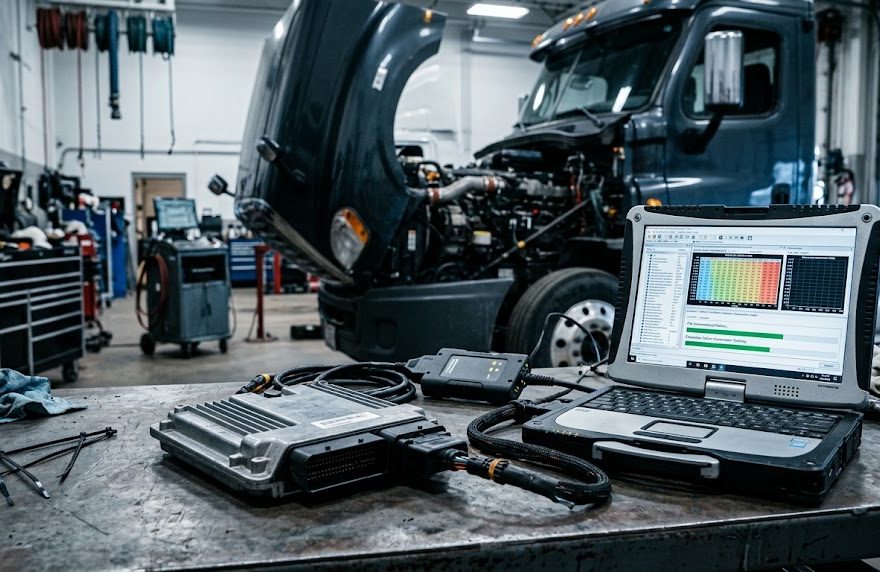
ECM programming, reflashing, and calibration are often used interchangeably, but they do not always describe the same procedure.
For diesel mechanics, automotive technicians, fleet maintenance professionals, and heavy-duty equipment repair shops, understanding these differences is essential when diagnosing engine problems, adjusting operating parameters, or replacing an Electronic Control Module (ECM).
A technician adjusting a Cummins engine’s idle shutdown timer is doing something different from another technician downloading a new calibration file into a Detroit Diesel ECM.
Likewise, resetting learned values after injector replacement is not necessarily the same as ECM reprogramming.
In this guide, we explain:
- ECM programming vs reflashing vs calibration
- Parameter changes, resets, relearns, and injector coding
- When an ECM requires an OEM calibration update
- ECM programming after module replacement
- Common programming failures and precautions
- Which software supports different ECM operations
- How to choose between Cummins INSITE, Calterm, Detroit DDDL, CAT ET, and JPRO
Whether you work on Cummins ISX15, Detroit DD15, Caterpillar C15, or other electronically controlled engines, understanding these operations helps you choose the appropriate diagnostic tools and avoid unnecessary programming.
1. What Is ECM Programming?
ECM programming is a broad term covering electronic operations that configure, initialize, or update an engine control module.
The ECM controls many engine functions, including fuel delivery, engine timing, torque management, idle operation, and selected emissions-system strategies.
Programming-related work can include changing parameters, installing calibration files, updating software, or configuring a replacement module.
However, not every ECM service operation is programming in the same technical sense.
For example, reading diagnostic trouble codes does not normally change the ECM’s programmed content.
Likewise, resetting an adaptation value is different from replacing a control module’s stored software.
ECM Programming vs Reflashing vs Calibration
| Operation | Main purpose | Does it change ECM data? | Typical application |
|---|---|---|---|
| Diagnostics | Identify faults and monitor systems | Usually no, except service actions such as clearing codes | Troubleshooting |
| Parameter adjustment | Modify supported settings | Yes | PTO, idle shutdown, road speed |
| Reset | Clear selected stored or learned values | Yes | Service reset |
| Relearn | Rebuild adaptive values | Yes | Component replacement |
| Injector coding | Store injector-specific information | Yes | Injector replacement |
| Calibration adjustment | Modify supported calibration values | Yes | Authorized engine configuration |
| Calibration download | Install an approved calibration package | Yes | OEM calibration update |
| ECM reflashing | Rewrite supported nonvolatile software or calibration memory | Yes | Software update or repair |
| Replacement ECM programming | Configure and program a new module | Yes | ECM replacement |
The key difference is the scope of the operation and the type of data being changed.
2. ECM Parameter Changes: When Reflashing Is Not Necessary
Many commercial-vehicle service operations involve changing individual ECM parameters rather than installing new software.
This is common in fleet maintenance, industrial engines, and vocational trucks.
PTO Settings
Power Take-Off (PTO) configurations control engine behavior when the vehicle powers auxiliary equipment.
For example, a technician may need to adjust supported PTO operating speed limits or related control settings.
Where the ECM provides the required adjustable parameters, these changes may be completed through the manufacturer-specific service software without reflashing.
Idle Shutdown Timer
Some fleets configure automatic idle shutdown to reduce fuel consumption and unnecessary engine operation.
If supported, a technician can adjust the timer through the ECM parameter menu.
Road Speed Governor Settings
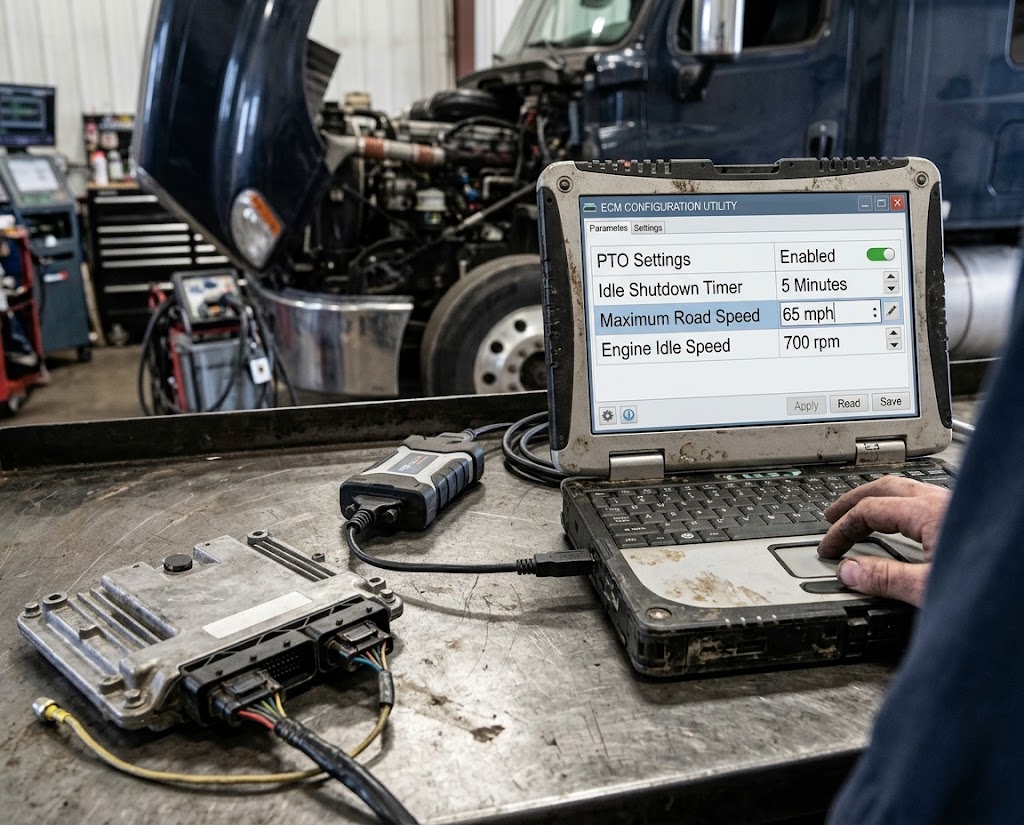
Fleet operators may use permitted ECM settings to limit maximum vehicle speed.
The allowable values and authorization requirements depend on the manufacturer, ECM calibration, and applicable regulations.
Why Parameter Adjustment Is Different from Reflashing
A parameter change generally modifies a stored configuration value within the limits allowed by the existing ECM software.
Reflashing writes an approved software or calibration package into supported ECM memory.
Therefore, if the objective is only to change an available idle shutdown parameter, a complete ECM reflash is usually unnecessary.
Recommended Cummins Diagnostic Software
For Cummins-powered trucks, Cummins INSITE provides manufacturer-specific diagnostic functions and supported feature and parameter adjustments.
It can help technicians:
- Read diagnostic trouble codes
- Monitor engine data
- Perform supported diagnostic tests
- Adjust permitted ECM parameters
- Access engine information
- Carry out authorized calibration operations where supported
OBD2TOOL product recommendation:
Cummins INLINE 7 Data Link Adapter with INSITE Pro Software
This package suits technicians who need both a diagnostic communication interface and compatible Cummins service software.
The listing provides different INSITE software and laptop configurations. Verify the included version, supported engine, licensing, and programming access before ordering.
3. ECM Resets, Relearns, and Injector Coding
Resets and relearns are frequently confused with ECM programming.
Although these procedures may change data stored in the ECM, they normally do not replace the main application software.
What Is an ECM Reset?
An ECM reset clears or reinitializes specific stored values.
Examples include:
- Selected learned operating values
- Maintenance-related counters
- Component replacement data
- Certain adaptive parameters
A reset should only be performed when required by the appropriate service procedure.
Clearing stored values without correcting the underlying fault may not solve the original problem.
What Is an ECM Relearn?
A relearn allows the control system to establish new adaptive values after a repair or component replacement.
The procedure varies by engine and manufacturer.
Depending on the system, it may require the engine to operate under specific conditions or the technician to run a guided service routine.
Injector Coding vs Injector Relearn
Injector coding and relearn procedures are not identical.
Injector coding may involve entering manufacturer-specified identification or correction data for individual injectors.
A relearn procedure may then establish or update adaptive operating values, as needed.
For example, after replacing an injector on a supported diesel engine, the technician may need to enter its correction code and complete additional verification.
An injector replacement does not automatically require an entire ECM software update.
Which Tool Should You Use?
For Cummins engines, INSITE may support the applicable injector and service procedures.
For Detroit Diesel engines, Detroit DiagnosticLink provides manufacturer-specific diagnostics and selected service routines.
For Caterpillar engines, CAT ET supports diagnostic and calibration procedures appropriate to the engine and ECM.
The exact functionality depends on the engine family and supported software release.
4. ECM Calibration: What Does Calibration Actually Mean?
The term ECM calibration can describe more than one type of operation.
This distinction matters most when discussing heavy-duty diesel engines.
Meaning 1: Engine Calibration Data
ECM calibration data contains manufacturer-defined values and control strategies that determine engine operation.
Depending on the platform, calibration data can influence:
- Fuel delivery
- Injection timing
- Torque limits
- Engine speed control
- Turbocharger-related control
- Aftertreatment management
- Engine protection strategies
An OEM calibration is designed for a particular engine application, hardware configuration, and emissions certification.
Meaning 2: A Service Calibration Procedure
In workshop terminology, calibration can also refer to a service routine.
Examples include sensor calibration, actuator calibration, or other manufacturer-defined adjustments.
These operations generally do not require replacing the ECM’s entire software package.
Calibration vs Reflashing
A calibration download may be performed through a reflashing process.
However, a reflash does not necessarily replace every part of the module’s firmware.
Some operations update calibration data, while others update application software or multiple memory regions.
The scope depends on the ECM and the manufacturer.
Practical takeaway: Always determine whether the repair requires a service calibration routine, a parameter change, or an approved calibration-file download.
5. Cummins INSITE vs Calterm: Which Software Is Used for ECM Calibration?
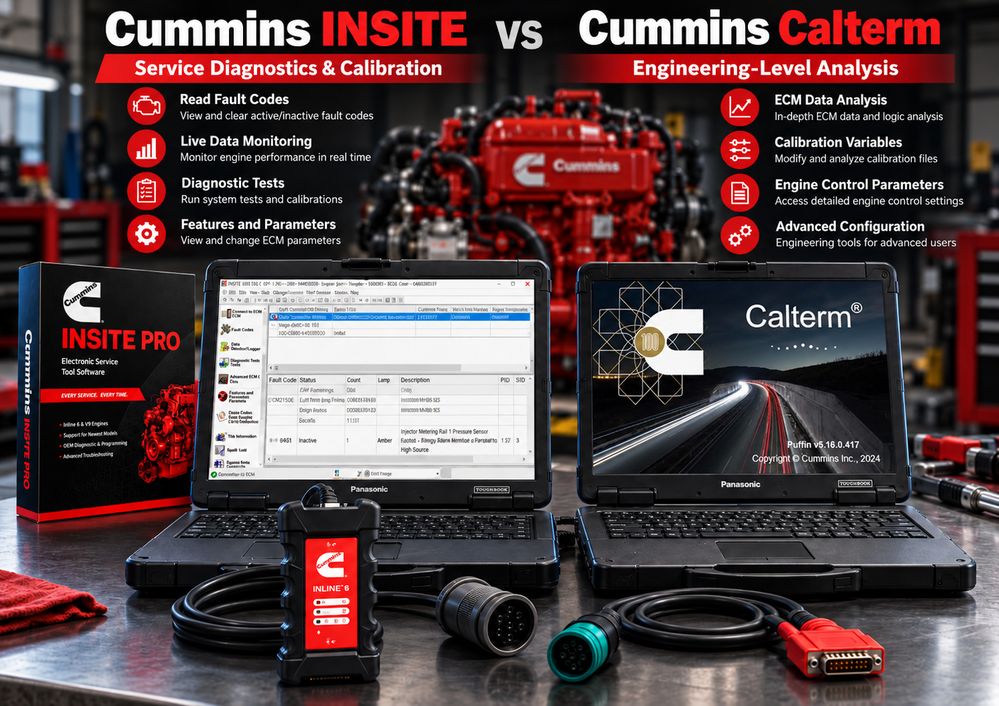
Cummins technicians often compare INSITE and Calterm because both relate to electronic engine management.
However, they serve different purposes.
Cummins INSITE: OEM Service Diagnostics and Calibration Downloads
INSITE is the primary Cummins electronic service application for supported engines.
Depending on licensing, product support, and authorization, its capabilities can include:
- ECM fault diagnostics
- Features and Parameters
- Live data monitoring
- Diagnostic tests
- Engine information
- ECM templates
- Calibration selection and download
Cummins calibration files are commonly distributed through its INCAL system and other authorized service channels.
OBD2TOOL product recommendation:
Cummins INSITE 9.3.0 Pro Diagnostic Software
This is relevant for workshops that already have a compatible communication adapter and need an INSITE software package.
Important: Cummins has introduced additional controls over calibration downloads and ECM code changes. Access to a calibration file does not guarantee approval to install that file.
Cummins Calterm: Engineering-Level Analysis
Cummins Calterm is an engineering-oriented application associated with advanced engine-control data and calibration development.
It is not simply another version of INSITE.
Compared with conventional service software, Calterm workflows can involve deeper inspection of control information and specialized engineering functions.
Its appropriate use depends on the ECM platform, applicable data definitions, software permissions, and engineering requirements.
Calterm should not be presented as a universal replacement for approved Cummins service programming.
OBD2TOOL product recommendation:
Cummins Calterm 5.16 Engineering Software
This product is more relevant to qualified engineers and specialists researching advanced Cummins electronic control systems.
For routine fault diagnosis, parameter adjustment, and authorized service calibration, INSITE is generally the more appropriate starting point.
Cummins INSITE vs Calterm Comparison
| Function | Cummins INSITE | Cummins Calterm |
|---|---|---|
| Routine diagnostics | Primary service role | Not primary purpose |
| Fault code troubleshooting | Yes | Depends on engineering workflow |
| Live data | Yes | Engineering monitoring capabilities |
| Service parameter changes | Supported | Specialized applications |
| OEM calibration downloads | Supported with authorization | Not a substitute for OEM approval |
| Engineering analysis | Limited compared with development tools | Core specialization |
| Typical users | Diesel technicians and repair workshops | Qualified engineering specialists |
6. What Is ECM Reflashing?
ECM reflashing is the process of rewriting specified software or calibration data stored in the module’s nonvolatile memory.
The operation normally uses a compatible communication interface and manufacturer-approved programming software.
Why Would an ECM Need Reflashing?
Common reasons include:
OEM software updates
A manufacturer may issue a revised calibration or software package to correct a documented problem.
ECM replacement
A replacement module may need suitable software and vehicle-specific configuration.
Approved hardware changes
A manufacturer may require a different calibration after an authorized component or engine configuration change.
Service campaigns
A manufacturer service campaign may specify an ECM update as part of the repair.
How ECM Reflashing Works
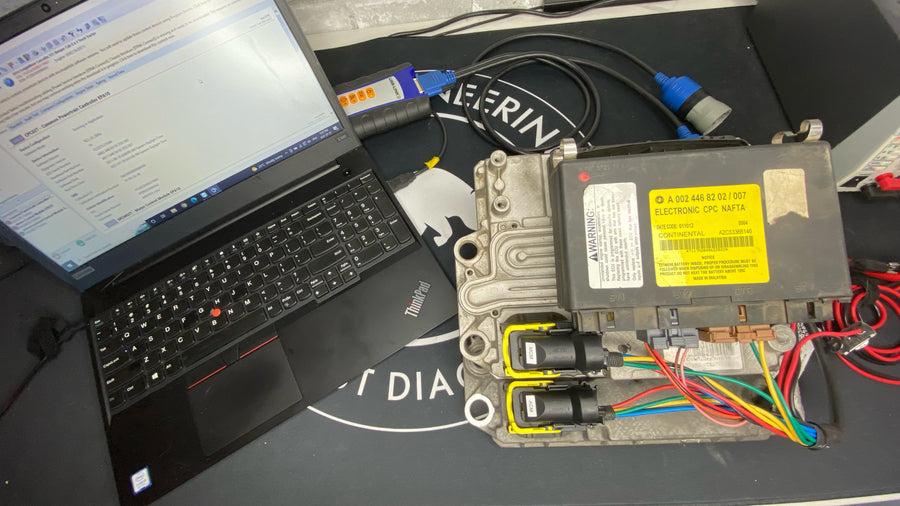
Although the exact procedure differs by manufacturer, a typical OEM reflash involves:
- Identifying the vehicle and ECM.
- Confirming the applicable software or calibration.
- Establishing stable power and communication.
- Backing up supported configuration data where possible.
- Transferring the approved programming package.
- Verifying successful completion.
- Completing any required configuration, reset, or relearn procedures.
A successful software transfer alone does not necessarily mean that every replacement-module initialization task has been completed.
Does ECM Reflashing Improve Engine Performance?
Not necessarily.
A manufacturer calibration update may address reliability, diagnostics, emissions compliance, drivability, or other operational requirements.
It should not automatically be described as a horsepower or fuel-economy upgrade.
The result depends on the specific OEM update and vehicle application.
7. Detroit Diesel ECM Programming: DDDL, DDCT, and DDRS
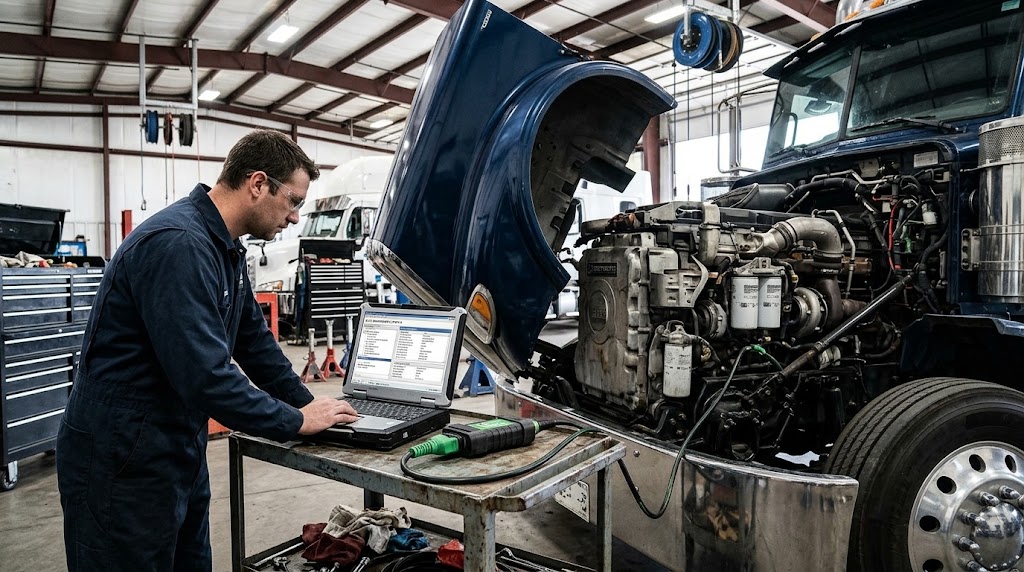
Detroit Diesel provides a useful example of why different programming and calibration tools should not be treated as interchangeable.
Detroit-powered vehicles may use different service environments depending on engine generation, controller architecture, and the operation being performed.
Detroit Diesel DiagnosticLink (DDDL)
DiagnosticLink supports supported Detroit engine and vehicle system diagnostics.
Its functions may include:
- Reading and clearing fault codes
- Monitoring live data
- Running diagnostic tests
- Performing supported service routines
- Changing authorized parameters
- Carrying out supported reprogramming operations with appropriate access
DiagnosticLink Professional supports manufacturer-authorized programming workflows for supported modern Detroit controllers.
Detroit Diesel Calibration Tool (DDCT)
DDCT is associated with specialized calibration and configuration work on applicable Detroit electronic control systems.
Its use depends on the controller generation and authorized workflow.
Detroit Diesel Reprogramming System (DDRS)
DDRS supports reprogramming workflows for certain legacy Detroit platforms.
It should not be assumed to provide programming support for every newer Detroit control module.
Recommended Detroit Diesel Software
Detroit Diesel DiagnosticLink DDDL 8.24 Software
The OBD2TOOL listing describes Detroit diagnostic functions, service routines, parameter access, and programming-related features.
Actual ECM programming eligibility should still be checked against the controller, vehicle configuration, software authorization, and manufacturer’s requirements.
For a more detailed comparison, read our related guide:
DDDL vs DDCT vs DDRS: Which Detroit Diesel Diagnostic Tool Do You Need?
This article explains how Detroit diagnostic, calibration, and reprogramming software differ across supported platforms.
8. Caterpillar ECM Calibration and Programming with CAT ET
Caterpillar Electronic Technician (CAT ET) is used to diagnose supported Caterpillar engines and equipment.
CAT ET can provide access to ECM information, diagnostic codes, operating data, service tests, and supported configuration functions.
Typical CAT ET Service Operations
Depending on the engine or machine:
- Read active and logged diagnostic codes
- Monitor engine operating parameters
- Perform diagnostic tests
- Review ECM configuration
- Adjust supported ECM parameters
- Perform selected calibrations
- Access supported programming workflows
CAT ET and WinFlash
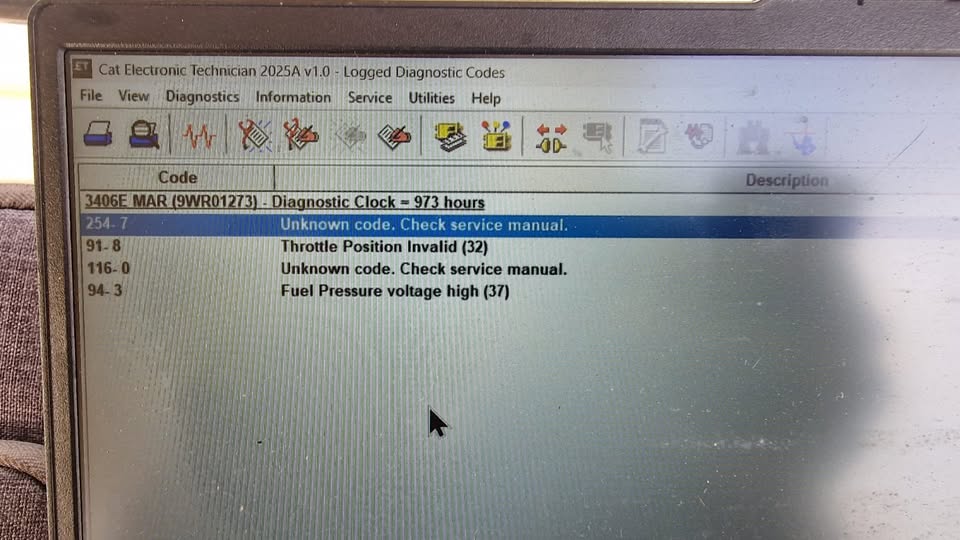
WinFlash is associated with ECM flash programming on supported Caterpillar applications.
It differs from routine fault-code reading or standard parameter adjustment.
Before flashing an ECM, technicians should confirm the correct application file, communication adapter, software compatibility, and programming authorization.
OBD2TOOL CAT ET Diagnostic Tool
CAT Caterpillar ET Diagnostic Adapter with Software Options
This product is suitable for evaluating a CAT-specific diagnostic hardware and software configuration.
For advanced repairs, confirm whether the purchased package supports the exact engine, ECM family, and required service function.
9. ECM Replacement: Why Installing a New Module Is Not Enough
Replacing an ECM usually involves more than removing the old unit and installing a new one.
Depending on the vehicle, a replacement ECM may be supplied blank, preprogrammed, or partially configured.
The replacement procedure can involve:
- Selecting an approved ECM software package
- Entering or confirming identification information
- Restoring supported parameters
- Configuring vehicle options
- Performing required initialization
- Completing injector coding or other adaptations
- Verifying communication with related modules
ECM Replacement Example
Suppose a fleet technician replaces a failed Cummins engine ECM.
Even if the replacement unit has the correct physical connectors, it may not be ready for service.
The technician may need to install the correct approved calibration and restore the supported vehicle configuration.
Before removing the old ECM, save available ECM information, calibration identifiers, and adjustable parameters whenever possible.
Can You Install a Used ECM Instead?
A used ECM may require additional verification of its hardware compatibility, software version, security configuration, and vehicle-specific data.
Not every used module can be successfully programmed for another vehicle.
Compatibility should be established before purchase or installation.
10. Why Stable Voltage Matters During ECM Programming
ECM reflashing is more sensitive to interruptions than most routine diagnostic operations.
During programming, the control module may erase and rewrite parts of its nonvolatile memory.
If communication or power fails at the wrong moment, the programming process may not complete.
What Can Go Wrong?
Possible consequences include:
- Incomplete software transfer
- Loss of module communication
- Invalid calibration data
- No-start conditions
- Additional recovery procedures
- ECM replacement in severe cases
Not every interrupted flash permanently damages the ECM. Some modules support recovery through a manufacturer-defined process.
However, recovery cannot be guaranteed.
Recommended Precautions
Use a suitable battery support unit.
The required voltage and current capacity depend on the vehicle and ECM.
Confirm communication before programming.
Check the interface, cables, drivers, and connection method.
Use the correct calibration file.
Never select a file simply because it belongs to the same engine family.
Prevent computer interruptions.
Disable sleep and hibernation where appropriate and avoid disconnecting the diagnostic interface during programming.
Verify the result.
After the reflash, follow the manufacturer-required verification and relearn procedures.
For supported OEM reprogramming, the manufacturer’s service instructions take priority over generic programming advice.
11. Which ECM Programming Tool Should You Choose?
Different tools are designed for different tasks.
| Tool | Primary application | Parameter changes | ECM programming |
|---|---|---|---|
| Cummins INSITE | Cummins engine service | Supported | Authorized calibration downloads |
| Cummins Calterm | Cummins engineering analysis | Specialized | Engineering workflow-dependent |
| Detroit DDDL | Detroit engine diagnostics | Supported | Supported OEM workflows with access |
| CAT ET | Caterpillar engine and equipment service | Supported | Supported WinFlash/OEM workflows |
| JPRO | Multi-brand commercial-vehicle diagnostics | Limited to covered functions | Not a replacement for OEM programming |
| OEM J2534 application | Supported automotive OEM platforms | Application-dependent | Supported manufacturer reprogramming |
Best for Cummins Repair Shops
Choose a compatible Cummins INLINE 7 and INSITE configuration for routine Cummins service, diagnostics, parameter management, and authorized calibration work.
View Cummins INLINE 7 with INSITE Software
Best for Detroit Diesel Specialists
Choose the appropriate Detroit DiagnosticLink configuration for the supported engine generation and task.
View Detroit Diesel DDDL Software
Best for Caterpillar Equipment Technicians
Use an appropriate CAT communication adapter and CAT ET software configuration for supported Caterpillar electronic systems.
View CAT ET Diagnostic Equipment
Best for Multi-Brand Heavy-Duty Workshops
If your workshop services Cummins, Detroit, PACCAR, Volvo, Mack, International, and other commercial vehicles, a multi-brand diagnostic tool can help with daily troubleshooting.
JPRO provides broad commercial-vehicle coverage, including supported fault reading, live data, service tests, and bidirectional functions.
However, JPRO should not be considered a universal ECM reflashing solution.
Explore JPRO Heavy-Duty Truck Diagnostic Tools
A practical approach is to use JPRO for initial diagnosis and supported maintenance, then switch to the appropriate OEM software when a repair requires manufacturer-specific ECM programming.
12. Common ECM Programming Mistakes to Avoid
Mistake 1: Reflashing Before Diagnosing the Fault
Not every engine performance problem is caused by outdated ECM software.
A faulty sensor, damaged wiring harness, fuel-system problem, or mechanical defect may produce similar symptoms.
Diagnose the system before deciding whether you need a software update.
Mistake 2: Confusing a Reset with Reprogramming
Clearing learned values does not install a new ECM calibration.
Use the correct operation for the repair.
Mistake 3: Installing an Incorrect Calibration
A calibration from a different engine family or incompatible hardware configuration can cause serious problems.
Cummins and other OEMs use compatibility and authorization checks to restrict inappropriate downloads.
Always verify the ECM code, engine application, and approved software revision.
Mistake 4: Assuming a Diagnostic Adapter Includes Programming Authorization
A communication interface provides connectivity.
It does not automatically include OEM subscriptions, security permissions, software downloads, or programming rights.
Mistake 5: Failing to Preserve ECM Parameters
Some programming operations may affect stored configuration values.
Record or back up available settings before starting, and confirm required values afterward.
13. Frequently Asked Questions About ECM Programming
Is ECM programming the same as reflashing?
Not exactly.
ECM programming is a broad term covering configuration and software-related operations.
Reflashing specifically involves rewriting supported software or calibration memory.
What is the difference between ECM calibration and reflashing?
Calibration can refer to engine-control data or a service adjustment procedure.
Reflashing is the process of writing software or calibration content into ECM memory.
An OEM calibration download can involve reflashing.
Can I change ECM parameters without reflashing?
Yes, when the existing ECM software permits the required parameter adjustment.
Examples include supported PTO settings, idle shutdown values, and road speed limits.
Does injector coding require ECM reflashing?
Usually not.
Injector coding is generally a separate service procedure. Additional adaptation or relearn steps may be necessary depending on the engine.
What software is used to program a Cummins ECM?
Cummins INSITE is used for supported service operations and authorized calibration downloads.
Calterm serves different engineering-oriented purposes and is not a substitute for the manufacturer’s required programming approval.
Can Detroit Diesel DiagnosticLink reflash an ECM?
DiagnosticLink Professional supports specified programming operations on eligible Detroit platforms when the correct authorization and supporting requirements are available.
Not every DiagnosticLink installation provides identical programming access.
Can CAT ET program an ECM?
CAT ET provides supported electronic service functions, while WinFlash supports compatible ECM programming operations.
Actual availability depends on the machine, ECM, software, file, and authorization.
Can JPRO reprogram an ECM?
JPRO is primarily a multi-brand diagnostic and service platform.
It should not be treated as a substitute for the appropriate manufacturer-specific ECM programming software.
Do I need a J2534 adapter to reflash an ECM?
Not always.
Many automotive OEM applications use J2534 pass-through devices, while heavy-duty OEM systems frequently use RP1210-compatible adapters or manufacturer-specific interfaces.
The correct hardware depends on the vehicle and programming application.
What happens if ECM programming fails?
An interrupted or unsuccessful programming operation can leave the ECM unable to communicate or start the engine.
Some modules may be recoverable through an approved recovery procedure. Others may require specialized repair or replacement.
Do not repeatedly attempt programming without identifying the cause of the failure.
Final Thoughts: ECM Programming, Reflashing, or Calibration?
Understanding the difference between ECM programming, reflashing, calibration, parameter adjustment, and relearn procedures is essential for accurate engine repair.
The most important points are:
- Diagnostics identify problems and monitor operating conditions.
- Parameter changes adjust supported ECM settings without necessarily installing new software.
- Resets and relearns update stored service or adaptive values.
- Calibration can describe an adjustment procedure or engine-control data.
- Reflashing installs an approved software or calibration package.
- Replacement ECM programming may require software installation, configuration, and additional initialization.
The correct tool depends on the engine manufacturer, ECM generation, and required operation.
For Cummins engines, INSITE is a principal service application. For Detroit Diesel systems, DiagnosticLink provides relevant manufacturer-specific capabilities. Caterpillar technicians use CAT ET for supported electronic service operations.
For multi-brand fleets, JPRO is useful for everyday diagnostics, but OEM software remains important when full manufacturer-specific programming is required.
Explore ECM Diagnostic and Programming Tools at OBD2TOOL
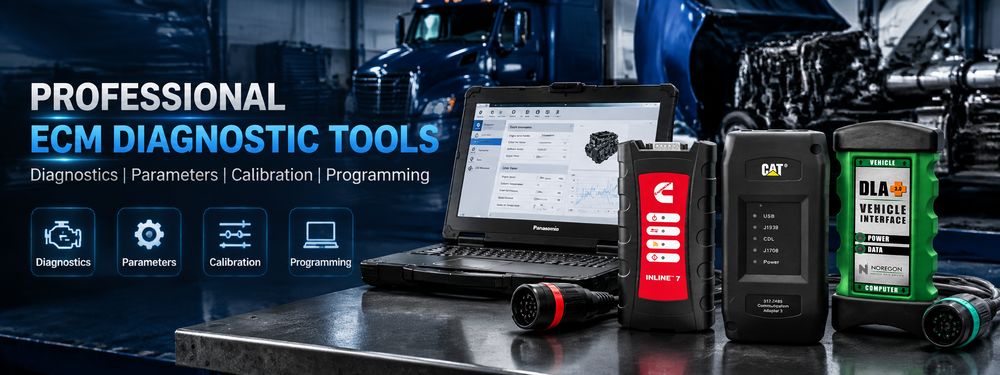
- Cummins INLINE 7 with INSITE Pro
- Cummins Calterm Engineering Software
- Detroit Diesel DiagnosticLink Software
- CAT Caterpillar ET Diagnostic Tool
- JPRO Professional Heavy-Duty Diagnostic Kit
Before purchasing, confirm the engine compatibility, software version, interface requirements, licensing conditions, and programming capabilities of the selected package.