JCB ServiceMaster 4 is a diagnostic software program designed for JCB construction machinery, agricultural equipment, engines, and related electronic control systems. When installed on a compatible Windows computer and used with a JCB diagnostic interface, it allows technicians to diagnose faults, perform service tests, view ECU data, and carry out calibration or service operations on supported JCB machines.
For repair workshops, fleet maintenance teams, heavy equipment technicians, and agricultural machinery service providers, JCB ServiceMaster 4 is a useful solution for maintaining JCB backhoe loaders, excavators, Loadalls, Fastrac tractors, wheel loaders, Teletruk models, compact machines, engines, and more.
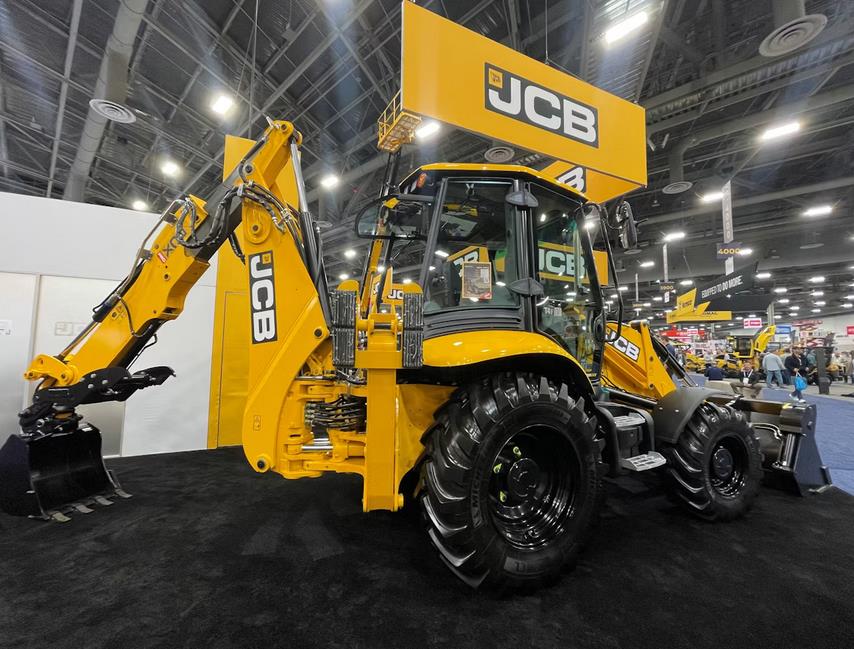
Product reference:
JCB Heavy Duty Diagnostic Tool with JCB ServiceMaster 4 V26.05
https://www.obd2tool.com/goods-4451-JCB-Electronic-Service-Tool-JCB-Diagnostic-Interface.html
Software page:
2026.05 JCB ServiceMaster 4 Diagnostic Software
https://www.obd2tool.com/goods-10573-JCB-Service-Master-4-Diagnostic-Software.html
What Is JCB ServiceMaster 4?
JCB ServiceMaster 4 is diagnostic and service software used to communicate with JCB machine electronic control units. It helps users access machine information, read diagnostic data, perform tests, and support service procedures.
The software contains diagnostic information and service functions for many JCB machines. Instead of using a basic fault code reader, technicians can use JCB ServiceMaster 4 to carry out deeper diagnostic work on supported equipment.
Typical users include:
- Heavy equipment repair workshops
- Construction machinery service engineers
- Agricultural machinery technicians
- Fleet maintenance departments
- JCB machine owners who need professional diagnostic support
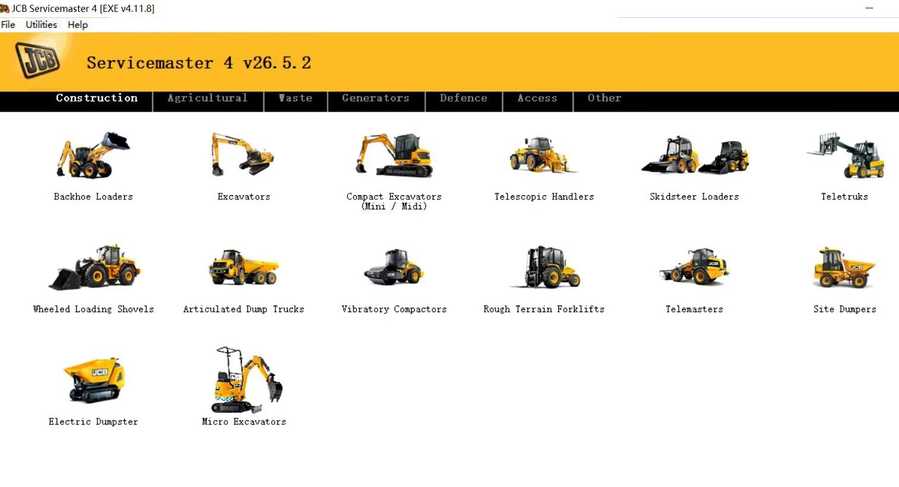
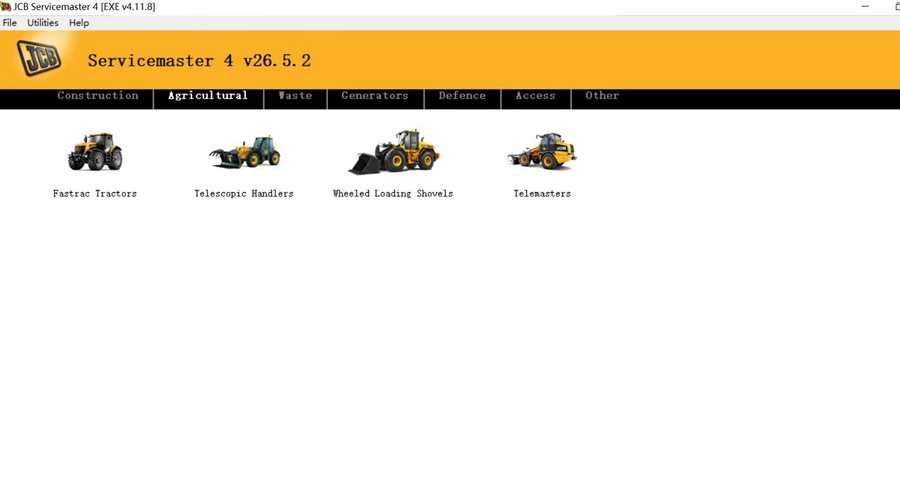
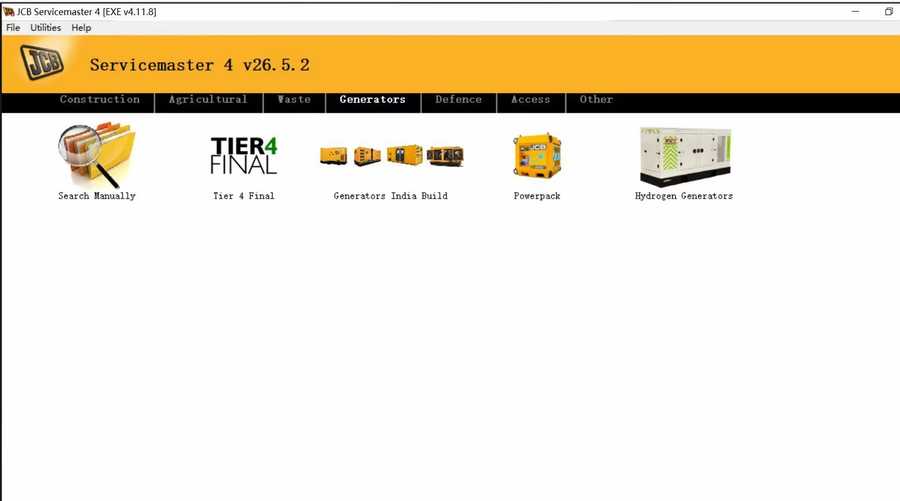
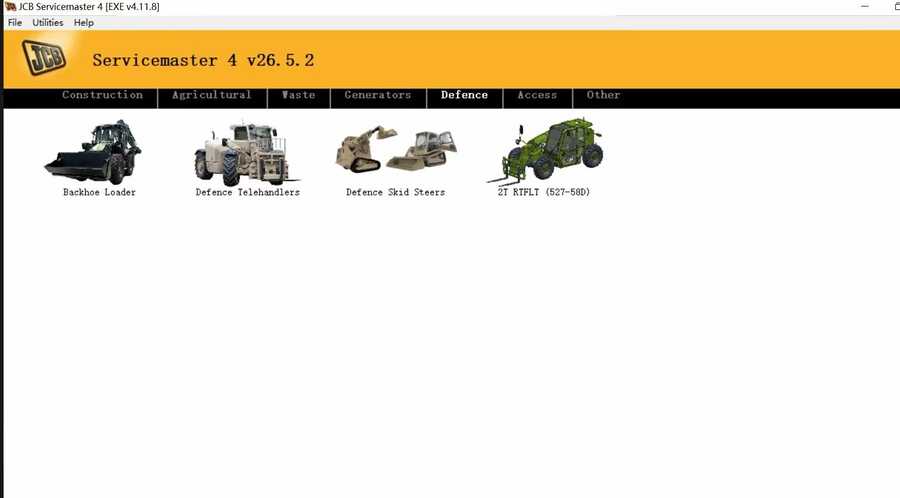
Main Functions of JCB ServiceMaster 4
JCB ServiceMaster 4 provides a range of service and diagnostic functions for supported machines.
Main functions include:
- Troubleshooting machine faults
- Reading diagnostic information from electronic control units
- Performing standard service tests
- Viewing machine and ECU data
- Editing generated data where supported
- Supporting ECU flash files with correct data
- Assisting with calibration and service operations
- Helping technicians identify problems more quickly
Actual available functions may depend on the machine model, ECU type, software version, and diagnostic interface used.
Supported Languages
JCB ServiceMaster 4 supports the following languages:
- English
- Italian
- German
- French
English is commonly used by international technicians and workshops.
Supported JCB Construction Equipment
JCB ServiceMaster 4 covers many JCB construction machines, including:
- Backhoe Loaders
- Compact Backhoe Loaders
- Excavators
- Compact Excavators
- Mini Excavators
- Midi Excavators
- Telescopic Handlers
- Skid Steer Loaders
- Compact Track Loaders
- Teletruk
- Wheeled Loading Shovels
- Articulated Dump Trucks
- Vibratory Compactors
- Rough Terrain Forklifts
Supported telehandler and Loadall categories include:
- Loadall 2007-
- Loadall 2007+
- Tier 4 Loadall models
- 525-60 Compact Loadall
- Loadall construction extras
Supported JCB Agricultural Machines
For agricultural machinery diagnosis, JCB ServiceMaster 4 supports several JCB machine families.
Supported agricultural machines include:
- Fastrac Tractors
- Agricultural Telescopic Handlers
- Wheeled Loading Shovels
- Telemasters
Supported Fastrac tractor series include:
- Fastrac 2000-3000 Series
- Fastrac 3000 Series 2
- Fastrac 3000 Series 3
- Fastrac 3000 Series 4
- Fastrac 4000 Series
- Fastrac 7000 Series
- Fastrac 8250 Series 1
- Fastrac 8250 Series 2
- Fastrac 8000 Series 3
This makes the software useful for farms, agricultural contractors, and service centers working with JCB agricultural equipment.
Supported Waste and Industrial Equipment
JCB ServiceMaster 4 also supports certain machines used in waste handling and industrial applications.
Supported categories include:
- Telescopic Handlers Tier 3
- Telescopic Handlers Tier 4
- Wheeled Loading Shovels
- 427 / 437 / 435S T4F
- 457 T4F
Other Supported JCB Systems and Models
JCB ServiceMaster 4 also covers additional JCB machine groups and systems, such as:
- JS Range
- JZ70
- Backhoe Loader
- Robot
- Teletruk
- Midi Excavator 801-8065
- Midi Excavator 8080-8085
- Dump Truck
- Large Wheel Loading Shovels
- Compact Wheel Loading Shovels
- Vibromax
- JCB Dieselmax Engine
- JCB Engine IPU OEM
- JCB Engine Base Engine OEM
- JCB Generators
- LiveLink I
- LiveLink II
Before purchasing or installing the software, it is recommended to confirm compatibility with your exact machine model, production year, engine type, and ECU system.
JCB ServiceMaster 4 System Requirements
To install and run JCB ServiceMaster 4, your computer should meet the following requirements.
Supported operating systems:
- Windows XP 32-bit
- Windows 7 32-bit
- Windows 7 64-bit
- Windows 8 / 8.1 32-bit
- Windows 8 / 8.1 64-bit
- Windows 10 32-bit
- Windows 10 64-bit
Basic hardware requirements:
- CPU: Pentium / Athlon 2 GHz or higher
- RAM: 512 MB or higher
- Hard Drive: 25 GB available space
- Optical Drive: DVD-ROM, if installing from disc
For smoother use, a Windows 7 or Windows 10 laptop with higher RAM and stable USB connection is recommended.
JCB ServiceMaster 4 2026.05 Software
The 2026.05 version of JCB ServiceMaster 4 is available as a diagnostic software option for users who need updated JCB diagnostic support.
Software product page:
https://www.obd2tool.com/goods-10573-JCB-Service-Master-4-Diagnostic-Software.html
For users who also need the hardware interface, the JCB Electronic Service Tool package is available here:
https://www.obd2tool.com/goods-4451-JCB-Electronic-Service-Tool-JCB-Diagnostic-Interface.html
How to Install JCB ServiceMaster 4 on Windows 7 or Windows 10
The general installation process is as follows:
- Prepare a compatible Windows laptop.
- Download or copy the JCB ServiceMaster 4 software package.
- Extract the software files if required.
- Run the setup program as administrator.
- Follow the installation instructions on screen.
- Install the required diagnostic interface driver.
- Connect the JCB diagnostic interface to the computer.
- Open JCB ServiceMaster 4.
- Connect the interface to the JCB machine.
- Test communication with the machine ECU.
For users who are not familiar with diagnostic software installation, remote installation support is recommended.
Important Compatibility Notes
Before using JCB ServiceMaster 4, please check the following points:
- Confirm your machine model and year.
- Make sure your JCB diagnostic interface is compatible.
- Use a stable Windows system.
- Install the correct drivers before connecting to the machine.
- Make sure the machine battery voltage is stable during diagnosis.
- Do not interrupt ECU flashing or calibration procedures.
- If you are unsure about ECU programming, ask a qualified technician for help.
Incorrect operation during ECU flashing or calibration may cause machine communication errors or control module problems.
Why Choose JCB ServiceMaster 4?
JCB ServiceMaster 4 is more suitable for JCB heavy equipment than a basic OBD code reader because it is designed for JCB machine systems.
Key advantages include:
- Wide JCB machine coverage
- Support for construction and agricultural equipment
- Diagnostic and troubleshooting functions
- Service test support
- ECU data viewing
- Calibration and service operation support
- Works with JCB Electronic Service Tool hardware
- Useful for workshops, technicians, and fleet maintenance
For businesses that regularly repair JCB machines, this software can help reduce troubleshooting time and improve service efficiency.
JCB ServiceMaster 4 vs Basic Diagnostic Tools
A basic code reader may only read general fault codes. JCB ServiceMaster 4 provides more professional functions for JCB machines.
| Item | Basic Code Reader | JCB ServiceMaster 4 |
|---|---|---|
| JCB machine coverage | Limited | Wide JCB equipment support |
| ECU communication | Basic | Professional JCB ECU communication |
| Service tests | Usually not supported | Supported on compatible systems |
| Calibration | Usually not supported | Supported on compatible systems |
| ECU flash file support | No | Supported where applicable |
| Best for | Simple fault checks | JCB service and repair work |
Conclusion
JCB ServiceMaster 4 is a professional diagnostic software solution for JCB construction equipment, agricultural machinery, engines, and industrial machines. It supports troubleshooting, service tests, ECU data viewing, calibration, and other diagnostic functions for many JCB models.
For technicians, repair shops, and fleet maintenance teams working with JCB equipment, JCB ServiceMaster 4 used together with the correct JCB diagnostic interface can make fault diagnosis and maintenance work more efficient.
Check JCB diagnostic tool details here:
https://www.obd2tool.com/goods-4451-JCB-Electronic-Service-Tool-JCB-Diagnostic-Interface.html
Check JCB ServiceMaster 4 software here:
https://www.obd2tool.com/goods-10573-JCB-Service-Master-4-Diagnostic-Software.html
FAQ About JCB ServiceMaster 4
1. What is JCB ServiceMaster 4?
JCB ServiceMaster 4 is diagnostic software used for JCB construction equipment, agricultural machines, engines, and electronic control systems.
2. What can JCB ServiceMaster 4 do?
It can help with troubleshooting, service tests, ECU data viewing, calibration, diagnostic operations, and ECU flash file support on compatible JCB machines.
3. Which machines does JCB ServiceMaster 4 support?
It supports many JCB machines, including backhoe loaders, excavators, compact excavators, telescopic handlers, Loadalls, Fastrac tractors, wheel loaders, Teletruk, dump trucks, compact machines, and JCB engines.
4. Does JCB ServiceMaster 4 support agricultural equipment?
Yes. It supports JCB agricultural machines such as Fastrac tractors, agricultural Loadalls, telescopic handlers, and wheeled loading shovels.
5. What languages does JCB ServiceMaster 4 support?
It supports English, Italian, German, and French.
6. Can JCB ServiceMaster 4 run on Windows 10?
Yes. It supports Windows 10 32-bit and 64-bit systems.
7. Do I need a diagnostic interface?
Yes. A compatible JCB diagnostic interface is required to connect the computer to the machine and communicate with the ECU.
8. Is JCB ServiceMaster 4 suitable for repair shops?
Yes. It is suitable for heavy equipment repair shops, agricultural machinery workshops, fleet maintenance teams, and professional technicians.
9. Can JCB ServiceMaster 4 perform ECU flashing?
The software supports ECU flash files with correct data where applicable. ECU flashing should only be performed by trained users because incorrect operation may cause ECU problems.
10. Where can I get JCB ServiceMaster 4?
You can check the JCB ServiceMaster 4 software page here:
https://www.obd2tool.com/goods-10573-JCB-Service-Master-4-Diagnostic-Software.html