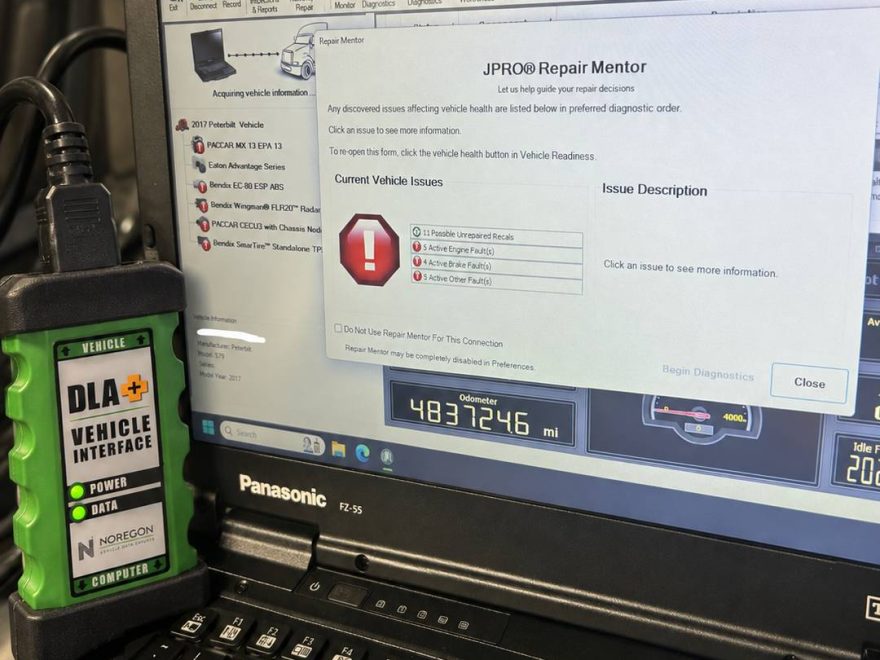
For commercial vehicle technicians, fleet managers, and independent repair shops, multi-brand diagnostic capability is essential. Dealing with mixed fleets means jumping between OEM software suites unless you run a robust, integrated commercial vehicle scanner.
JPRO 2026 v2 is engineered to address this exact challenge, offering heavy-duty, medium-duty, and heavy-equipment diagnostic coverage through a single user interface. This technical review examines the software’s architecture, diagnostic breadth, system coverage, and practical applications in a professional repair environment.
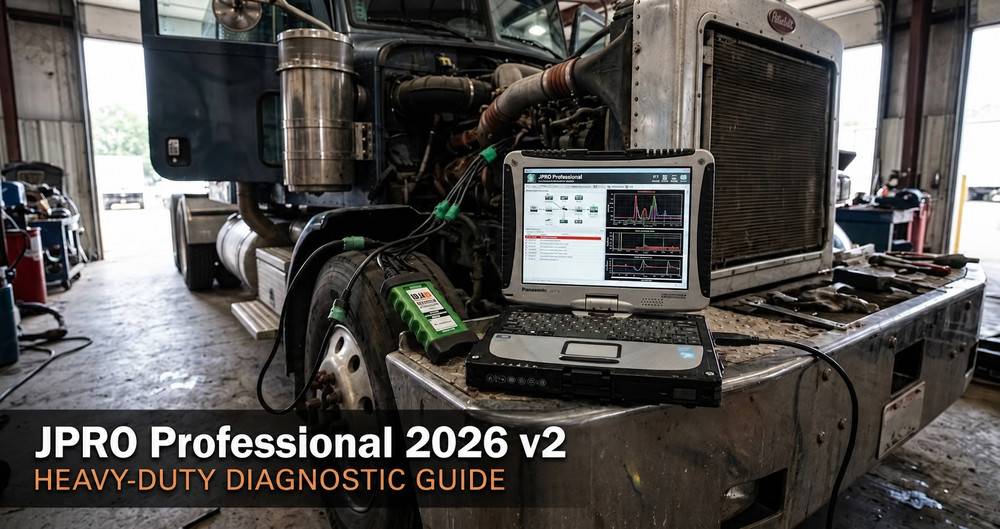
What is JPRO Commercial Vehicle Diagnostics?
JPRO is a comprehensive, PC-based multi-brand diagnostic tool designed for commercial trucks, buses, and vocational equipment. Unlike single-brand OEM software (such as Detroit Diagnostic Link or Cummins INSITE), JPRO communicates across virtually all major electronic control units (ECUs) on a commercial chassis using RP1210-compliant adapter hardware (such as the DLA+ 2.0 or DLA+ 3.0).
The software provides bi-directional controls, parameter adjustments, fault code reading/clearing with contextual diagnostic data, and automated system health scans across engine, transmission, ABS, body controller, and aftertreatment systems.
Core System Coverage and Protocol Support
JPRO 2026 v2 supports standard communication protocols utilized across North American commercial vehicles:
-
J1939 (500K and 250K Baud rates)
-
J1708 / J1587
-
ISO 15765 (CAN)
-
OBD-II (Medium-Duty and light commercial applications)
Supported Vehicle Makes & Components
-
Engines: Cummins, Detroit Diesel, Caterpillar, Mercedes-Benz, Mack, Volvo, International (Navistar), PACCAR, Ford, and GM Commercial.
-
Transmissions: Allison (1000/2000/3000/4000 series, TC10), Eaton (Autoshift, UltraShift, Fuller Advantage), Volvo (I-Shift), Mack (mDRIVE), ZF.
-
Brakes: Bendix, Wabco, Meritor WABCO, Haldex.
-
Aftertreatment Systems: DPF regeneration, SCR efficiency tests, DEF dosing system checks, and NOx sensor resets for major engine platforms.
Enhanced Bi-Directional Controls & Bi-State Tests
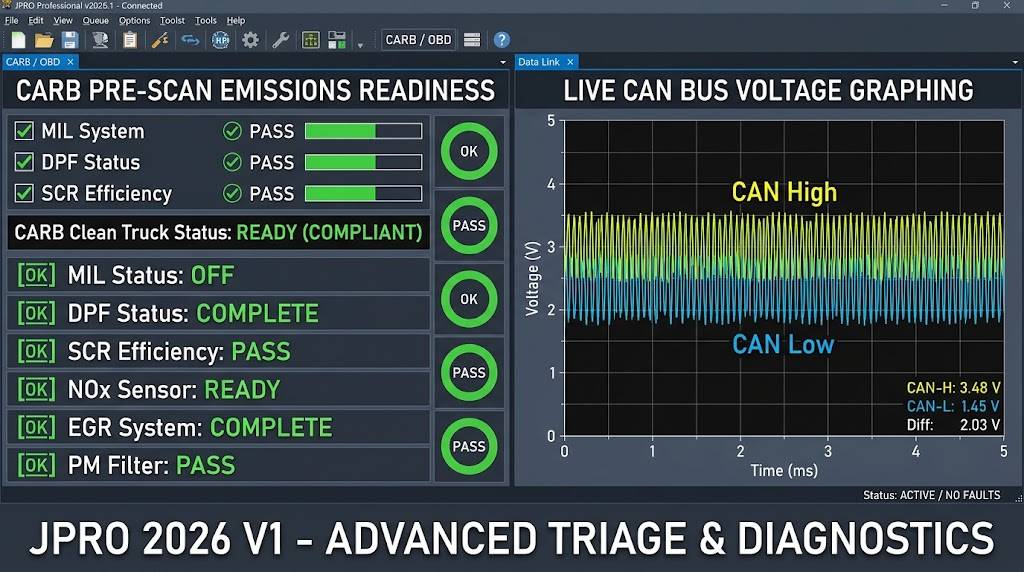
Noregon hasn’t just updated vehicle year coverage; they have added functional features that solve actual electrical and compliance headaches.
1. CARB Clean Truck Check Pre-Scan
California’s stringent emissions regulations mean fleets can face massive fines for non-compliance. JPRO 2026 v2 integrates a dedicated CARB Pre-Scan feature that queries emissions monitoring statuses across the ECM, ACM, and DPF controllers.
-
The Diagnostic Value: Instead of waiting for a formal state inspection to fail, technicians can verify if the SCR/DPF systems have completed their readiness monitors. If a NOX sensor was recently replaced, this tool confirms the drive cycle actually satisfied the emissions logic before you return the truck to the customer.
2. Live CAN Network Troubleshooting & Voltage Graphing
Heavy-duty data links (J1939, J1708) are notoriously susceptible to rubbing harnesses, water intrusion, and terminating resistor failures.
-
The Diagnostic Value: JPRO 2026 v2 now allows technicians to graph live CAN line voltages directly through the interface. You can visualize CAN High and CAN Low activity to pinpoint physical layer issues—such as a short to ground, short to power, or induced electrical interference—without immediately having to back-probe the diagnostic connector with a standalone oscilloscope.
3. Expanded Bi-Directional ADAS & Safety Systems
Advanced Driver Assistance Systems (ADAS) are now standard on Class 8 trucks. JPRO has expanded command depth for:
-
Detroit Assurance & Bendix Intellipark: You can now command radar alignments, perform camera calibrations, and pull brake pad/rotor wear estimations electronically.
-
Komatsu Off-Highway Controls: The software can force DPF regenerations and perform cylinder cut-out tests directly on Komatsu machinery, which previously required proprietary construction equipment tools.
On-Highway vs. Off-Highway Coverage
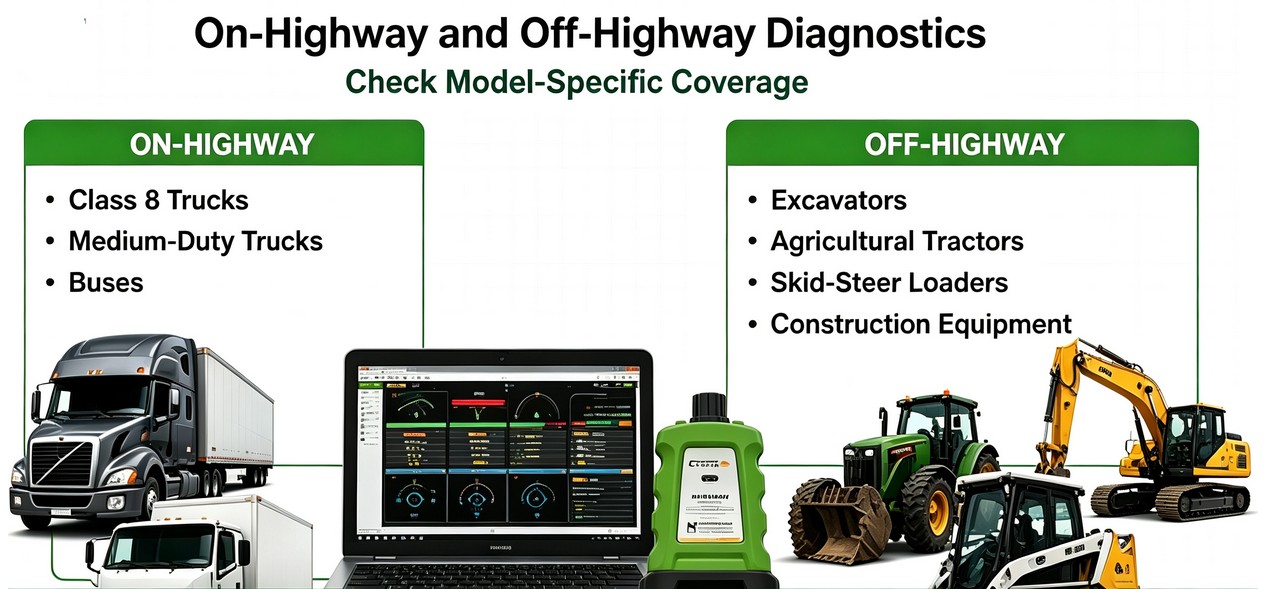
JPRO’s coverage is built around the North American commercial vehicle market, but its expansion into the off-highway sector is a game-changer for municipal and agricultural mechanics.
Supported Engine & Controller Families
| Category | Supported Manufacturers (Coverage Highlights) |
| On-Highway Commercial | Cummins, Detroit Diesel, PACCAR MX, Hino, International (Navistar), Mack, Volvo, Ford, GM, CAT On-Highway. |
| Off-Highway & Ag | John Deere, Caterpillar, Cummins (Industrial), Deutz, Bobcat, Komatsu, Kubota, Volvo CE, Yanmar. |
| Transmissions & ABS | Eaton, Allison, Bendix, Wabco, Haldex, ZF. |
JPRO 2026 V2 Off-Highway Coverage
| Application | Published 2026 V1 Coverage |
|---|
| Construction | Caterpillar, Komatsu, Volvo CE, Bobcat, Kubota |
| Agricultural / Equipment | John Deere, Deutz, Kubota, Yanmar |
| Engine Platforms | Cummins and other listed supported engines |
| Auxiliary Systems | Selected Caterpillar, John Deere and Komatsu systems |
Coverage is model-, controller-, and function-dependent. Verify the exact machine and required cable before purchasing JPRO for a specific off-highway application.
Required Diagnostic Hardware and Setup
To run JPRO 2026 v2 effectively in a shop setting, reliable hardware is critical. The software can be acquired as standalone software or bundled with dedicated diagnostic laptops.
-
Software Only: Ideal for shops utilizing their own Panasonic Toughbooks or rugged workshop PCs meeting minimum specifications (Windows 10/11 Pro 64-bit, 8GB+ RAM, SSD storage). For a complete software package, explore the Newest Software JPRO Commercial Vehicle Diagnostics.
-
Dedicated Diagnostic Kits: For technicians looking for an out-of-the-box solution, pre-configured packages like the JPRO Professional Truck Diagnostic Scan Tool Plus Panasonic CF19 Laptop provide a ruggedized, workshop-ready hardware and software combination.
-
Interface Options: If you already possess a robust laptop and need a comprehensive hardware bundle, look at the JPRO Professional Diagnostic Tool kit including the necessary RP1210 communication adapter and cables.
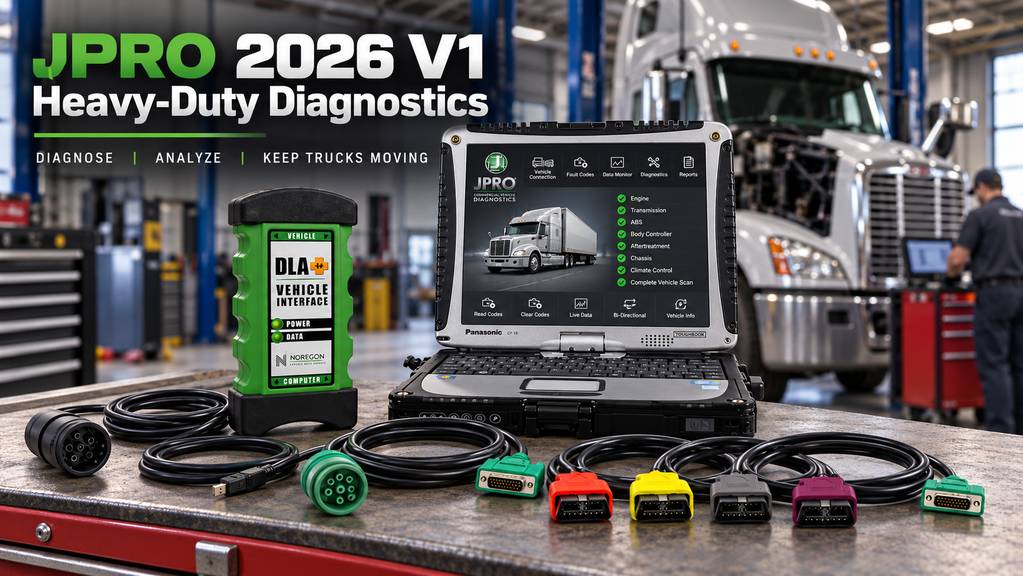
Important DLA+ 2.0 Compatibility Change for November 2026
Noregon has announced that DLA+ 2.0 adapters will no longer support vehicle connections with JPRO effective November 2026. Shops purchasing a new JPRO setup for long-term use should consider this lifecycle change before choosing a DLA+ 2.0-based package. The DLA+ 3.0 XBT is also required for JPRO’s integrated CAN voltage and resistance diagnostics.
Step-by-Step Diagnostic Workflow Using JPRO
-
Vehicle Connection: Connect the RP1210 adapter (e.g., DLA+ 2.0) to the 9-pin Deutsch (J1939/J1708) or 16-pin OBD-II diagnostic port located under the dash. Plug the USB cable or establish a secure Bluetooth/Wi-Fi connection to your workshop PC.
-
Launch and Identify: Open JPRO, verify adapter communication settings, and select Connect. The software automatically detects the vehicle VIN, engine make, model year, and active datalinks.
-
Review the Health Report: Examine the overview screen. Review active fault codes with associated SPN (Suspect Parameter Number) and FMI (Failure Mode Identifier) descriptions.
-
Perform Targeted Diagnostics: Click on specific subsystem tabs (e.g., Aftertreatment or Transmission) to monitor live data parameters, graph sensor voltages, or execute bi-directional tests (such as cylinder cutout or injector performance tests).
-
Clear Codes and Verify Repair: After mechanical or electrical repairs are completed, clear inactive codes, perform any required parameter resets or learned-value resets, and run a post-repair verification road test or stationary test.
Read More:
How to Use JPRO Diagnostics: Performance Check – Low Temp ATD on Detroit Engines
How to Use JPRO 2026 V2 Diagnostic Software to Perform a CTIS Pressure Test
Technician Tips & Common Mistakes
-
Databus Interference: If JPRO fails to connect or drops modules, check for aftermarket ELD (Electronic Logging Device) or dashcam splitters plugged into the diagnostic port. These devices frequently corrupt CAN bus traffic or block high-speed J1939 communication. Always disconnect auxiliary telematics hardware during deep diagnostics.
-
Adapter Firmware: Ensure your RP1210 communication adapter firmware is updated to match the software version to prevent protocol handshaking errors.
-
Battery Voltage Stability: Low battery voltage during ECU programming or lengthy diagnostic sessions can corrupt module memory or trigger false low-voltage fault codes. Always maintain a stable commercial battery charger/maintainer on heavy-duty units during diagnostic procedures.
Frequently Asked Questions (FAQ)
Q: Can JPRO 2026 v2 program or flash a blank ECM? A: No. JPRO is a diagnostic, triage, and bi-directional testing software. To flash a blank module or change deep engine calibrations, you must use OEM software (like Cummins INSITE or Detroit Diagnostic Link). However, you can use the JPRO DLA+ 2.0 adapter as the RP1210 pass-through device for those OEM programs.
Q: Does JPRO work on off-highway equipment like John Deere or CAT? A: Yes, JPRO 2026 v2 has expanded off-highway coverage for brands like John Deere, Caterpillar, Komatsu, and Volvo CE. It allows technicians to read/clear codes, view live data, and perform essential bidirectional tests like DPF regens and cylinder cut-outs on supported machinery.
Q: Will JPRO read proprietary OEM fault codes or just generic OBD/J1939 codes? A: JPRO reads proprietary OEM fault codes and provides detailed OEM descriptions, troubleshooting steps, and exact component locations, rather than just generic SAE J1939 data.
Q: What operating system is required for JPRO 2026 v2? A: JPRO requires a Windows 10 or Windows 11 (64-bit) operating system. It is highly recommended to use a ruggedized laptop like a Panasonic Toughbook with an SSD and at least 8GB of RAM for shop environments.
Q: Can JPRO diagnose ADAS and collision mitigation systems? A: Yes, recent updates include deep bidirectional support for safety systems like Detroit Assurance and Bendix Intellipark, allowing for radar alignments and component testing.
Q: Does JPRO 2026 v2 require an active internet connection to function? A: An internet connection is required for initial software activation, license verification, and downloading periodic updates. However, core diagnostic functions can be performed offline once the license is active.
Q: Can JPRO program parameters or change vehicle speed limits? A: JPRO supports many parameter adjustments (such as idle shutdown times and certain customer parameters), but deep ECM parameter reprogramming (such as horsepower rating changes or total fuel map modifications) often requires proprietary OEM software depending on the specific engine manufacturer.
Q: What RP1210 adapters are compatible with JPRO? A: JPRO works with standard RP1210C compliant adapters, including noregon DLA+ 2.0, DLA+ 3.0, Nexiq USB-Link 2, and Nexiq USB-Link 3.
Q: Is medium-duty truck coverage included? A: Yes, JPRO covers major medium-duty platforms including Ford, GM, and Dodge commercial chassis alongside heavy-duty Class 7 and 8 trucks.