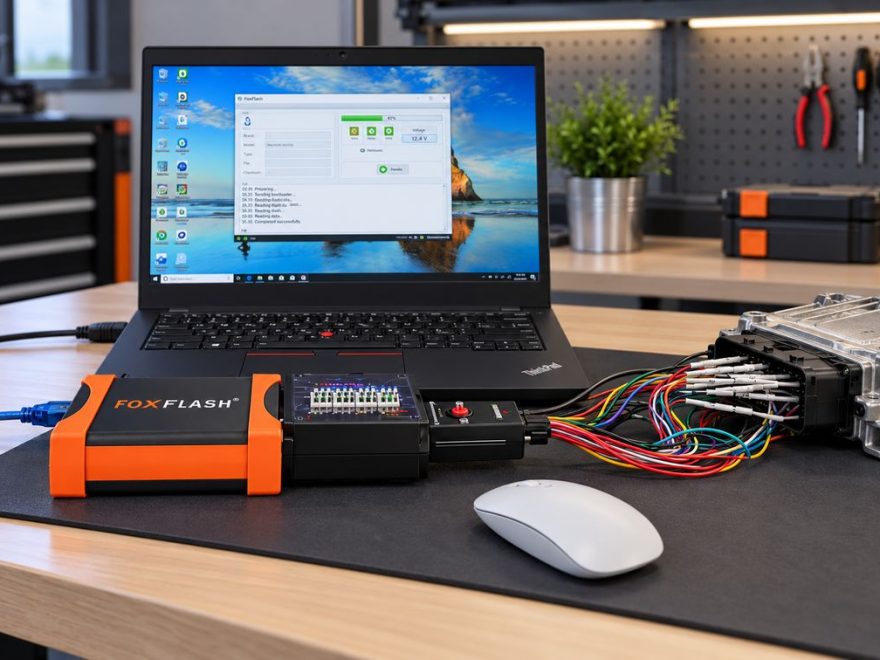
Need a reliable FoxFlash-tested ECU list before starting an ECU read, write, backup, or cloning job?
FoxFlash is an automotive ECU and TCU programming tool used by technicians, ECU repair specialists, and performance calibration workshops. Depending on the controller and available protocol, it can perform operations through OBD, Bench, Boot, BDM, and JTAG connections.
One of the most common questions from technicians is:
Which ECUs have actually been tested with FoxFlash, and which connection method should I use?
This guide organizes real-world FoxFlash test reports across Volkswagen, Audi, BMW, Mercedes-Benz, Ford, Renault, Peugeot, Citroën, Opel, Toyota, and other manufacturers.
Rather than presenting a generic vehicle coverage list, we focus on practical information:
- Tested ECU and TCU models
- Reported read and write capabilities
- OBD, Bench, Boot, BDM, and JTAG methods
- Checksum correction requirements
- ECU backup and cloning considerations
- Known programming failures and recovery precautions
Important: These results are compiled from community and technician reports. They are not a guarantee that every hardware or software revision of the listed ECU will work. Always check the current FoxFlash software protocol information before connecting or programming a control unit.
1. What ECUs Does FoxFlash Support?
FoxFlash has been reported to work with a broad range of engine and transmission controllers from Bosch, Delphi, Continental, Siemens, Denso, Magneti Marelli, and other manufacturers.
Main ECU Families Reported
| ECU manufacturer | Reported ECU families |
|---|---|
| Bosch | EDC15, EDC16, EDC17 |
| Bosch | MD1, MG1 |
| Bosch | ME7, ME9, MED9, MED17, MEVD17 |
| Delphi | DCM3.x, DCM6.2, DCM7.1, CRD3.x |
| Continental / Siemens | SID801, SID803, SID807, SID208, SID305, SID310 |
| Continental / Siemens | PCR2.1, PPD1.x, Simos |
| Magneti Marelli | MJD6F3, MJD8F3, MJD9DF, IAW |
| Denso | Selected Toyota, Mazda, Nissan, Volvo, and Mitsubishi controllers |
| ACDelco / GM | E83, E87, E98, E39A |
| Transmission controllers | ZF 9HP, DSG DQ250, DL501, Getrag DCT250, Mercedes VGS |
FoxFlash compatibility depends on more than the ECU family name.
For example, two Bosch EDC17C64 controllers may require different procedures depending on the vehicle model, software calibration, ECU protection level, and hardware revision.
A successful Bench operation does not necessarily mean that OBD reading or writing is available.
2. Understanding FoxFlash ECU Programming Methods
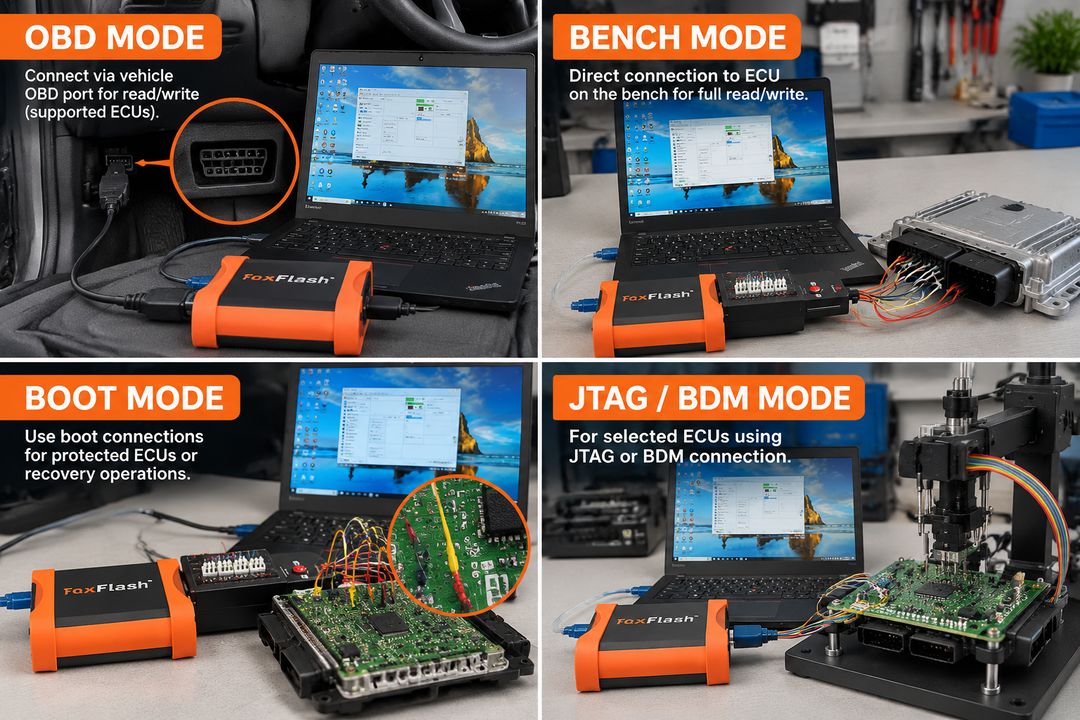
Before reviewing the test results, it is important to understand the differences between FoxFlash communication methods.
| Method | Connection | Typical applications |
|---|---|---|
| OBD | Vehicle diagnostic port | ECU identification, supported reading and writing |
| Bench | ECU external connector pins | ECU backup, flash/EEPROM access, selected cloning operations |
| Boot | Processor or PCB boot connections | Protected ECU access, full reading, recovery |
| BDM | ECU circuit-board programming interface | Selected ECU/TCU flash and memory operations |
| JTAG | Circuit-board debug/programming interface | Selected controllers and memory access |
| VR | Virtual reading through a matching online file | Obtaining an available original calibration file |
OBD Programming
OBD programming generally allows technicians to communicate with the ECU without removing it from the vehicle.
On compatible controllers, FoxFlash may support identification, reading, or writing through the vehicle’s OBD diagnostic port.
However, some ECUs support only virtual reading or identification through OBD.
Bench Programming
Bench mode connects the ECU directly through its external electrical connectors.
Depending on the ECU, it can provide access to flash memory, EEPROM, and other data required for repair or backup.
Bench mode is particularly useful when an OBD read is unavailable or when a more complete backup is required.
Boot Programming
Use boot mode for certain ECUs that require processor-level access.
It may be necessary for protected controllers, password operations, or recovery after an unsuccessful flash.
Incorrect wiring or power connections can damage the ECU. Follow the exact FoxFlash protocol instructions.
Virtual Reading (VR)
Virtual reading retrieves an original file that matches the ECU’s identification and software information.
A VR file is not a physical backup of the ECU.
For ECU cloning or recovery, verify that the selected procedure can read the required original memory contents.
3. FoxFlash Tested Volkswagen, Audi, Skoda & SEAT ECUs
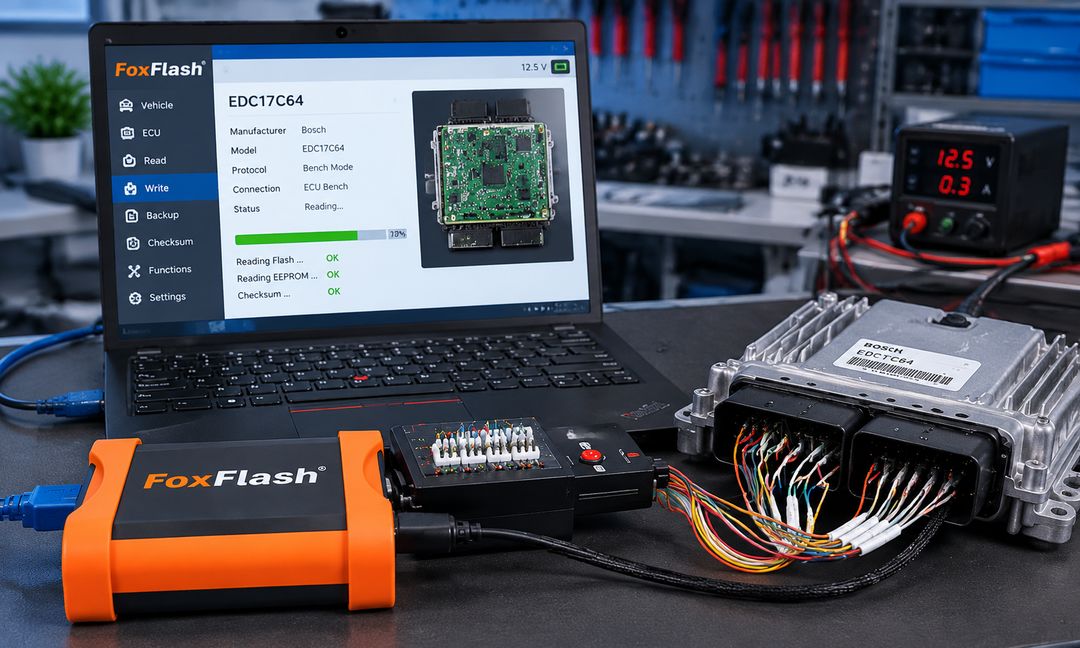
Volkswagen Group vehicles account for many of the reported FoxFlash test results.
Common controllers include Bosch EDC16, EDC17, MED17, MD1, MG1, and Continental PCR2.1.
VW and Audi Diesel ECU Test Results
| Vehicle / application | ECU model | Tested method | Reported result |
|---|---|---|---|
| VW Golf 7 1.6 TDI | EDC17C64 | Bench | Flash/EEPROM reading and flash writing |
| VW Passat B8 2.0 TDI | EDC17C74 | OBD / Bench | Read and write |
| VW Golf 6 1.6 TDI | PCR2.1 | OBD / Bench | Unlock, read, write; checksum reported |
| VW Transporter T5 | EDC16U31 | OBD / Bench | Read and write |
| VW Transporter T6 | DCM6.2V | OBD | Virtual read and write |
| VW Crafter 2014 | EDC17C54 | Bench | Read, write, checksum |
| VW Golf 6 2.0 TDI | EDC17CP14 | OBD | Read and write |
| Audi A3 8V | EDC17C64 | OBD / Bench | Read and write; checksum method varies |
| Audi Q7 3.0 TDI | EDC17CP54 | Bench | Read and write |
| Audi A6 3.0 TDI | EDC16CP34 | Bench | Read and write |
| Audi Q7 2020 | MD1CP004 | Bench | Read, write, checksum reported |
| Skoda Octavia 1.6 TDI | DCM6.2V | OBD | VR, write, checksum reported |
VW and Audi Gasoline ECU Test Results
| Vehicle / application | ECU model | Method | Reported result |
|---|---|---|---|
| VW Golf GTI | MED9.1 | OBD / Bench | Read and write |
| VW Scirocco 1.4 TSI | MED17.5.5 | Bench | Read, write, checksum |
| VW Golf 5 1.4 TSI | MED17.5.1 | Bench | Read, write, checksum |
| VW Tiguan 2019 | MG1CS011 | Bench | Read, write, checksum |
| Audi A3 2020 1.5 TFSI | MG1CS011 | Bench | Read, write, checksum |
| VW Passat 1.8 TSI | Simos 18.1 | Boot | Read and write |
| Audi A4 | MED17.5.25 | Bench | Read and write |
Technical Notes for VAG ECUs
PCR2.1 unlocking: Some PCR2.1 controllers require an unlocking procedure before writing. The appropriate method depends on the specific controller and FoxFlash protocol.
EDC17C46 virtual reading: Community reports describe successful OBD writing, but virtual-read availability and ECU software matching must be checked carefully.
EDC17C74 checksum: Some reports confirm automatic checksum correction, while others required external software. Do not assume all EDC17C74 revisions behave identically.
MD1/MG1: Newer controllers may require Bench access and have additional protection requirements.
4. FoxFlash Tested BMW & MINI ECUs
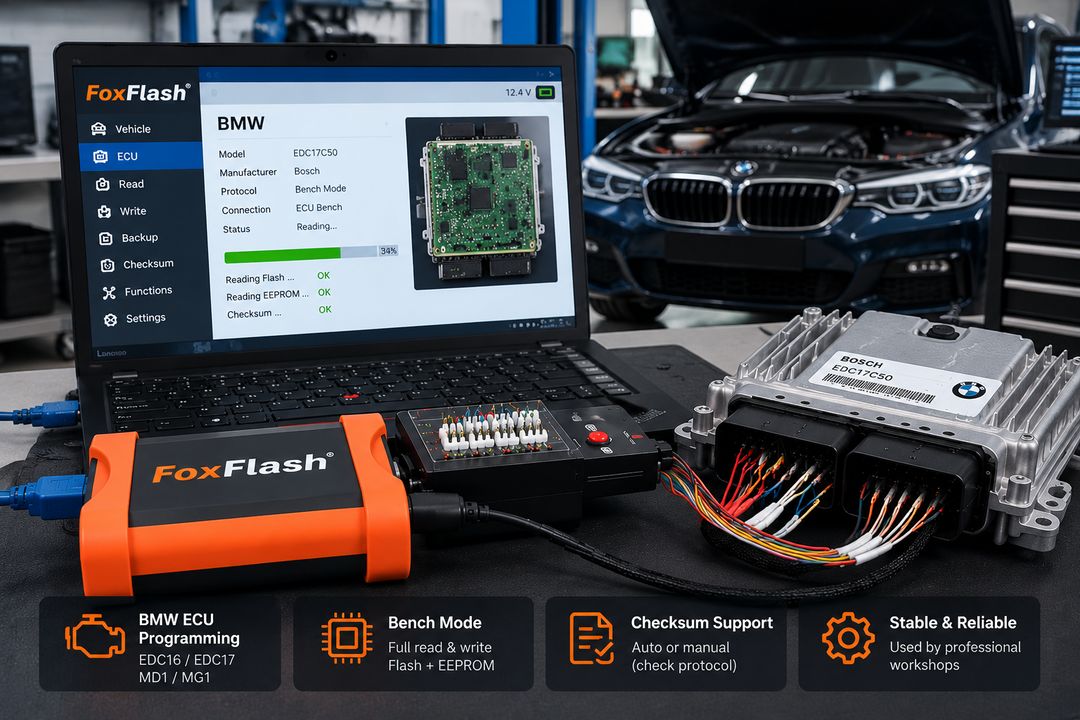
FoxFlash has been used on several generations of BMW diesel and gasoline engine controllers.
These include EDC16, EDC17, MED17, MEVD17, MD1, and MG1 applications.
BMW ECU Compatibility Test Results
| Vehicle / application | ECU | Method | Reported result |
|---|---|---|---|
| BMW E90 | EDC16CP35 | OBD / Bench | Read and write |
| BMW F30 318d | EDC17C50 | Bench | Read, write, checksum |
| BMW F10 520d | EDC17C41 | Bench | Read and write; checksum varies |
| BMW F10 535d | EDC17CP45 | Bench | Read and write |
| BMW E91 330xd | EDC17CP09 | Bench | Flash/EEPROM reading and flash writing |
| BMW X3 | EDC17C06 | Bench | Read, write, checksum |
| BMW F25 | EDC17C56 | Bench | Full read and write reported |
| BMW G30 520d | MD1CS001 | Bench | Read and write |
| BMW G31 530d | MD1CP002 | Bench | Read and write |
| BMW gasoline applications | MG1CS003 | Bench | Read and write reported |
| BMW F30 | MEVD17.2.4 | Reported test | Read and write |
BMW ECU Programming Considerations
One reported BMW F20 EDC17C50 test successfully identified the ECU through OBD but could not complete a normal OBD reading operation.
The technician switched to Bench mode and completed the reported read and write operations.
This illustrates an important troubleshooting rule:
Successful ECU identification does not guarantee that the same communication method supports reading or writing.
Some BMW EDC17C41 and EDC17C50 reports also required manual checksum calculation.
Before writing a calibration file, verify whether FoxFlash provides checksum correction for the specific protocol.
5. FoxFlash Tested Mercedes-Benz ECUs
Mercedes-Benz applications include Bosch EDC16, EDC17, Delphi CRD, and selected MD1 controllers.
Mercedes-Benz ECU Test Results
| Vehicle / application | ECU | Method | Reported result |
|---|---|---|---|
| Mercedes E-Class W213 | MD1CP001 | Bench | Read and write |
| Mercedes Sprinter | CRD3.20 | Bench | Read and write |
| Mercedes C220 CDI | CRD3.10 | Bench | Flash/EEPROM read/write, checksum |
| Mercedes Vito | EDC17C66 | Bench | Read and write |
| Mercedes BlueTEC | EDC17CP46 | Bench | Read and write |
| Mercedes E350 CDI | EDC17CP57 | Bench | Read, write, checksum |
| Mercedes Sprinter W907 | EDC17CP57 | Bench | Read and write |
| Mercedes B180 | EDC16C31 | Bench | Read and write |
| Mercedes E320 CDI | EDC16CP31 | OBD | Read and write |
| Mercedes GLA 200d | CRD3.E1 | Bench | Read, write, checksum |
Important Mercedes Programming Warning
A community report involving a Mercedes Sprinter W906 with a Delphi CRD2.35 ECU described a successful OBD read followed by an unsuccessful OBD write.
The ECU required recovery using another programming method.
A separate Boot-mode test of the same ECU family reported successful reading and writing.
The practical lesson is to confirm the writing protocol and recovery options before starting.
When programming an ECU, keep power stable and preserve the original ECU files.
6. FoxFlash Tested Peugeot & Citroën ECUs
Peugeot and Citroën vehicles commonly use Bosch, Delphi, Continental, and Magneti Marelli controllers.
PSA ECU Test Results
| Vehicle / application | ECU | Method | Reported result |
|---|---|---|---|
| Peugeot 307 1.6 HDi | EDC16C34 | OBD | Read and write |
| Peugeot 508 | DCM6.2A | OBD | Read and write |
| Peugeot Partner | EDC17C10 | Bench | Read and write |
| Peugeot 308 | EDC17C60 | Bench | Read and write |
| Citroën C4 1.5 HDi | MD1CS003 | Bench | Read, write, checksum |
| Citroën Jumper 2.0 HDi | DCM6.2C | OBD | Read, write, checksum reported |
| Citroën Berlingo | SID801 | Bench | Flash and EEPROM read/write |
| Peugeot 308 | SID807 EVO | Boot | Reading reported; other tests report writing |
| Peugeot / Citroën | MEV17.4.2 | Bench / Boot | Read and write |
| PSA applications | DCM7.1A | Boot | Read, write, checksum |
PSA Programming Notes
Bosch EDC17C60 appears frequently in community testing.
Several reports confirm Bench reading and writing, including successful checksum correction through FoxFlash.
However, other tests required external checksum software.
For Bosch MD1CS003, successful Bench reading and writing have been reported on Citroën C4, Peugeot 208, and related diesel applications.
Check the exact ECU hardware and software identifiers before attempting programming.
7. FoxFlash Tested Renault, Nissan & Dacia ECUs
Renault and related applications include Bosch EDC17, MD1CS006, Continental SID, and Delphi DCM controllers.
| Vehicle / application | ECU | Method | Reported result |
|---|---|---|---|
| Renault Trafic | EDC17C84 | Bench | Read, write, checksum |
| Renault Clio | EDC17C42 | Bench | Read and write |
| Renault Megane 2019 | MD1CS006 | Bench | Read, write, checksum |
| Renault Master 2016 | SID309 | OBD | Read and write |
| Renault Master | SID310 | Boot | Password, flash read/write |
| Renault Scenic 3 | SID305 | Boot | Read, write, checksum |
| Renault Laguna | EDC16CP33 | Bench | Read and write |
| Dacia Dokker 2019 | MD1CS006 | Bench | Read, write, checksum |
| Nissan Qashqai | SID305 | OBD | Read and write |
| Nissan Navara D40 | Denso ECU | Reported test | Read and write |
SID310 Programming Considerations
Several SID310 reports describe obtaining the ECU password through one connection method and performing memory operations through another.
For example, a Renault Master SID310 test reported successful password retrieval followed by Boot-mode reading and writing.
Always follow the currently selected protocol instructions instead of assuming that password acquisition, reading, and writing use identical connections.
8. FoxFlash Tested Ford, Opel & GM ECUs
Ford, Opel, and GM vehicles appear throughout the reported test records.
Ford ECU Test Results
| Vehicle / application | ECU | Method | Reported result |
|---|---|---|---|
| Ford Transit | SID211 | OBD | Read, write, checksum |
| Ford Transit Custom | SID208 | OBD | Read and write |
| Ford Focus | SID807 EVO | OBD | Read and write |
| Ford Focus EcoBlue | MD1CS005 | Bench | Read, write, checksum |
| Ford Fiesta | EDC17C10 | Bench / OBD | Read and write; checksum varies |
| Ford Transit Connect | SID206 | OBD | Read and write |
| Ford C-Max | SID807 EVO | OBD | Read and write |
Opel and GM ECU Test Results
| Vehicle / application | ECU | Method | Reported result |
|---|---|---|---|
| Opel Insignia | Delco E98 | Bench | Read, write, checksum |
| Opel Corsa | Delco E83 | Reported full-mode test | Read, write, checksum |
| Opel Astra | Delco E87 | Reported test | Read, write, checksum |
| Opel Vectra 1.9 CDTI | EDC16C9 | OBD / Bench | Read and write |
| Opel Zafira | EDC16C39 | OBD / Bench | Read and write |
| Chevrolet Cruze | EDC16C39 | Bench | Read, write, checksum |
| Chevrolet Camaro | ACDelco E39A | OBD | Read and write |
| Opel Easytronic | TCM | Boot | Read and write |
Ford, Opel, and GM vehicles appear throughout the reported test records.
Ford ECU Test Results
| Vehicle / application | ECU | Method | Reported result |
|---|---|---|---|
| Ford Transit | SID211 | OBD | Read, write, checksum |
| Ford Transit Custom | SID208 | OBD | Read and write |
| Ford Focus | SID807 EVO | OBD | Read and write |
| Ford Focus EcoBlue | MD1CS005 | Bench | Read, write, checksum |
| Ford Fiesta | EDC17C10 | Bench / OBD | Read and write; checksum varies |
| Ford Transit Connect | SID206 | OBD | Read and write |
| Ford C-Max | SID807 EVO | OBD | Read and write |
Opel and GM ECU Test Results
| Vehicle / application | ECU | Method | Reported result |
|---|---|---|---|
| Opel Insignia | Delco E98 | Bench | Read, write, checksum |
| Opel Corsa | Delco E83 | Reported full-mode test | Read, write, checksum |
| Opel Astra | Delco E87 | Reported test | Read, write, checksum |
| Opel Vectra 1.9 CDTI | EDC16C9 | OBD / Bench | Read and write |
| Opel Zafira | EDC16C39 | OBD / Bench | Read and write |
| Chevrolet Cruze | EDC16C39 | Bench | Read, write, checksum |
| Chevrolet Camaro | ACDelco E39A | OBD | Read and write |
| Opel Easytronic | TCM | Boot | Read and write |
Ford and GM Technical Notes
Some Ford SID807 and EDC17C10 tests required manual checksum correction.
For Opel Delco E98, community reports describe successful Bench reading and writing, including flash and EEPROM access on certain versions.
Check whether a full backup is available before treating a read/write result as ECU cloning support.
9. FoxFlash Tested Toyota, Mazda, Hyundai, Kia & Mitsubishi ECUs
FoxFlash also has reported coverage for several Asian automotive ECU families.
| Vehicle / application | ECU | Method | Reported result |
|---|---|---|---|
| Toyota Yaris | EDC16C10 | Reported test | Read, write, checksum |
| Toyota Auris | EDC17C47 | Reported test | Read, write, checksum |
| Toyota Denso | NEC76F0038GD | JTAG | Read and write |
| Mazda CX-5 | Denso SH9N | OBD | Read and write |
| Mazda 3 1.6D | EDC16C3 | OBD | Read and write |
| Hyundai i30 | EDC17C57 | Bench | Read, write, checksum |
| Hyundai i40 | EDC17C08 | Bench | Read and write |
| Kia Optima 1.7 CRDi | EDC17C53 | Bench | Read, write, checksum |
| Kia Ceed | DCM3.7 | OBD | Read and write |
| Mitsubishi L200 | Mitsubishi ECU | Boot | Read, write, checksum reported |
Denso ECU Precautions
Denso controllers may use different processors, flash memory layouts, and programming protocols.
The ECU manufacturer’s name alone is not enough to determine compatibility.
Before selecting a Denso protocol, check the ECU part number, processor type, and supported connection method.
10. FoxFlash Tested Jaguar, Land Rover & Volvo ECUs
These vehicles use a variety of Bosch, Continental, and Denso controllers.
| Vehicle / application | ECU | Method | Reported result |
|---|---|---|---|
| Land Rover Freelander 2 | EDC16CP39 | OBD | Read, write, checksum |
| Jaguar F-Pace | EDC17CP55 | Bench | Read, write, checksum |
| Land Rover Discovery | EDC17CP42 | OBD | Reading reported |
| Range Rover Evoque | MEDC17.9 | Bench | Read and write |
| Volvo V70 D5 | EDC17CP22 | Bench | Read, write, checksum |
| Volvo V50 | SID803A | Bench | Read, write, checksum |
| Volvo V60 | Denso MB279700 | Bench / OBD | Bench read and unlock reported; OBD writing results vary |
| Volvo gasoline applications | Bosch ME7 | Reported full-system test | Read and write |
| Volvo commercial applications | TRW EMS2.2 | Bench | Flash/EEPROM read and write |
Important MEDC17.9 Recovery Warning
One Land Rover Discovery Sport MEDC17.9 community case reported a failed OBD write that left the engine unable to start.
The controller was subsequently recovered through Bench programming.
This illustrates why ECU recovery planning matters, especially when working on vehicles with modified or unknown software.
Do not continue repeating a failed writing procedure without first identifying the cause.
11. FoxFlash Tested Heavy-Duty Truck & Agricultural Equipment ECUs
FoxFlash is not limited to passenger vehicles.
Community reports also describe successful programming operations on selected truck, agricultural, and industrial engine controllers.
| Application | ECU | Method | Reported result |
|---|---|---|---|
| MAN TGA | EDC7C3 | Bench | Read and write |
| MAN truck | EDC7C32 | OBD | Read and write |
| DAF XF 106 | Engine ECU | OBD | Read and write |
| Iveco Daily | EDC17C49 | Bench | Read, write, checksum |
| Iveco Daily | EDC16C39 | OBD | Read and write |
| CASE Puma | EDC17CV41 | Bench | Read, write, checksum |
| Deutz engine | EDC17CV52 | Bench | Read, write, checksum |
| HAMM roller, Deutz engine | EDC17CV52 | Reported test | Read and write |
| Volvo truck | EDC7UC31 | Reported test | Full reading and writing |
| Mercedes Actros | MCM 2.1 | Reported test | Read, write, checksum |
| Scania | EMS S8 | Boot / OBD | Boot reading and OBD writing reported |
| Mitsubishi Fuso Canter | EDC7C4 | Bench | Read, write, checksum |
Heavy-Duty ECU Programming Considerations
Commercial equipment may use dedicated engine controllers, transmission controllers, and aftertreatment control modules.
Before programming:
- Identify the complete ECU or module part number.
- Confirm whether the applicable truck protocol is available.
- Verify the electrical requirements of the selected connection method.
- Back up the original software whenever the protocol permits.
- Confirm whether checksum correction is automatic or requires additional software.
Do not confuse FoxFlash ECU programming with complete OEM diagnostic coverage.
For routine fault diagnostics, parameter monitoring, service procedures, and dealer-level troubleshooting, an appropriate diagnostic platform may still be required.
12. FoxFlash Tested TCU & Transmission Controllers
In addition to engine ECUs, FoxFlash has been used for selected transmission control module operations.
| Transmission / TCU | Vehicle applications | Method | Reported result |
|---|---|---|---|
| ZF 9HP | Jeep, Fiat, Dodge | BDM | Read, write, checksum |
| Getrag DCT250 / DC4 | Renault applications | Bench | Read, write, checksum |
| DSG DQ250 | Volkswagen Group | OBD / Bench | Read and write |
| DL501 Gen2 | Audi | Bench | Read, write, checksum |
| Mercedes VGS2-NAG2 | Mercedes-Benz | Reported test | Read and write |
| Mercedes VGS3 | Mercedes-Benz | Reported test | Coding/data reading |
| Opel Easytronic | Opel / Ford applications | Boot | Flash read and write |
| VL381 | Audi A4 | Reported test | Cloning operation reported |
Can FoxFlash Clone a Transmission Controller?
Certain TCU cloning operations have been reported successfully.
However, read/write capability and cloning capability are not identical.
Some controllers require additional EEPROM, flash, or coding information to transfer the complete module configuration.
Before cloning a TCU, verify whether the required data areas can be accessed and whether any vehicle-specific adaptation or programming is necessary.
13. Common FoxFlash Problems Reported During ECU Programming
Successful programming reports are useful, but failure cases often provide more valuable technical guidance.
The following examples summarize real-world problems mentioned in the community feedback.
Problem 1: FoxFlash Can Identify the ECU but Cannot Read It
Example: BMW EDC17C50
A technician successfully identified the ECU through OBD, but the read operation failed.
The same controller was subsequently read and written through Bench mode.
What to check:
- Whether OBD physical reading is supported
- Whether only VR is available
- ECU software protection
- Availability of Bench or Boot protocols
- ECU hardware and software compatibility
Problem 2: Checksum Correction Is Not Available
Examples: Selected EDC17C41, EDC17C50, EDC17C60, and other controller revisions.
Several users reported that reading and writing worked, but checksum correction required external software.
Before writing:
- Verify whether the protocol explicitly provides automatic checksum correction.
- Preserve the original calibration file.
- Validate modified files with suitable checksum software when required.
- Do not assume checksum support based on a different ECU software version.
Writing a file with an incorrect checksum can cause communication problems or prevent the engine from starting.
Problem 3: Virtual Read File Is Unavailable
Example: BMW EDC17C56
An early community report described successful Bench reading and writing while an OBD virtual-read file was unavailable.
A virtual-read failure does not necessarily indicate that the ECU is unsupported.
It may indicate that the matching original file is missing from the online database.
Problem 4: OBD Write Fails After a Successful Read
Examples: Selected Renault SID310, Mercedes CRD, and Land Rover MEDC17.9 applications.
Potential factors include communication interruptions, incompatible protocol selection, ECU software protection, and mismatched writing conditions.
Recommended approach: Stop repeated writing attempts, confirm the controller identity and recovery procedure, and use a verified Bench or Boot method when appropriate.
Problem 5: ECU Power Supply Is Unstable
ECU flash programming is sensitive to interruptions in the supply voltage.
Voltage requirements vary by controller and connection method. A voltage that works for one protocol may not suit another.
Use a regulated power supply or an appropriate vehicle programming support unit, following the voltage requirements specified by the FoxFlash protocol and vehicle manufacturer.
Do not disconnect the ECU or interrupt the writing operation while programming is in progress.
14. Recommended FoxFlash ECU Programming Workflow
A consistent workshop procedure can reduce avoidable programming failures.
Step 1: Identify the ECU
Record the vehicle model, production year, engine, ECU manufacturer, part number, hardware number, and software version.
Step 2: Check the Current Protocol
Open FoxFlash and locate the exact ECU family and supported method.
Confirm whether the protocol supports identification, VR, physical reading, writing, checksum correction, or full-system operations.
Step 3: Prepare the Working Environment
Ensure that the computer, USB connection, ECU wiring, and power supply are stable.
FoxFlash may require an internet connection to activate the device or use supported online services.
Step 4: Read and Save the Original ECU Data
Whenever possible, create a complete backup before making any changes.
Save the original files using descriptive filenames that include the ECU model and identification information.
Step 5: Confirm File Compatibility
Verify the file size, ECU software version, relevant memory area, and checksum requirements.
Do not write a file simply because it belongs to the same ECU family.
Step 6: Perform the Supported Operation
Use the correct protocol and connection method.
Do not interrupt communication, power, or the programming application during writing.
Step 7: Verify the Result
After programming, follow the tool’s completion instructions.
Check ECU communication, relevant fault codes, starting behavior, and applicable system functions.
Where appropriate, complete any manufacturer-required adaptations or verification procedures.
Professional note: ECU programming must comply with applicable emissions, safety, anti-theft, and vehicle regulations. Modification or disabling of emissions controls may be unlawful for road-use vehicles.
15. FoxFlash ECU Programmer: Product Information
Looking for a FoxFlash ECU and TCU programming tool?
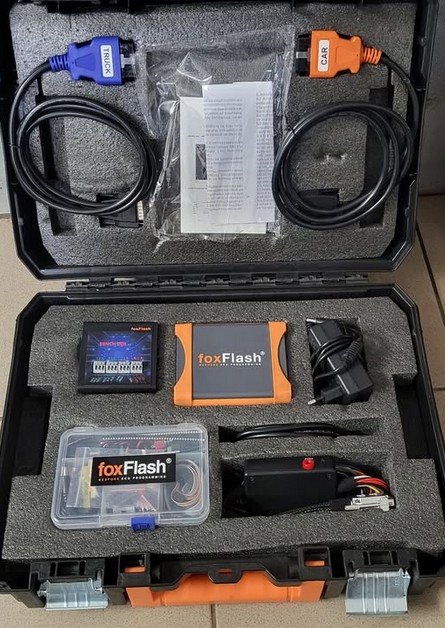
The FoxFlash Chiptuning Tool available at OBD2TOOL supports read/write operations for supported ECUs and TCUs.
Product features advertised for the available package include:
- Multiple ECU programming communication methods
- OBD, Bench, Boot, and other supported protocols
- Virtual-read functionality for compatible ECUs
- Automatic checksum correction on supported protocols
- ECU and TCU programming applications
- Software activation and update support as described on the product page
Check the exact ECU compatibility and package details before ordering.
View FoxFlash ECU Programmer – Features, Package & Availability
New to FoxFlash?
Before beginning your first programming operation, follow our setup and activation tutorial:
How to Activate and Use the FoxFlash Device: Complete Setup Guide
The guide explains software installation, device activation, driver setup, and recommended startup procedures.
16. Frequently Asked Questions
Is there a complete, official FoxFlash-tested ECU list?
FoxFlash provides protocol information through its software, while independent technicians and user communities have published additional test reports.
A community-tested ECU list is useful, but it cannot guarantee compatibility with every ECU hardware and software revision.
Always check the current software protocol before programming.
Does FoxFlash support Bosch EDC17 ECUs?
Yes. Successful reading and writing have been reported for numerous Bosch EDC17 families, including EDC17C46, EDC17C64, EDC17C74, EDC17C50, and EDC17CP45.
The connection method and supported operations vary by ECU.
Does FoxFlash support Bosch MD1 and MG1?
Community test reports list several MD1 and MG1 controllers, including MD1CS003, MD1CS006, MD1CP001, MD1CP004, MD1CP002, and MG1CS011.
Some applications require Bench access, and compatibility must be confirmed individually.
Can FoxFlash read and write ECUs through OBD?
Yes, where the selected protocol supports OBD reading and writing.
Some ECUs support only identification, virtual reading, or limited OBD operations. Others require Bench or Boot mode.
Does FoxFlash automatically correct ECU checksums?
FoxFlash supports automatic checksum correction for various protocols, but it is not universal.
Some reported ECU operations required manual correction using compatible external software.
Can FoxFlash clone an ECU?
Certain ECU cloning operations have been successfully reported.
However, cloning requires access to the necessary original ECU data, which may include flash, EEPROM, and other vehicle-specific information.
A successful calibration read/write does not automatically mean full ECU cloning is supported.
What is the difference between FoxFlash Bench and Boot mode?
Bench mode normally connects through the ECU’s external connectors.
Boot mode may require opening the ECU and establishing a processor-level programming connection.
The supported method depends on the ECU design and protocol.
Does FoxFlash require an internet connection?
FoxFlash uses online functionality for activation and certain services, including supported virtual-reading operations.
Network requirements can differ by software version and operation.
Refer to the current device instructions before starting a programming session.
Why can FoxFlash read an ECU but fail to write it?
Possible reasons include software protection, incorrect protocol selection, incompatible files, unavailable checksum correction, communication problems, and unstable power.
Review the exact error and protocol requirements before attempting recovery.
Final Thoughts
FoxFlash has accumulated a substantial collection of real-world ECU and TCU programming test reports across passenger vehicles, commercial trucks, and industrial engines.
The reported results cover popular controller families such as Bosch EDC16, EDC17, MD1, MG1, Delphi DCM, Continental SID, Siemens PCR2.1, and selected transmission modules.
However, successful ECU programming requires more than finding a matching controller name.
The most important factors are the ECU hardware and software version, connection method, backup availability, checksum support, and correct programming procedure.
Use this FoxFlash-tested ECU list as a practical research reference, then verify the exact protocol in the current software before starting any operation.
For compatible hardware, product specifications, or purchasing information, visit the FoxFlash ECU Programmer product page at OBD2TOOL.
Editorial source note: Compatibility examples are summarized from third-party technician and community reports, including the OBD2TOOL FoxFlash-tested ECU compilation. They have not all been independently reproduced by OBD2TOOL. Reported modifications do not establish road-use legality or universal controller compatibility.