
The Caterpillar 311B excavator may log a 2LS interference fault (MID 122 – CID 0269 – FMI 03). According to the supplied troubleshooting information, this diagnostic code indicates an abnormally high voltage in the sensor power supply circuit T930-WH-18.
The circuit has a nominal voltage of 8.3 VDC. When the voltage exceeds the normal operating range, sensors connected to the supply may not function properly and may potentially be damaged.
Possible causes include a short circuit between the sensor power supply and battery voltage, a faulty sensor, or, less commonly, a faulty Electronic Control Module (ECM).
This guide explains the fault description, possible causes, electrical testing procedures, expected results, and recommended repair actions.
Important: Confirm the exact 2LS designation, circuit connections, connector pin assignments, and test specifications using the Caterpillar service documentation and electrical schematic applicable to the machine’s serial number.

1. Fault Description: MID 122 – CID 0269 – FMI 03
The supplied diagnostic procedure identifies an overvoltage condition in the sensor power supply circuit T930-WH-18.
The nominal supply voltage is 8.3 VDC. If the voltage rises above the specified range, the connected sensors may not operate correctly.
Understanding the Diagnostic Code
- MID 122: Identifies the module reporting the diagnostic event in the applicable machine configuration.
- CID 0269: Identifies the component or circuit associated with the diagnostic code.
- FMI 03: Indicates voltage above normal or a short to a higher-voltage source.
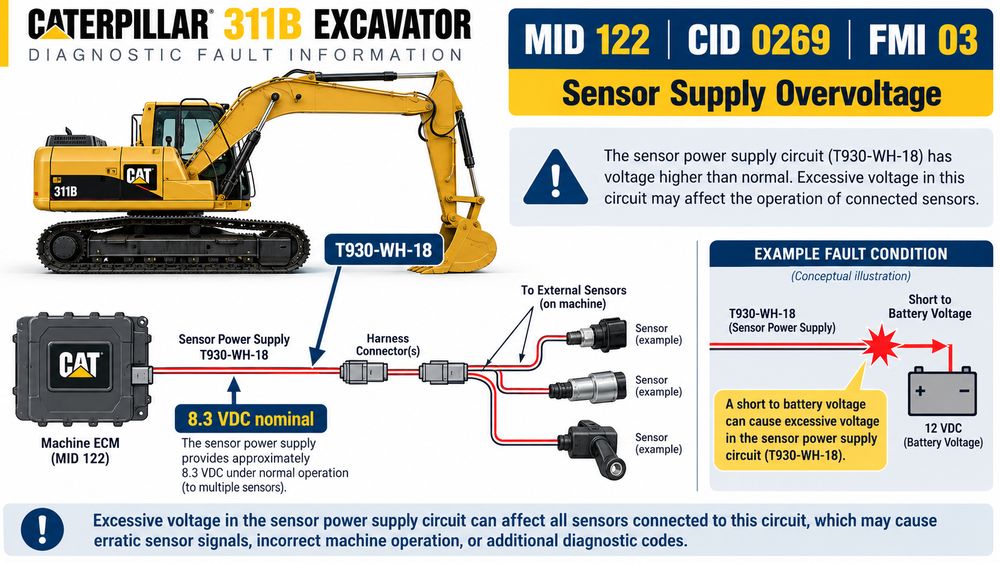
Confirm the exact interpretation of the module and component identifiers against the applicable Caterpillar service information.
For more information about reading and interpreting Caterpillar fault codes, see our Caterpillar Diagnostic Codes: A Comprehensive Guide.
Common Fault Symptoms
Depending on the affected circuit and machine configuration, the following conditions may occur:
- MID 122 – CID 0269 – FMI 03 is logged.
- Sensors connected to the affected power supply may not function correctly.
- Related electronic monitoring or control functions may be affected.
- The fault may remain active or appear intermittently if the problem involves a poor connection or damaged wiring.
The supplied diagnostic information also notes that if no sensors are connected to the power supply, the fault may be considered a tampering fault. In this situation, verify the machine configuration and follow the applicable Caterpillar diagnostic procedure before replacing components.
2. Possible Causes of the 2LS Interference Fault
Before replacing a sensor or ECM, systematically inspect the electrical circuit.
Cause 1: Sensor Power Supply Shorted to Battery
The T930-WH-18 sensor power supply wire may be contacting a battery-voltage circuit because of damaged insulation, pinched wiring, incorrect previous repairs, or connector damage.
This is a primary possibility when the measured voltage exceeds the specified range.
Cause 2: Faulty Sensor
An external sensor connected to the affected power supply may be internally damaged or causing an abnormal electrical condition.
If the initial supply and harness checks pass, investigate the connected sensors according to the machine’s electrical schematic and diagnostic procedure.
Cause 3: Damaged Product Link Harness
The Product Link harness may contain damaged insulation or an internal short between the sensor supply circuit and battery power.
The resistance test in Step 2 helps identify this possibility.
Cause 4: Machine Sensor Harness Short Circuit
The machine sensor harness may also have a short between the sensor power supply circuit and a battery-voltage circuit.
Inspect wiring branches, connectors, and exposed conductors for damage, abrasion, corrosion, or incorrect repairs.
Cause 5: Faulty ECM
An ECM fault is possible, but the supplied diagnostic procedure identifies it as unlikely.
Do not replace the ECM until you have checked the wiring, power supply, connectors, and connected sensors, and completed the prescribed diagnostic procedure.
3. Tools Required for Diagnosis
Prepare the following equipment before starting the tests:
- A digital multimeter capable of measuring DC voltage and resistance.
- The applicable Caterpillar electrical schematic and service manual.
- CAT ET diagnostic software.
- A compatible Caterpillar communication adapter.
- Appropriate electrical test leads and connector tools.
Recommended Diagnostic Equipment
CAT Communication Adapter III Diagnostic Kit
A compatible communication adapter allows CAT ET to communicate with supported Caterpillar electronic control modules.
View CAT ET Diagnostic Adapter III with Laptop
Caterpillar Electronic Technician (CAT ET) Software
CAT ET can retrieve supported diagnostic codes and help verify whether CID 0269 FMI 03 remains active after troubleshooting.
View CAT Caterpillar ET Electronic Technician Diagnostic Software
For help with the communication interface and software setup, read our CAT ET 2026B and Communication Adapter 3 Guide.
Compatibility note: Confirm the exact adapter model, part number, driver, software version, and machine application before purchasing. Communication adapter part numbers and supported functions vary.
4. Test Step 1: Check the Sensor Power Output
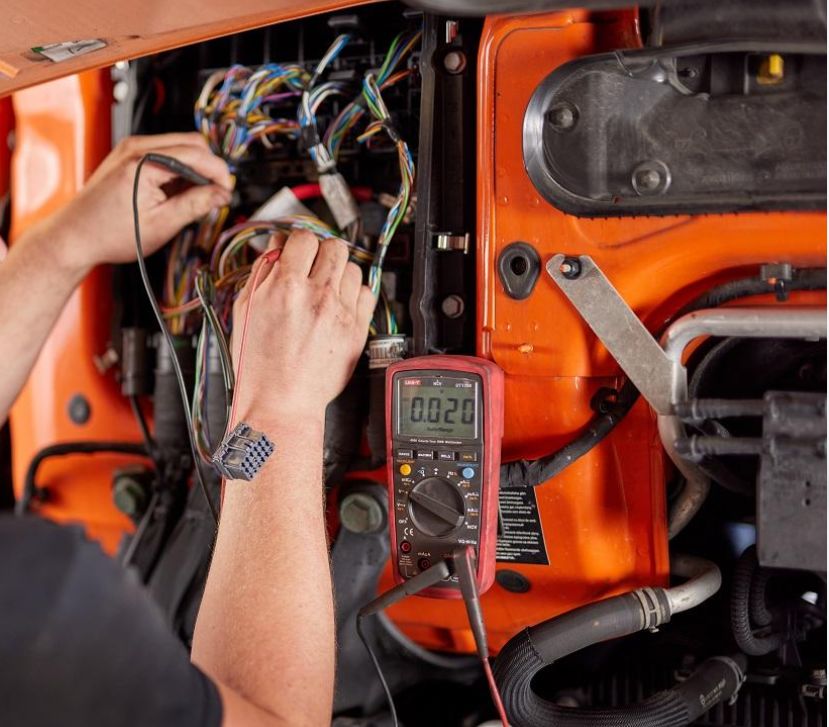
First, determine whether the sensor power supply output is within the specified voltage limits.
Test Procedure
- Turn the key start switch to the OFF position.
- Disconnect the Product Link input/output cable at connector J2 from the machine’s sensor cable, following the applicable service procedure.
- With the connector disconnected as specified, measure the sensor power output at J2-1.
- Check the voltage with the key switch OFF.
- Turn the key switch to the ON position and check the voltage again.
- Use the reference point specified in the Caterpillar electrical schematic.
Expected Results
Key switch state Expected voltage
OFF Less than 4 VDC
ON Less than 9 VDC
The ON-state limit is consistent with investigating an overvoltage condition on a supply with a nominal voltage of 8.3 VDC.
Result A: Voltage Is Within the Specified Range
If the OFF-state voltage is below 4 VDC and the ON-state voltage is below 9 VDC, the Product Link sensor power supply and Product Link harness may not be faulty.
The machine sensor harness or an external sensor may be responsible for the problem.
Next step: Proceed to Test Step 3.
Result B: Voltage Is Outside the Specified Range
If the voltage does not meet the required limits, the Product Link harness may have a short to battery voltage.
Next step: Proceed to Test Step 2.
5. Test Step 2: Check the Product Link Harness for a Short to Battery
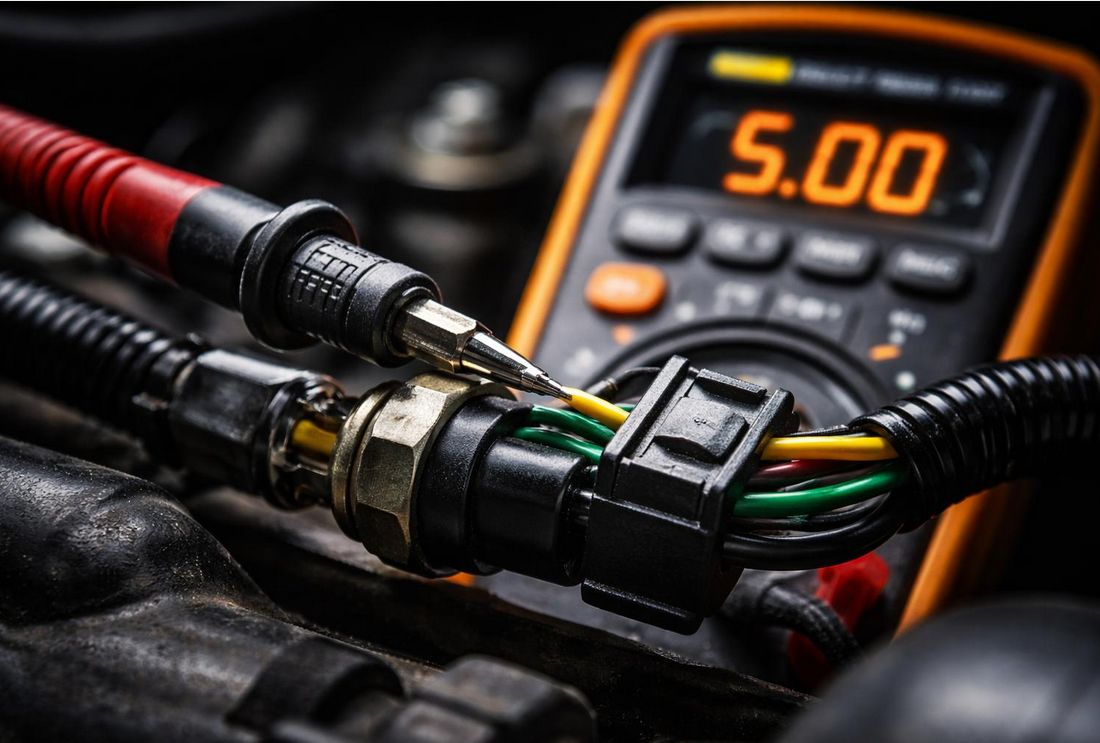
This test checks whether the Product Link harness sensor power circuit is shorted to the battery power supply.
Test Procedure
- Turn the key start switch to the OFF position.
- Leave the Product Link input/output cable and machine sensor cable disconnected.
- Confirm the circuit is de-energized before measuring resistance.
- On the Product Link harness, measure resistance between the sensor power contact J2-1 (+V) and the Product Link cable battery power contact J1-1.
Expected Result
The resistance should be greater than 5,000 ohms (5 kΩ).
Result A: Resistance Is Greater Than 5,000 Ohms
The Product Link harness passes this resistance check for a short between the specified contacts.
Next step: Proceed to Test Step 3.
Result B: Resistance Is Not Greater Than 5,000 Ohms
A short circuit may exist between Product Link harness contact J2-1 (T930-WH-18) and battery power contact J1-1.
Repair procedure:
- Inspect the Product Link harness for damaged insulation and exposed conductors.
- Check connector terminals for corrosion, damage, or incorrect contact.
- Repair the wiring according to the applicable Caterpillar procedure, or replace the faulty harness if necessary.
- Repeat the prescribed electrical checks before reconnecting the system.
6. Test Step 3: Check the Machine Sensor Harness for a Short to Battery
If the Product Link harness passes its resistance check, inspect the machine sensor harness.
Test Procedure
- Turn the key start switch to the OFF position.
- Leave the Product Link input/output cable and machine sensor cable disconnected as specified in the diagnostic procedure.
- Confirm that the circuit is de-energized.
- On the machine sensor harness, measure resistance between the sensor power contact J2-1 (+V) and the battery power supply contact identified in the applicable electrical schematic.
Expected Result
The resistance should be greater than 5,000 ohms (5 kΩ).
Result A: Resistance Is Greater Than 5,000 Ohms
The machine sensor harness passes this resistance check for a short between the specified contacts.
The connected sensor or another intermittent electrical fault may require further investigation.
Next step: Proceed to Test Step 4.
Result B: Resistance Is Not Greater Than 5,000 Ohms
A short circuit between the sensor power circuit and battery power is possible.
Repair procedure:
- Inspect the machine sensor harness for damaged insulation, pinched wiring, and exposed conductors.
- Check the connectors and wiring branches for unintended contact with battery-voltage circuits.
- Repair or replace the affected wiring harness as required.
- Repeat the prescribed electrical tests before reconnecting the system.
A satisfactory resistance measurement rules out only the specific short being tested. It does not prove that every wire, sensor, connector, or circuit component is fault-free.
7. Test Step 4: Check Whether CID 0269 FMI 03 Is Still Active

After completing the voltage and resistance checks, reconnect the system and verify the repair.
Test Procedure
- Turn the key start switch to the OFF position.
- Inspect the harness connectors for contamination, corrosion, or damaged terminals.
- Clean the contacts with an appropriate electrical-contact cleaner when necessary.
- Reconnect all harness connectors and make sure they are fully seated.
- Turn the key start switch to the ON position.
- Operate the machine under the conditions specified in the applicable Caterpillar service procedure.
- Connect CAT ET and check whether MID 122 – CID 0269 – FMI 03 is still present and active.
For additional guidance on retrieving fault codes, monitoring supported diagnostic information, and verifying repairs, see How to Use CAT ET: Caterpillar Electronic Technician Diagnostic Guide.
Result A: The Diagnostic Code Remains Active
If CID 0269 FMI 03 remains active, the fault has not been corrected.
Repeat the diagnostic procedure and verify:
- Sensor power supply voltage.
- Product Link harness condition.
- Machine sensor harness condition.
- Connector terminal fit and electrical connections.
- Connected sensor condition.
- Other relevant circuits identified in the machine schematic.
An ECM fault remains possible but is considered unlikely in the supplied procedure.
If you cannot identify the cause after completing the required tests, contact a Caterpillar Technical Communicator before replacing the Product Link ECM. Follow the applicable Caterpillar ECM replacement procedure.
Result B: The Diagnostic Code Is No Longer Present
If CID 0269 FMI 03 is no longer present, the fault is not active at that time.
A poor electrical connection or an intermittent short may have contributed to the original problem.
Complete the required verification checks before returning the machine to normal operation.
8. Troubleshooting Flowchart
Use this simplified sequence to organize the diagnostic process:
- Check sensor power output: Verify less than 4 VDC in the OFF state and less than 9 VDC in the ON state.
- Check the Product Link harness: If the voltage is outside the specified range, test for a short to battery.
- Check the machine sensor harness: Measure resistance between the specified sensor supply and battery power contacts.
- Repair wiring faults: Repair damaged wiring or replace the faulty harness as required.
- Reconnect and verify: Reconnect the harnesses and check the diagnostic code using CAT ET.
- Escalate if unresolved: If the code remains active, repeat the prescribed tests and contact Caterpillar technical support before considering ECM replacement.
This systematic approach helps isolate the electrical fault and reduces unnecessary replacement of sensors or electronic control modules.
9. Frequently Asked Questions
What causes CID 0269 FMI 03 on a Caterpillar 311B excavator?
The supplied diagnostic procedure associates the code with sensor power supply voltage above the normal range on circuit T930-WH-18. A short to battery voltage is the most likely cause. A faulty sensor or, less commonly, an ECM fault may also be involved.
What is the nominal voltage of the T930-WH-18 sensor supply?
The supplied diagnostic information states a nominal voltage of 8.3 VDC. The test procedure specifies less than 9 VDC in the ON state and less than 4 VDC in the OFF state.
Why must you check the Product Link harness?
A short between the sensor power circuit and battery power can raise the voltage above the normal range. The resistance test between J2-1 and J1-1 helps identify a short within the specified Product Link harness circuit.
What resistance should be measured during the harness tests?
The specified resistance should be greater than 5,000 ohms between the contacts identified in each test step. Perform resistance measurements only with the relevant circuit de-energized and disconnected as instructed.
Can CAT ET help diagnose this fault?
CAT ET can help technicians retrieve supported diagnostic codes and verify whether CID 0269 FMI 03 remains active after repairs. Electrical measurements and harness inspections are still necessary to identify the underlying cause.
Should the ECM be replaced if the fault code returns?
Not immediately. The supplied procedure identifies ECM failure as unlikely. Complete the wiring, voltage, resistance, connector, and sensor checks first. Contact Caterpillar technical support before replacing the Product Link ECM if the fault remains unresolved.
Conclusion
The Caterpillar 311B excavator 2LS interference fault identified as MID 122 – CID 0269 – FMI 03 should be diagnosed by checking the sensor power supply circuit, Product Link harness, and machine sensor harness before considering ECM replacement.
The key diagnostic points are:
- Verify the sensor power output is below 4 VDC in the OFF state and below 9 VDC in the ON state.
- Check the specified harness contacts for resistance greater than 5,000 ohms.
- Repair any short circuit or damaged wiring.
- Reconnect the system and verify the diagnostic code using CAT ET.
- Consult Caterpillar technical support before replacing the Product Link ECM if the fault remains active and you cannot identify the cause.
Following the prescribed test sequence helps isolate the electrical fault systematically and reduces unnecessary component replacement.
For workshops diagnosing Caterpillar electronic systems, a compatible CAT ET setup and communication adapter can support fault-code retrieval and post-repair verification.
Technical disclaimer: This article is based on the supplied diagnostic information. Confirm connector pin assignments, test conditions, and repair specifications against the correct Caterpillar service manual and electrical schematic for the machine’s serial number. Electrical testing and machine operation must follow applicable safety procedures.
OBD2TOOL Technical Support Team — Caterpillar Diagnostic & Repair Guides