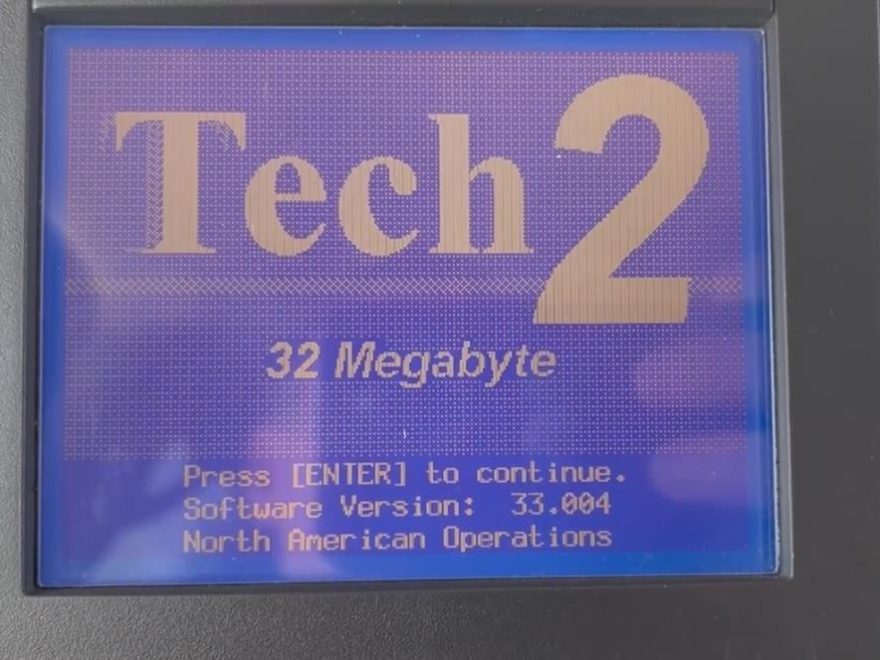
The GM Tech 2 scanner remains one of the most iconic diagnostic tools for older General Motors vehicles. It was extensively used by dealerships and professional repair shops for Chevrolet, GMC, Cadillac, Buick, Pontiac, Hummer, Saturn, Saab, Opel, Isuzu, Suzuki, and Holden models, depending on the installed software card.
While newer GM vehicles require tools such as GM MDI, MDI 2, GDS2, and Techline Connect, the Tech 2 is indispensable for many vehicles from the OBD-II era through about 2013. Mechanics, GM enthusiasts, and DIY users working on older GM platforms rely on it for features beyond those of basic OBD2 scanners.
To help you navigate the various features and limitations, this guide combines the most common questions about the GM Tech 2 scanner—including its functions, vehicle compatibility, memory card requirements, CANdi module usage, brake bleeding, HVAC calibration, VES reset, Saab support, and alternatives.
What Is the GM Tech 2 Scanner?
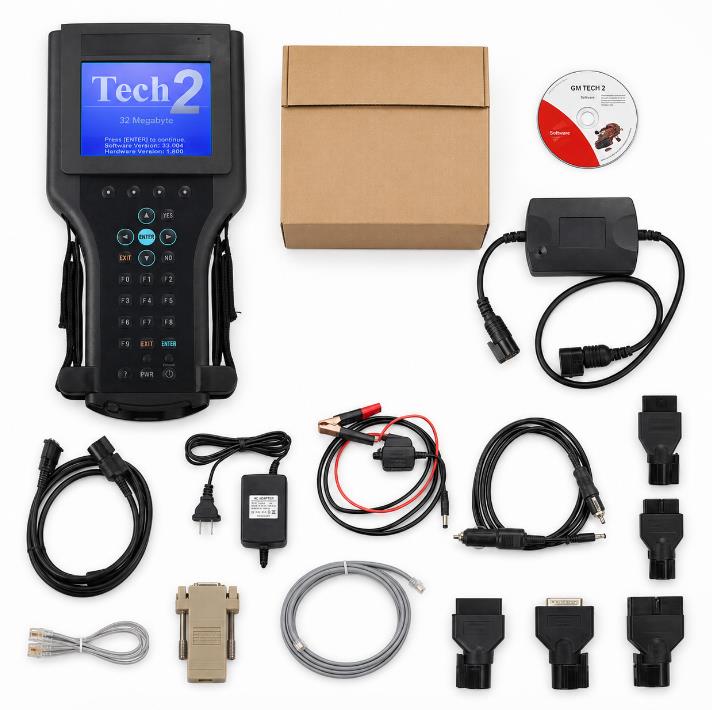
The GM Tech 2 is a professional diagnostic scan tool designed for GM and related vehicle brands. Unlike a basic OBD2 code reader (a device that only checks standard engine codes), it can communicate with multiple modules in the vehicle, not just the engine ECU (engine control unit, the computer responsible for engine management).
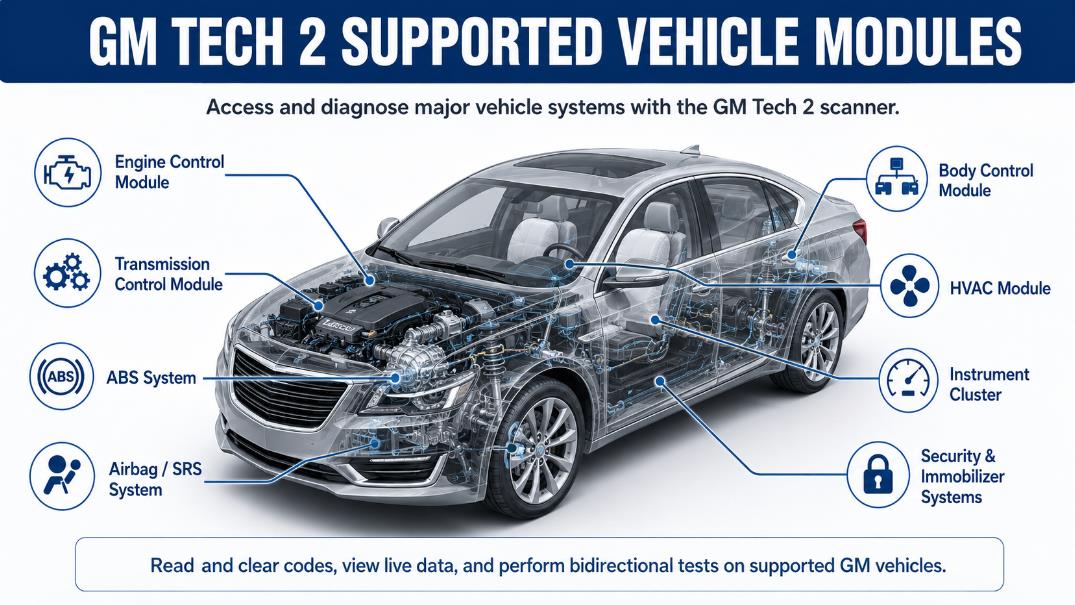
With the correct software card and vehicle connection, the Tech 2 can access systems such as:
- Engine control module
- Transmission control module
- ABS system
- Airbag/SRS system
- Body control module
- HVAC module
- Instrument cluster
- Security and immobilizer systems
- Steering and chassis systems
- Tire pressure monitoring system, depending on model support
This makes it particularly valuable for diagnosing older GM vehicles where many issues are not detectable with a generic OBD2 scanner.
Main Functions of the GM Tech 2 Scanner
Transitioning from features to capabilities, remember that the exact functions depend on the vehicle model, model year, installed software card, and available modules. In general, the GM Tech 2 can perform the following tasks.
1. Read and Clear Trouble Codes
The Tech 2 can read and clear diagnostic trouble codes from supported vehicle systems. This includes not only engine codes, but also ABS, airbag, transmission, body, and other module-related codes.
2. View Live Data
The scanner can display live sensor data in real time. This helps technicians monitor values such as engine RPM, coolant temperature, throttle position, transmission data, ABS wheel speed, and other module information.
3. Perform Active Tests
Active tests allow the user to command certain components on and off through the scan tool. Depending on the vehicle, this may include fuel pump activation, solenoid tests, injector tests, relay control, ABS pump activation, and other bidirectional controls.
4. ABS and Brake System Diagnostics
The Tech 2 is commonly used for ABS diagnostics. It can help identify ABS module faults, wheel speed sensor problems, and other brake system issues.
For some vehicles, the Tech 2 can also activate the ABS pump during a manual brake bleeding procedure. This is important when air is trapped inside the ABS hydraulic unit.
When cycling the ABS pump on early 2000s GM trucks, always hook up a battery maintainer. If the voltage drops below 12.0V, the Tech 2 will drop communication mid-process, potentially locking air in the modulator valve.
5. HVAC Actuator Calibration
Before initiating the HVAC actuator relearn on a Trailblazer, clear all current BCM diagnostic trouble codes (DTCs) first, or the module will reject the command.
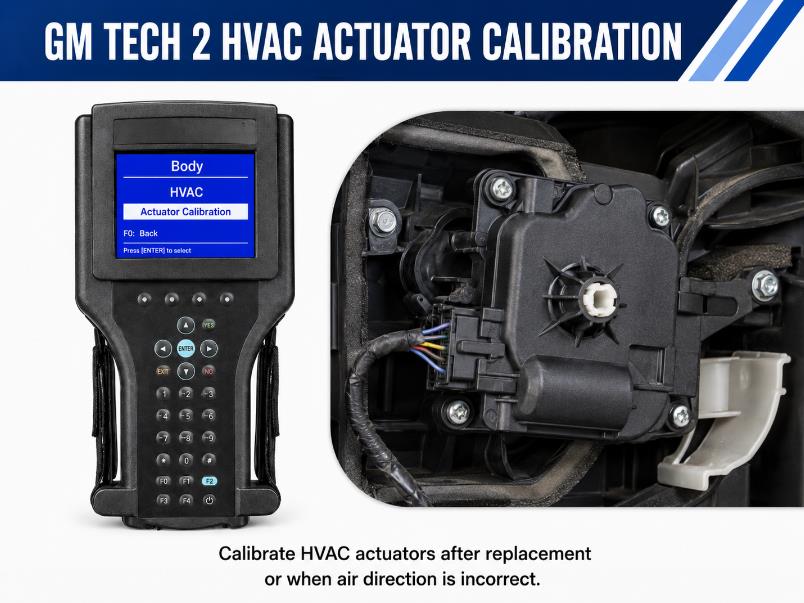
On supported GM vehicles, such as certain Chevrolet Trailblazer models, the Tech 2 can perform HVAC actuator calibration. This is useful after replacing blend door actuators or when the HVAC system does not direct air properly.
A common path may be similar to:
Body > HVAC > Actuator Calibration
The exact menu path may vary depending on the vehicle and software version.
6. Security, Key Fob, and Immobilizer Functions
The Tech 2 can support some security system procedures, key fob programming, Passlock-related functions, and immobilizer relearn procedures on supported vehicles. Always check vehicle coverage before purchase, as security features vary by model and year.
7. Transmission Adaptation and Reset Functions
On some vehicles, the Tech 2 can reset transmission adaptations or perform related service functions. This can be useful after transmission repair, module replacement, or drivability diagnosis.
8. Steering and Chassis Functions
The Tech 2 may support steering-related procedures such as steering angle sensor calibration or Variable Effort Steering relearn on supported GM vehicles. For example, C6 Corvette owners often use Tech 2 for VES-related reset or relearn work.
Does GM Tech 2 Need a Subscription?
For basic diagnostics, the GM Tech 2 does not require a subscription. A Tech 2 with the right memory card can read codes, view live data, and perform many service functions without monthly fees.
However, there are a few important points:
- The scanner requires the correct software and a compatible memory card.
- Some programming or update functions may require additional software such as TIS2000 or access to GM service resources.
- Newer GM diagnostic platforms, such as MDI/MDI 2 with GDS2 or Techline Connect, may require subscription-based access.
- Aftermarket Tech 2 units usually come with preloaded cards, but buyers should confirm the card version and supported vehicle brands before ordering.
Is a 32MB Memory Card Required?
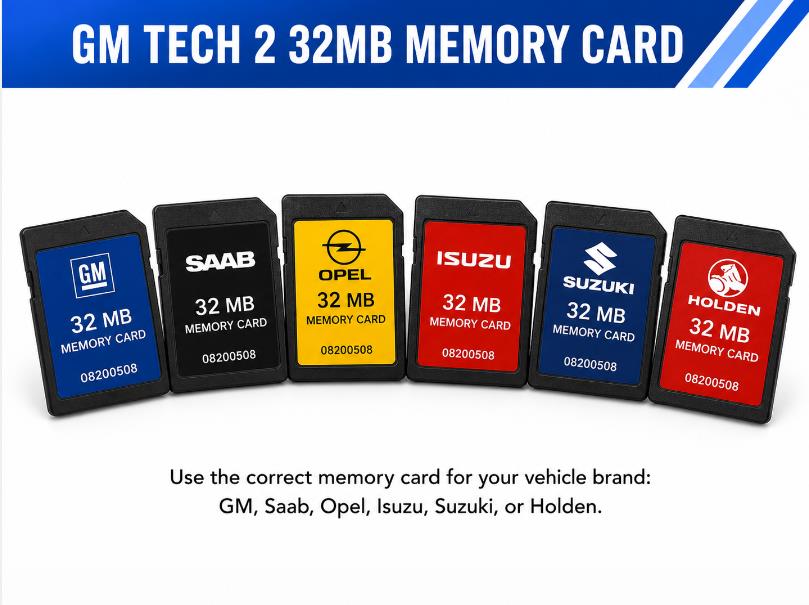
Shifting to memory card requirements, note that the GM Tech 2 uses a memory card to store diagnostic software. Many Tech 2 packages use a 32MB card.
The Tech 2 requires diagnostic software to be installed on a memory card, typically 32 MB in size. If you already have a compatible card with the correct software, you may not need to buy another; otherwise, buy the scanner with the correct card.
Common card options may include:
- GM card
- Saab card
- Opel card
- Isuzu card
- Suzuki card
- Holden card
Choose the card based on the vehicle brand you want to diagnose.
What Is the Tech 2 CANdi Module For?
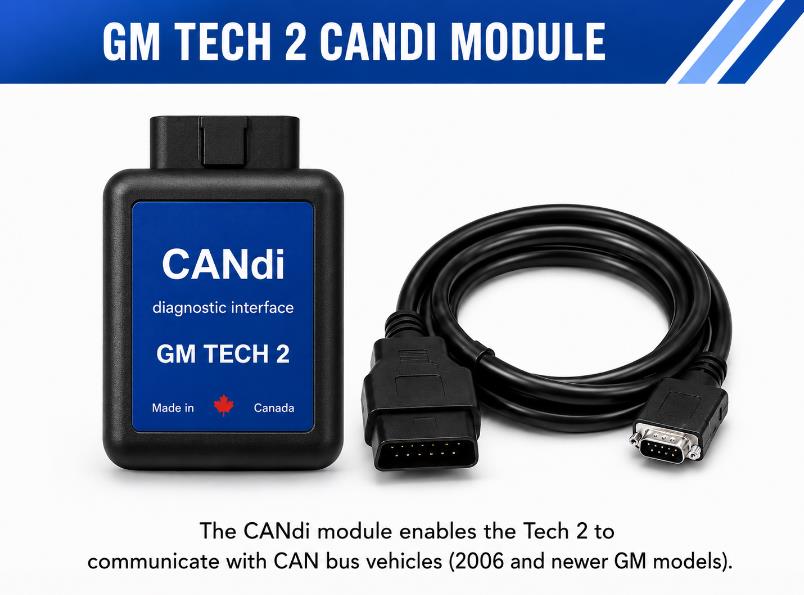
Turning to network interfaces, CANdi stands for Controller Area Network Diagnostic Interface. It is an adapter used with the Tech 2 to communicate with newer CAN (Controller Area Network, a system for computers inside vehicles to talk to each other) bus vehicles.
Many GM vehicles from around 2006 and newer require the CANdi module for full communication. Without it, the Tech 2 may not connect properly to certain modules.
The CANdi module helps the Tech 2 support:
- CAN bus communication
- GMLAN-related systems
- Newer vehicle modules
- Faster communication with supported ECUs
If you mainly work on pre-CAN GM vehicles, the CANdi module may not always be required. If you work on 2006+ GM vehicles, it is usually an essential part of the Tech 2 kit.
GM Tech 2 Vehicle Compatibility
Regarding vehicle compatibility, keep in mind that it depends on the software card, vehicle year, vehicle platform, and supported systems. Below are common examples.
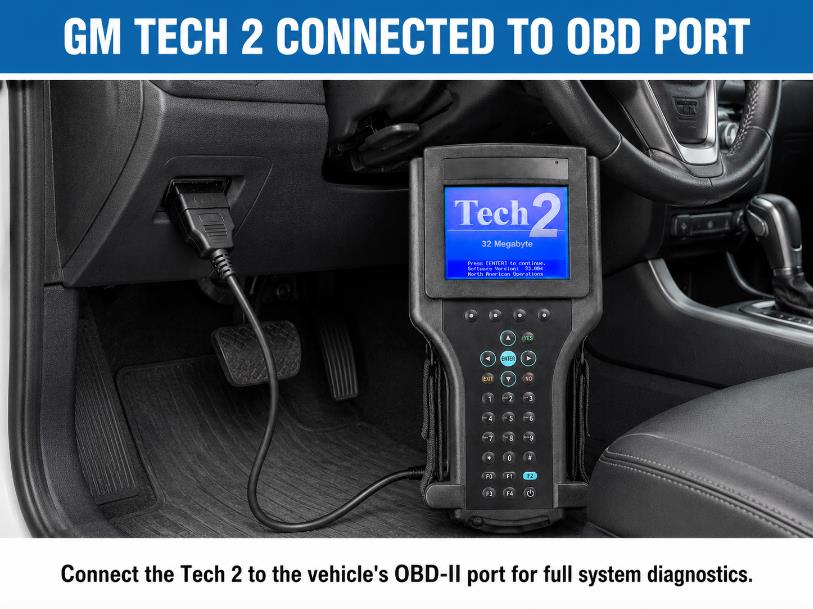
1996 GMC Sierra K1500
A 1996 GMC Sierra K1500 with a 5.7L Vortec engine is generally within the Tech 2’s supported GM diagnostic range. The Tech 2 can be used for PCM diagnostics and may also access ABS or airbag systems if equipped and supported.
2006 Chevy Silverado 1500
The 2006 Silverado 1500 is typically compatible with the GM Tech 2. Because this model year may require CAN-related communication, a CANdi module is often necessary for complete diagnostics.
2007 Chevy Trailblazer
The Tech 2 is especially effective for a 2007 Chevy Trailblazer, particularly for HVAC actuator calibration and body module diagnostics. This is a key reason many GM owners prefer Tech 2 over generic scan tools.
2011 C6 Corvette
For a 2011 C6 Corvette, the Tech 2 can support many GM-specific functions, including steering-related procedures such as VES or steering angle sensor relearn, depending on the installed GM software card and vehicle configuration.
GMC Topkick C4500/C5500
The Tech 2 can support some GMC Topkick diagnostic functions. However, because medium-duty trucks may use different engine, body, or heavy-duty control systems, buyers should confirm coverage before ordering.
Saab 9-3 and 9-5 Models
The GM Tech 2 can be used on many Saab models, but a Saab software card is required. Saab coverage may include models such as:
- Saab 9-3 1998–2003
- Saab 9-3 Sport 2003–2011
- Saab 9-5 1998–2010
- Saab 900 1990–1998
- Saab 9000 1988–1998
The correct Saab card version should be selected according to the exact vehicle model and year.
Can GM Tech 2 Perform Auto Brake Bleeding?
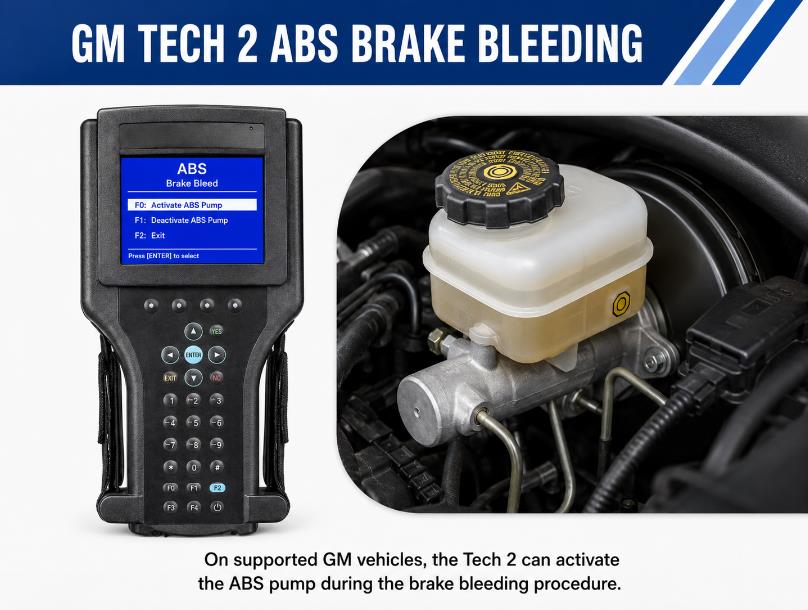
Regarding specific service functions beyond diagnostics, a frequent question is brake bleeding. The following explains what the Tech 2 does in this context.
The GM Tech 2 does not replace manual brake bleeding, but it can activate the ABS pump or related solenoids during bleeding on supported vehicles.
This matters because air can become trapped inside the ABS hydraulic unit. Traditional manual bleeding may not remove this air unless the ABS pump is activated electronically.
A general Tech 2 ABS bleed process may look like this:
The GM Tech 2 scanner streamlines this process, making it easier and more efficient.
- Connect the Tech 2 to the vehicle.
- Enter the ABS diagnostic menu.
- Select the ABS bleed or actuator test function.
- Follow the instructions displayed on the Tech 2 scanner’s screen during the procedure. These steps will vary by vehicle and may include specific prompts or actions to ensure proper bleeding of the brakes.
- Perform manual bleeding while the ABS pump cycles.
- Check brake pedal feel and repeat if needed.
Always adhere to the official factory service procedure for the specific vehicle model.
Utilizing the GM Tech 2 scanner during maintenance ensures that vehicles remain in optimal condition.
The Elephant in the Room: Original vs. High-Quality Tech 2 Clones
Original units are out of production. The units circulating today (including ours) are high-quality aftermarket reproductions. However, we hardware-test the mainboard gold fingers and capacitors to ensure stable TIS2000 SPS programming without bricking modules.
Can GM Tech 2 Program Lighting Controls?
Another area of interest for many users is lighting or body-control customization. Here is what the Tech 2 can do regarding lighting programs.
On supported vehicles, the Tech 2 adjusts or programs certain body control functions, including delayed headlights, daytime running lights, key fob settings, and body module options.
Lighting customization is highly dependent on the vehicle’s BCM. Some models allow more options than others. The Tech 2 cannot add features not supported by the vehicle hardware or BCM software.
GM Tech 2 vs Basic OBD2 Scanner
A basic OBD2 scanner is enough for reading generic engine codes. However, it usually cannot access GM-specific body, chassis, ABS, airbag, or programming functions.
The GM Tech 2 is better when you need:
- GM-specific diagnostic menus
- ABS and airbag system access
- Body control module diagnostics
- HVAC actuator calibration
- Key fob or security relearn functions.
- Bidirectional control tests
- Older GM vehicle support
For serious GM repair work, the Tech 2 is much more powerful than a simple code reader.
GM Tech 2 Alternatives
The best alternative depends on the vehicles you work on.
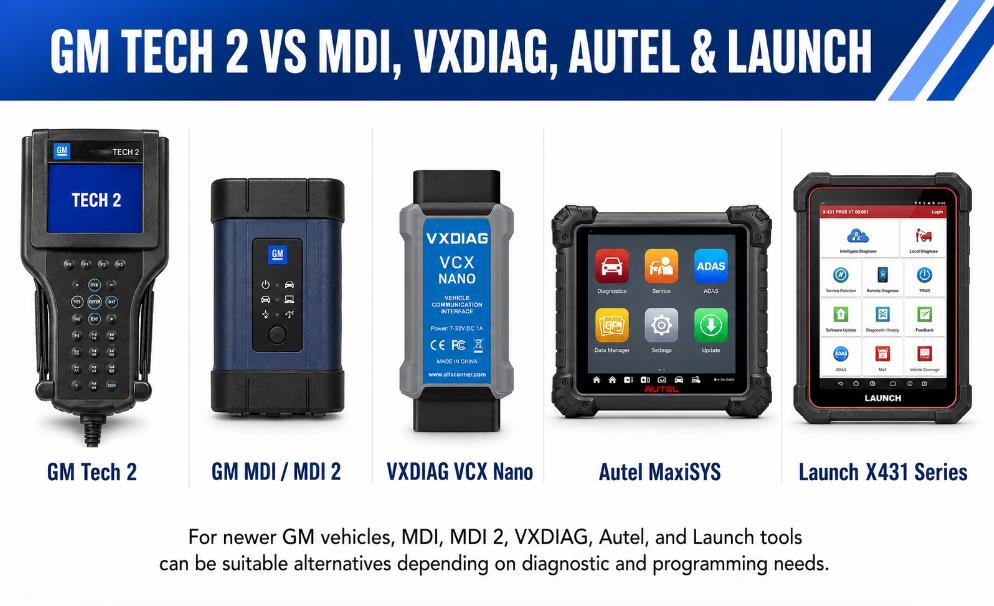
Newer GM models may not support the GM Tech 2 scanner as effectively as older models.
1. VXDIAG VCX Nano for GM
VXDIAG VCX Nano is often used with GM software for newer diagnostics. It is a cost-effective option for users who need access to newer GM software platforms, especially for vehicles from the Tech 2 era onward.
2. GM MDI or MDI 2
GM MDI and MDI 2 are better choices for newer GM vehicles, especially 2014 and later models that use GDS2 or Techline Connect. These tools are better suited to modern GM diagnostics and programming.
3. Autel Diagnostic Scanners
Autel scanners can support many brands and offer advanced diagnostics, live data, and active tests. However, they may not provide the same factory-level GM functions as a Tech 2 on older GM vehicles.
4. Launch X431 Series
Launch X431 tools are useful multi-brand scanners. They are a good choice for general repair shops that work on many makes, but GM-specific functions may vary by model.
5. OBDLink MX+
OBDLink MX+ is useful for basic diagnostics and app-based scanning. It is not a direct Tech 2 replacement because it lacks many factory-level GM service functions.
Is the GM Tech 2 Still Worth Buying?
The GM Tech 2 is still worth buying if you mainly work on older GM vehicles, especially models from the 1990s through around 2013. It is also useful for Saab owners and repair shops that need factory-style diagnostics for older GM platforms.
The Tech 2 is best for:
- GM vehicle owners with older models
- Mechanics working on Chevrolet, GMC, Cadillac, Buick, Saturn, Pontiac, Hummer, or Saab vehicles
- Users who need ABS, airbag, HVAC, BCM, or security functions
- Shops that still service pre-2014 GM vehicles
- DIY users who want more than a basic OBD2 scanner
It may not be the best choice for:
- Newer GM vehicles from 2014+
- Users who only need simple engine code reading
- Buyers who do not want to manage different software cards
- Shops that mainly work on modern vehicles requiring MDI 2, GDS2, or Techline Connect
Buying Tips Before Ordering a GM Tech 2
Before buying a GM Tech 2 scanner, check the following points:
- Confirm the vehicle year and model you want to diagnose.
- Choose the correct software card for GM, Saab, Opel, Isuzu, Suzuki, or Holden.
- Make sure the package includes the CANdi module if you work on 2006+ GM vehicles.
- Confirm whether the 32MB card is already installed and tested.
- Ask whether the package includes the OBD cable, power adapter, TIS2000 software, and user manual.
- Avoid extremely cheap units with unclear card versions or missing accessories.
- Buy from a supplier like obd2tool that can provide technical support and replacement parts if needed.
What are the best alternatives to GM Tech 2?
| Diagnostic Tool | GM Tech 2 (with CANdi) | VXDIAG VCX Nano (GM) | GM MDI 2 | Generic OBD2 Reader |
| Target Years | 1996 – 2013 | 1996 – 2020+ | 1996 – Present | Any OBD2 Vehicle |
| Hardware Form | Standalone Handheld | USB/WiFi PC Dongle | Professional VCI | Bluetooth Dongle / App |
| Top Benefit | No laptop needed; 100% dealer level for old GM | Extremely cost-effective; runs Tech2Win | Supports SPS2 online programming for 2024+ | Cheap; clears check engine lights only |
| Best For | Pre-2014 GM/Saab DIYers & Restoration | Budget Technicians & Laptop users | Full-scale GM Auto Repair Shops | Quick roadside diagnostics |
Frequently Asked Questions
Q: Does GM Tech 2 work without a computer?
A: Yes. The Tech 2 is a standalone diagnostic tool for many functions. A computer may be needed for software updates, TIS2000-related functions, or additional setup.
Q: Does GM Tech 2 need a subscription?
A: For basic diagnostics, no subscription is required. However, newer GM diagnostic tools and programming platforms may require subscription-based access.
Q: Does GM Tech 2 require a 32 MB memory card?
A: Yes. The diagnostic software is stored on the memory card. Without the correct card, the scanner cannot perform the required brand-specific diagnostics.
Q: Which memory card should I choose?
A: Choose the card according to the vehicle brand. For example, use a GM card for Chevrolet, GMC, Cadillac, Buick, Pontiac, Saturn, and Hummer. Use a Saab card for Saab vehicles.
Q: Is the CANdi module required?
A: For many 2006-and-newer GM vehicles, yes. The CANdi module allows the Tech 2 to communicate with CAN bus systems.
Q: Can GM Tech 2 bleed ABS brakes?
A: It can activate the ABS pump or related functions during a manual brake bleed on supported vehicles. It does not fully replace the manual bleeding process.
Q: Can GM Tech 2 calibrate HVAC actuators?
A: Yes, on supported GM vehicles. This is useful after replacing HVAC blend door actuators or when the air direction is incorrect.
Q: Can GM Tech 2 reset VES on a C6 Corvette?
A: On supported C6 Corvette models, the Tech 2 can perform steering-related reset or relearn procedures, including VES-related functions, when the correct GM card is used.
Q: Does GM Tech 2 work on Saab?
A: Yes, but a Saab memory card is required. Always check the exact Saab model and year before ordering.
Q: Is Tech 2 good for 2014+ GM vehicles?
A: For 2014 and newer GM vehicles, MDI, MDI 2, GDS2, or Techline Connect is usually a better choice.
Conclusion
The GM Tech 2 scanner remains one of the best diagnostic tools for older GM and Saab vehicles. It offers deeper access than a basic OBD2 scanner, including ABS, airbag, BCM, HVAC, security, steering, and bidirectional control functions.
Choosing the right GM Tech 2 scanner package can maximize its effectiveness as a diagnostic tool.
For users working on GM vehicles from the 1990s through around 2013, the Tech 2 is still a practical and valuable tool. The most important thing is to buy the correct package: the right memory card, the CANdi module if needed, and tested software for your vehicle brand.
For newer GM vehicles, consider GM MDI, MDI 2, VXDIAG VCX Nano, or other tools designed for GDS2 and modern GM diagnostic platforms.
For best results, familiarize yourself with all functions of the GM Tech 2 scanner.