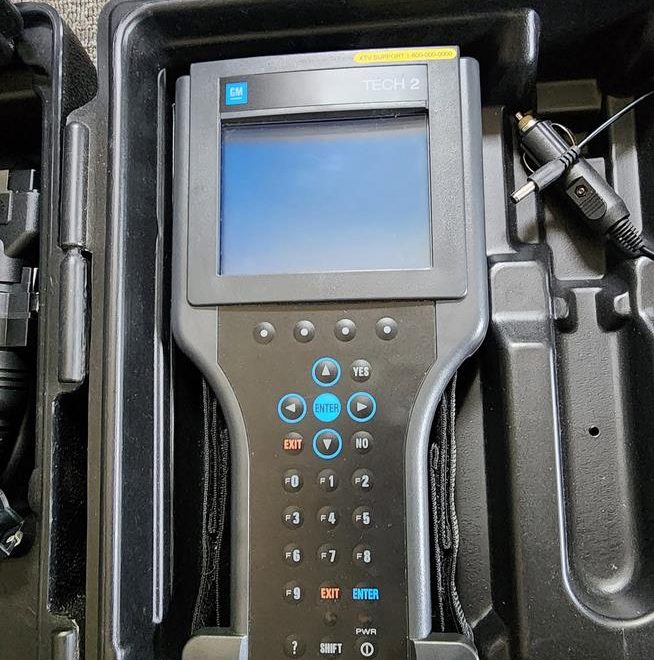
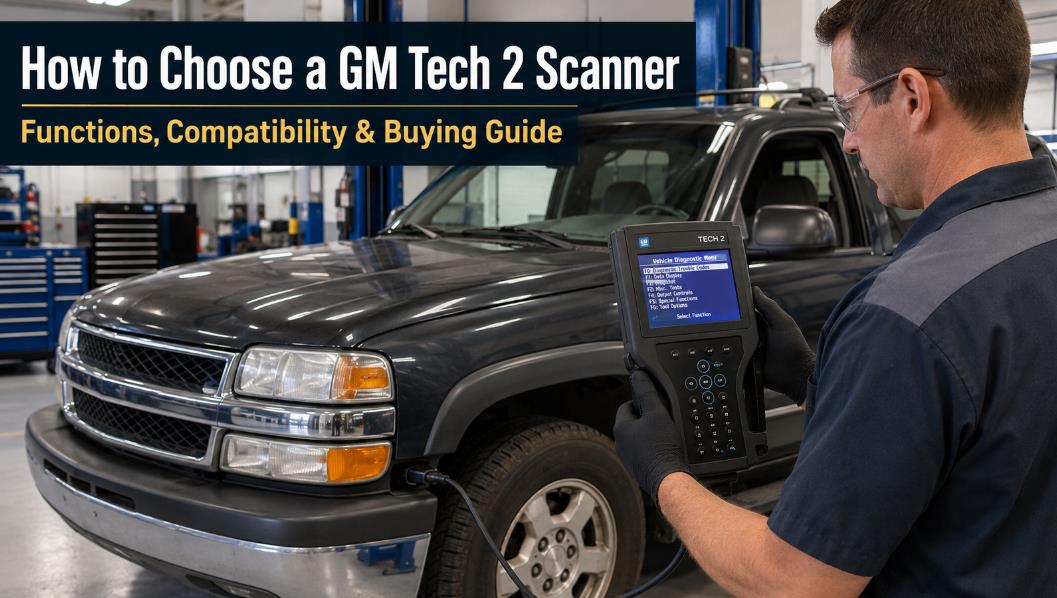
Quick Answer: How Do You Choose the Right GM Tech 2 Scanner?
- Your exact vehicle make, model, year, and market.
- The software card and regional coverage are included with the scanner.
- Whether your vehicle uses CAN communication and requires a CANDI module.
- Whether the package includes the necessary cables and adapters.
- Whether you need only diagnostics or also module programming and relearn functions.
🛠️ Expert Support Tip: Because GM transitioned electronic communication protocols across different assembly plants in the mid-2000s, we highly recommend messaging our support team with your 17-digit VIN before placing an order. Our technical team will verify your control module configuration to ensure complete compatibility.
GM Tech 2 Vehicle & Protocol Compatibility Matrix
To help you understand exactly what hardware accessories your vehicle requires, refer to our master compatibility matrix below:
| Vehicle Year Range | Primary Communication Protocol | CANDI Module Required? | Main Adapter Required | Software Card Needed |
| 1992 – 1995 | OBD1 / Assembly Line Diagnostic Link (ALDL) | No | GM 12-Pin Adapter + 12V Battery Power Cable | GM North American OE (32MB Card) |
| 1996 – 2004 | OBD2 / Class 2 Serial / K-Line | No | Standard 16-Pin OBD2 Adapter | GM North American OE (32MB Card) |
| 2005 – 2013 | CAN-Bus (Controller Area Network) | Yes | 16-Pin OBD2 Adapter + CANDI Module Inline | GM North American OE (32MB Card) |
| Saab / Opel / Isuzu (All Years) | Brand-Specific Protocols | Depends on Year (Yes if post-2005) | 16-Pin OBD2 Adapter | Specialized Software Card (e.g., Saab 148.000) |
What Is a GM Tech 2 Scanner?
- Chevrolet
- GMC
- Cadillac
- Buick
- Pontiac
- Oldsmobile
- Saturn
- Hummer
- Saab
- Opel
- Isuzu
What Can You Do With a GM Tech 2?
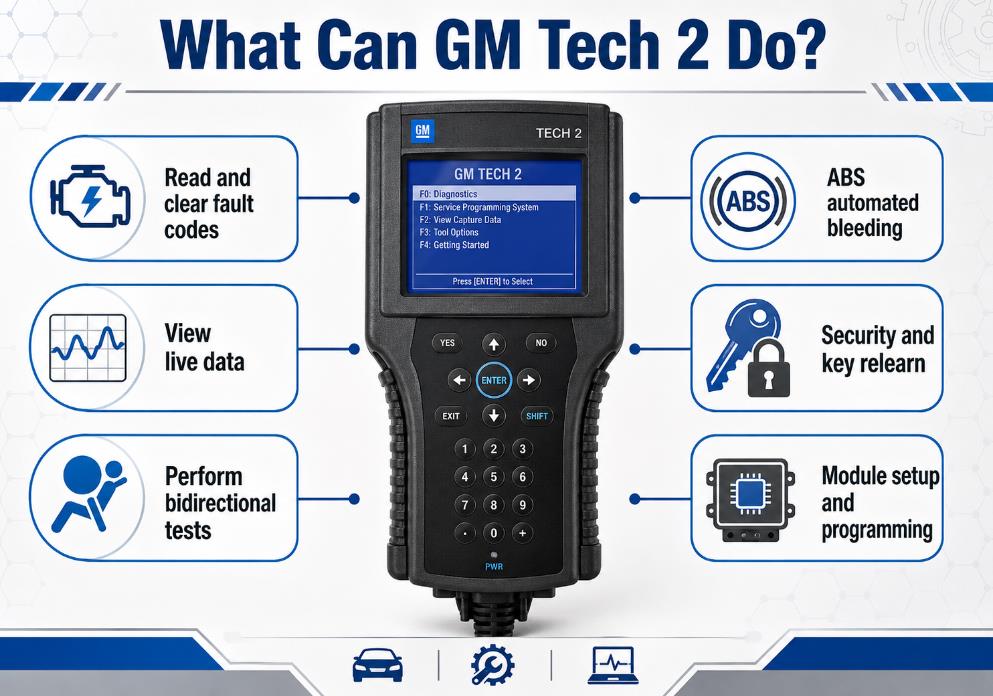
Read and Clear Diagnostic Trouble Codes
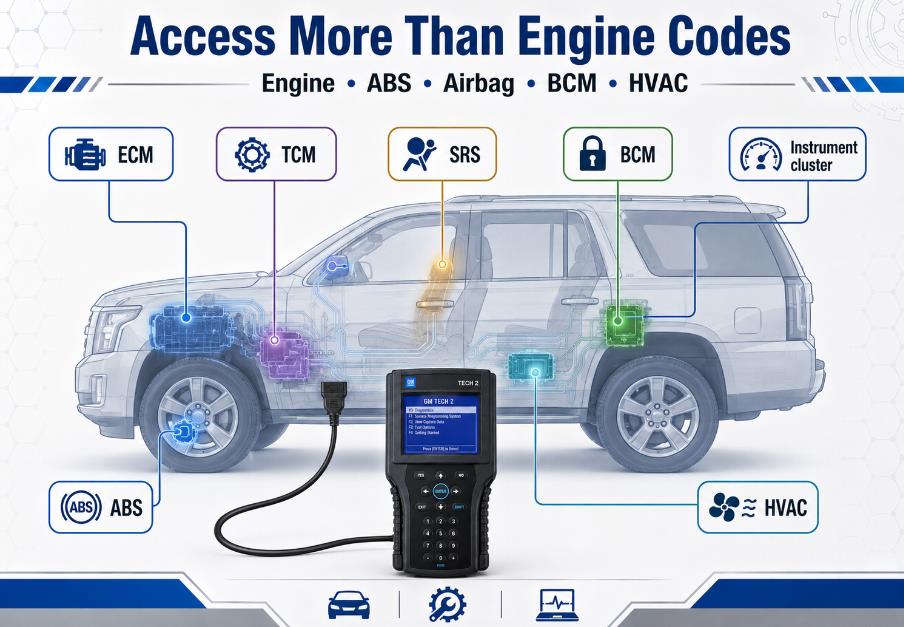
- Engine control module
- Transmission control module
- ABS and traction control
- Airbag or supplemental restraint system
- Body control module
- Instrument cluster
- HVAC and climate control
- Electronic suspension
- Security and immobilizer systems
View Live Vehicle Data
- Engine speed
- Coolant temperature
- Oxygen-sensor data
- Throttle position
- Fuel-trim values
- Transmission data
- Wheel-speed signals
- Switch status
- Sensor voltages
- HVAC actuator positions
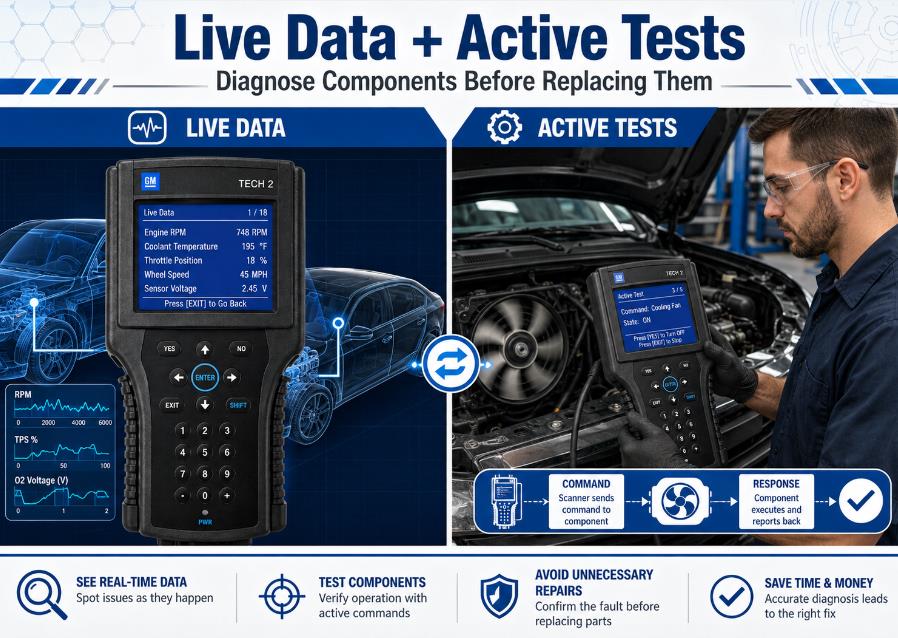
Perform Bidirectional Tests
- Activating a cooling fan
- Operating a fuel-pump relay
- Cycling an HVAC actuator
- Commanding transmission solenoids
- Testing warning lamps
- Operating selected valves or relays
- Running ABS automated bleed procedures
Perform Relearn and Calibration Procedures
- Crankshaft position variation relearn.
- Throttle or idle relearn.
- Passlock security relearn
- Key-fob programming
- Steering-angle calibration
- HVAC actuator recalibration
- Tire-pressure monitoring registration
- Transmission adaptive reset
- ABS automated bleeding
Configure or Program Replacement Modules
- TIS2000 or another compatible service platform
- GM Service Programming System access
- A suitable computer
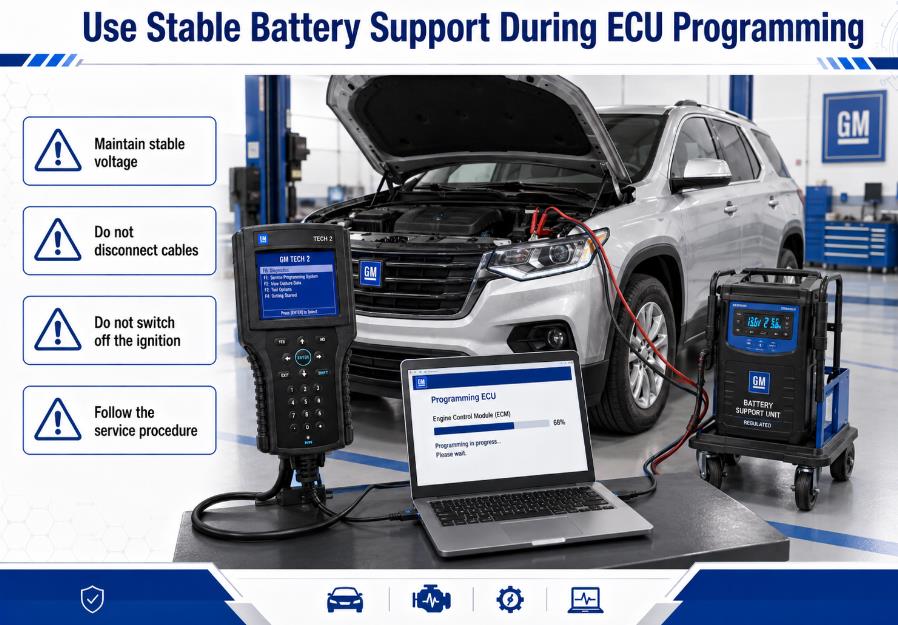
- A stable battery-support unit
- Security authorization
- The correct calibration file
Which Vehicles Are Compatible With GM Tech 2?
Important Compatibility Factors
- Vehicle brand
- Exact model
- Model year
- Country or sales region
- Engine and transmission type
- Installed diagnostic protocol
- Required control module
- Required diagnostic or programming function
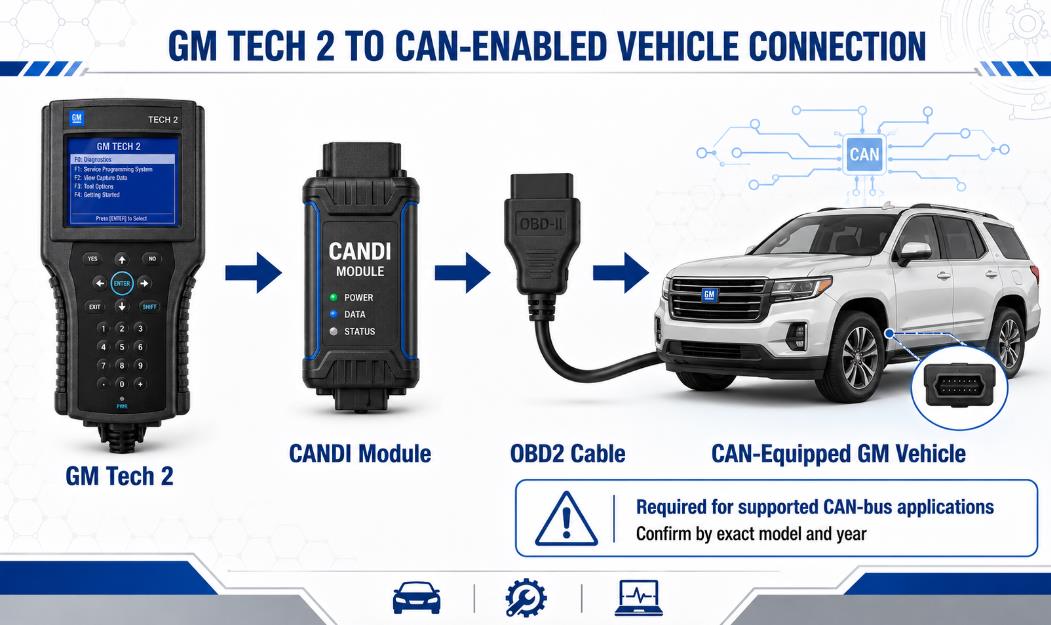
Do You Need a CANDI Module?
Original GM Tech 2, Aftermarket Tech 2, or Tech2Win?
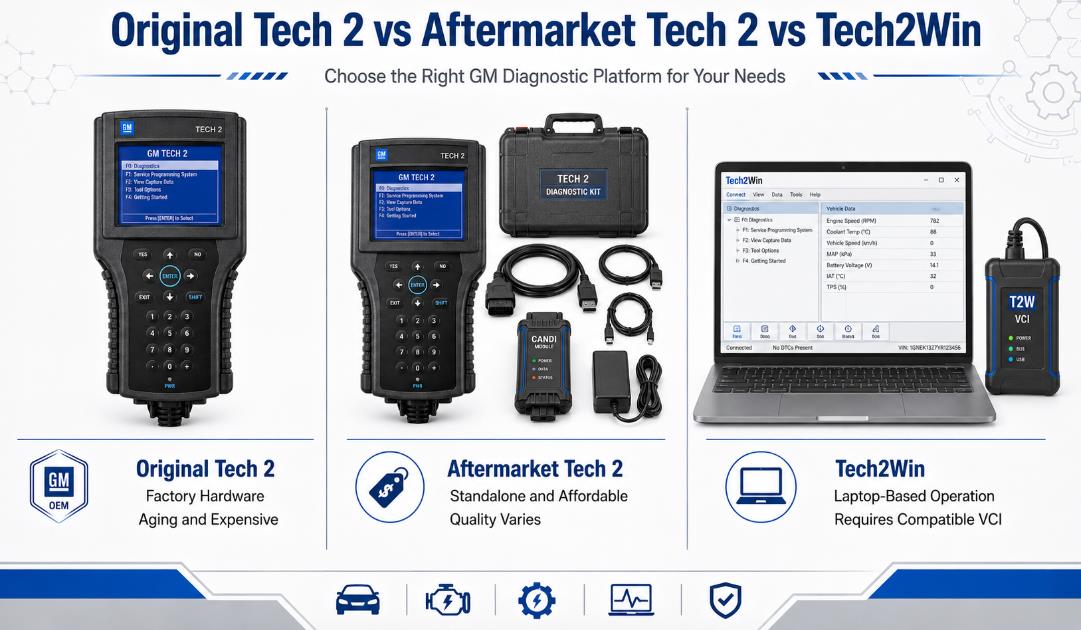
Original GM Tech 2
- Original hardware construction
- Proven compatibility when properly maintained
- Suitable for workshops preferring factory equipment
- Limited availability
- Aging screens, buttons, batteries, and internal components
- Higher replacement and repair costs
- The condition may be difficult to verify when buying used.
Aftermarket Tech 2 Scanner
- Lower purchase cost
- Commonly supplied as a complete kit.
- Standalone operation without a laptop
- Replacement accessories are widely available.
- Hardware quality varies by supplier.
- Some units have unstable screens or poorly fitted connectors.
- Software-card quality may vary.
- Technical support and warranty terms differ.
Tech2Win With a Compatible VCI
- Larger display
- Easier navigation for some users
- No aging handheld screen or keypad
- Convenient for laptop-based workshops
- Requires a compatible Windows environment
- VCI compatibility must be verified
- Driver or virtual-machine configuration may be necessary.
- Not every interface supports every Tech2Win function reliably.
GM Tech 2 Options Compared
| Option | Main Advantage | Main Limitation | Best For |
| Original Tech 2 | Factory-built hardware | Expensive and aging | Collectors and specialist workshops |
| Aftermarket Tech 2 | Affordable standalone operation | Quality varies by supplier | Independent workshops and experienced DIY users |
| Tech2Win with VCI | Laptop display and software-based operation | Requires compatible hardware and setup | Computer-based diagnostic users |
| GDS2 with MDI/MDI2 | Better coverage for newer GM vehicles | May require subscription-based services | Workshops servicing later GM platforms |
Hardware Deep-Dive: Recognizing High-Quality Tech 2 Clones
Not all Tech 2 units on the market are built the same. High-quality diagnostics require stable voltage and fast data transfers. When shopping, ensure your supplier offers a unit built with these professional-grade internal components:
                  ┌───────────────────────────────┐
                  │      GM Tech 2 Handheld       │
                  └───────────────┬───────────────┘
                                  │
         ┌────────────────────────┴────────────────────────┐
         ▼                                                 ▼
┌─────────────────────────────────┐               ┌─────────────────────────────────┐
│     Gold-Fingered PCMCIA        │               │      High-Quality DC-DC         │
│          Memory Cards           │               │          Converters             │
├─────────────────────────────────┤               ├─────────────────────────────────┤
│ Prevents corruption of software │               │ Protects mainboard chips from   │
│ binaries (e.g., GM v33.004) during│               │ sudden vehicle voltage spikes   │
│ rapid write operations.         │               │ when the engine is cranking.    │
└─────────────────────────────────┘               └─────────────────────────────────┘
-
Linear PCMCIA Memory Cards with Gold Connectors: Cheaper memory cards run hot, corrupt easily, and can drop communication mid-test. Look for gold-plated edge connectors (gold fingers) to ensure a stable data interface.
-
Integrated DC-DC Converters: Starting a car drops battery voltage significantly. High-quality Tech 2 builds utilize robust internal DC-DC power converters to keep the screen and processor running stably down to 8 volts, preventing annoying reboots during cranking.
Choosing Your PCMCIA Software Card
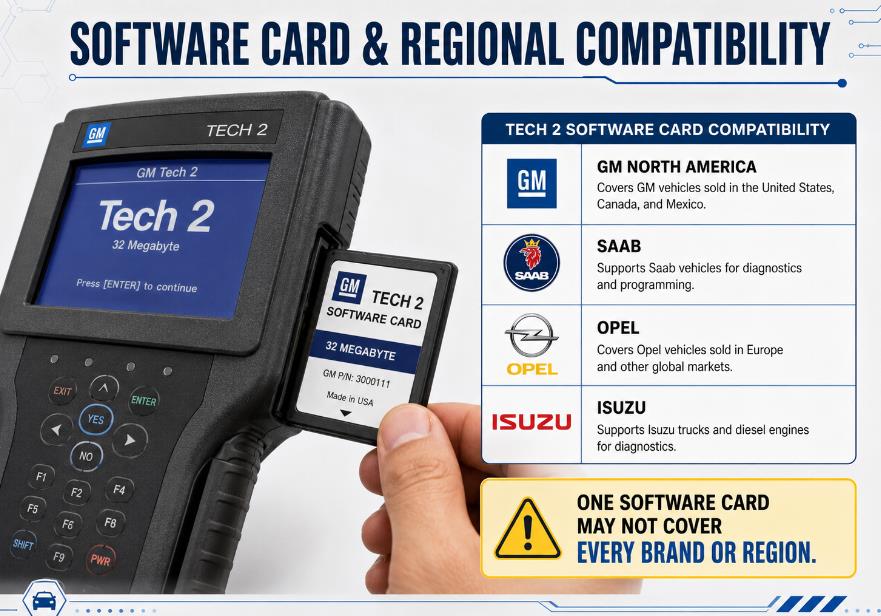
The GM Tech 2 stores its operating system and vehicle database on a removable 32MB PCMCIA card. You must choose the card that matches your fleet:
-
GM North American (Version 33.004): Covers GM, Chevrolet, GMC, Pontiac, Buick, Cadillac, Oldsmobile, Saturn, and Hummer from 1992 to 2013.
-
Saab (Version 148.000): Dedicated coverage for Saab 9-3, 9-5, and legacy models.
-
Opel (Version 180.000): Covers European Vauxhall/Opel vehicle platforms.
-
Isuzu (Version 11.640): Supports Isuzu trucks and diesel commercial vehicles.
How to Choose a Reliable GM Tech 2 Scanner
1. Start With the Vehicle, Not the Scanner
- Make
- Model
- Model year
- Engine
- Country
- Required diagnostic system
- Required special function
2. Check the Included Software Card
- Software type
- Software version
- Supported brands
- Supported region
- Card capacity
- Whether alternative cards are available
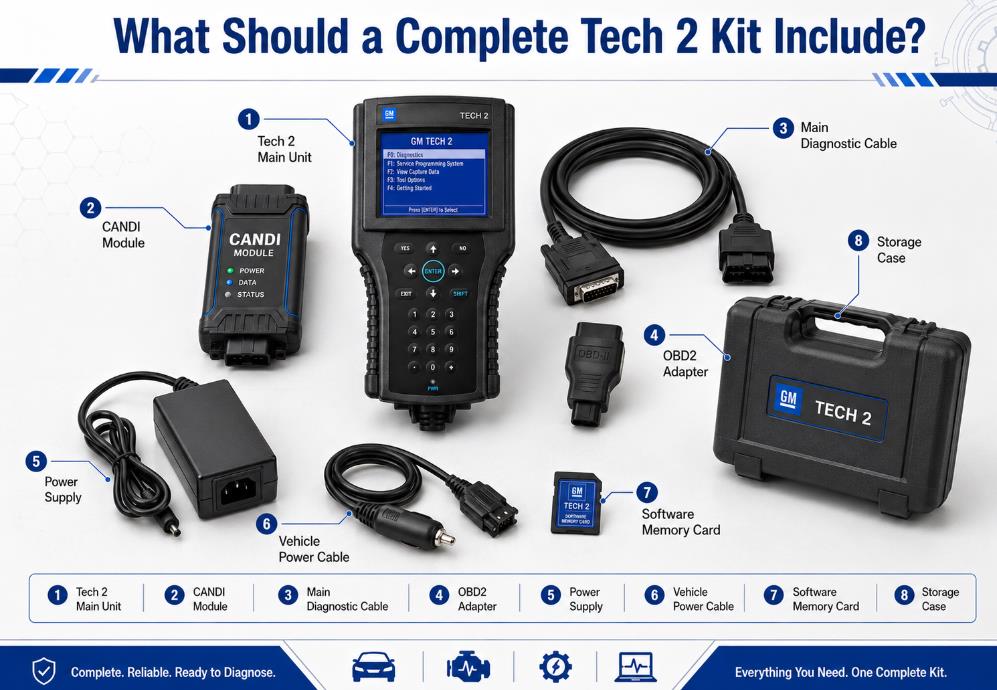
3. Confirm CANDI Inclusion
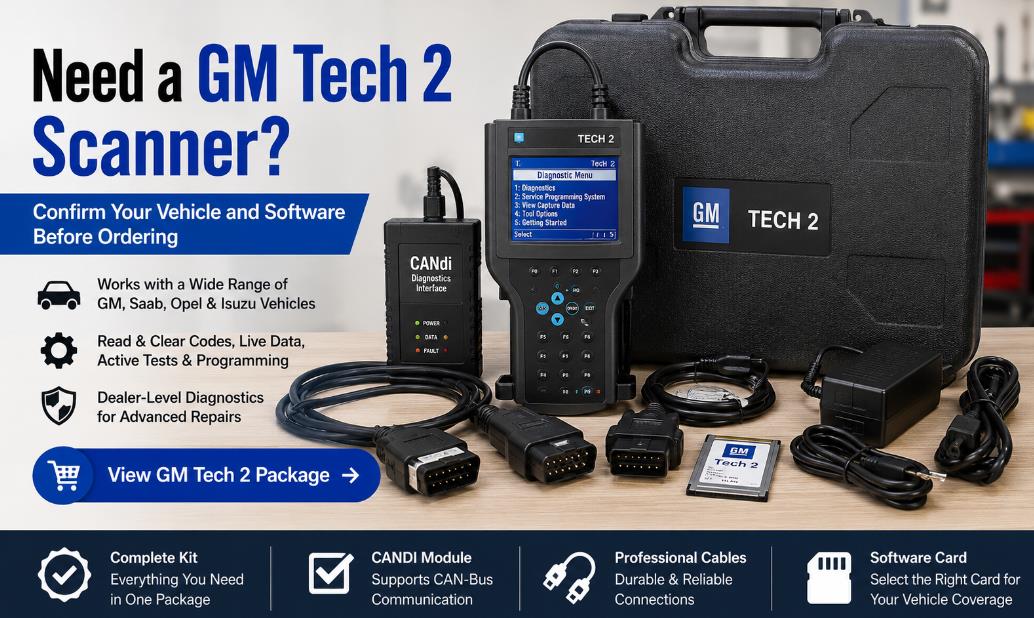
- Tech 2 main unit
- CANDI interface
- Main diagnostic cable
- OBD2 adapter
- Power supply
- Vehicle power cable
- Correct software card
- Storage case
4. Check the Required Adapters
- Older GM vehicles
- Saab
- Opel
- Isuzu
- Other regional models
5. Evaluate Hardware Quality
- Screen clarity
- Keypad response
- Cable fit
- Connector-pin quality
- Power stability
- Memory-card detection
- Communication reliability
- Internal battery condition
6. Understand the Programming Limitations
- Module identification
- Replacement-module setup
- VIN writing
- Security relearn
- Key-fob programming
- Calibration transfer
- Full software flashing
7. Check Technical Support and Warranty
- Pre-purchase compatibility checks
- Installation instructions
- Software-card guidance
- Troubleshooting support
- Clear return conditions
- A written warranty
Warning Signs to Avoid
- Does not identify the installed software
- Does not specify regional coverage
- Claims to support every GM vehicle
- Includes no CANDI module for CAN diagnostics
- Provides no photos of the actual package
- Offers no warranty or return policy
- Promises unrestricted programming without additional software
- Cannot confirm support for your exact model
- Uses copied compatibility information without technical details.
Setup Checklist Before First Use
- Inspect the scanner, cables, connectors, and memory card.
- Verify that the correct software card is installed.
- Connect the scanner to stable power.
- Run the built-in self-test when available.
- Confirm that the CANDI module is recognized.
- Check vehicle battery voltage.
- Turn off unnecessary electrical loads.
- Record existing fault codes before clearing them.
- Follow the vehicle service manual for special procedures.
- Use a regulated battery-support unit during module programming.
Advantages and Limitations of the GM Tech 2
Advantages
- Accesses multiple GM-specific modules
- Supports live data and bidirectional tests
- Performs many relearning and calibration procedures
- Can operate as a standalone handheld scanner
- Useful for older vehicles not fully supported by generic tools
- No recurring fee is normally required for basic offline diagnostics.
Limitations
- It is a legacy diagnostic platform.
- Coverage varies by model, year, region, and software card.
- Newer GM vehicles usually require GDS2 and MDI-based equipment.
- Module programming may require separate software or authorization.
- Original hardware is aging.
- Aftermarket quality varies significantly.
- Different brands may require separate software cards or adapters.
Who Should Buy a GM Tech 2?
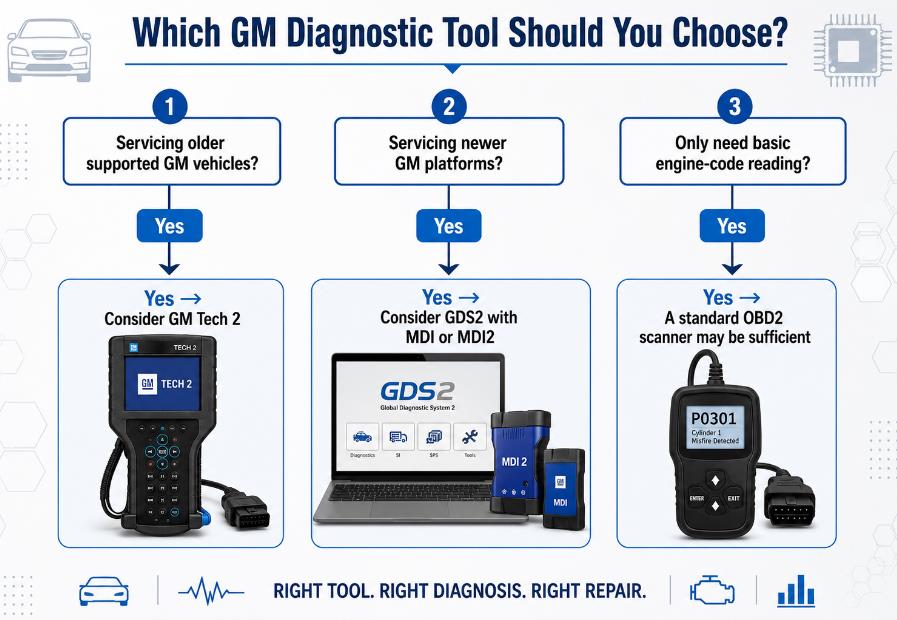
- Independent repair shops servicing older GM vehicles
- GM vehicle collectors
- Technicians performing ABS, HVAC, BCM, and security diagnostics.
- Owners maintain several compatible vehicles.
- Workshops requiring bidirectional testing on legacy platforms
- Workshops servicing primarily newer GM vehicles
- Users who only need basic engine-code reading
- Buyers are unwilling to verify software and vehicle compatibility.
- Technicians who require current online programming for late-model vehicles
Frequently Asked Questions
Can a GM Tech 2 program an ECU?
Does the GM Tech 2 support vehicles manufactured after 2013?
Is a CANDI module required for every vehicle from 2006 onward?
Can the Tech 2 diagnose ABS and airbag systems?
Can the Tech 2 program key fobs?
Can one software card cover Chevrolet, Saab, Opel, and Isuzu?
Are aftermarket Tech 2 scanners reliable?
Is Tech2Win the same as a handheld Tech 2?
Can the GM Tech 2 work without an internet connection?
What information should I provide before ordering?
Final Recommendation
- Exact vehicle compatibility
- Software-card type and version
- Regional coverage
- CANDI requirements
- Included cables and adapters
- Required programming software
- Warranty and technical support