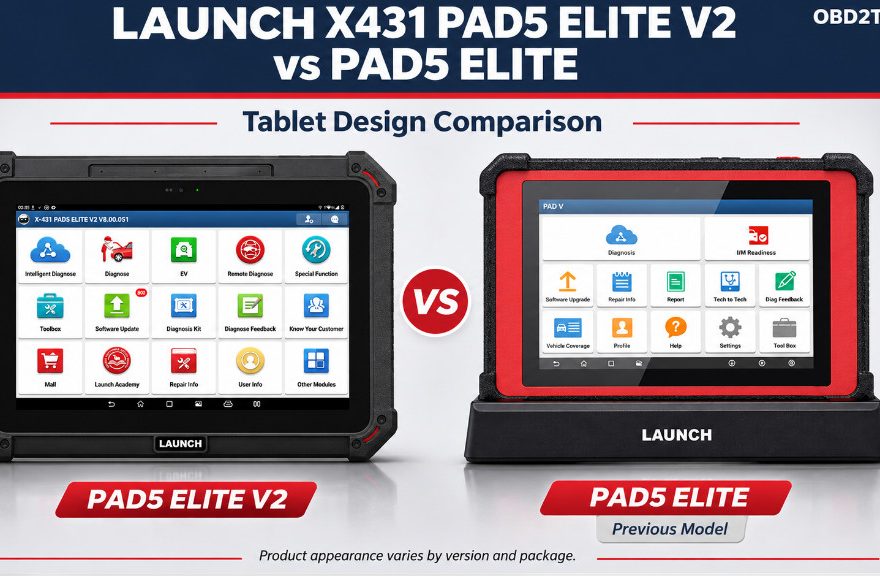
Choosing between the LAUNCH X431 PAD5 ELITE V2 and an earlier PAD5 ELITE takes more than comparing product names.
The tablet, the vehicle communication interface, the included software, and your regional configuration all affect what you get. If you already own one, the real question is whether the newer setup fixes something that’s holding you back in daily work. If you’re buying for the first time, it’s whether the package supports the vehicles and procedures your workshop needs.
This guide walks through the main differences, how to evaluate the SmartLink interface, and when an upgrade actually makes sense.
Quick Answer: Is the PAD5 ELITE V2 Worth Choosing?
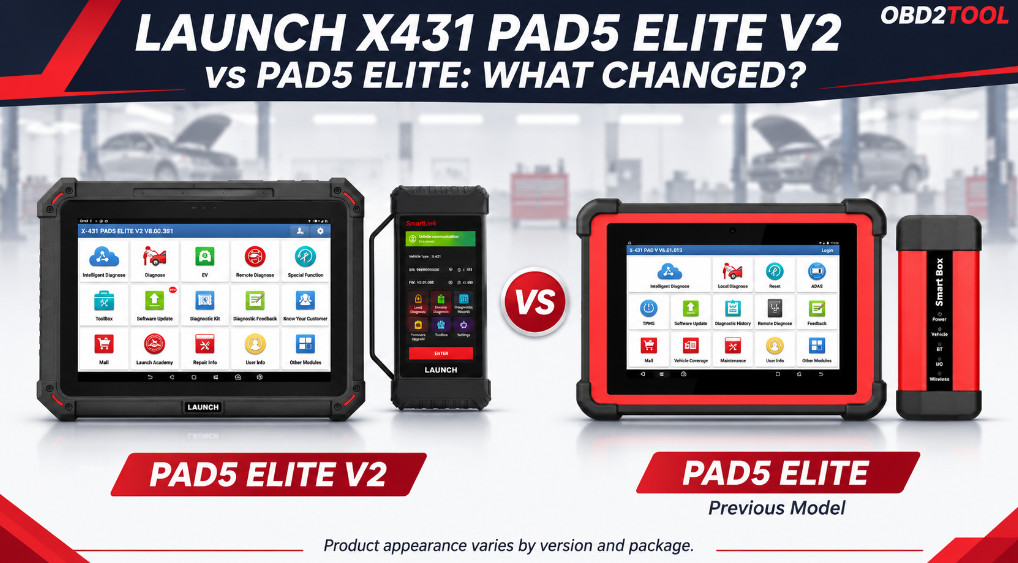
The PAD5 ELITE V2 is worth a look if you’re buying for a new workshop, or if your older tablet has become a daily bottleneck. Its documented configuration includes Android 15, an eight-core processor, 8GB RAM, 256GB storage, and a 10.1-inch 1920 × 1200 display.
If you already own a PAD5 ELITE, base your decision on a specific need: a sluggish tablet, a tired battery, an interface requirement, or an extra workstation.
A newer tablet won’t automatically unlock every coding, programming, or service function. Check those against your vehicle, software, region, and chosen package.
Shopping for a new setup? Take a look at the LAUNCH X431 PAD5 ELITE V2 at OBD2TOOL and ask us to confirm it for your vehicle and the work you plan to do.
First, Confirm Which PAD5 ELITE You Are Comparing
You’ll see the names PAD5, PAD V, PAD5 ELITE, and PAD5 ELITE V2 across different listings. Similar names don’t guarantee identical hardware.
Earlier PAD5 units can differ in:
- Android version.
- Memory and storage.
- Included vehicle communication interface.
- Charging equipment.
- Regional software and language configuration.
- Included accessories and update terms.
For example, LAUNCH’s older official PAD5 ELITE description mentions an Android 7.1 platform, while later market listings describe other configurations. So if a comparison gives one spec to every older PAD5 ELITE, it can easily mislead you.
Before you compare prices, get the specification sheet and package list for both units.
PAD5 ELITE V2 vs PAD5 ELITE: What Should You Compare?
| Comparison point | PAD5 ELITE V2 | Earlier PAD5 ELITE |
|---|---|---|
| Tablet platform | Newer documented hardware configuration | Check the exact generation and regional version |
| Operating system | Android 15 in the referenced V2 manual | Varies by version |
| RAM and storage | 8GB RAM and 256GB storage in the referenced manual | Check the actual unit |
| Display | 10.1-inch, 1920 × 1200 | Verify the model specification |
| Vehicle interface | Confirm the SmartLink V4 supplied with the selected package | Identify the actual included VCI |
| Diagnostic coverage | Check the current software and vehicle application | Check the current software and vehicle application |
| Coding and programming | Requires function-specific confirmation | Requires function-specific confirmation |
| Accessories and updates | Confirm the selected sales package | Confirm the selected sales package |
The V2 specs above describe the manufacturer configuration we referenced, so check them against the unit that’s actually for sale.
1. The Tablet Upgrade Matters Most When Your Current Unit Slows You Down
Specs only matter when they connect to a real workshop problem.
Ask yourself whether your current scanner makes you wait when you’re:
- Opening vehicle software.
- Switching between diagnostic screens.
- Reviewing reports.
- Managing downloaded vehicle packages.
- Moving between applications.
A more capable tablet gives you extra headroom for these tasks. But how long a full vehicle scan takes also depends on the vehicle network, modules, diagnostic software, and communication conditions.
Don’t assume twice the RAM means twice the diagnostic speed. A fair comparison uses the same vehicle, software release, connection method, and test procedure.
If your current tablet still feels responsive, extra memory alone probably won’t justify replacing the whole kit.
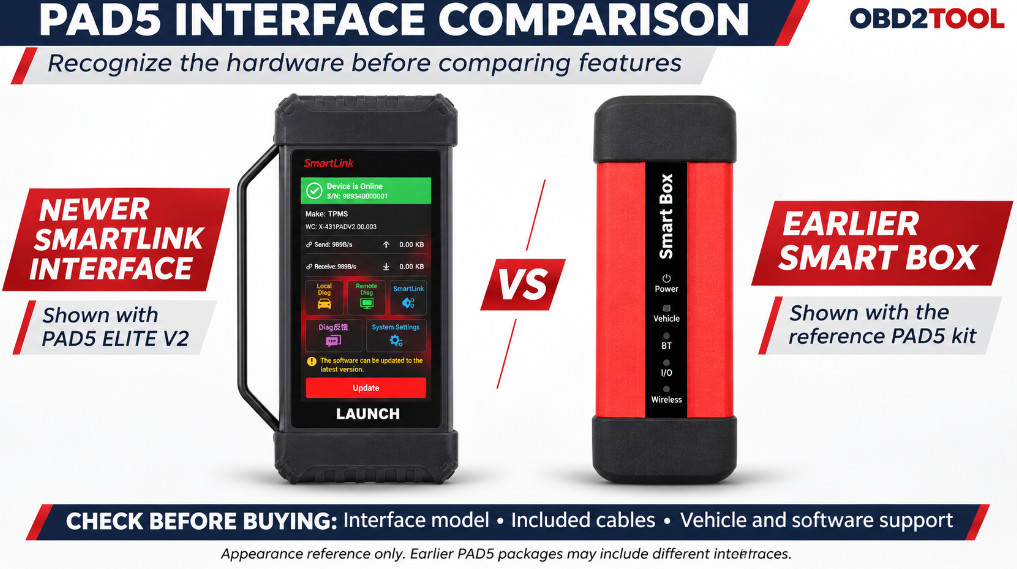
2. Check the SmartLink V4 Package Carefully
The interface deserves just as much attention as the tablet.
If the PAD5 ELITE V2 package you’re looking at is advertised with SmartLink V4, confirm the interface model on the package list and the device label. Do the same for the older PAD5 ELITE package.
Compare:
- Supported communication methods.
- Physical ports and supplied cables.
- Driver and firmware support.
- Compatibility with the vehicle architecture you work on.
- Requirements for remote assistance.
- Support for the computer-based applications you plan to use.
A newer interface may well suit your workflow, but judge it by the jobs you actually do. A bigger screen or a newer VCI name doesn’t prove broader vehicle coverage.
3. Separate Local Diagnosis, Remote Diagnosis, and J2534
These terms describe different ways of working.
| Workflow | What the buyer needs to establish |
|---|---|
| Local diagnosis | Whether the tablet software supports the vehicle and requested function |
| Remote diagnosis | Required equipment, service availability, network conditions, and any service fees |
| PC-based Pass-Thru work | Interface compatibility, Windows driver, OEM application, subscription, and authorization |
LAUNCH’s V2 manual treats these as separate operating modes.
When you ask a supplier, keep the question concrete:
“Can this exact package perform this procedure on my vehicle, in my country, and what else do I need?”
You’ll get a much more useful answer than if you just ask whether the scanner “supports programming.”
4. Does V2 Add More Diagnostic Functions?
Don’t guess at diagnostic coverage from tablet specs alone.
For either scanner, check the functions you need on the vehicles you service. Good categories to verify include:
- Reading and clearing fault codes.
- Live-data viewing and recording.
- Active or bidirectional tests.
- Service resets and relearns.
- Module setup and coding.
- Programming-related operations.
Just because a category is listed doesn’t mean every function inside it is available.
For example, support for an engine control module doesn’t automatically confirm a particular actuator test. And a service-reset menu doesn’t prove that every reset procedure works on every model.
If you’re replacing an existing PAD5 ELITE, figure out which function you’re missing first. Then check whether the V2 package really covers it.
5. Coding and Programming Need a Separate Compatibility Check
Scanner ads often lump coding, adaptation, relearn, and programming together, but they’re different procedures.
| Task | Example of what to confirm |
|---|---|
| Service relearn | The exact vehicle procedure and prerequisites |
| Coding or configuration | Supported module, options, software, and access conditions |
| Calibration programming | Required application, compatible interface, account, and subscription |
| Security-related work | Applicable authorization and vehicle-specific requirements |
Before you buy for a programming job, have this information ready:
- Vehicle make, model, year, and sales region.
- VIN where appropriate.
- Target module.
- Whether the module is original or a replacement.
- The exact operation required.
- Your country of use.
Don’t assume a function you saw demonstrated on an overseas vehicle will be available on a local-market version.
And a faster tablet can’t stand in for a manufacturer account or authorization you’re required to have.
6. Compare Charging, Battery Condition, and Daily Handling
If you already own a unit, a worn battery can matter more than any difference in a spec table.
Think about:
- How often you need to charge during a normal workday.
- Whether the charging connector is reliable.
- Whether the stand and case are still in good shape.
- How comfortable the unit is to carry and position.
- The charging equipment that comes with the new package.
Use the specified charger, and compare battery capacity in watt-hours when you can. Milliamp-hour figures alone aren’t directly comparable when battery voltages differ.
Also, don’t expect the advertised battery life to match your workshop. Screen brightness, wireless use, workload, and battery condition all affect runtime.
7. Check Expansion Costs Before Choosing
A scanner that can be expanded isn’t the same as one that comes with the expansion in the box.
For any accessory you need, confirm:
| Expansion requirement | Purchase question |
|---|---|
| TPMS work | Which accessory, sensors, software, and procedures are supported? |
| Immobilizer work | Which programmer, cables, authorization, and coverage are required? |
| ADAS work | Which calibration equipment and vehicle procedures are needed? |
| Commercial vehicles | Does the package include the necessary software and connectors? |
| EV work | Which vehicle applications and additional equipment are included? |
That way you’re comparing the cost of a setup you can actually use, not just the tablet price.
Should Existing PAD5 ELITE Owners Upgrade?
Consider V2 If:
- Your current tablet regularly delays your work.
- The battery or hardware condition is getting in the way.
- You need another diagnostic station.
- You’ve confirmed an interface requirement that the selected V2 package meets better.
- The total package fits your planned workload and budget.
Keep Your Current PAD5 ELITE If:
- It handles the jobs you need reliably.
- The tablet and battery are still in good shape.
- Your current software gives you the coverage you need.
- Your main limitation is an account, subscription, or accessory that a new tablet won’t replace.
Before replacing a kit that still works, weigh the renewal, repair, and accessory costs against the full cost of upgrading.
Which One Should a First-Time Buyer Choose?
If you’re buying a current professional LAUNCH setup for the first time, the PAD5 ELITE V2 belongs on your shortlist.
An older PAD5 ELITE can still be a good option if its exact configuration, condition, coverage, and support meet your requirements at a price that makes sense.
Check both against the same list:
- Exact tablet and interface models.
- Supported vehicles and required functions.
- Country and language configuration.
- Included update period and renewal terms.
- Accessories supplied.
- Warranty and technical support.
- Additional accounts or subscriptions needed.
The better purchase is the package that fits your actual workload at a total cost you’re happy with.
Check the PAD5 ELITE V2 Package with OBD2TOOL
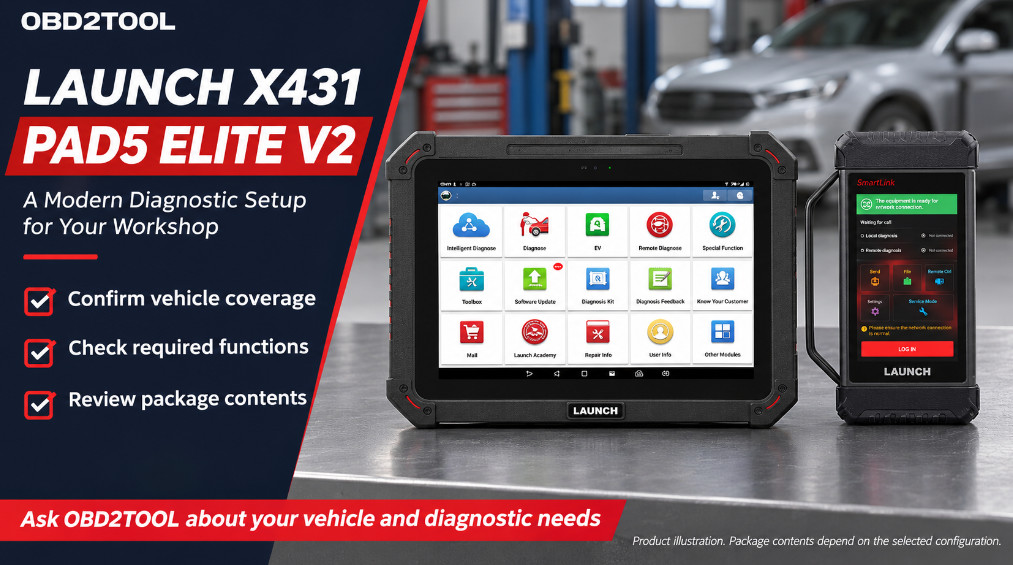
Have a look at the LAUNCH X431 PAD5 ELITE V2 diagnostic scanner at OBD2TOOL.
Before you order, send us your main vehicle makes, model years, country of use, and the functions you need. If you already own a PAD5 ELITE, include photos of its model information and interface label, so we can base the comparison on your actual equipment.
Ask us to confirm the tablet specifications, the supplied SmartLink interface, accessories, update terms, and any requirements for coding or programming.
Frequently Asked Questions
Is PAD5 ELITE V2 the same as PAD V ELITE V2?
Listings often use these names interchangeably, but confirm the manufacturer model, tablet configuration, and included interface before you buy.
Is every older PAD5 ELITE the same?
No. Compare the exact hardware generation, region, interface, and software package.
Will V2 diagnose every vehicle faster?
Don’t count on a universal speed boost. Scan times also depend on the modules, network, software, and connection conditions.
Does buying V2 automatically give me more programming functions?
No. Check programming availability for your vehicle, region, software, interface, and any required authorization.
Does J2534 support include OEM software subscriptions?
Don’t assume it does. Confirm the OEM application, interface compatibility, driver, subscription, and access requirements separately.
Can I transfer my old accessories to V2?
Check each accessory by its exact model and connection requirements before you buy.
Can I upgrade only the SmartLink interface?
Ask LAUNCH or your supplier to confirm pairing, account binding, firmware, software, and package compatibility. Don’t assume interfaces can be swapped between kits.
What should I provide for a compatibility check?
Send your country, vehicle details, target function, and the exact scanner package you’re considering. If you already own one, include your tablet and interface model information too.