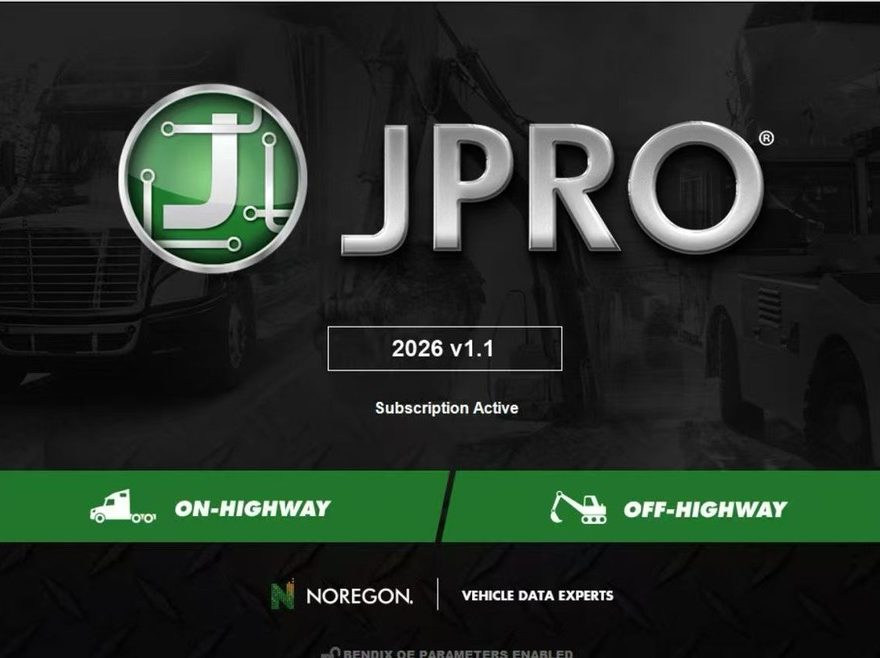
Looking for a powerful all-makes truck diagnostic software for heavy-duty and medium-duty vehicles? JPRO Noregon Commercial Fleet Diagnostics is one of the most widely used professional diagnostic solutions for diesel truck repair shops, fleet maintenance companies, and commercial vehicle technicians. It supports advanced diagnostics, bi-directional tests, DPF regeneration, parameter changes, fault code reading, and real-time data monitoring.
What is JPRO Noregon Commercial Fleet Diagnostics?
JPRO Professional is an OEM-level commercial vehicle diagnostic software developed for multi-brand truck diagnostics. The software allows technicians to diagnose engines, transmissions, ABS systems, body controllers, and aftertreatment systems from a single platform. It supports RP1210 compliant adapters such as NEXIQ USB-Link 2 and JPRO DLA+ adapters.
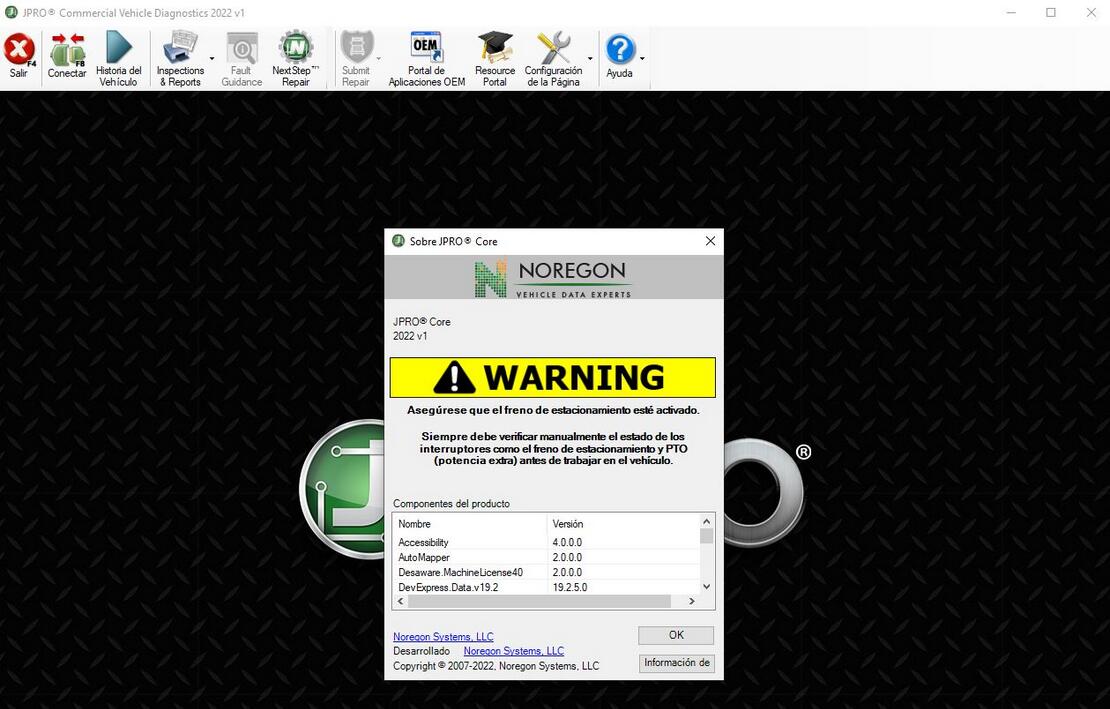
With JPRO software, users can:
- Read and clear fault codes
- Perform DPF regeneration
- Run cylinder cut-out tests
- Adjust road speed and idle shutdown parameters
- Monitor live vehicle data
- Record and replay diagnostic logs
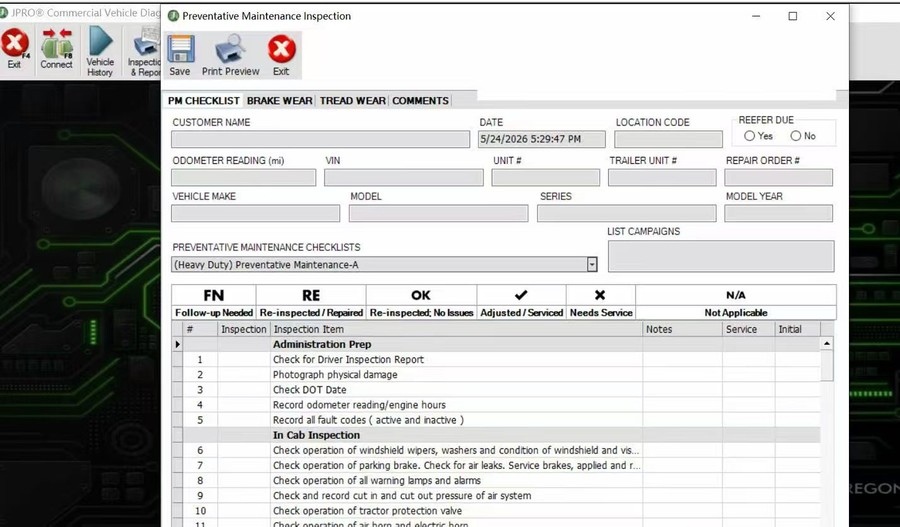
- Generate vehicle health reports
- Launch OEM troubleshooting information
The software is widely used for brands including Freightliner, Kenworth, Peterbilt, Volvo, Mack, International, Cummins, Detroit Diesel, PACCAR, Ford, GM, Isuzu, Sprinter, and more.
JPRO Diagnostic Software Main Features
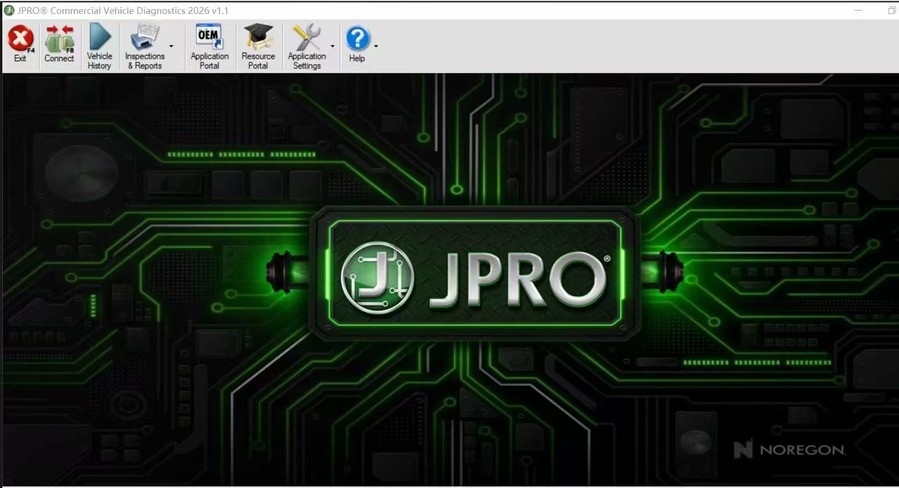
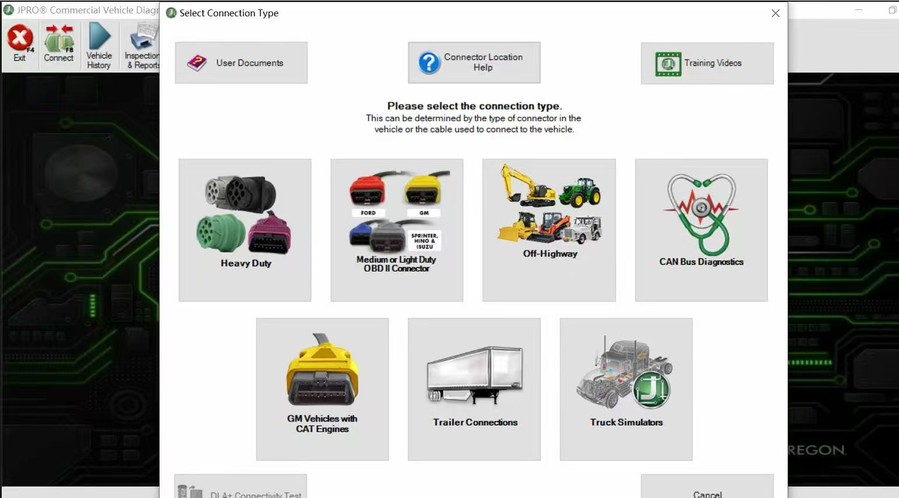
1. All Makes & Models Coverage
JPRO supports both heavy-duty and medium-duty commercial vehicles.
Supported systems include:
- Engines
- Transmission systems
- ABS modules
- Body & chassis systems
- Emission systems
Supported truck brands include:
- Freightliner
- Kenworth
- Peterbilt
- Volvo
- Mack
- International
- Ford
- GM
- Isuzu
- Sprinter
- Western Star
2. Advanced Bi-Directional Controls
JPRO Professional provides powerful bidirectional diagnostic functions, including:
- DPF Service Regeneration
- Cylinder Cut-Out Tests
- Injector Calibration
- EGR and VGT Tests
- DEF System Tests
- Road Speed Limit Changes
- Cruise Speed Adjustments
- Idle Shutdown Timer Settings
Supported on many Cummins, Detroit Diesel, Mack, Volvo, PACCAR, and International engines.
3. OE-Level Fault Code Information
The software can display over 99% of heavy-duty and medium-duty truck fault codes with OEM-level descriptions and troubleshooting information. Technicians can quickly identify faults without switching between multiple OEM programs.
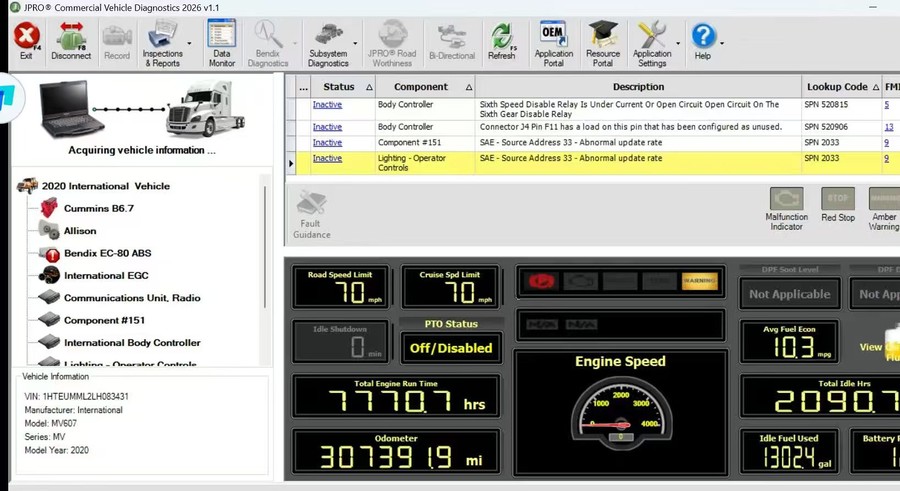
4. Real-Time Data Monitoring
JPRO allows users to monitor important vehicle data in real time, including:
- Engine speed
- Battery voltage
- Fuel economy
- DPF soot level
- Cruise speed limits
- DEF status
- Idle hours
- Odometer readings
The Data Monitor feature helps technicians diagnose intermittent issues and optimize fleet maintenance.
5. Virtual Truck Connection Function
The Virtual Truck feature enables users to simulate truck diagnostics without connecting to a real vehicle. It is useful for software demonstrations, training, and learning diagnostic procedures.
JPRO Professional Supported Adapters
JPRO works with RP1210 compliant communication adapters, including:
- NEXIQ USB-Link 2
- JPRO DLA+ 2.0
- DLA+ Wireless
- DG Tech adapters
Configuration settings can be adjusted inside the software connection menu.
JPRO Software System Requirements
Recommended PC configuration:
- Windows 10 32-bit or 64-bit
- Intel Core i5 processor
- 8GB RAM
- 20GB free disk space
- USB port for RP1210 adapter connection
Panasonic Toughbook laptops are commonly recommended for truck diagnostics.
JPRO Noregon Commercial Fleet Diagnostics Features:
1.Includes Heavy-Duty Modules: Mack, Volvo, Cummins, Detroit Diesel, International & PACCAR
2.Includes Medium-Duty Modules: Ford, GM, Isuzu & Sprinter
3.Bi-Directional Controls – Perform parameter changes (Mack & Volvo), DPF Regens (Mack, Volvo, Cummins, Detroit Diesel, International & PACCAR) & bi-directional tests with proprietary data & faults
4.OE Level Fault Code Information – Display over 99% of Heavy-Duty & Medium-Duty fault codes with detailed OEM level component and trailer descriptions
5.Fault Management – Clears faults and diagnoses all vehicle components in a single, easy to use application
6.Vehicle Reporting – View and print log files, including: Vehicle Health, Trip Reports & LOV Reports
7.Store & Save Data – Record data log files for playback at a later time, even away from the truck
8.Total Vehicle Health Status – See the entire vehicle in one pass on one screen + Up-to-Date – Provides 99% coverage of all heavy-duty truck DTCs through 2020
JPRO Professional Diagnostic Basic Coverage includes the ability to read & clear codes on the following list. You can also view all live data and perform basic diagnostics.
Body and Chassis:
Bluebird, Ford, Freightliner, GM, International, Kenworth, Mack, Peterbilt, Sprinter, Sterling, Thomas Built, Volvo, and Western Star
Engines:
CAT, Cummins, Detroit, Ford, GM, International, Mack, Mercedes, PACCAR MX, Sprinter, Volvo
ABS:
Bendix, Ford, GM, Haldex, Sprinter, Wabash, WABCO
Transmission:
Allison, Detroit, Eaton, Ford, GM, Mack, Sprinter, Volvo, ZF
Cummins – Bi-directional support for the following:
Cylinder cut-out for EPA 2002 to Current (ISB, ISC, ISL, ISM, & ISX)
DPF Stationary Regen for EPA 2007 to Current (ISB, ISC, ISL, ISM, ISX)
Trip Reset for EPA 2007 to Current (All ECUs)
Aftertreatment reset for EPA 2007 to Current (All ECUs)
Fuel Injector Reset for EPA 2013 to Current (All ECUs)
Fuel Leakage Test for EPA10 to Current
Fuel Injector Calibration EPA 2007 & EPA 2010 (All ECUs)
VGT Actuator Installation & Calibration EPA 2010 to Current
VGT Hysteris Test for EPA 2010 to Current
DEF Doser Pump Override for EPA 2010 to Current
Change road speed, cruise speed, & idle shut down timer for EPA 2007 to Current
DEF System Leak Test (EPA 10 ISB/ISC/ISL/ISX & EPA 13 ISB/ISL/ISX)
Detroit Diesel – Bi-directional support for the following:
Cylinder cut-out for 2000 to 2014
DPF Service Regen for EPA 2007 to Current
SCR System Output Component Tests for EPA 2010 to 2013
SCR ADS Self Check for EPA2013 to Current
DPF Ash Accumulator Reset for EPA 2010 to Current
Idle Shut Down Timer EPA 2010 to Current
Cruise Speed Limit Changes for EPA 2010 to Current
Road Speed Limit Changes for EPA 2010 to Current
DEF Quantity Test for EPA 2010 to Current
Mack & Volvo – Bi-directional support for EPA 2007 to Current:
Cylinder cut-out
DPF Stationary Regeneration
DPF System Reset
Learned data reset
Setting parameters (Cruise min/max, speed limits, idle shut-down times, and enable/disable cruise)
Trip reports & life of vehicle reports (Only Volvo 2012 & Newer and Mack 20007 & Newer)
Enable/Disable Driver Cruise Control
EGR Function Test (EPA 2013 to Current)
VGT Function Test (EPA 2013 to Current)
VGT Monitor Test (EPA 2013 to Current)
DEF Pressure System Test (EPA 2013 to Current)
International – Bi-directional support for EPA 2007 to Current:
Cylinder Cut Out Test (All MaxxForce & N-Series Engines)
DPF Stationary Regeneration
Aftertreatment Reset for EPA 2007 & 2010 MaxxForce 11/13
DOC/DPF Replacement for EPA 2013 N-Series Engines
KOER Standard Test for all MaxxForce and N9/N10 Engines
SCR Faults Reset for EPA 2013 N-Series Engines
Fuel Shutoff Valve for EPA 2010 MaxxForce 11/13
Fuel Doser Actuator for EPA 2010 MaxxForce 11/13
ETV Position Actuator for EPA 2010 MaxxForce 11/13 and N13 SCR Engines
EGR Position Actuator for EPA 2010 MaxxForce 11/13 and N13 SCR Engines
Air Management Test for all MaxxForce, N9, and N13 SCR Engines
DEF Doser Pump Override Test for N9, N10, & N13 SCR Engines
KOER Injector Tests for all MaxxForce & N9/N10 Engines
Fuel Pressure Adaption Reset (EPA 2007 to Current MaxxForce 7)
Idle Shutdown Time (EPA 2007 & 2010 MaxxForce 7, DT, 9, 10, 11, 13, & 15)
Road & Cruise Speed (EPA 2007 & 2010 MaxxForce 7, DT, 9, 10, 11, 13, & 15)
PACCAR MX Engines (Does not cover GHG17 Engines)
Automated Cylinder Performance Test
DPF Service Regen
Install a New/Cleaned DPF Filter command
DEF Pressure System Test (EPA 2013 & Newer)
Isuzu – Supports 2008-2021 Isuzu trucks with either the 5.2L (4HK1) or 3.0L (4JJ1) engine in both North America
Cylinder Cut Out
DPF Service Regen
Ford – Supports 2004 to 2021 Ford models F-Series, E-Series, Transit Connect, and Transit Vehicles
Gives users the ability to read and clear faults, read freeze frames, read sensor data, and display emission test results
Enables users to run diagnostic testson components such as Key On Engine Off (KOEO) On Demand Self Test
GM – Supports 2002 to 2021 GM models GMC & Chevy 1500, 2500, 3500, GMC Express & Chevy Savana, all GM Medium Duty Vehicles
Gives users the ability to read and clear faults, read freeze frames, read sensor data, and display emission test results
Supports cylinder cut-outs on all diesel & gasoline engines on years 2002 to 2018 (Except for CAT engines)
Tests for 2010 to 2012 Express/Savana with 6.0L gas engines
DPF Service Regen for 2010 to 2018 with 6.6L, 2017 GMC Savana, and Chevy Express with 2.8L
Sprinter – Supports 2007 to 2021 Sprinter vehicles
Sprinter module gives users the ability to read and clear faults, rear sensor data, and display emission test results
Supports EPA 2007 & newer engine tests: Cylinder cut-out, compression test, DPF regen, injector quantity adjustment, mass air flow sensor initialization, and initialize rail pressure
Supports instrument clustomer (2007-2021) tests: Oil change reset, display dimmer test routine, gauge sweep test, LCD display test routine, and speaker test routine
Supports tire pressure monitor – Tire pressure sensor test
WABCO ABS
ABS Lamp Test
Wheel Speed Chart Test
Wheel Speed Window Test
Bendix ABS
ABS Lamp Test
Wheel Speed Chart Test
Wheel Speed Window Test
JPRO Commercial Fleet Diagnostics Free Download
JPRO Software 2026 V1 Free Download:
https://mega.nz/file/CS4jxaKb#Jaqqa7FVeJ1YaeiK6WdsXUyvD9rkujJXxRG6_y2fA5A
JPRO Software 2025 V3 Free Download:
https://mega.nz/file/6bo1DALL#Xb4anV8hJyInC06Niad2IIZqDXli4W3VXXKh8cP7k8k
JPRO Software 2025 V2 Free Download
https://mega.nz/file/TCYzhJoS#Mgl52lwcC5JE3X7Qj0KnSgNDEqU_sjix-4U6kBOTpGA
JPRO Software 2025 V1 Free Download
https://mega.nz/file/hxAC1KpT#POOsWhCBqwKEqsLbFG-J1dBCpsMHE44QZTdgj9PtbKU
JPRO Software 2024 V3 Free Download
https://mega.nz/file/i9cThL6Z#UXxLzJFLiOLh1dK99-1pRFzIINe0n2z9TsGJdUycMpU
JPRO Software 2024 V2 Free Download
https://mega.nz/file/YYwkxajS#AQaJYMo1TVm2Ntd4Ppq_6ORrx5Ne_A6pPgaimpV1zOs
JPRO Software 2024 V1 Free Download
https://mega.nz/file/39kmSYjY#RDehJLi010HWKsa5jnBRCz1K_a1qX7r0joqBi0Zk4H0
JPRO 2021 Free Download
https://mega.nz/folder/qCxQ0CST#OUHotIGqYPUrOs68jRu5Ug
2023 V1 Software Download Link:
https://mega.nz/folder/2581GZiT#oRi9u1dHRyGs6tZdpOqaag
Noregon JPRO Commercial Fleet Diagnostics 2019 V1
https://mega.nz/folder/89sXzTYZ#HqAMtn0Xd5w89Qc9P1Z7BQ
You can offer your email address ,we will send the Jpro software to you ,please contact with us to activate this software by remote after installed it.
How to Install and Activate JPRO Software
Basic installation steps:
- Install the JPRO software package
- Install RP1210 adapter drivers
- Configure communication settings
- Connect the diagnostic adapter
- Activate the software remotely
- Start vehicle diagnostics
Some versions require remote activation using TeamViewer or AnyDesk.
Why Technicians Choose JPRO Professional
Compared with OEM software, JPRO provides:
- Faster full-vehicle scans
- Multi-brand diagnostics in one platform
- Easier fault troubleshooting
- Real-time monitoring
- Advanced bidirectional controls
- Reduced dependency on multiple OEM tools
It is widely used by truck repair shops, diesel technicians, fleet managers, and commercial vehicle service centers worldwide.
FAQ – JPRO Noregon Commercial Fleet Diagnostics
1. What is JPRO Noregon Diagnostic Software?
JPRO is a professional commercial vehicle diagnostic software designed for heavy-duty and medium-duty trucks. It supports fault code reading, live data monitoring, DPF regeneration, bidirectional tests, and parameter changes for multiple truck brands.
2. Which truck brands does JPRO support?
JPRO supports many popular commercial vehicle brands, including:
- Freightliner
- Kenworth
- Peterbilt
- Volvo
- Mack
- International
- Cummins
- Detroit Diesel
- PACCAR
- Ford
- GM
- Isuzu
- Sprinter
3. Can JPRO perform DPF regeneration?
Yes. JPRO supports DPF forced regeneration on many diesel engines, including Cummins, Detroit Diesel, PACCAR, Volvo, and International vehicles.
4. Does JPRO support bidirectional control functions?
Yes. JPRO supports many advanced functions, such as:
- Cylinder cut-out tests
- Injector cut-out
- EGR tests
- VGT actuator tests
- Road speed limit changes
- Idle shutdown settings
- DEF system tests
Function availability depends on vehicle model and engine type.
5. Which adapters work with JPRO?
JPRO works with RP1210 compliant adapters, including:
- NEXIQ USB-Link 2
- NEXIQ USB-Link 3
- JPRO DLA+ 2.0
- DLA+ Wireless
- DG Tech adapters
6. What operating systems does JPRO support?
Most JPRO versions support:
- Windows 10 32-bit/64-bit
- Windows 11
- Some older versions support Windows 7
A laptop with at least 8GB RAM is recommended.
7. Can JPRO diagnose all vehicle systems?
Yes. JPRO can diagnose multiple systems, including:
- Engine
- Transmission
- ABS
- Body control modules
- Emission systems
- Instrument clusters
Coverage depends on the truck make and model.
8. Is internet connection required to use JPRO?
Normally, internet is not required for daily diagnostics after activation. However, some software versions may require internet access during installation or license activation.
9. Does JPRO include repair information?
JPRO provides OEM-level fault descriptions and troubleshooting information. Some versions can also integrate repair guides and wiring information.
10. Can JPRO change speed limiter settings?
Yes. Some supported engines allow road speed limit adjustments and cruise speed changes through JPRO advanced functions.
11. Is remote installation available?
Yes. Many suppliers provide remote installation and activation support using TeamViewer or AnyDesk.
12. What is the difference between JPRO and OEM software?
JPRO is an all-makes diagnostic platform that supports multiple truck brands in one software. OEM software usually supports only one manufacturer.
JPRO is preferred by many repair shops because it reduces the need for multiple diagnostic programs.
13. Can JPRO read and clear fault codes?
Yes. JPRO can quickly scan vehicle systems, read active and inactive fault codes, and clear diagnostic trouble codes after repairs.
14. Does JPRO support live data monitoring?
Yes. Users can monitor live parameters such as:
- Engine RPM
- Fuel pressure
- Battery voltage
- DPF soot level
- DEF status
- Coolant temperature
- Turbo boost pressure
15. Is JPRO suitable for fleet maintenance?
Yes. JPRO is widely used by fleet maintenance companies, truck repair shops, and diesel technicians for preventive maintenance and troubleshooting.