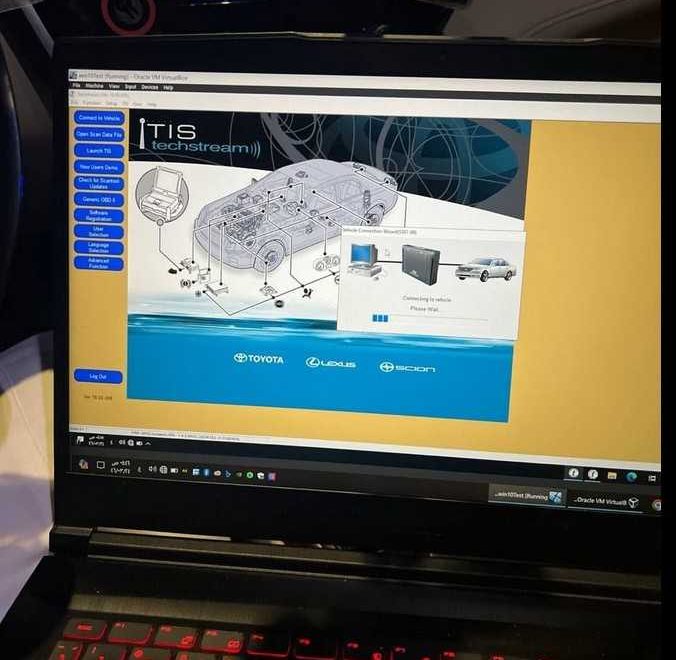
Toyota Techstream is Toyota’s factory-level diagnostic platform for Toyota, Lexus, and former Scion vehicles. It gives technicians access to manufacturer-specific systems and functions that are normally unavailable through a basic OBD-II code reader.
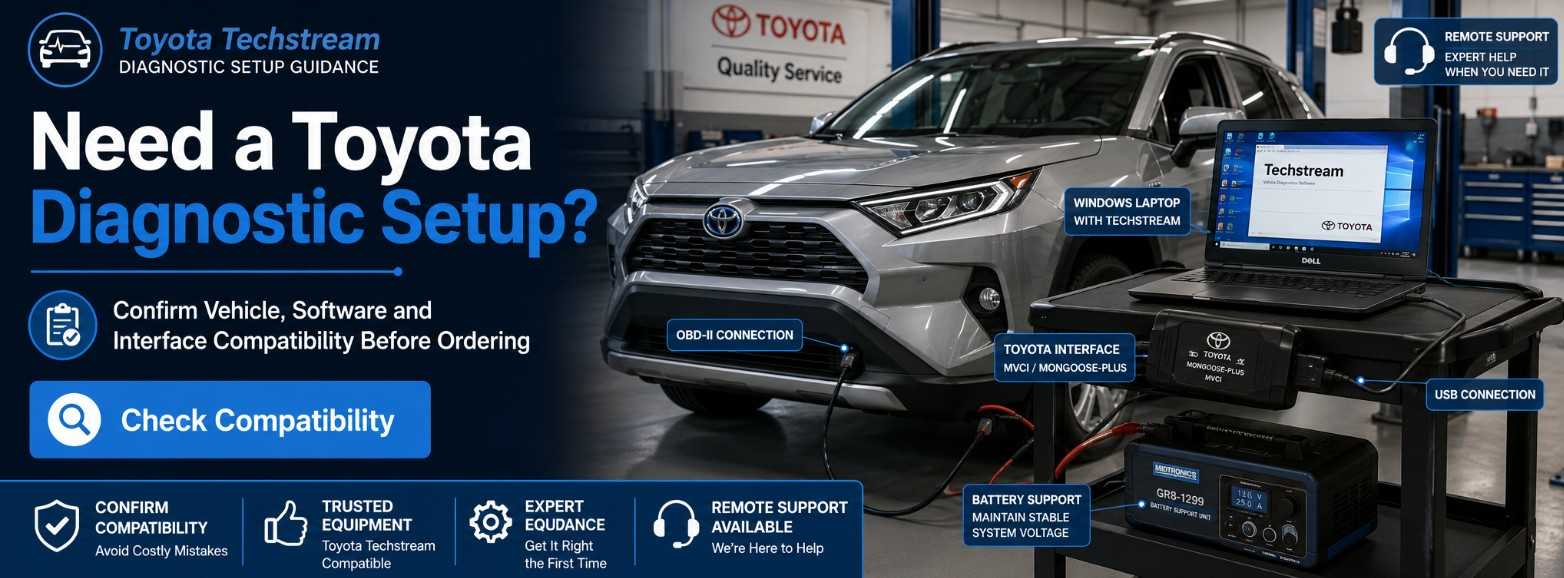
For most independent repair shops, the safest setup is Toyota’s current Techstream Lite configuration, which combines:
- A compatible Windows computer
- Toyota GTS+ diagnostic software
- An active Toyota Technical Information System subscription
- A Toyota-supported vehicle interface module
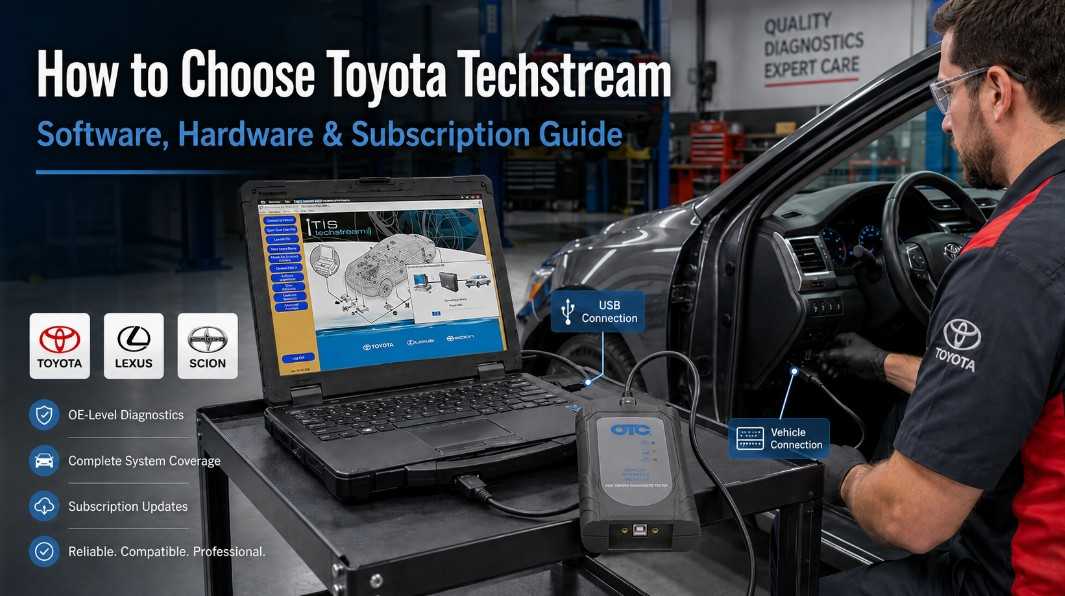
The correct choice depends on the vehicles you service, the diagnostic functions you need, your computer configuration, and whether you plan to perform ECU reprogramming or vehicle-security procedures.
What Is Toyota Techstream?
Toyota Techstream is the OEM diagnostic software environment used to communicate with control modules installed in Toyota, Lexus, and Scion vehicles.
Depending on the vehicle, system, subscription level, and software version, Techstream can provide access to:
- Diagnostic Trouble Codes
- Vehicle Health Check reports
- Live Data and Data List functions
- Freeze-frame information
- Active Tests
- System utilities
- ECU identification
- Customization settings
- Calibration and initialization procedures
- ECU reprogramming
- Immobilizer and smart-key functions
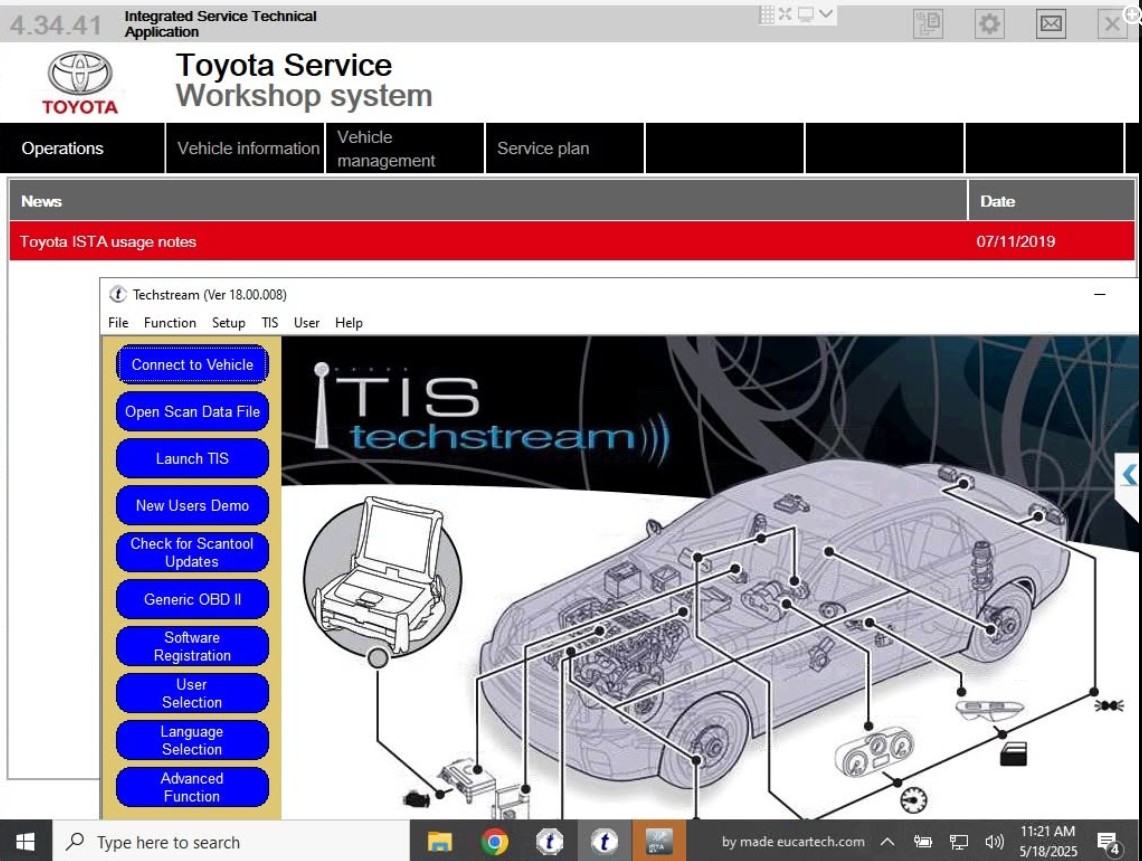
Toyota’s official Techstream materials identify DTC, Data List, Active Test, Monitor, Utility, and Health Check as core diagnostic functions. However, not every function is available on every vehicle or control module.
Unlike a generic OBD-II scanner, which may focus mainly on powertrain fault codes, Techstream can communicate with manufacturer-specific systems such as ABS, SRS, body control, air conditioning, hybrid control, steering, smart key, transmission, and other installed ECUs.
Is Techstream Still the Current Toyota Diagnostic Software? 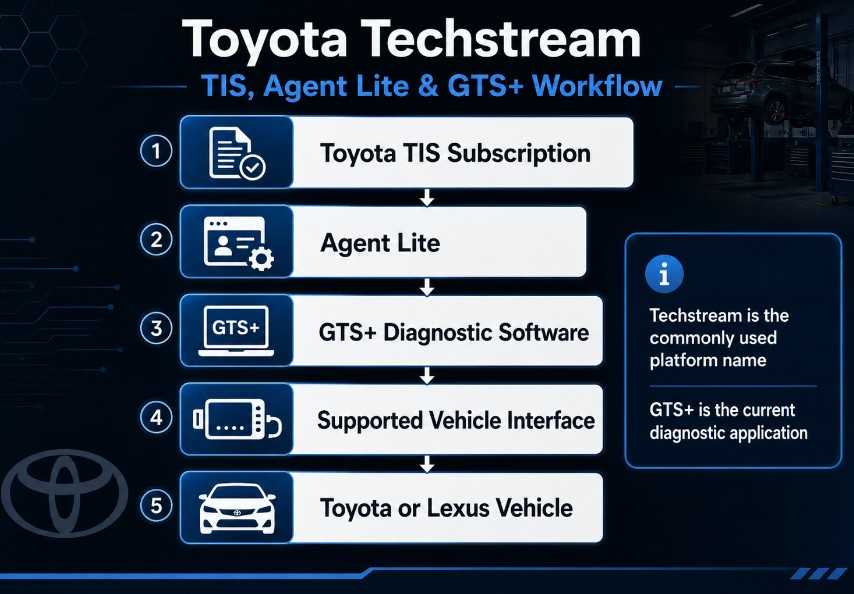
The name “Techstream” is still widely used, but Toyota’s current North American Techstream Lite installation process uses Global Techstream Plus (GTS+).
Toyota’s installation instructions direct users to install Agent Lite through TIS and then use Agent Lite to download and install the latest available GTS+ software.
This distinction is important when purchasing hardware or reading older setup guides:
- Legacy Techstream versions may appear in older articles, laptops, or software packages.
- Techstream Lite describes Toyota’s PC-based diagnostic configuration.
- GTS+ is the diagnostic application installed through the current Agent Lite process.
- Techstream ADVi is Toyota’s dedicated factory diagnostic hardware platform.
Do not assume that an old Techstream package will provide complete support for current Toyota or Lexus vehicles.
What Is Toyota TIS?
TIS stands for Toyota Technical Information System. It is Toyota’s official North American service-information platform.
TIS provides access to resources such as:
- Repair manuals
- Electrical wiring diagrams
- Technical Service Bulletins
- Diagnostic procedures
- ECU calibration files
- Techstream software
- Vehicle-security information, when authorized
Toyota describes TIS as its service-support source for Toyota vehicles marketed in North America.
Techstream software and TIS are closely connected, but they are not the same thing. Techstream communicates with the vehicle, while TIS supplies the repair information, software downloads, calibration files, and subscription authorization required for supported operations.
What Can Toyota Techstream Do?
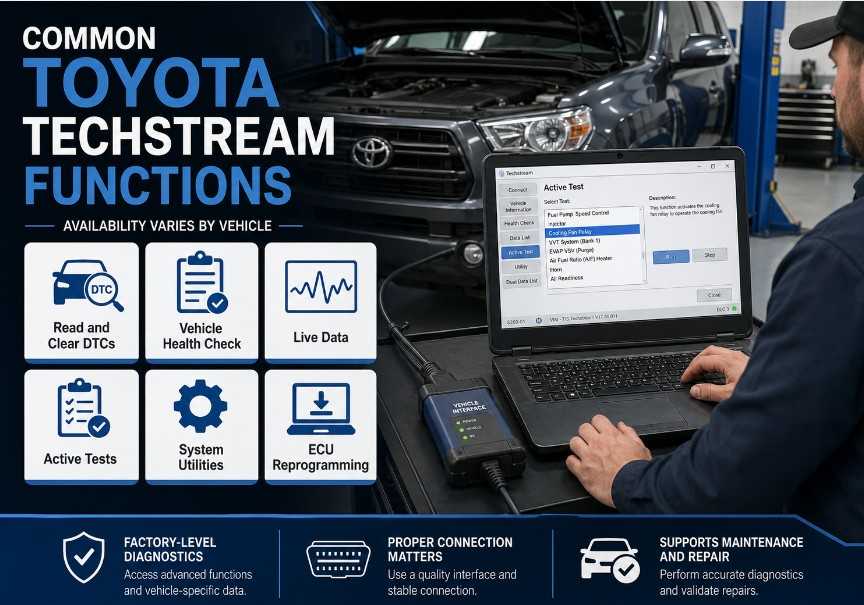
1. Read and Clear Toyota-Specific Fault Codes
Techstream can scan installed vehicle systems and retrieve manufacturer-specific DTCs that may not be accessible with a generic code reader.
A Health Check can provide a broader overview of the ECUs detected on the vehicle and the trouble codes stored in those systems.
2. Display Live Vehicle Data
Data List functions allow technicians to examine sensor values, switch states, calculated data, and ECU commands.
Depending on the system, this may include:
- Engine speed
- Coolant temperature
- Fuel-trim information
- Accelerator and throttle position
- Wheel-speed data
- Hybrid battery information
- Brake-switch status
- Transmission data
- Body-control inputs
Available parameters vary by vehicle and ECU.
3. Perform Active Tests
Active Tests allow the technician to command certain components through the diagnostic software.
Examples may include activating a relay, solenoid, motor, lamp, pump, fan, or other supported component. These tests can help determine whether a problem originates in the component, wiring, control module, or operating conditions.
Always follow the model-specific Toyota repair procedure before performing an Active Test.
4. Run System Utilities
Techstream utilities may be required after component replacement or repair.
Depending on the vehicle, available utilities may include:
- Sensor initialization
- Steering-angle calibration
- Brake bleeding procedures
- TPMS registration
- Maintenance resets
- ECU configuration
- Vehicle-setting initialization
- Smart-key registration
- Immobilizer procedures
Utility availability must be confirmed for the exact vehicle, ECU, and model year.
5. Customize Vehicle Settings
Some Toyota and Lexus vehicles provide customizable body or convenience settings through Techstream.
These may control functions such as:
- Automatic door locking
- Wireless locking behavior
- Interior-light timing
- Warning-buzzer operation
- Power-window behavior
- Entry and exit functions
Customization options vary significantly by model and equipment level.
6. Reprogram Supported ECUs
Toyota, Lexus, and Scion ECUs can be reprogrammed when an applicable calibration update is available.
Toyota requires the appropriate software, calibration file, subscription, interface, and Technical Service Bulletin instructions. For J2534 reprogramming, Toyota recommends using a validated device with the listed firmware, DLL, and API configuration.
Reprogramming should only be performed by technicians who understand the procedure and can maintain stable vehicle and computer power throughout the operation.
Techstream Lite vs. Generic J2534 vs. Dedicated Techstream
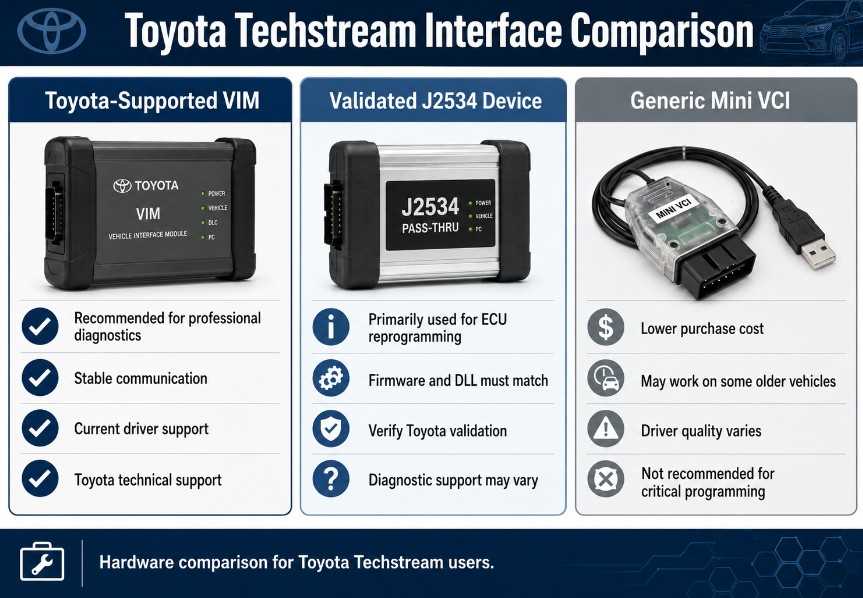
| Configuration | Best suited for | Important considerations |
| Techstream Lite with Toyota-supported VIM | Independent Toyota and Lexus specialists | Offers the most practical official PC-based configuration |
| Generic J2534 pass-thru device | ECU reprogramming when specifically validated | A device approved for reprogramming may not be approved for full diagnostics |
| Techstream ADVi | High-volume professional or dealership-level use | Dedicated Toyota factory diagnostic system |
| Low-cost Mini VCI cable | Limited informal diagnostics on some older vehicles | Not Toyota’s currently recommended diagnostic interface; quality and driver support vary |
| Preloaded aftermarket laptop or tablet | Buyers seeking an assembled package | Software licensing, subscription status, updates, and hardware compatibility must be verified |
Is a Mini VCI Cable an Official Toyota Interface?
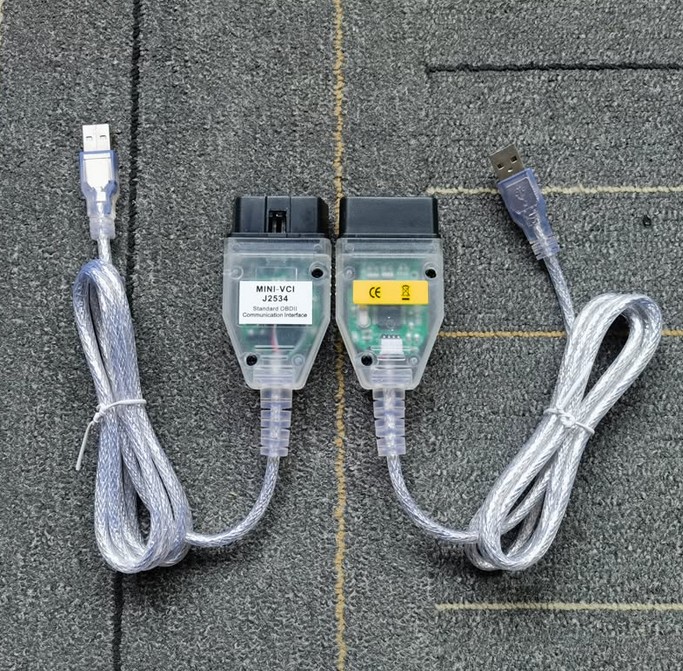
Many online products are advertised as “Mini VCI for Toyota Techstream.” These low-cost cables may communicate with certain vehicles when used with compatible drivers and software, but they should not be confused with Toyota’s currently recommended Techstream Lite hardware.
Toyota’s current Techstream Lite documentation identifies the Mongoose-Plus MFC3 and MongoosePro interfaces as its tested and supported diagnostic VIMs. Toyota states that other J2534 devices may work, but it does not recommend or support them for Techstream diagnostic functions unless specifically validated.
A low-cost Mini VCI may be sufficient for basic experimentation on some older vehicles, but it is a poor choice for professional work involving:
- ECU reprogramming
- Newer vehicle networks
- Immobilizer functions
- Long diagnostic sessions
- Repairs where communication failure could damage a module
- Situations requiring official technical support
https://www.obd2tool.com/goods-4749-MINI-VCI-FOR-TOYOTA-TIS-Techstream.html
J2534 Reprogramming vs. Full Techstream Diagnostics
A common purchasing mistake is assuming that every J2534-compatible device supports every Techstream function.
J2534 was originally developed primarily as a standardized method for ECU reprogramming. Toyota has adapted supported J2534 hardware for many diagnostic functions, but approval for reprogramming does not automatically mean that a device is validated for full Techstream diagnostics.
Before purchasing an interface, determine whether it is intended for:
- Reprogramming only
- General Techstream diagnostics
- Both diagnostics and reprogramming
Also confirm the required firmware, driver, DLL, and API versions. A supported hardware model may not work correctly when the wrong software components are installed.
How to Choose the Right Toyota Techstream Setup
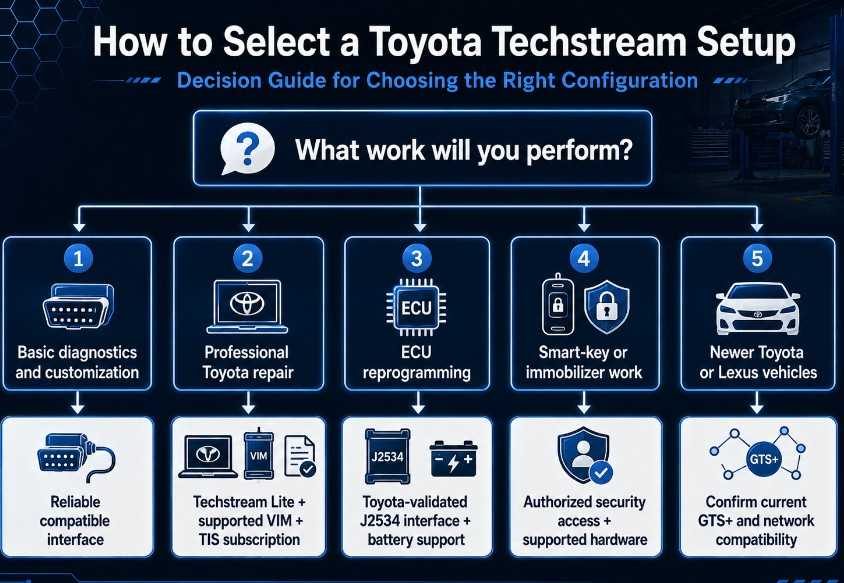
Step 1: Define the Work You Need to Perform
Start by identifying your actual requirements.
For basic maintenance and code diagnosis, you may need:
- Health Check
- DTC reading and clearing
- Live Data
- Basic customization
- Common reset functions
A professional Toyota repair shop may also require:
- Active Tests
- Advanced utilities
- ECU calibration
- Hybrid-system diagnosis
- ADAS-related procedures
- Smart-key or immobilizer services
Do not pay for an advanced setup without confirming that its functions match your work.
Step 2: Confirm Vehicle and Market Coverage
Check the following information before ordering:
- Toyota, Lexus, or Scion
- Exact model
- Model year
- Engine or hybrid configuration
- Country or sales market
- Diagnostic connector type
- Required control system
- Required service function
Toyota states that Techstream Lite supports DLC3/J1962 diagnostic functions on 1996 and later Toyota, Lexus, and Scion vehicles marketed in North America. Older vehicles and models sold outside North America may require different software, connectors, regional subscriptions, or legacy diagnostic equipment.
Step 3: Check the Current PC Requirements
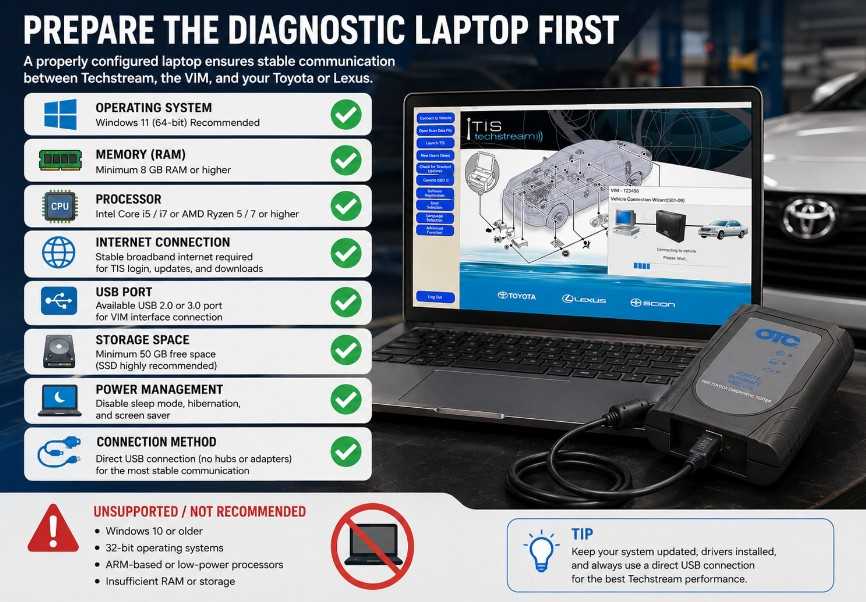
Do not rely on old articles that recommend Windows 7 or an outdated virtual machine.
Toyota’s recently published Techstream Lite FAQ lists requirements including:
- Windows 11 for the currently listed supported interfaces
- 8 GB of memory or more
- At least 256 GB of available disk capacity
- Intel Core i5, AMD Ryzen 5, or better
- USB connectivity
- A standard broadband internet connection
Toyota also states that GTS+ requires an internet connection to operate. Requirements can change, so check the official TIS requirements before purchasing or preparing a laptop.
A dedicated Windows diagnostic laptop is generally preferable to a heavily modified personal computer because antivirus software, security restrictions, power-management settings, virtual-machine features, and conflicting drivers can interfere with installation or vehicle communication.
Step 4: Choose a Supported Vehicle Interface
For professional diagnostic work, prioritize:
- Toyota-supported diagnostic compatibility
- Correct firmware
- Current Windows drivers
- Stable USB communication
- Manufacturer support
- Replaceable cables
- Clear warranty terms
For ECU reprogramming, use a Toyota-validated J2534 device and the exact software configuration listed by Toyota.
Step 5: Understand the Subscription Requirements
An active Professional Diagnostic TIS subscription is required to download and use the official Techstream software and access ECU calibration files.
Toyota also limits Techstream software registration to one computer for each Professional-level subscription. Additional computers require additional subscriptions.
Check Toyota TIS directly for current subscription options and pricing because fees and access conditions may change.
Step 6: Check Security-Function Requirements
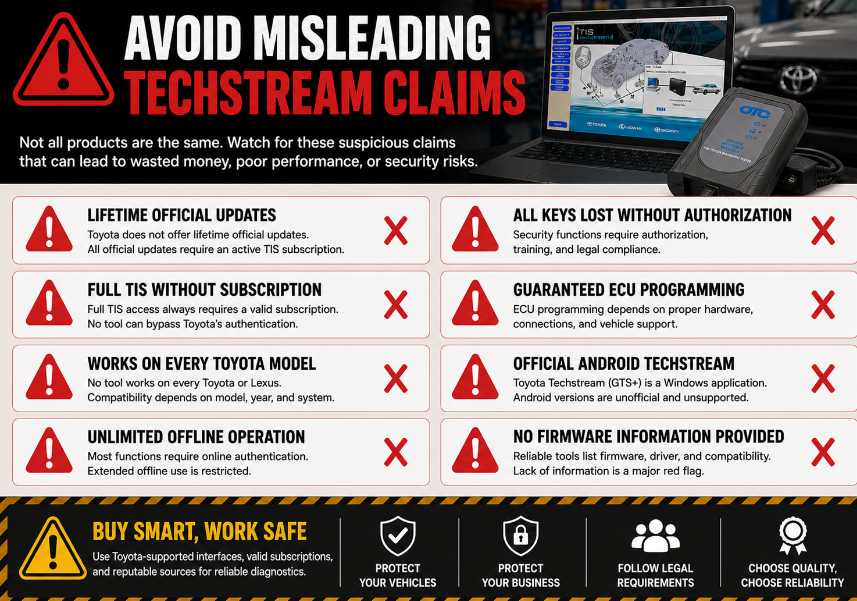
Smart-key reset, immobilizer reset, and key-code access are not automatically included with every Techstream installation.
In the United States, Toyota restricts supported vehicle-security information to approved security professionals. A Security Professional subscription requires current registration in the NASTF Vehicle Security Professional Registry.
Therefore, a seller’s claim that a cable can perform “all keys lost,” or unlimited immobilizer programming does not prove that you will have the authorization or online access required to complete the procedure.
Step 7: Evaluate Support and Documentation
A reliable supplier should be able to explain:
- Which interface is included
- Whether it is genuine or aftermarket
- Which operating system is supported
- Whether drivers are included
- Whether a TIS subscription is included
- Whether the subscription is registered to the buyer
- Which vehicle years have been tested
- Whether ECU reprogramming is supported
- What technical support is available
- What happens if the interface cannot connect
Avoid sellers who provide only screenshots, refuse to identify the hardware, or promise every function on every Toyota vehicle.
Red Flags to Avoid
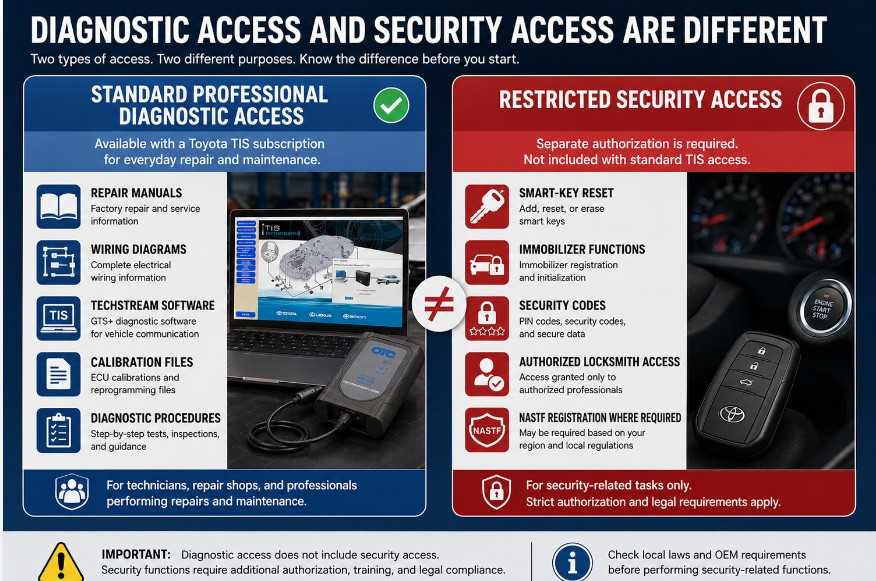
Be cautious when a product listing makes claims such as:
- “Lifetime official Toyota updates”
- “No subscription required for full TIS”
- “Works on every Toyota and Lexus”
- “Guaranteed ECU programming with any J2534 device”
- “All keys lost supported without security authorization”
- “Official Techstream for Android or iPhone”
- “100% offline operation on all vehicles”
- “Any Mini VCI is the same as Toyota factory hardware”
These claims overlook software licensing, subscription access, security authorization, hardware validation, regional coverage, and vehicle-specific limitations.
Does Toyota Techstream Work Offline?
Older Techstream versions may provide some offline diagnostic capability after installation. However, buyers should not assume that the current official system is fully offline.
Toyota’s current Techstream Lite FAQ states that a broadband internet connection is required for GTS+ to operate. Internet access is also required for login, subscription verification, software installation, software updates, calibration downloads, TIS documents, and supported security procedures.
A product advertised as an “offline Techstream laptop” may contain older or unofficial software. Ask the seller to identify the exact version, licensing method, supported vehicles, update method, and functional limitations.
Safety Requirements for ECU Reprogramming
ECU reprogramming carries more risk than reading DTCs or viewing live data.
Before beginning a reprogramming procedure:
- Connect an approved regulated battery support unit.
- Confirm that vehicle voltage is stable.
- Use a reliable direct USB connection.
- Disable sleep, standby, and hibernation.
- Close unnecessary applications.
- Verify the vehicle identification and calibration.
- Follow the applicable Toyota Technical Service Bulletin.
- Do not disconnect the interface.
- Do not switch off the ignition unless instructed.
- Do not interrupt the software.
Toyota warns that interrupting a flash reprogramming procedure can permanently damage a vehicle controller.
Recommended Choice by User Type
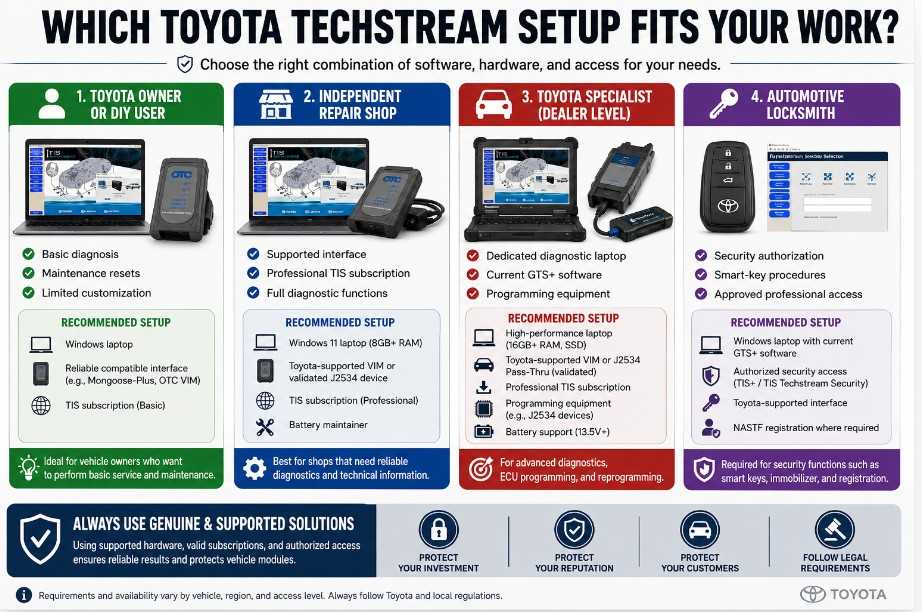
Toyota Owner or Advanced DIY User
Choose a reliable interface only after confirming the exact function required for your vehicle. Basic maintenance or customization may not justify the cost and complexity of a complete professional Techstream system.
Avoid ECU reprogramming unless you have the correct service procedure, stable power equipment, supported hardware, and sufficient technical experience.
Independent Repair Technician
Use an official Professional Diagnostic TIS subscription with a Toyota-supported Techstream Lite VIM. This provides a more dependable path for diagnostics, service information, calibration access, and technical support.
Toyota or Lexus Specialist
Consider a complete professional setup with dedicated hardware, a stable diagnostic laptop, battery support equipment, current subscriptions, and documented procedures for software updates and interface maintenance.
Automotive Locksmith
Confirm NASTF eligibility and Toyota Security Professional subscription requirements before purchasing hardware. Owning a Techstream-compatible interface alone does not provide automatic access to key codes or immobilizer reset services.
Final Recommendation
The best Toyota Techstream setup is not necessarily the cheapest cable or the laptop with the most advertised software versions.
A dependable system should include:
- Current, properly licensed diagnostic software
- A supported Windows computer
- A Toyota-compatible and validated interface
- The correct TIS subscription
- Confirmed coverage for the target vehicle
- Access to repair procedures and calibration information
- Reliable technical support
- Stable power equipment for programming
For professional Toyota and Lexus diagnostics, Techstream Lite with current GTS+ software and Toyota-supported interface hardware is the most practical official PC-based choice.
Low-cost Mini VCI cables may work for limited tasks on some older vehicles, but their driver quality, protocol coverage, software legality, and programming reliability vary. They should not be presented as equivalent to Toyota-supported professional hardware.
Frequently Asked Questions
What is Toyota Techstream used for?
Toyota Techstream is used for factory-level diagnosis, Health Checks, DTC reading, live-data analysis, Active Tests, system utilities, customization, initialization, and supported ECU reprogramming on Toyota, Lexus, and former Scion vehicles.
Is Techstream the same as GTS+?
Techstream is the commonly used name for Toyota’s diagnostic platform. In the current North American Techstream Lite installation process, Toyota uses GTS+ software installed and updated through Agent Lite.
Do I need a Toyota TIS subscription?
An active Professional Diagnostic TIS subscription is required for official Techstream software access and ECU calibration files. Vehicle-security functions require the appropriate security access and authorization.
Can I use any J2534 interface with Techstream?
Some J2534 interfaces may communicate with Techstream, but Toyota does not validate every device for full diagnostic use. A device approved for ECU reprogramming may not be approved for general Techstream diagnostics.
Does Techstream run on macOS or Linux?
Toyota’s official Techstream Lite requirements specify a supported Windows computer. Running it through an unsupported operating system or virtual machine may cause driver, registration, or communication problems.
Can Techstream program Toyota smart keys?
Techstream supports certain smart-key and immobilizer procedures, but availability depends on the vehicle, procedure, market, subscription, and security authorization. In the United States, protected security functions may require NASTF Vehicle Security Professional registration.
Can Techstream reprogram an ECU?
Yes, supported Toyota, Lexus, and Scion ECUs can be reprogrammed when an applicable calibration is available. The procedure requires the proper subscription, calibration file, interface, software, stable power, and Toyota service instructions.
Does Techstream support all Toyota vehicles after 1996?
Toyota states that Techstream Lite supports DLC3/J1962 diagnostic functions on 1996 and later Toyota, Lexus, and Scion vehicles marketed in North America. Exact system and function coverage still varies by model, market, equipment, and software version.
Can Techstream damage a vehicle?
Reading codes and data normally presents little risk, but incorrect customization, initialization, or interrupted ECU reprogramming can cause serious problems. Follow Toyota procedures and maintain stable power during any programming operation.
Is a Mini VCI good enough for professional use?
A Mini VCI may perform limited diagnostic functions on some vehicles, but Toyota does not identify generic Mini VCI cables as its currently supported Techstream Lite diagnostic interface. Professional technicians should prioritize validated hardware, current drivers, stable communication, and technical support.
This version is structured for search snippets, AI-generated answers, featured snippets, and topical authority while preserving a natural buyer-guide format.