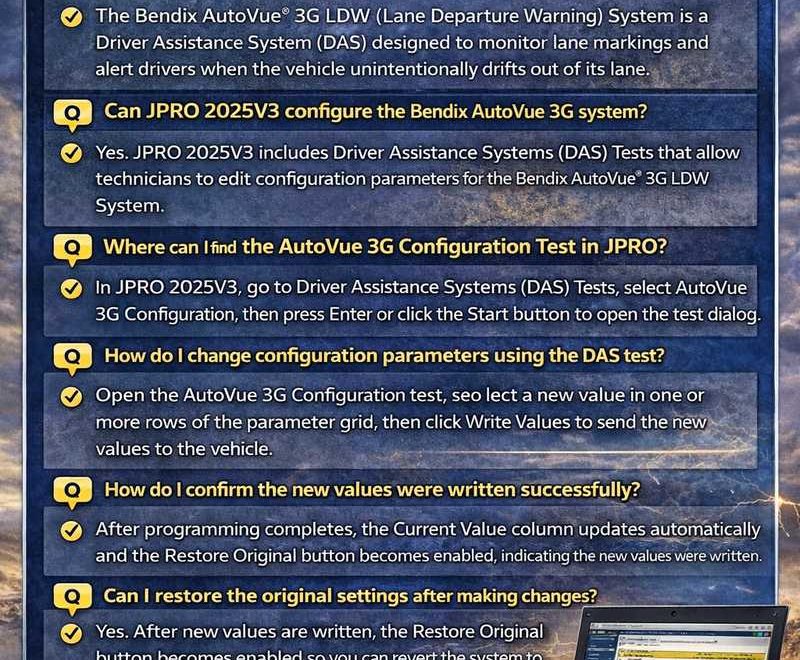
Bendix AutoVue® 3G LDW System – DAS Configuration via JPRO 2025V3
1. What is the Bendix AutoVue® 3G LDW System?
The Bendix AutoVue® 3G LDW (Lane Departure Warning) System is a Driver Assistance System (DAS) designed to monitor lane markings and alert drivers when the vehicle unintentionally drifts out of its lane.
2. Can JPRO 2025V3 configure the Bendix AutoVue 3G system?
Yes. JPRO 2025V3 includes Driver Assistance Systems (DAS) Tests that allow technicians to edit configuration parameters for the Bendix AutoVue® 3G LDW System.
3. Where can I find the AutoVue 3G Configuration Test in JPRO?
In JPRO 2025V3:
-
Navigate to Driver Assistance Systems (DAS) Tests.
-
Select AutoVue 3G Configuration.
-
Press Enter or click the Start button to open the test dialog.
4. How do I change configuration parameters?
After opening the configuration test:
-
Select a new value in one or more rows within the parameter grid.
-
Click the Write Values button.
-
The new values will be programmed into the vehicle system.
5. How do I know if the new settings were successfully programmed?
Once programming is complete:
-
The Current Value column will automatically update.
-
The Restore Original button will become enabled.
This confirms the configuration was successfully written.
6. Can I restore the original settings after making changes?
Yes. After writing new values, the Restore Original button becomes active, allowing you to revert the system to its previous configuration if necessary.
7. How do I exit the configuration test?
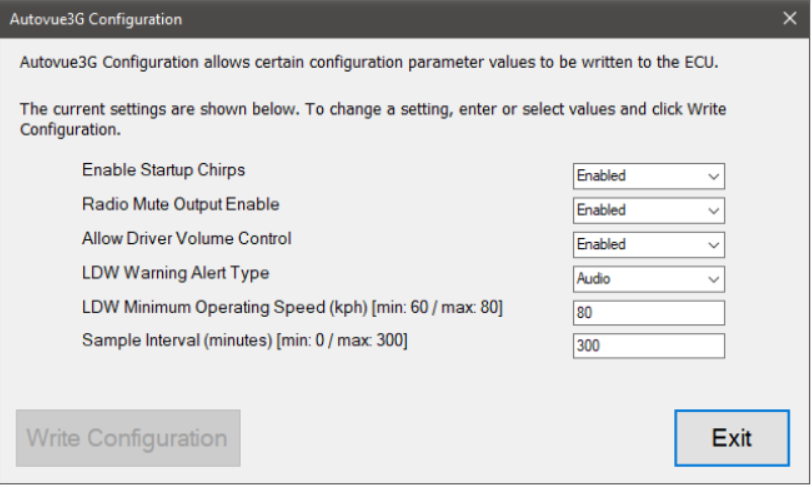
When finished:
-
Click the Exit button.
-
You will return to the test selection dialog.
8. What precautions should be taken when modifying DAS settings?
-
Ensure the vehicle ignition is ON.
-
Only adjust parameters when necessary.
-
Record original settings before making changes.
-
Improper configuration may affect lane departure warning functionality.