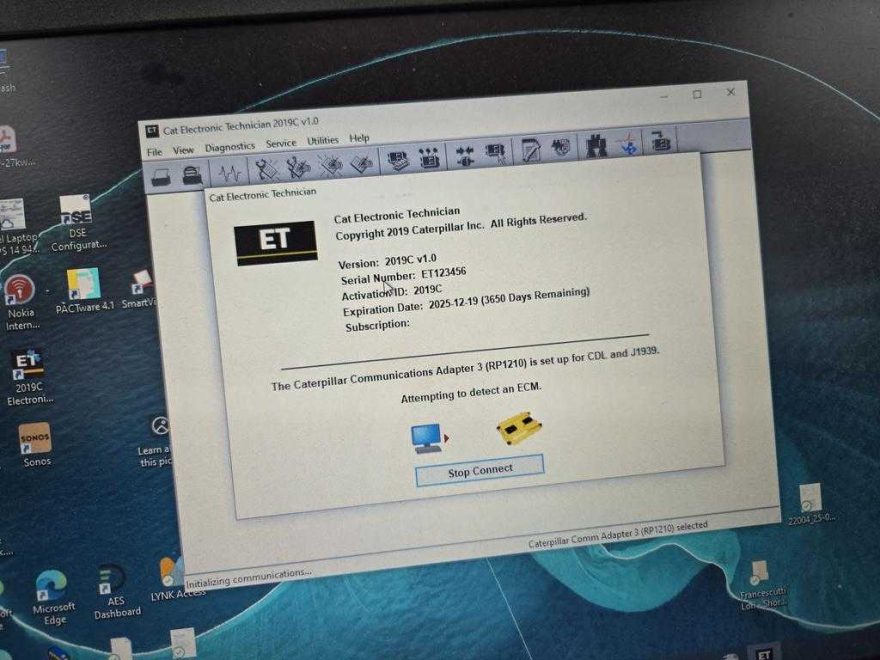
Issue: CAT ET 2019C Cannot Support CAT 259D ECM
A customer installed CAT ET 2019C and followed our video. When connecting to a 2014 CAT 259D skid steer loader, the software displayed:
This ECM control 259D is not supported. Please ensure the latest version of the Caterpillar Electronic Technician (CAT ET) service tool is installed. ECM (Electronic Control Module) is the onboard computer responsible for managing the machine’s systems.
The customer was confused because the 2014 machine should be compatible with CAT ET 2019C.
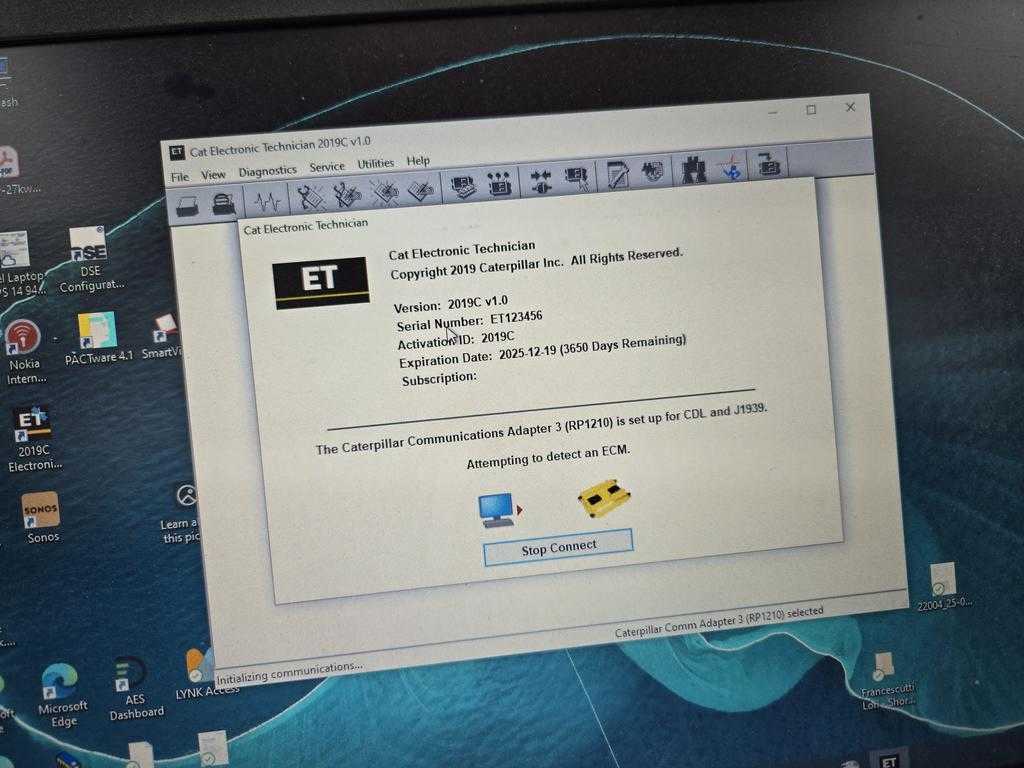
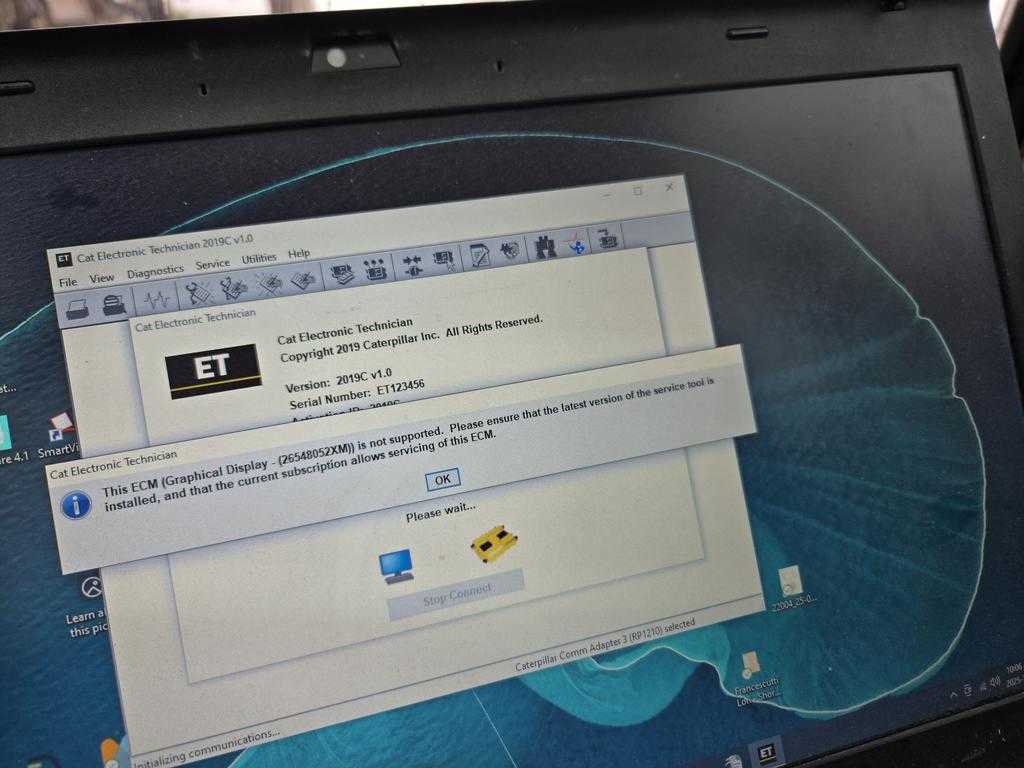
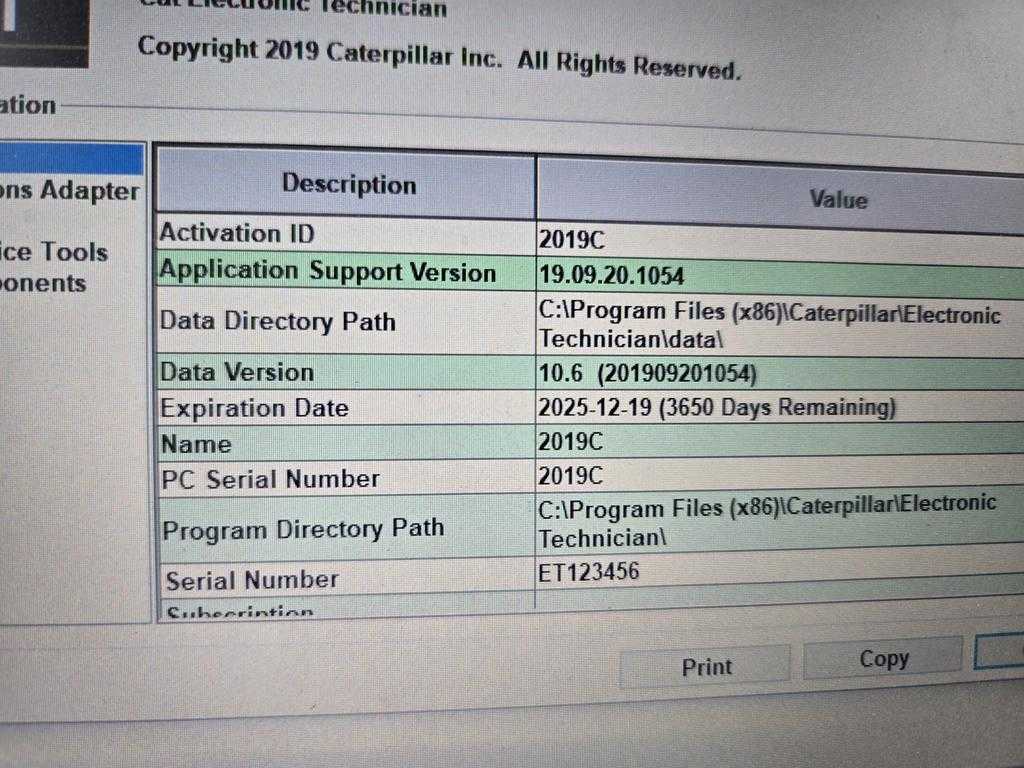
Machine Information
- Machine: CAT 259D Skid Steer Loader
- Year: 2014
- Software Used First: CAT ET 2019C
- Problem: ECM not supported message
- Final Working Software: CAT ET 2025C
Why CAT ET 2019C May Not Support CAT 259D
After checking the issue, our engineer explained that there are usually two possible reasons for this error.
1. The Engine May Not Be a CAT Engine
Some Caterpillar machines may use engine configurations or ECM types that are not fully covered by older CAT ET versions. If the engine or control module is not recognized correctly, the service tool may report that the ECM is unsupported.
2. CAT ET 2019C May Not Include the Required License or Support File
Even if the machine is from 2014, ECM support depends on the software database, license, and version. CAT ET 2019C did not support this ECM, so the customer was advised to use CAT ET 2025C or newer.
Solution: Upgrade to CAT ET 2025C
After switching to CAT ET 2025C, the customer connected to the CAT 259D.
The customer confirmed:
“Yes, it worked. I connected to my CAT 259D and calibrated the inclinometer sensor. It worked perfectly. Strange how it needed the 2025 version, but glad it’s working now.”
This confirms the problem was the software version and license support, not the adapter or installation.
Result: Inclinometer Sensor Calibration Completed
With CAT ET 2025C, the customer was able to:
- Connect to the CAT 259D ECM.
- Access the required machine system.
- Perform inclinometer sensor calibration.
- Complete the calibration successfully.
This case highlights the importance of newer software: for CAT compact machines experiencing ECM support errors, using the latest CAT ET versions often resolves the issue.
Additional Question: Return to Dig Feature Requires Factory Password
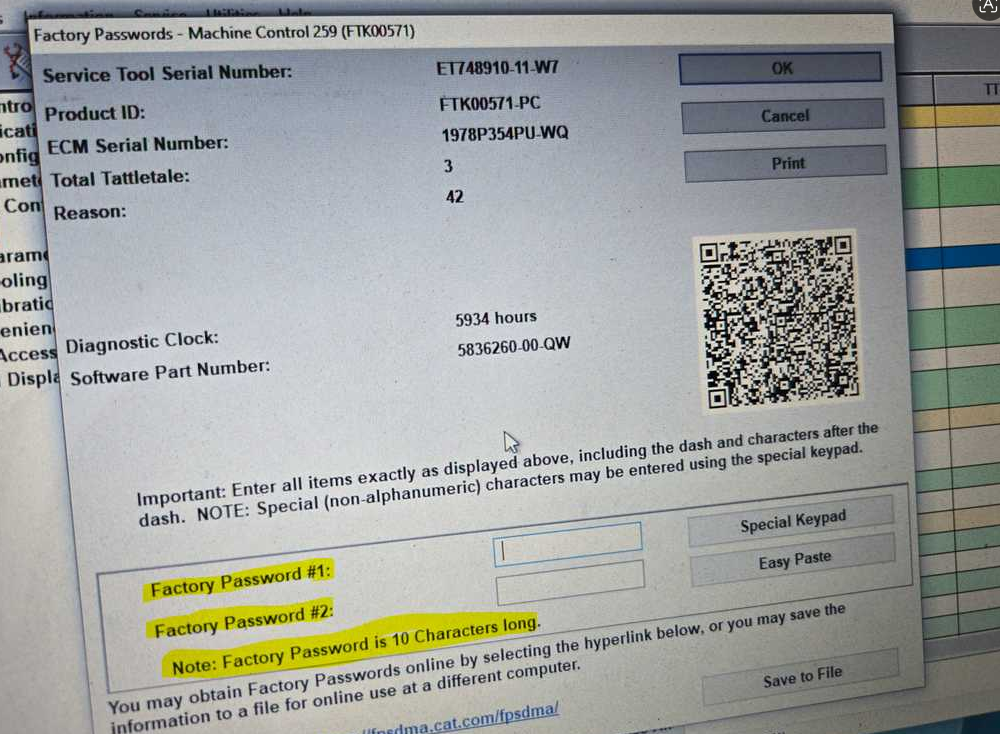
After resolving the connection, the customer needed to enable the Return to Dig feature. CAT ET required a 10-character factory password.
For authorized service use, you can press:
Ctrl + F2
This opens the tool that generates the 10-character factory password in supported versions of CAT ET software. This password is needed for making configuration changes and helps control access to important machine settings.
If the password tool is not available or the function is restricted, contact your supplier or Caterpillar service support for assistance.
Conclusion
CAT ET 2019C may not support all ECMs on a 2014 CAT 259D. In this case, upgrading to CAT ET 2025C resolved the issue and allowed successful inclinometer calibration.
If you see “ECM not supported, please ensure latest version of service tool installed”, try a newer CAT ET version with correct license coverage.
Need Help?
For more CAT ET software support, installation help, or diagnostic tool questions, please contact us directly:
FAQ
Does CAT ET 2019C support CAT 259D 2014?
CAT ET 2019C may not support all CAT 259D ECMs. Here, 2019C gave an unsupported error; 2025C worked.
Why does CAT ET say the ECM is not supported?
This usually occurs if the software lacks the necessary ECM support, license, or database, or if the engine/ECM differs from standard CAT coverage.
Can CAT ET 2025C / newer CAT ET version work with CAT 259D?
Yes. Here, CAT ET 2025C connected to the CAT 259D and allowed inclinometer calibration.
Why does Return to Dig require a factory password?
Some CAT configuration functions require a factory password to prevent unauthorized changes.
How do I open the CAT ET factory password generator?
In supported CAT ET versions, press Ctrl+F2 to open the factory password generator. Only use this for authorized service.