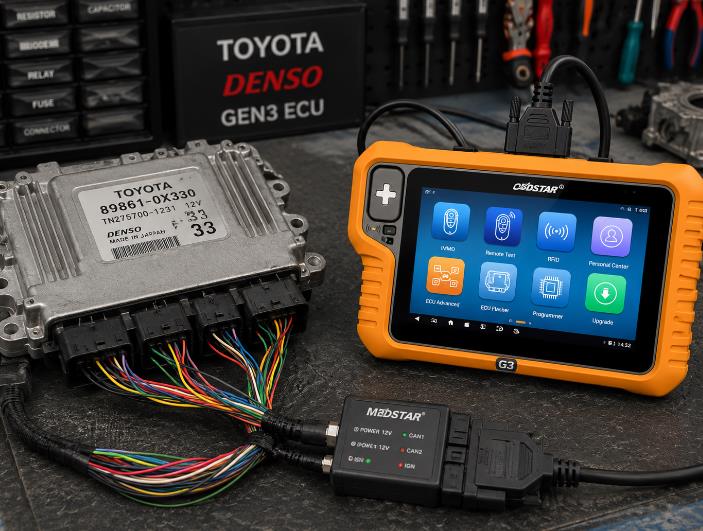
OBDSTAR X300 Classic G3 can perform Toyota Denso Gen3 ECU IMMO OFF in bench mode when the correct ECU license and adapter are activated. This means technicians can read the original ECU data, generate an IMMO OFF file, and write the modified file back to the ECU without relying on an additional third-party device.
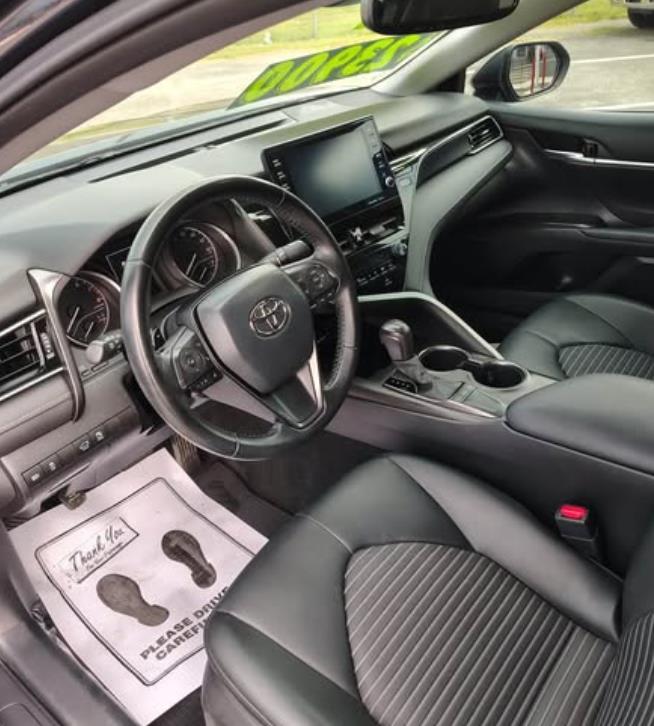
In this guide, we use a 2022 Toyota Camry as an example and show the basic workflow for disabling Toyota Denso Gen3 ECM IMMO using the OBDSTAR G3.
Important: IMMO OFF work should only be performed by professional technicians, locksmiths, or repair shops on vehicles they own or are authorized to service. Always follow local laws and confirm customer authorization before modifying immobilizer-related data.
When Do You Need Toyota Denso Gen3 ECU IMMO OFF?
Toyota ECU IMMO OFF may be considered in situations such as:
- Original ECU immobilizer data is damaged.
- ECU replacement is required
- Used ECU needs to be adapted for repair purposes.
- The vehicle cannot start due to ECU/immobilizer synchronization issues.
- The repair shop needs to recover a vehicle after ECU-related immobilizer failure.
However, if the problem is only All Keys Lost, IMMO OFF is not always the first choice. In many cases, it is better to read the smart key box data or perform key programming through the normal immobilizer procedure.
Tool Required
For this procedure, you need:
- OBDSTAR X300 Classic G3
- ECU Advanced / ECU Flasher license
- MP001 adapter
- Stable 12V power supply
- Toyota Denso Gen3 ECU
- Internet connection for software authorization and updates
- Correct wiring diagram from the OBDSTAR software
Before starting, make sure your OBDSTAR G3 is updated to the latest available software version.
Vehicle Example
Model example:
Toyota Camry 2022
Toyota Camry ECU type may vary by year, market, engine, and ECU hardware. Do not select the ECU menu by model year alone. Always confirm the ECU generation, processor type, and software menu before reading or writing data.
Step 1: Identify the ECU Generation and Chip Type
The first step is to confirm which ECU type is installed.
Toyota Camry ECU systems may vary:
- Older Denso or Delphi ECUs may use standard EEPROM operations.
- Modern Toyota Denso Gen3 ECUs may use Renesas R7F701xxx processors.
- Some newer systems may use Denso Gen4 ECU architecture.
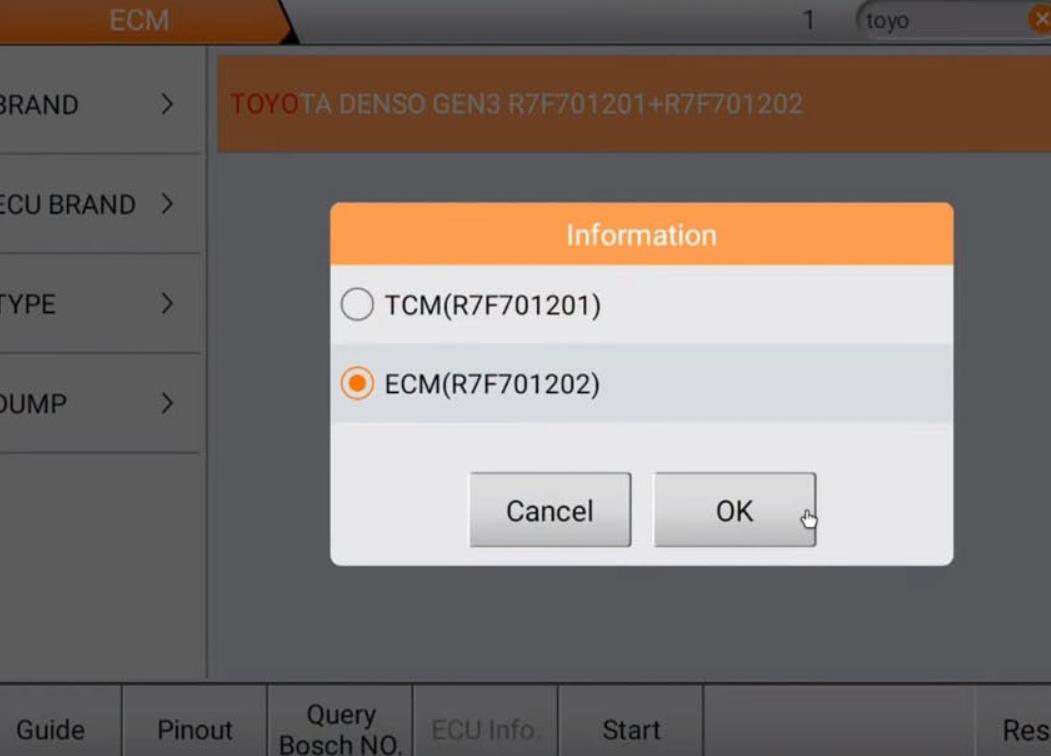
For this example, the OBDSTAR software path is:
ECU Advanced / ECU Flasher
→ ECM
→ TOYOTA
→ Toyota Denso Gen3 ECM R7F701202
→ Bench Mode with MP001
If your ECU is not the same generation or processor type, do not force the same function. Select the correct ECU model based on the OBDSTAR software and the ECU label.
Step 2: Connect OBDSTAR G3 to the Toyota ECU in Bench Mode
Power on the OBDSTAR G3 and connect it to the internet.
Then enter:
ECU Advanced
or
ECU Flasher / Clone
The exact menu name may vary depending on the license activated on your device.
Select:
ECM → TOYOTA → Toyota Denso Gen3 ECM R7F701202 → Bench Mode with MP001
Next, tap Pinout / Wiring Diagram on the G3 screen.
Follow the on-screen wiring diagram carefully and connect:
- 12V power
- Ground
- CAN-H
- CAN-L
- Ignition line
- Required MP001 adapter connections
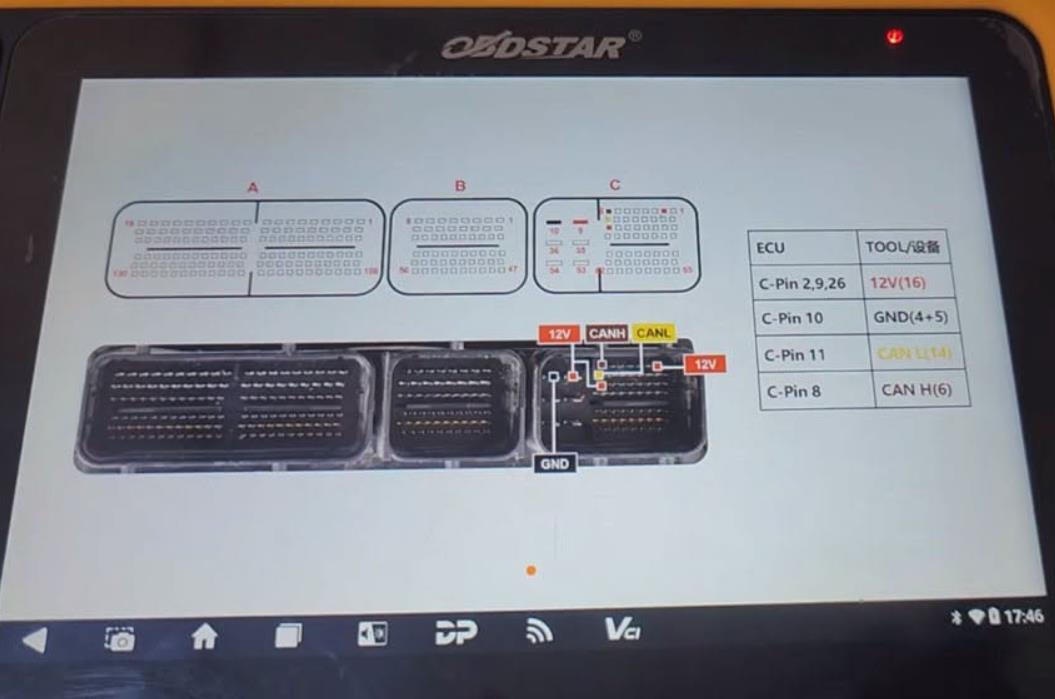
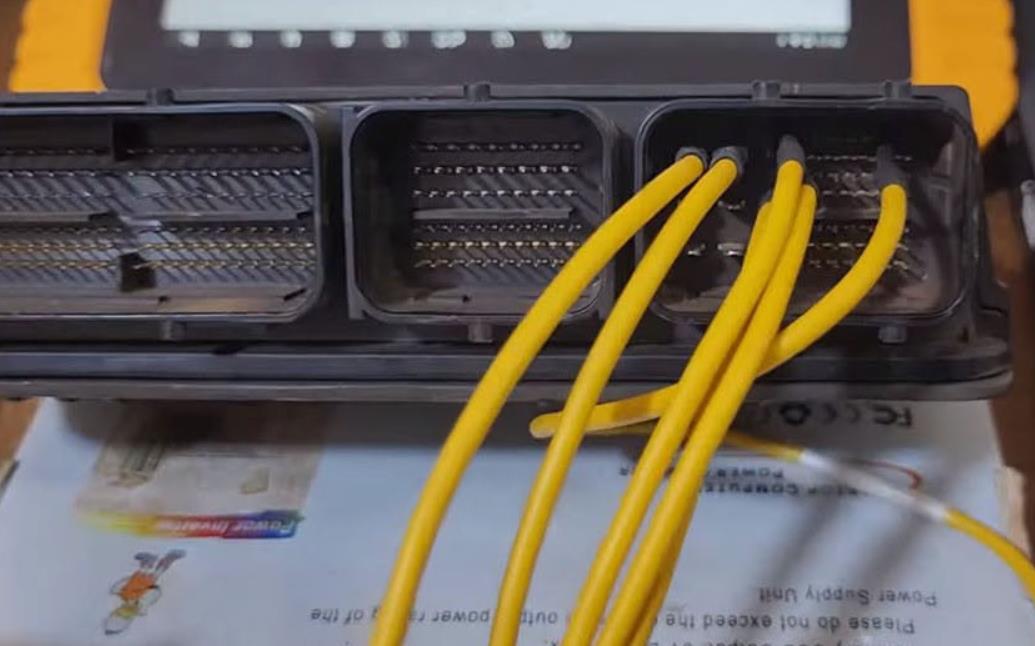
Do not guess the wiring. Always follow the exact pinout shown in the software for the selected ECU.
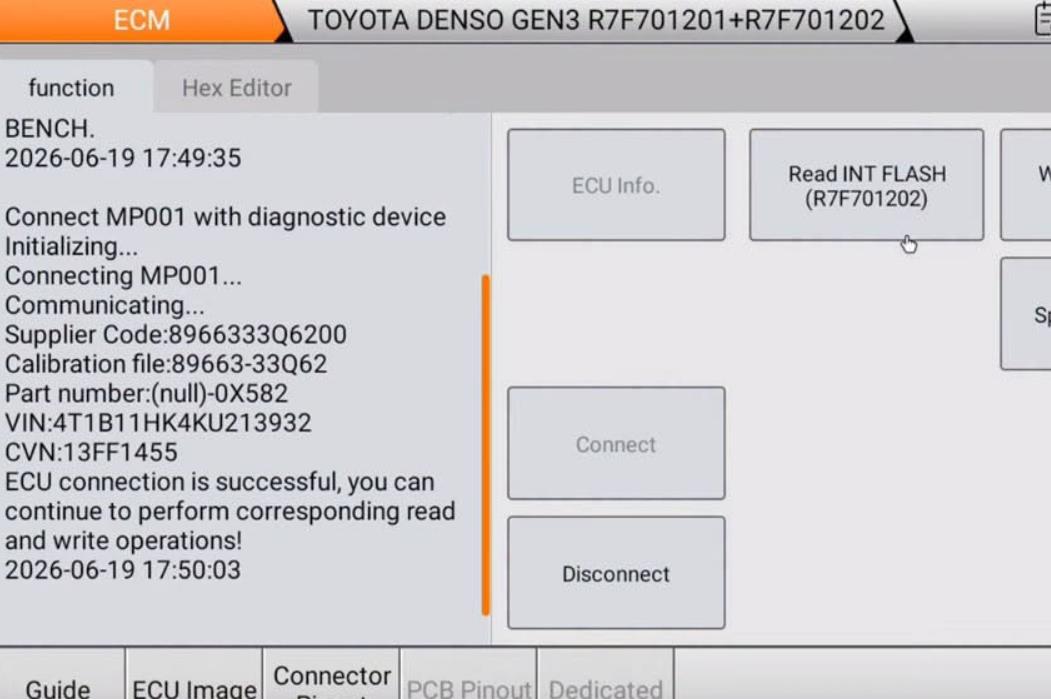
Step 3: Establish Communication with the ECU
After wiring is completed, check all connections again.
Then tap:
Connect
The OBDSTAR G3 will attempt to communicate with the Toyota Denso Gen3 ECU.
If the connection fails, check:
- Power supply voltage
- Ground connection
- CAN-H and CAN-L wiring
- Ignition wire connection
- MP001 adapter connection
- Whether the correct ECU menu was selected
- Whether the device software is updated
Do not continue reading or writing data until communication is stable.
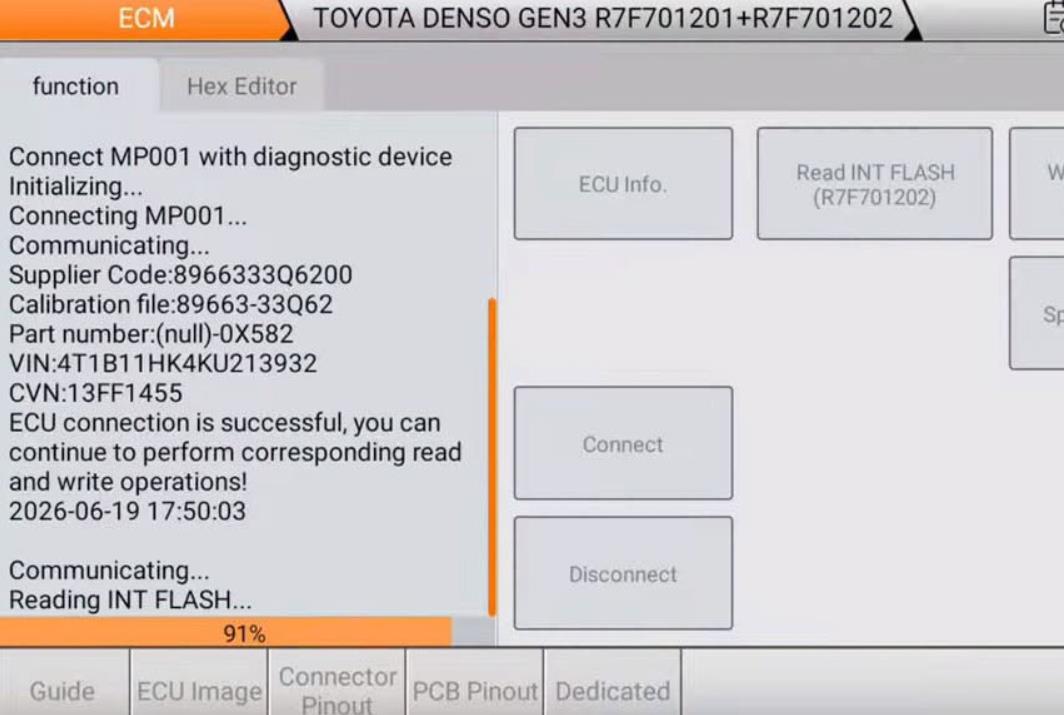
Step 4: Read and Backup the Original ECU Data
After the ECU is connected successfully, read the original ECU data first.
Select:
Read INT Flash
If available for your ECU type, also read:
Read INT EEPROM
or
Read DFlash
Safely save the original files on the OBDSTAR tablet.
This backup is extremely important. If anything goes wrong during modification or writing, the original file may be required for recovery.
Recommended file naming format:
Toyota-Camry-2022-Denso-Gen3-Original-INT-Flash.bin
Toyota-Camry-2022-Denso-Gen3-Original-EEPROM.bin
Never overwrite the original backup file.
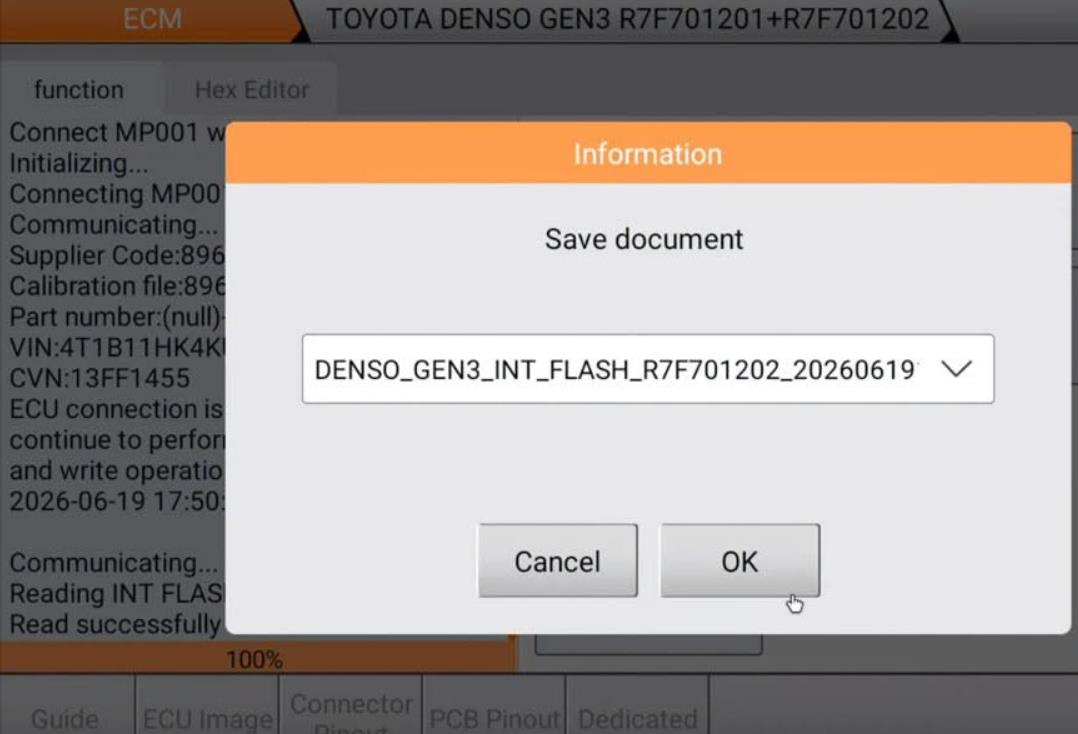
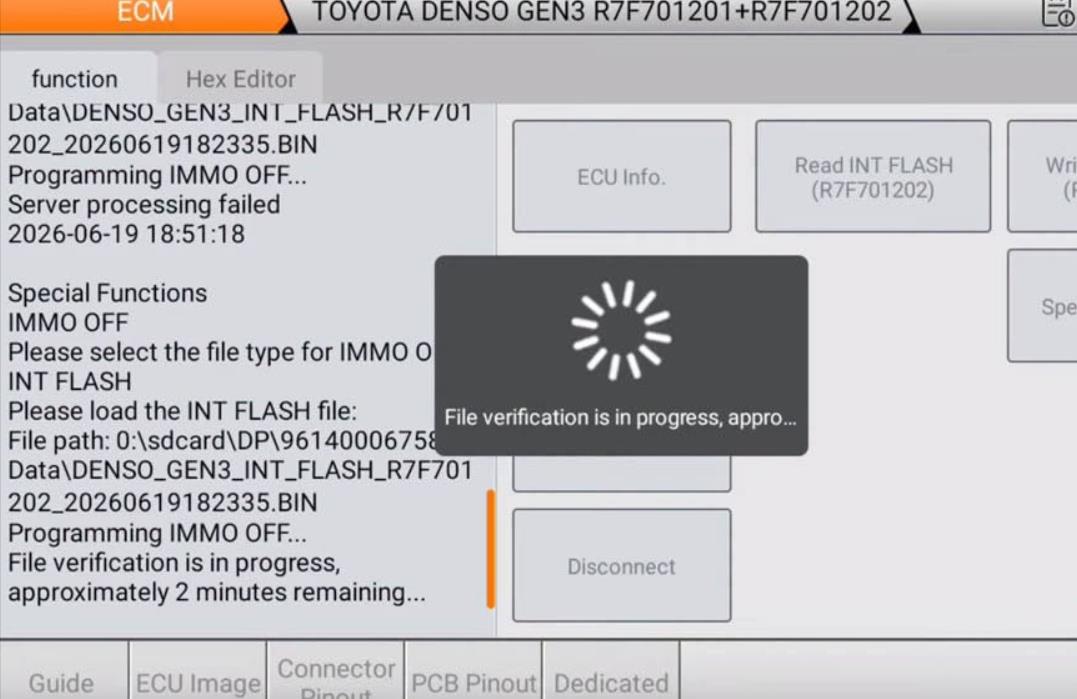
Step 5: Apply the IMMO OFF Function
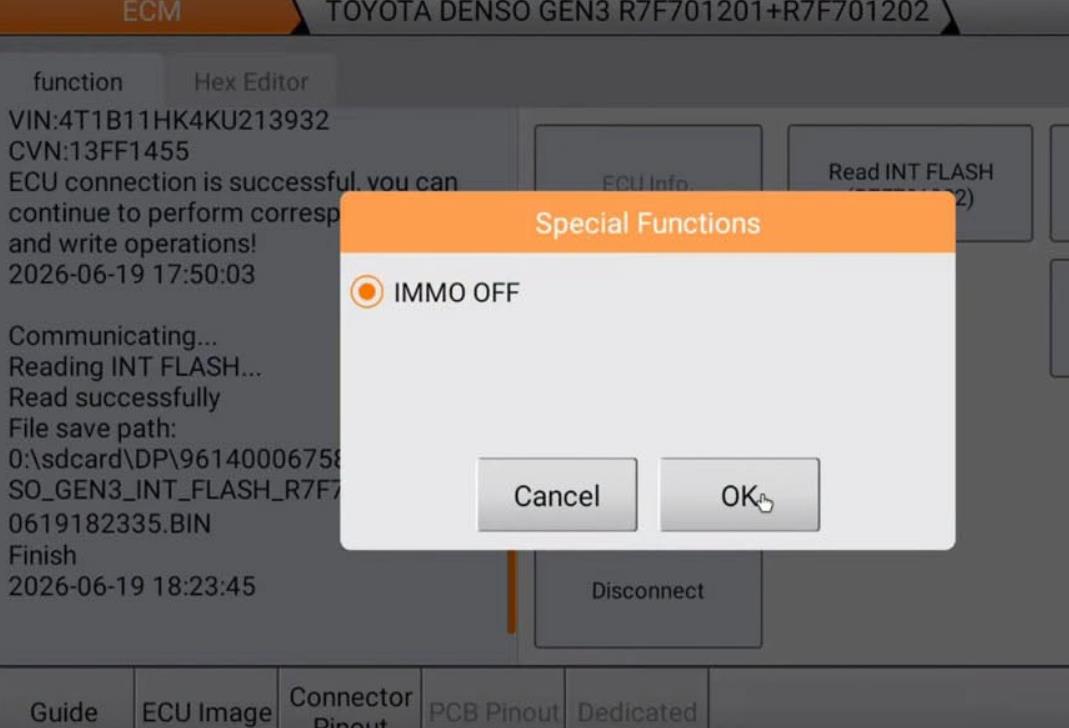
After saving the original backup, go to the available special functions for the selected Toyota Denso Gen3 ECU.
Select:
IMMO OFF
The software will ask you to select the original file that was read from the ECU.
Choose the correct original file. The OBDSTAR G3 will then process the file and generate a modified IMMO OFF file.
On supported ECUs, the tool can also automatically correct checksums during the process.
Save the generated file with a clear name, such as:
Toyota-Camry-2022-Denso-Gen3-IMMO-OFF.bin
Step 6: Write the Modified File Back to the ECU
After the IMMO OFF file is generated, return to the writing function.
Depending on the ECU architecture, select the correct write option, such as:
Write INT Flash
or, if required by the ECU:
Write EEPROM
Select the modified IMMO OFF file generated by the OBDSTAR software.
During writing:
- Keep the power supply stable.
- Do not disconnect the MP001 adapter.
- Do not turn off the tablet.
- Do not move the ECU or wiring harness.
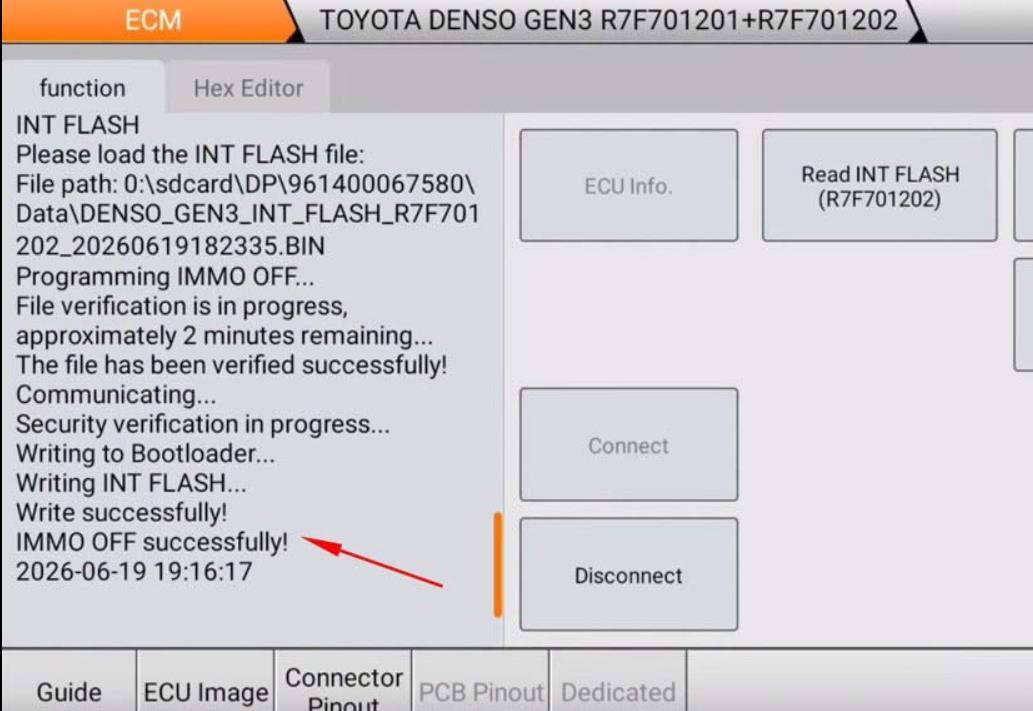
- Wait until the software reports success.
After the tool shows Operation Success, disconnect communication, power down the setup safely, and reinstall the ECU back into the vehicle.
Step 7: Reinstall the ECU and Test the Vehicle
After the ECU is installed back into the Toyota Camry, perform a basic test:
- Reconnect the ECU connectors.
- Reconnect the vehicle battery if disconnected.
- Turn the ignition ON.
- Check for abnormal warning lights.
- Attempt to start the vehicle.
- Scan the vehicle for fault codes.
- Clear related DTCs if appropriate.
- Confirm the engine starts and runs normally.
If the vehicle does not start, do not repeatedly crank the engine. Recheck the ECU file, wiring, fault codes, and immobilizer-related system status.
IMMO OFF vs All Keys Lost: Which One Should You Choose?
IMMO OFF is not always the best solution for every no-start or key-related problem.
If the vehicle is in an All Keys Lost situation, a better repair path may be:
Read Smart Key Box data via OBD.
→ Generate or add keys
→ Keep the original immobilizer system working
IMMO OFF is usually more suitable for ECU replacement, ECU data corruption, immobilizer synchronization failure, or repair cases where normal key programming cannot solve the issue.
For security and compliance reasons, technicians should always choose the repair method that matches the real fault.
Troubleshooting: OBDSTAR G3 Cannot Connect to Toyota Denso Gen3 ECU
If OBDSTAR G3 cannot communicate with the ECU in bench mode, check the following:
| No communication | Wrong ECU menu selected | Confirm ECU generation and processor |
| Connection failed | Incorrect wiring | Recheck pinout in OBDSTAR software |
| Power error | Unstable 12V supply | Use a stable bench power supply |
| Read failed | CAN wiring issue | Check CAN-H and CAN-L connection |
| Write failed | File mismatch or unstable connection | Confirm file type and keep power stable |
| Function not available | License not activated | Check ECU license activation |
| ECU not responding | Hardware damage or wrong processor | Verify ECU label and board type |
Product Recommendation: OBDSTAR X300 Classic G3 with ECU License
OBDSTAR X300 Classic G3 is a practical tool for professional locksmiths and ECU repair technicians who work on Toyota ECU, immobilizer, and bench-mode programming jobs.
With the correct ECU license and MP001 adapter, it can support functions such as:
- ECU reading and writing
- Toyota Denso Gen3 ECM bench mode
- Original data backup
- IMMO OFF on supported ECUs
- File generation and checksum handling
- ECU cloning and advanced ECU service depending on license coverage
OBDSTAR X300 Classic G3 for Toyota ECU IMMO OFF and ECU Bench Work
Need to perform Toyota Denso Gen3 ECU IMMO OFF, ECU backup, bench read/write, or advanced ECU service? OBDSTAR X300 Classic G3 with ECU license and MP001 adapter provides a professional solution for supported Toyota ECU repair jobs.
- Supports Toyota Denso Gen3 ECU bench mode on supported models
- Read and backup original ECU data
- Generate IMMO OFF file without third-party device
- Write modified data back to supported ECUs
- Suitable for professional locksmith and ECU repair workshops
FAQ
Can OBDSTAR G3 perform Toyota Denso Gen3 ECU IMMO OFF?
Yes, OBDSTAR G3 can perform Toyota Denso Gen3 ECU IMMO OFF on supported ECUs when the correct ECU license, software version, and MP001 adapter are used.
Does this procedure require a third-party device?
For supported Toyota Denso Gen3 ECU IMMO OFF functions, OBDSTAR G3 can process the file and generate the IMMO OFF data without the need for an additional third-party device.
Which Toyota model is used in this example?
This guide uses the 2022 Toyota Camry as an example. Actual ECU type may vary by region, engine, production date, and hardware version.
Should I back up the original ECU data first?
Yes. Always read and save the original ECU data before applying IMMO OFF or writing any modified file.
What should I do if OBDSTAR G3 cannot connect to the ECU?
Check the ECU model, the selected software menu, 12V power, ground, CAN-H, CAN-L, ignition wiring, the MP001 adapter, license activation, and the software version.
Is IMMO OFF the same as All Keys Lost programming?
No. IMMO OFF disables or bypasses immobilizer-related ECU authorization on supported systems, while All Keys Lost programming keeps the immobilizer system working and adds new keys. For key loss cases, normal key programming is usually preferred when available.
Is Toyota ECU IMMO OFF legal?
Legality depends on local laws and the repair situation. It should only be performed on vehicles that you own or are authorized to repair, and only for legitimate service purposes.
Final Summary
OBDSTAR X300 Classic G3 provides a convenient bench-mode solution for Toyota Denso Gen3 ECU IMMO OFF on supported ECUs. The general workflow is:
- Identify the ECU generation and processor.
- Connect the ECU to the MP001 in bench mode.
- Read and save the original ECU data.
- Use the IMMO OFF function to generate a modified file.
- Write the modified file back to the ECU.
- Reinstall the ECU and test the vehicle.
For professional Toyota ECU repair and immobilizer service, the OBDSTAR G3 with an ECU license can help reduce the need for additional third-party IMMO OFF tools when the ECU type is supported.