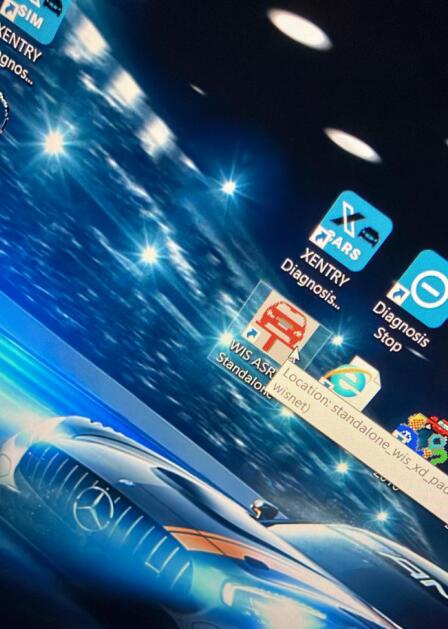
Many Mercedes-Benz technicians rely on the MB Star C4 diagnostic system with WIS and ASRA software to access repair manuals and service data. However, sometimes users encounter an issue where the WIS/ASRA standalone program no longer opens properly or displays missing content.
Customer Issue
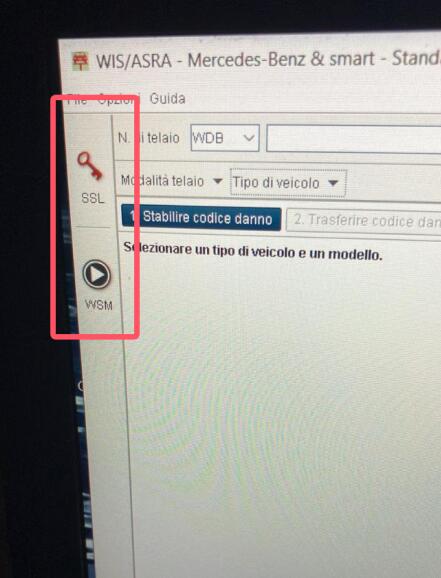
A customer reported that when opening the MB Star C4 WIS/ASRA standalone, the software only showed an SSL key window and no longer provided access to the repair manuals. This means the system was unable to verify or load the internal data library correctly.
Solution from Obd2tool Engineer
The engineer quickly identified the cause and provided a simple fix. The issue was related to an invalid or missing activation code used by WIS/ASRA. To resolve the problem, the engineer advised updating the code as follows:
Replace the existing code with this one:
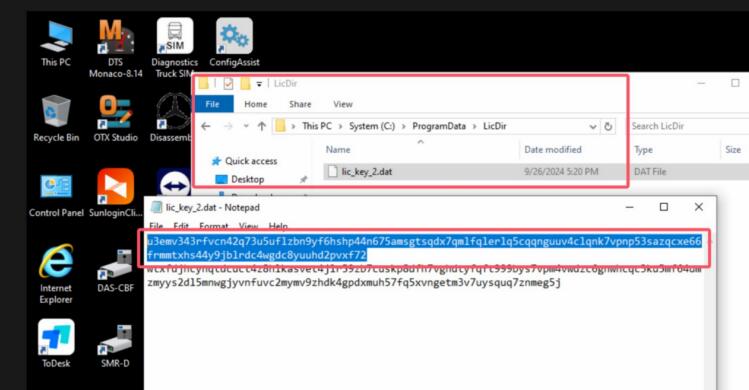
97v6c4lrpeuernarx2w9vsby6k2ccv97q6dmk936u7ky46hjpbczl84gpg9laacfu9eaae69btqmxz4su524csaprdxvqdehg8raeukqluzszu2y4pmhn5qwrgg9mls
If the code in the .txt file is different or missing, simply add the new code directly to re-enable WIS and ASRA functionality.
After applying the update, the customer successfully restored access to the repair manuals and service documents inside the standalone version of WIS/ASRA.
Final Tips
If you encounter similar activation or access issues with MB Star C4 software, it’s often related to license or code mismatches. Always make sure your activation file matches your installed version.
For further assistance or additional automotive diagnostic solutions, feel free to contact Obd2tool directly.