Full Setup for Xentry + Professional Diagnostic Solution (2025)
The MB Star C6 Diagnostic Tool is the latest-generation diagnostic interface designed for modern Mercedes-Benz vehicles.
To ensure stable communication with Xentry Diagnostic, the C6 driver must be installed correctly, and the serial number must match the VCI.
This guide not only shows how to install the MB Star C6 driver step by step, but also helps you decide whether MB Star C6 is the right diagnostic solution for your workshop.
What You’ll Learn in This Guide
-
How to install MB Star C6 driver correctly
-
How to avoid serial number & firmware issues
-
Which Xentry versions work best with C6
-
When you should choose MB Star C4 / C5 / C6
-
How to get a ready-to-use diagnostic solution
Before You Start (Important)
To avoid installation failure, please prepare the following:
-
Windows 10 64-bit (recommended)
-
Administrator access
-
Antivirus & firewall temporarily disabled
-
Stable power supply for the C6 VCI
-
Xentry software installed (OpenShell)
💡 Tip:
Most connection issues are caused by driver + serial number mismatch, not the hardware itself.
MB Star C6 Driver Installation (Step-by-Step)
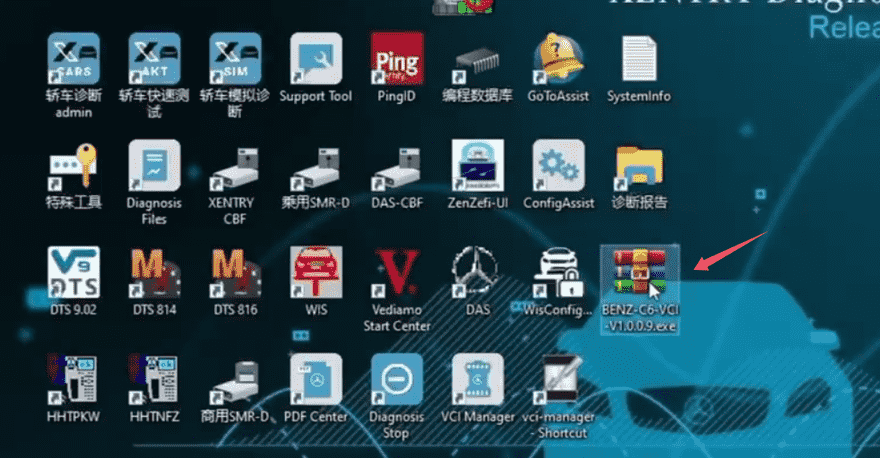
Step 1: Download the Driver
Download the MB Star C6 driver directly to your desktop.
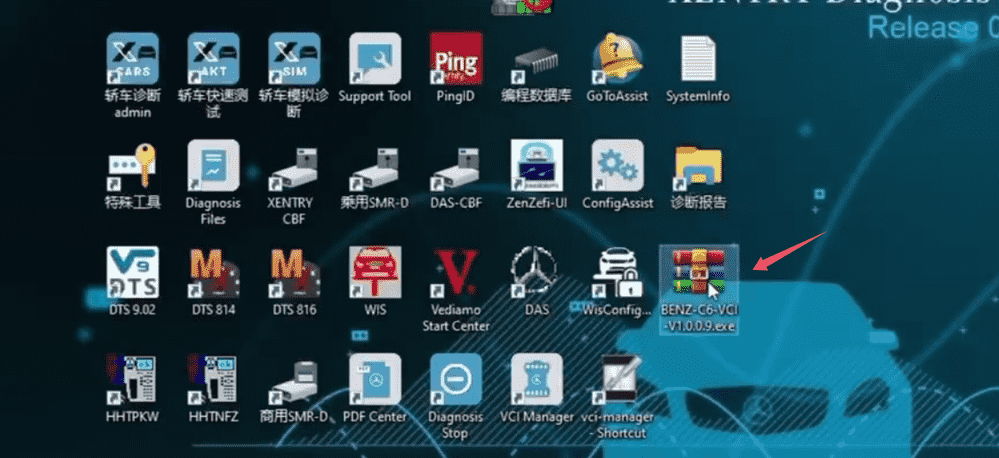
✔ No need to unzip
✔ Run directly as Administrator
Step 2: Run the Installer

-
Double-click the driver file
-
Run it as Administrator
-
Wait for the installer to initialize
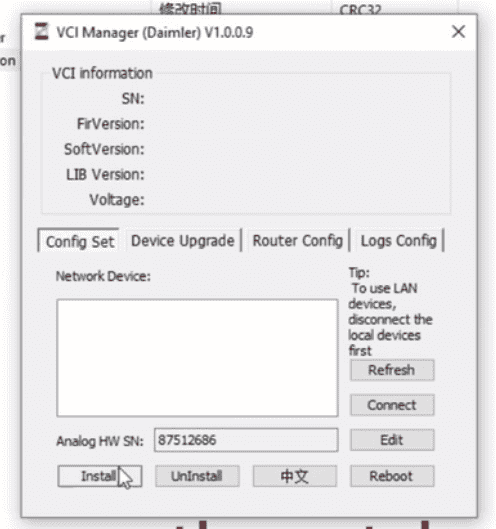
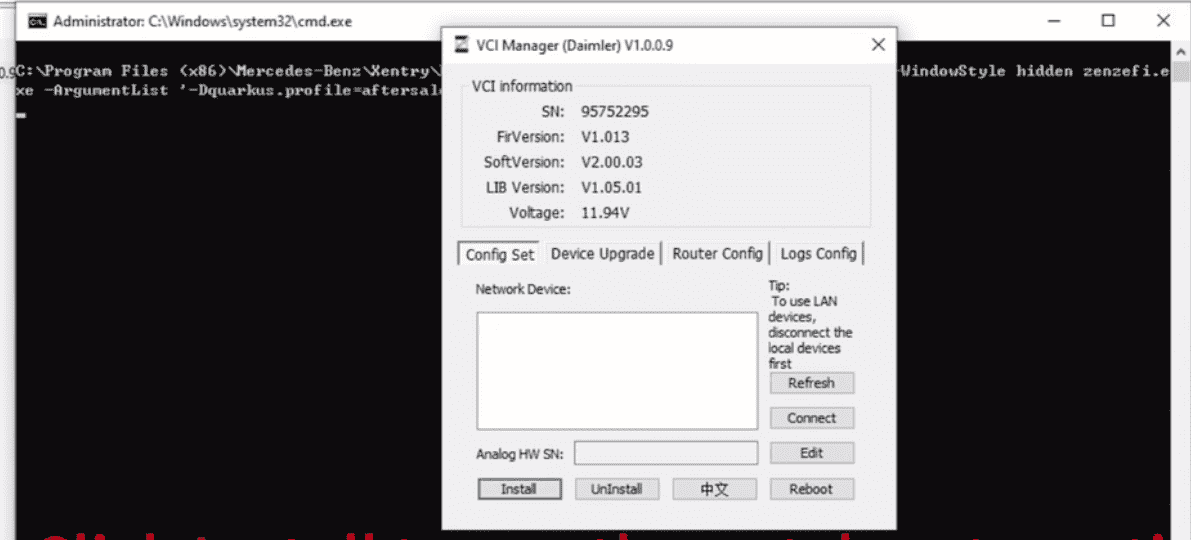
Step 3: Install Driver & Apply Patch
-
Click Install
-
The driver and patch will be installed automatically
-
Do not close the window during this process
Step 4: Enter Serial Number & Check Firmware
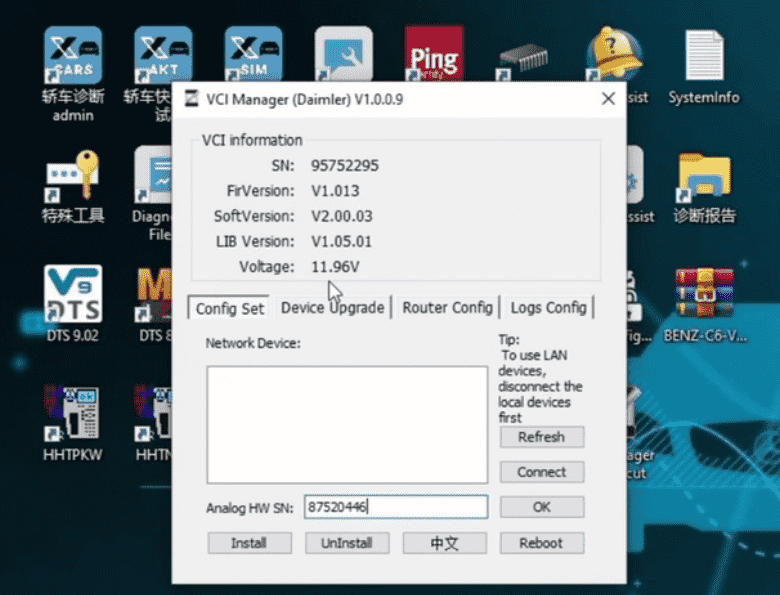
After installation:
-
Click Edit
-
Enter the legal serial number
-
Save the settings
-
Check if VCI firmware upgrade is required
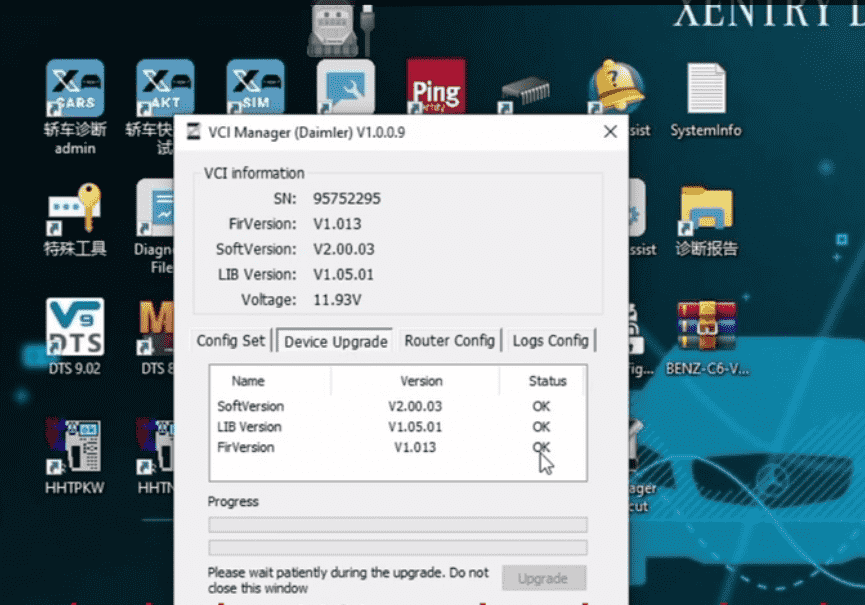
If firmware upgrade is prompted:
-
Power on the C6 device
-
Keep it connected until the update completes
⚠️ Do not interrupt firmware upgrade.
Step 5: Restart Xentry
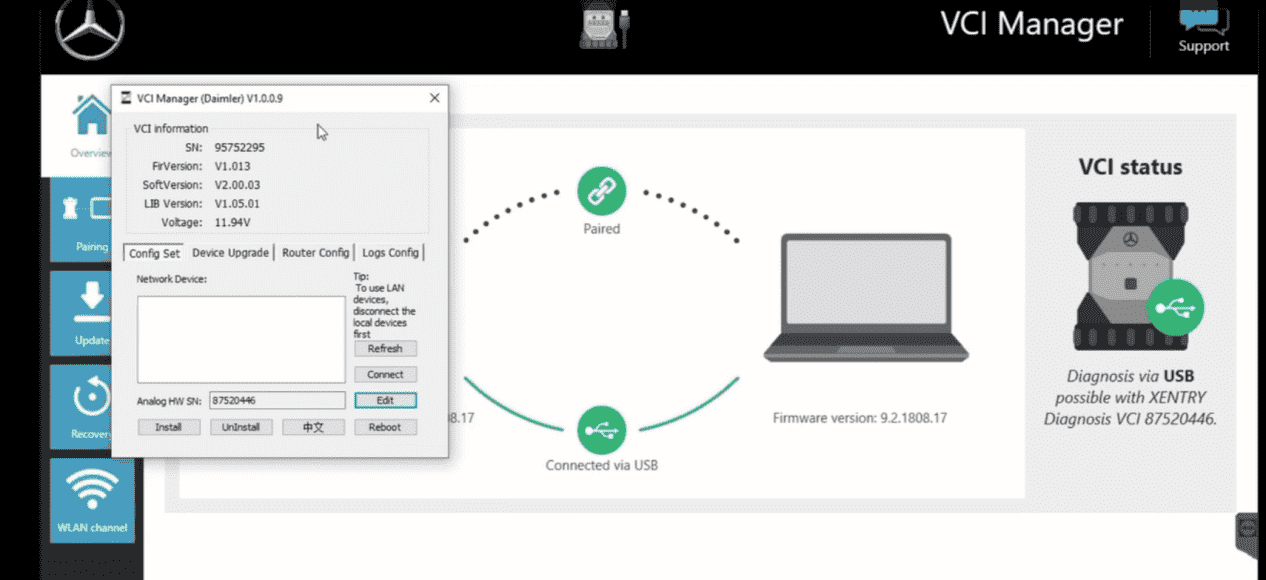
-
Close the installer
-
Re-launch Xentry Diagnostic
-
Confirm MB Star C6 is detected correctly
Critical Requirement: Serial Number Matching
🚨 The driver serial number MUST match the VCI serial number
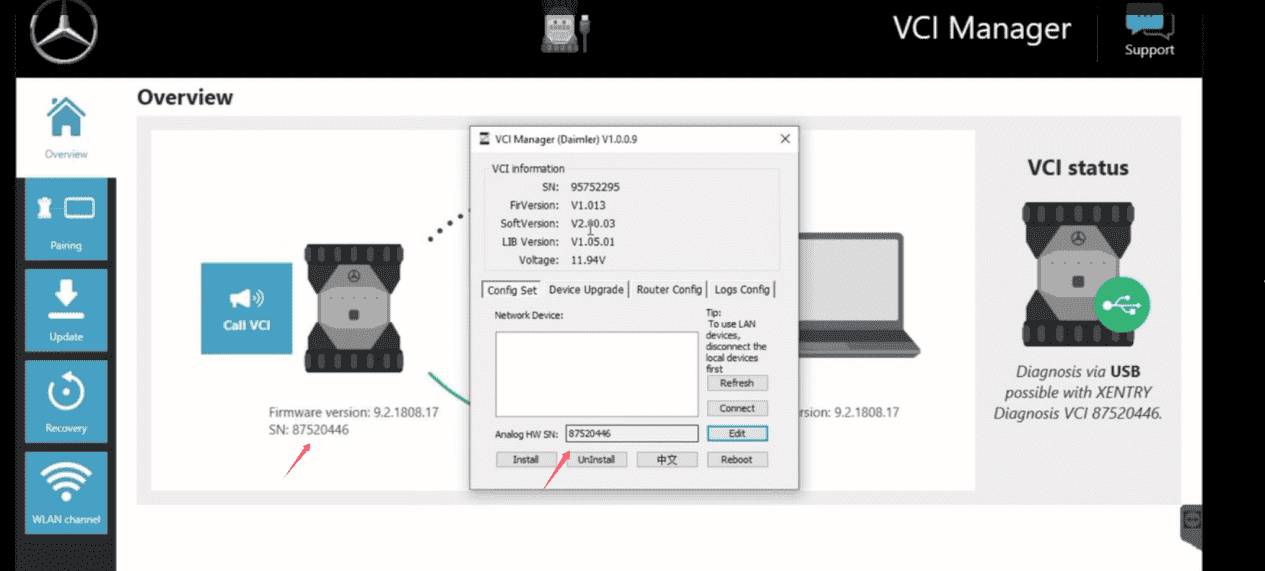
If they do not match:
-
Xentry may not connect
-
Coding and advanced diagnostics may be restricted
-
Connection errors may appear
This is one of the most common mistakes made by new users.
Which MB Star Interface Should You Choose?
🔹 MB Star C4 DOIP (Most Popular)
-
Extremely stable
-
Best for offline diagnostics
-
Ideal for 2014–2023 vehicles
-
Recommended for most users
🔹 MB Star C5
-
Faster hardware
-
Supports newer vehicles
-
Slightly more sensitive to configuration
🔹 MB Star C6 (Latest Generation)
-
Designed for newer Mercedes models
-
Works best with certificate + updated Xentry
-
Ideal for workshops servicing 2021–2025 vehicles
👉 Not sure which one fits your needs?
A complete diagnostic package avoids compatibility risks.
Common Problems & Solutions
❌ C6 Not Recognized by Xentry
✔ Check driver status
✔ Verify serial number match
✔ Restart PC and Xentry
❌ Firmware Update Failed
✔ Ensure stable power
✔ Retry firmware update
❌ Limited Functions on New Vehicles
✔ Xentry certificate may be required
For users experiencing connection errors, check this guide:
How to fix MB Star C6 connection problems
Complete MB Star Diagnostic Solution (Recommended)
If you want to avoid driver errors, serial number issues, and wasted time, we recommend choosing a complete MB Star diagnostic package, including:
-
MB Star C6 / C5 / C4 interface
-
Latest compatible Xentry software
-
Correct driver & firmware
-
Certificate support (if required)
-
Professional remote installation
✔ Why Choose a Complete Package?
-
No compatibility guessing
-
Ready-to-use system
-
Save hours of setup time
-
Reduce connection & activation errors
👉 View Mercedes-Benz Diagnostic Tools & Packages:
https://www.obd2tool.com
Who Should Buy MB Star C6?
Best For:
-
Professional Mercedes workshops
-
Advanced technicians
-
Workshops servicing 2021–2025 models
-
Users who need secure gateway access
Consider C4 Instead If:
-
You mainly work with older models
-
You prefer maximum offline stability
-
You want simpler setup
Final Recommendation
MB Star C6 is a powerful diagnostic interface, but correct driver installation, serial matching, and firmware configuration are essential. If you are using Xentry 2025.09, you may also want to read our guide on V2025.09 Car/V2023.09 Truck MB Star C4/C5 BENZ Diagnostic Software with Xentry/DAS/EPC/WIS/Vediamo/DTS
If you want:
-
Faster setup
-
Fewer errors
-
Guaranteed compatibility
A complete MB Star diagnostic solution with remote installation is the safest choice.
If you are not sure which MB Star interface or Xentry version fits your vehicle,
contact our diagnostic specialists for a recommendation.