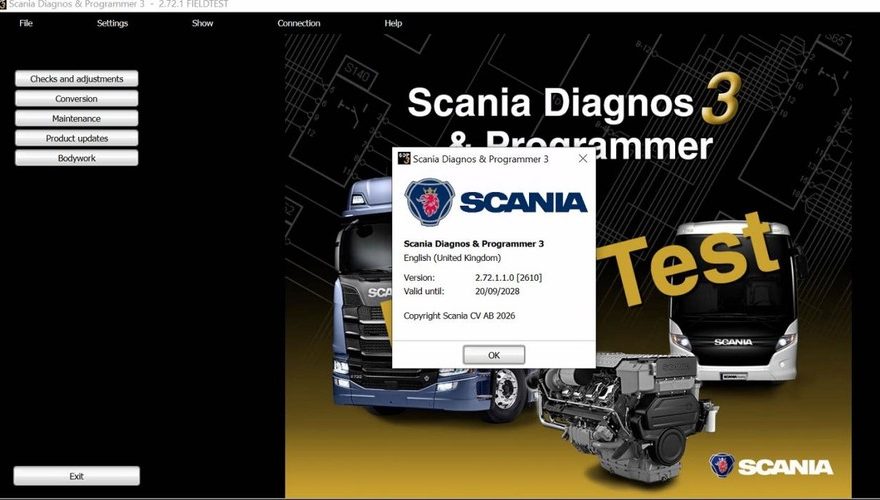
Scania SDP3 has been updated to version 2.72.1, released in September 2026. The current package is designed for Scania diagnostic and programming work with the Scania VCI3 interface, including supported Scania trucks, buses, heavy vehicles, industrial engines and marine applications.
For workshops already using an older SDP3 installation, the update should be treated as more than a simple software replacement. Before upgrading, verify the Windows environment, VCI3 communication, installation method and the exact vehicle or engine application you need to service.
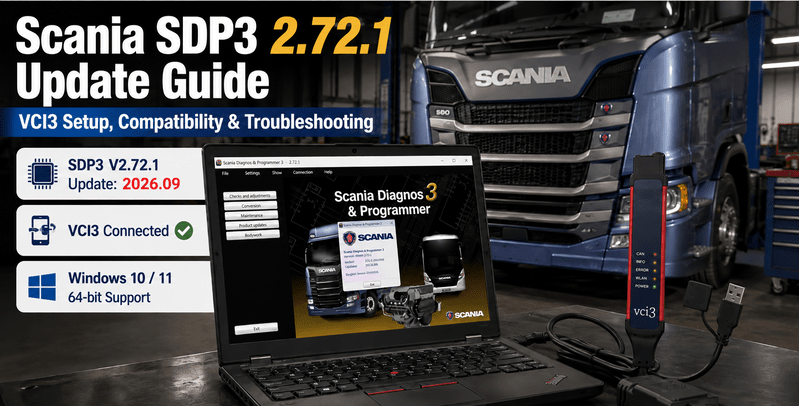
Scania SDP3 2.72.1 Quick Update Summary
| Item | Details |
|---|---|
| Software | Scania Diagnos & Programmer 3 |
| Version | 2.72.1 |
| Update | September 2026 |
| Installed Size | 10 GB |
| Region | All regions |
| Diagnostic Interface | Scania VCI3 |
| Operating System | Windows 7 or later, including Windows 10/11 with 64-bit support |
| Installation | One-time remote installation and activation |
| Vehicle Coverage | Scania R, P, G, T, K and N series from 2004 onward |
| Additional Applications | Supported industrial and marine engines |
These specifications are listed on the current SDP3 2.72.1 product page.
Recommended Scania SDP3 Software
Need the latest SDP3 environment for an existing compatible VCI3? Check the Scania SDP3 Latest Software package for Scania truck diagnostic, fault-code, adjustment and control-unit programming workflows.
Product: Scania SDP3 Latest Software
Best for: Technicians who already have compatible Scania diagnostic hardware and only need the current SDP3 software environment.
What Is Scania SDP3?
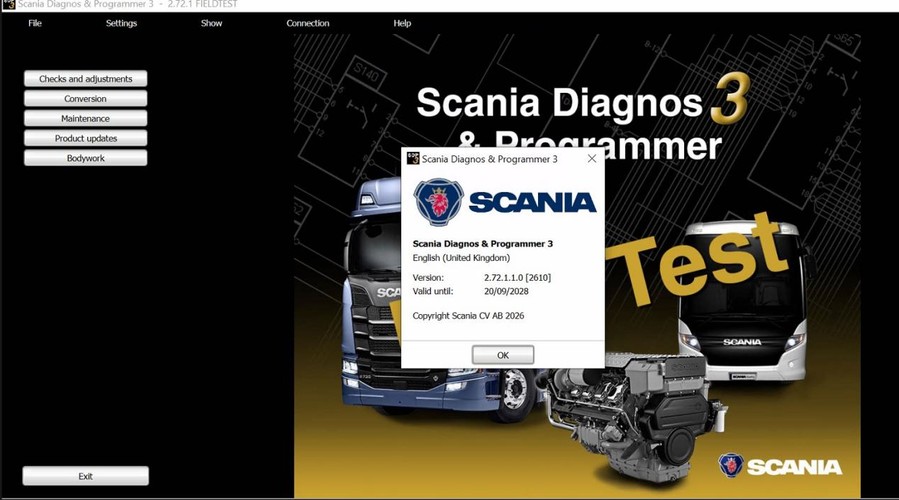
Scania SDP3, or Scania Diagnos & Programmer 3, is a workshop diagnostic and programming environment used with supported Scania vehicles and control systems.
The current product listing describes SDP3 as supporting maintenance and diagnostic work on Scania trucks and other heavy vehicles, including the R, P, G, T, K and N series manufactured from 2004 onward, as well as industrial and marine engine applications.
Typical SDP3 workshop use includes control-unit diagnosis, fault-code analysis, calibration and programming-related operations where the vehicle, ECU, software installation and access level support the requested function.
A newer SDP3 release should not be viewed as a repair for every communication or vehicle fault. Wiring problems, control-unit failures, sensor faults, low system voltage or incorrect interface configuration still need to be diagnosed separately.
What Changed in Scania SDP3 2.72.1?
The most important confirmed change in the current OBDII product information is the version itself:
Previous available builds → Scania SDP3 2.72.1, updated 09.2026.
The product page does not provide a detailed 2.72.1 technical changelog describing individual ECU additions, bug fixes or newly supported vehicle functions. For that reason, workshops should avoid assuming that a particular ECU, programming procedure or model-year function has been added solely because the version number is newer.
The practical reason to update is to maintain a current SDP3 environment for supported Scania diagnostic and programming workflows.
Scania SDP3 2.72.1 and VCI3 Compatibility
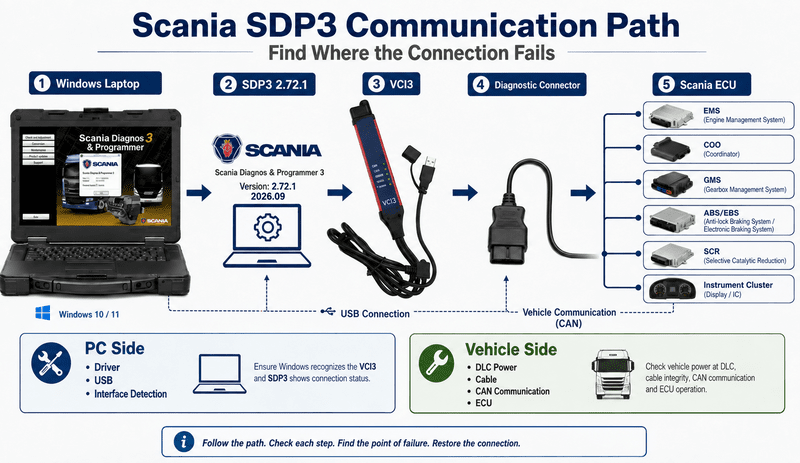
The current SDP3 2.72.1 listing specifically states that the software is compatible with Scania VCI3.
For a workshop installation, think of communication as a complete chain:
Windows laptop → SDP3 software → VCI3 driver/interface → diagnostic connector → vehicle ECU
If SDP3 cannot communicate with the truck, first determine where this chain is failing.
VCI3 Not Detected by the Laptop
If SDP3 cannot see the interface at all, check:
- USB connection
- Interface driver installation
- Windows Device Manager
- VCI3 power status
- Software installation
- Interface configuration
This is primarily a PC-to-interface problem.
VCI3 Detected but Vehicle Not Found
If the computer recognizes VCI3 but the vehicle cannot be detected, check:
- Vehicle ignition status
- Diagnostic connector
- Interface-to-vehicle cable
- Vehicle power and ground
- Communication network
- Correct vehicle/application selection
This is primarily an interface-to-vehicle communication problem.
Separating these two conditions can save considerable troubleshooting time.
Need a Scania VCI3 Interface?
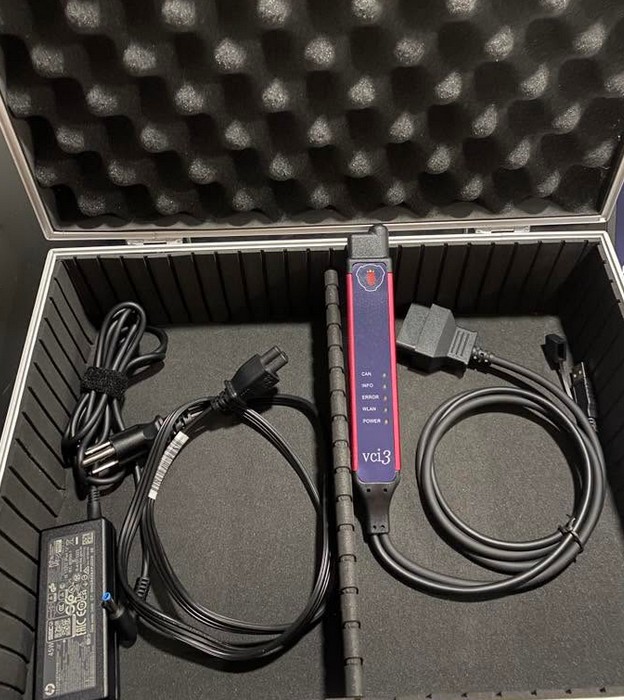
For workshops that already have a suitable Windows laptop but need the vehicle communication hardware, the Scania VCI3 Diagnostic Tool provides USB and high-speed Wi-Fi connectivity for supported Scania diagnostic workflows. The product listing also offers SDP3 and related Scania software options.
Product: Scania VCI3 Heavy Duty Truck Scanner
Best for: Workshops needing a dedicated Scania VCI3 interface to connect SDP3 to supported Scania trucks and heavy-duty systems.
Supported Windows Systems
The current SDP3 2.72.1 product page states that it works with Windows 7 and later versions, including Windows 10 and Windows 11, with 64-bit support.
Before updating an existing workshop laptop, confirm the actual operating-system architecture and whether the current SDP3 installation contains drivers or configuration files that need to remain available.
The product also states that installation is provided as a one-time remote installation and activation service.
For this particular package, the seller additionally instructs users to disable Secure Boot before remote installation and not re-enable it afterward because doing so may prevent the supplied installation from working.
Available Languages
Scania SDP3 2.72.1 is listed with the following interface languages:
- English
- German
- Spanish
- French
- Japanese
- Dutch
- Polish
- Portuguese
- Swedish
- Norwegian
- Finnish
- Turkish
- Italian
- Czech
- Russian
- Chinese
This multilingual support can be useful for workshops operating mixed-language service environments.
Which Scania Vehicles Can SDP3 2.72.1 Diagnose?
The current listing identifies SDP3 use with Scania heavy vehicles including:
R, P, G, T, K and N series from 2004 onward.
However, technicians should still verify the exact:
Model + Year + Engine + ECU/Controller + Diagnostic Connector + Required Function
before assuming that every diagnostic or programming operation is available.
Vehicle coverage and function coverage are not the same thing. A vehicle may communicate successfully while a particular coding, calibration or programming operation remains dependent on ECU generation, authorization or software configuration.
Industrial and Marine Applications
Scania also has SDP3 software packages intended for marine and industrial applications.
An older dedicated marine and industrial SDP3 listing, for example, identifies diagnostic and reprogramming functions for supported Scania industrial and marine engines and includes specific exhaust-aftertreatment updates for EMS S8 and EME1 engine-management systems.
This is an important distinction: technicians working primarily on trucks should not automatically assume that every industrial or marine engine workflow is identical to the standard vehicle SDP3 installation.
If your application is a generator, marine engine or industrial power unit, confirm the correct SDP3 package before installation.
How to Prepare for the SDP3 2.72.1 Update
Before replacing an older SDP3 installation, record your existing configuration.
Recommended checks include:
- Confirm the current SDP3 version.
- Confirm Windows version and architecture.
- Verify that VCI3 is recognized correctly.
- Record any existing interface settings.
- Confirm the target Scania model and year.
- Identify the engine and ECU/controller.
- Confirm the required diagnostic or programming function.
- Verify that the laptop has sufficient storage.
- Keep the vehicle and diagnostic interface on stable power during service operations.
- Follow the installation procedure supplied with the software package.
The installed size listed for SDP3 2.72.1 is approximately 10 GB, so adequate free disk space should be available before installation.
Do You Need to Update VCI3 Firmware?
A newer SDP3 release does not automatically mean that every VCI3 interface requires a firmware update.
Do not update interface firmware only because SDP3 has been upgraded unless the software or installation procedure specifically requests it.
If a firmware update is required, keep the interface powered and connected according to the supplied procedure. Interrupting interface power during firmware programming can leave the diagnostic interface unusable.
After updating, verify both stages separately:
Laptop → VCI3 communication
and
VCI3 → Vehicle communication
before beginning ECU programming or calibration work.
Common Problems After Updating SDP3
SDP3 Opens but VCI3 Is Not Detected
Check Device Manager, USB connection, interface power and driver installation first.
Reinstalling the whole program should not be the first troubleshooting step if Windows itself cannot see the interface.
VCI3 Is Detected but SDP3 Cannot Find the Vehicle
Check ignition state, diagnostic connector power, vehicle cable and communication network.
Also confirm that the selected vehicle/application corresponds to the truck or engine being serviced.
SDP3 Worked Before the Update but Not After
Compare the previous and current:
- Windows configuration
- Driver version
- VCI3 configuration
- Security settings
- SDP3 installation path
- Activation status
A version upgrade can expose an existing driver or configuration problem even when the interface hardware itself is functional.
Programming or Calibration Function Is Unavailable
Do not assume this indicates a software installation failure.
The requested operation may depend on:
- vehicle generation
- ECU type
- software dataset
- authorization
- programming access
- control-unit configuration
First confirm that ordinary communication and ECU identification work correctly.
Should Your Workshop Upgrade to SDP3 2.72.1?
Updating makes the most sense for workshops that regularly diagnose supported Scania vehicles and want to maintain a current SDP3 installation.
It is especially relevant if:
- your existing SDP3 version is significantly older;
- later Scania vehicles are entering the workshop;
- your existing installation is no longer suitable for current service work;
- you are setting up a new VCI3 diagnostic laptop.
If your current installation is stable and you only service a narrow range of older vehicles, first confirm whether version 2.72.1 provides a practical advantage for your specific fleet.
Prefer a Complete Scania Diagnostic Package?
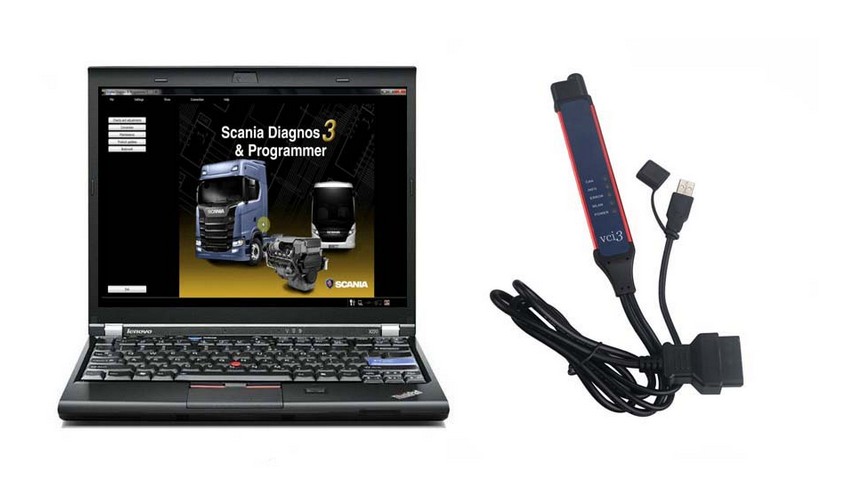
If you do not already have a dedicated diagnostic laptop, consider the Scania VCI3 Diagnostic Tool with Lenovo X220 Laptop. This type of preconfigured package combines the diagnostic interface, laptop and Scania software environment in one workshop setup.
Product: Scania VCI3 Diagnostic Tool + Lenovo X220 Laptop
Best for: Technicians setting up a complete Scania diagnostic workstation rather than upgrading software or interface hardware separately.
Scania SDP3 2.72.1 Software Option
The current Scania SDP3 V2.72.1 [2026.09] package is available for Scania VCI3 and includes a one-time remote installation and activation service.
Product:
Scania SDP3 V2.72.1 Latest Software
https://www.obd2tool.com/goods-10663-Scania-SDP3-latest-software.html
The same product page also offers optional packages combining SDP3 with Scania XCOM 2.54 and Scania Multi Spare Parts & Manuals 2026.06.
For additional Scania diagnostic hardware, confirm the exact interface and vehicle application before ordering.
Final Compatibility Checklist
Before installing or purchasing Scania SDP3 2.72.1, confirm:
Scania Model + Year + Engine + ECU/Controller + Diagnostic Connector + Windows Version + VCI3 Interface + Current SDP3 Version + Required Function
This is more reliable than choosing diagnostic software based only on the latest version number.
| What You Already Have | Recommended Option |
|---|---|
| VCI3 + suitable laptop | Scania SDP3 Latest Software |
| Laptop, but no Scania interface | Scania VCI3 Heavy Duty Truck Scanner |
| Need software + interface + laptop | Scania VCI3 + Lenovo X220 Package or Panasonice CF19 laptop |
FAQ
What is the latest Scania SDP3 version listed for September 2026?
The current product listing shows Scania SDP3 V2.72.1, updated in September 2026.
Does Scania SDP3 2.72.1 work with VCI3?
Yes. The current software listing specifically states compatibility with Scania VCI3.
Does SDP3 2.72.1 support Windows 11?
The product page lists support for Windows 7 and later systems, including Windows 10 and Windows 11 with 64-bit support.
How much disk space does Scania SDP3 2.72.1 use?
The current listing states an installed size of approximately 10 GB.
Which Scania series are supported?
The product information lists R, P, G, T, K and N series from 2004 onward, along with industrial and marine engine applications. Exact ECU and function coverage should still be confirmed before service work.
Is Scania SDP3 2.72.1 available in multiple languages?
Yes. The current package lists 16 interface languages including English, German, Spanish, French, Italian, Russian, Chinese and others.