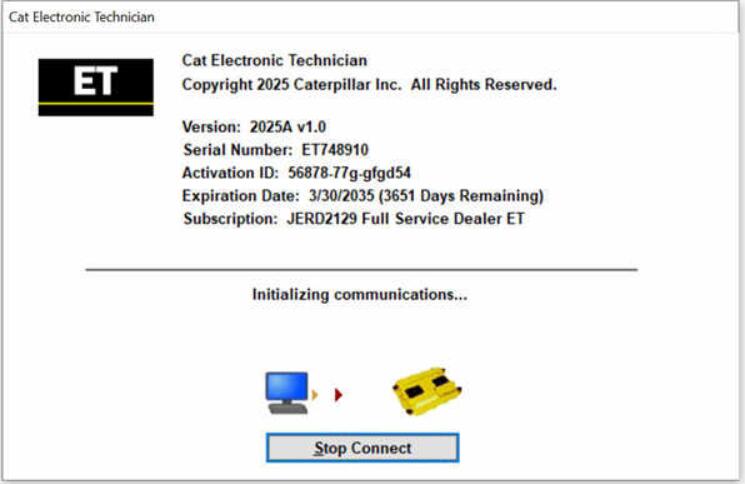
Caterpillar Electronic Technician (CAT ET) is the official diagnostic software used to communicate with, test, and service electronically controlled Caterpillar engines and machines. When connected to an ECM, technicians can identify current or potential faults, configure system parameters, and retrieve detailed operating data.
If you work with Caterpillar equipment—on-highway or off-highway—CAT ET is an essential tool. Version CAT ET 2025B v1.0 builds on previous releases with improved stability, better Windows 11 support, and updated drivers.
Table of Contents
- About Caterpillar Electronic Technician 2025B
- Important Installation Notice
- PC, Communication Hardware & Cable Requirements
- Software Download Links
- Supported CAT Machines & Engines
- Known Errors When Launching the Service Tool
- How to Update CAT ET
- Version-by-Version Update History
About Caterpillar Electronic Technician 2025B
CAT ET allows technicians to electronically diagnose and troubleshoot Caterpillar-powered machines. With the software connected to an ECM, users can:
- Read and clear diagnostic codes
- View real-time engine/machine parameters
- Configure ECM settings
- Perform calibrations
- Generate Product Status Reports
- Monitor system performance
CAT ET 2025B replaces earlier versions (2022A, 2021B, 2020A, 2019B, etc.) and introduces improved performance and updated communication support.
Need factory passwords?
See our information on 18-Bit CAT Factory Passwords for unlocking advanced ECM settings.
Important Notice – Installation & Activation
CAT ET 2025B requires remote installation and activation via TeamViewer.
We only provide offline activation.
How to Purchase & Set Up CAT ET
- Click BUY NOW to place your order.
- After payment, you’ll receive an email with your software download link.
PC, Communication Hardware & Cable Requirements
Important Compatibility Notes
- ARM-based laptops (Snapdragon, Microsoft SQ1) are not supported.
- Starting from CAT ET 2020B, Windows 7 is no longer supported.
(Installation may work but stability is not guaranteed.)
Supported Communication Adapters
- Caterpillar Communication Adapter II
- Caterpillar Communication Adapter III
- Nexiq USB-Link 1/2/3 (On-Highway only)
- Any RP1210C-compliant adapter, including:
- Noregon DLA+ 2.0
- Other compatible adapters (contact us for confirmation)
PC Requirements for CAT ET 2025
- Dual-core 2.0 GHz processor
- 4 GB RAM
- 5 GB free hard disk space
- 12″ or larger display
- Windows 8.1 Pro, Windows 10 Pro, Windows 11 Pro
- USB 1.1/2.0/3.0 or RS232 (for Adapter II)
- Ethernet RJ45 or Wi-Fi
- Internet Explorer 11, Edge, Firefox, or Chrome
Software Download Links
- CAT ET 2025A v1.0 (578 MB) – Download
- Comm Adapter 3 Driver V4.7.0.77 (71 MB) – Download
Supported Caterpillar Engines & Machines
Engine Applications
- Electric Power
- Power Generation
- Industrial
- Marine
- Oil & Gas
Machine Applications
Including but not limited to:
Articulated Trucks • Pavers • Backhoe Loaders • Compactors • Dozers • Excavators • Drills • Feller Bunchers • Forest Machines • Harvesters • Shovels • Loaders • Track Loaders • Telehandlers • Hard Rock & Longwall Underground • Utility Vehicles • Wheel Tractors • Wheel Loaders • Scrapers … and more.
Error When Launching the Service Tool
Some users may experience errors such as:
- “The entry point could not be located in api-ms-win-crt-runtime”
- “The program can’t start because mfc140u.dll is missing”
These issues are caused by Microsoft Visual C++ Redistributable inconsistencies.
Fix
- Open Control Panel → Programs and Features
- Locate Microsoft Visual C++ 2015 Redistributable (x86)
- Select Change → Repair
- If the issue persists, uninstall it
- Install the latest x86 VC Runtime from Microsoft
- Re-launch CAT ET
If errors continue, contact support.
FAQ – How to Update CAT ET
CAT ET does not support internal self-updating.
To update:
- Order the newest CAT ET revision
- Download the installer
- Uninstall the old version
- Install the new version
- Contact us for license activation
Update History – What’s New in Each Version
Below is a summarized changelog from 2025B backward.
CAT ET 2025B
- Added Trainer support for 140-16 Motor Grader
- Added Trainer support for 627 Tractor-Scraper
CAT ET 2025A
- No major feature changes
CAT ET 2024C
- Added automatic connection preference controls
CAT ET 2024B
- No major feature updates
CAT ET 2024A
- Flash progress bar now appears on taskbar icon
- Trainer: 995 Large Wheel Loader added
CAT ET 2023C
- Default browser settings improved for FPS
CAT ET 2023A
- Updated graphing colors and persistence between sessions
CAT ET 2022C & Earlier
- No major new features
CAT ET 2022B
- New hotkey CTRL + ALT + H to reposition missing windows
CAT ET 2022A
- Windows 11 compatibility verified
- ECM replacement file comparison tool added
- Improved configuration group headings
CAT ET 2021C
- FPS copy/paste enhancements
- Updated screen resolution requirements
CAT ET 2021B
- End of Windows 8 support
- Calibration images now load automatically
- Browser defaults updated
CAT ET 2021A
- No major changes
CAT ET 2020C
- No major changes
CAT ET 2020B
- Trainer: 299D3 Skid Steer Loader
CAT ET 2020A
- Updated Product Status Reports
- Experimental factory password generator (no 18-bit support)
CAT ET 2019C
- Displays selected communications adapter
- End of Windows 7 support
CAT ET 2019B
- Automatic PSR upload feature
CAT ET 2019A
- ECM naming changes and incomplete link indicator
CAT ET 2018C / 2018B
- CEOS Fleet Configuration File support
CAT ET 2018A
- Trainer: 988K XE Wheel Loader
CAT ET 2017C
- Option to automatically save PSR as PDF
CAT ET 2017B
- PSR updates and WinFlash UI improvements