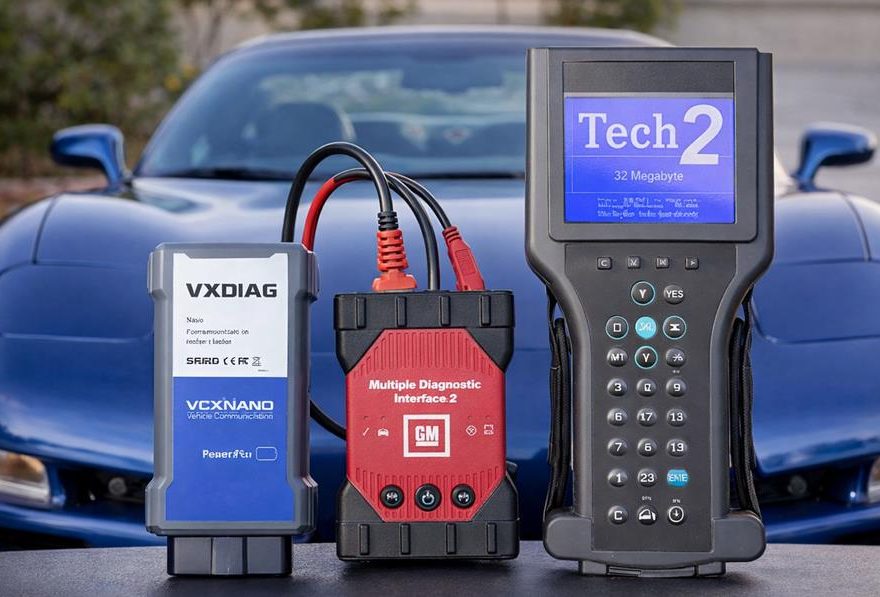
If you own a 90s or early 2000s GM legend—like the C5 Corvette or a 4th-gen F-Body (Camaro/Firebird)—you’ve likely hit a wall with local mechanics. Outside of the US, finding a shop that can handle ABS bleeding, Airbag resets, or a Crankshaft Position Sensor (CPS) Variation Relearn is nearly impossible.
Dealerships in Europe, Australia, or New Zealand often lack the legacy tools for 20+ year-old platforms. This leaves you with three DIY options: the Tech2 Clone, the GM MDI Clone, or the VXDIAG Nano GM.
Based on real-world testing on a 1999 C5 Corvette and a 1997 Camaro Z28, here is the definitive verdict on which GM diagnostic tool you should buy in 2026.
Quick Comparison: GM Diagnostic Tools at a Glance
| Feature | GM Tech2 | GM MDI | VXDIAG VCX Nano GM |
|---|---|---|---|
| Primary Type | Handheld Standalone Scanner | Laptop-based Pass-thru VCI | Laptop-based Compact VCI |
| Vehicle Support | 1992 – 2013 (Legacy) | 1996 – 2024+ (All) | 1996 – 2024 (Most) |
| Software Required | None (Built-in) | Tech2Win & GDS2 | Tech2Win & GDS2 |
| Old Module Support | Best (UART/Class 2) | Excellent | Good (Can struggle with pre-98 ABS) |
| Global A / B Support | No | Full Support | Partial / Limited Support |
| Programming (SPS) | Slow (PCMCIA based) | Fast & Reliable | Fast (Good for DIY) |
| Connectivity | Serial/RS232 | USB / WiFi / Ethernet | USB / WiFi |
| Ease of Setup | Plug & Play | Complex (Driver install) | Complex (Driver/VM install) |
| Durability | Fragile Screen/Keypad | Rugged Housing | Compact / Plastic |
| Approx. Price | $250 – $450 | $200 – $350 | $100 – $130 |
1. The VXDIAG Nano GM: The Budget Champion?
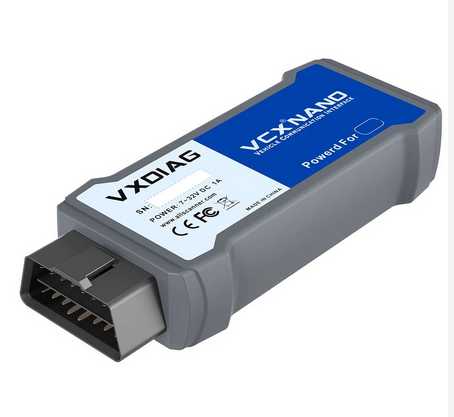
The VXDIAG VCX Nano for GM has become a favorite in the Corvette community due to its price point ($100 – $120 USD). It emulates an MDI interface to run Tech2WIN (the software version of the Tech2) on your laptop.
Case Study: 1999 C5 Corvette
On the C5 platform, the VXDIAG Nano is a “home run.” During our testing, it achieved:
-
Full Module Access: Communicated perfectly with the PCM, ABS, SIR (Airbags), and Transmission.
-
Special Functions: Successfully performed the CPS Variation Relearn—a task usually requiring a $5,000 factory tool.
-
Programming: Flashed the PCM using TIS2000 without a hitch.
The Verdict for C5 Owners: If you own a 1997-2004 Corvette, the VXDIAG Nano provides 100% functionality at a fraction of the cost of a handheld Tech2.
2. The Tech2 Clone: Is the Handheld Hardware Obsolete?
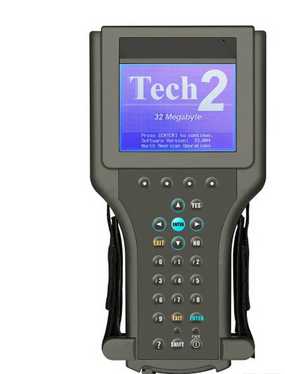
Many owners still swear by the physical Tech2 handheld unit. While it’s iconic, it has significant drawbacks in 2026:
-
Aging Hardware: The internal components are prone to failure.
-
Slow Data Speeds: It relies on ancient PCMCIA cards, making data logging sluggish.
-
Limited Scope: It cannot handle newer “Global A” vehicles (2010+) that require GDS2.
The Pro Tip: Unless you specifically need a standalone tool for the track where a laptop is inconvenient, Tech2WIN (software) paired with a laptop is faster, cheaper, and more reliable.
3. The GM MDI Clone: For the “Hard to Reach” Modules
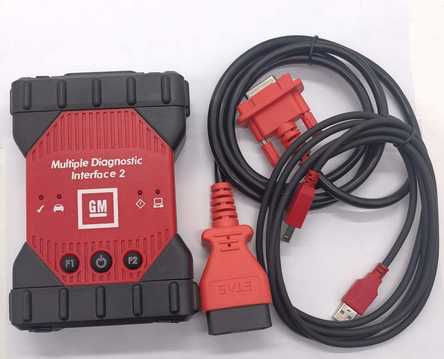
While the VXDIAG Nano is great for the C5, it struggled with our 1997 Camaro Z28.
The “1997 Problem” (Legacy Protocols)
Late 90s F-Bodies often use a mix of OBD2 and older Class 2 Serial Data/UART protocols. During testing, the VXDIAG Nano failed to “wake up” the ABS and Airbag modules on the 1997 Camaro.
Why the MDI Clone Wins: The GM MDI Clone ($250 – $350) features a more accurate hardware replication of the original Bosch interface. It handles legacy voltage switching and pin protocols better than the reverse-engineered Nano. If you have a transitional 1996-1998 GM vehicle, the MDI Clone is the safer, more stable investment.
4. Understanding the Software: TIS2000 vs. TIS2Web
To get the most out of your GM Tech2 scanner, you need to know which software to use for programming:
-
TIS2000 (Offline): Ideal for pre-2008 vehicles. It contains all the calibration files you need without requiring an internet connection or a subscription.
-
TIS2Web (Online): Necessary for vehicles post-2008. While “cracked” versions exist for some regions, North American owners usually need to buy a 3-day GM subscription ($55 USD) to legally flash the latest calibrations. Both the MDI and VXDIAG Nano work with these official subscriptions.
Final Recommendation: Which One Should You Buy?
Buy the VXDIAG Nano if…
You own a 1999-2006 GMT800 truck or a 1997-2004 C5 Corvette. It is the most cost-effective way to perform ABS bleeds and sensor relearns.
Buy the GM MDI Clone if…
You own multiple GMs, including mid-90s models (Camaro/Firebird) or post-2010 vehicles. The hardware stability is worth the extra $150 for professional-grade diagnostics.
Avoid the Handheld Tech2 Clone if…
You already own a laptop. The Tech2WIN software is superior in speed, display quality, and ease of use.
FAQ
Does the VXDIAG Nano GM work on a 1999 C5 Corvette?
Yes, it can work very well on the C5 Corvette for diagnostics, CPS relearn, and some programming tasks.
Can the VXDIAG Nano GM read ABS and airbags?
On many vehicles, yes. However, compatibility may vary by model year and module, especially on some mid-90s GM platforms.
Is Tech2WIN better than a physical Tech2 clone?
For most users, yes. Tech2WIN with the right interface is more practical, faster, and easier to maintain.
Do I need TIS2000 for older GM programming?
TIS2000 is still useful for legacy GM programming, especially for older vehicles.
Which tool is best for a 1997 Camaro?
A GM MDI clone is usually the better choice if you need more stable module communication.
Related: VXDIAG VCX Nano for GM/OPEL Professional Diagnostic Tool