For decades, the GM Tech 2 has been considered the gold standard diagnostic tool for General Motors vehicles, including Chevrolet, Cadillac, Buick, Pontiac, GMC, and more.
Even with newer diagnostic platforms on the market, the Tech 2 remains essential for professional mechanics and serious GM enthusiasts working on vehicles up to 2013—and in some cases, 2015.
In this guide, you’ll learn what the GM Tech 2 is, what it can do, which vehicles it supports, and why it’s still widely used today. If you service GM vehicles regularly, understanding the Tech 2 will significantly improve diagnostic accuracy and efficiency.
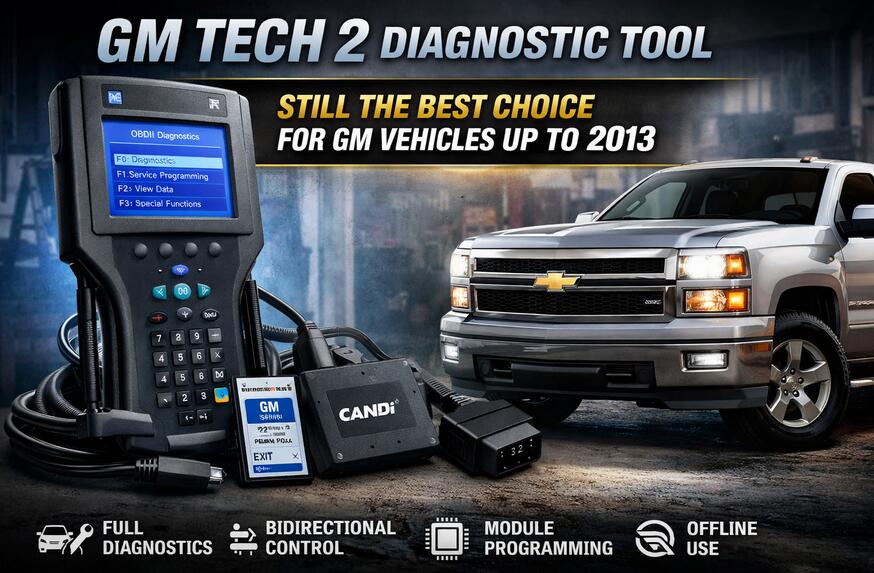
What Is the GM Tech 2 Diagnostic Tool?
The GM Tech 2 is an OEM (Original Equipment Manufacturer) diagnostic scan tool developed by General Motors and originally used by authorized GM dealerships worldwide.
It is a handheld diagnostic device that connects directly to the vehicle’s OBD-II port and communicates with all onboard control modules, including:
-
Engine Control Module (ECM)
-
Transmission Control Module (TCM)
-
Body Control Module (BCM)
-
ABS / SRS / Airbag systems
Unlike generic OBD-II scanners, the Tech 2 offers full bidirectional control, allowing technicians not only to read fault codes but also to actively command vehicle components for advanced testing.
You can check the complete GM Tech 2 diagnostic tool package here.
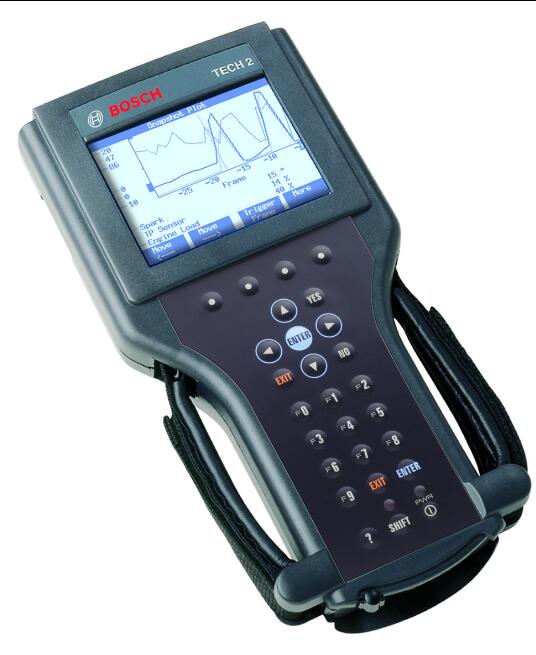
GM Tech 2 Key Features & Capabilities
The true strength of the GM Tech 2 lies in its dealer-level functionality:
-
Read & Clear Diagnostic Trouble Codes (DTCs)
Access faults across all vehicle systems, not just the engine. -
Live Data Streaming
View real-time sensor values, switches, and system parameters. -
Bidirectional Control
Activate components such as fuel pumps, cooling fans, injectors, ABS solenoids, and more. -
Module Programming & Configuration
Configure or replace modules like BCMs, ABS units, and instrument clusters (with proper software). -
Vehicle Data Recording
Capture snapshots during test drives to diagnose intermittent issues. -
Multi-Protocol Support
Supports CAN, Class 2, UART, and legacy GM communication protocols.
These capabilities make the Tech 2 far more powerful than standard aftermarket scanners.
GM Tech 2 Vehicle Coverage: Supported Models & Years
The GM Tech 2 primarily supports 1992–2013 GM vehicles, with limited support extending to some 2014–2015 models depending on system type.
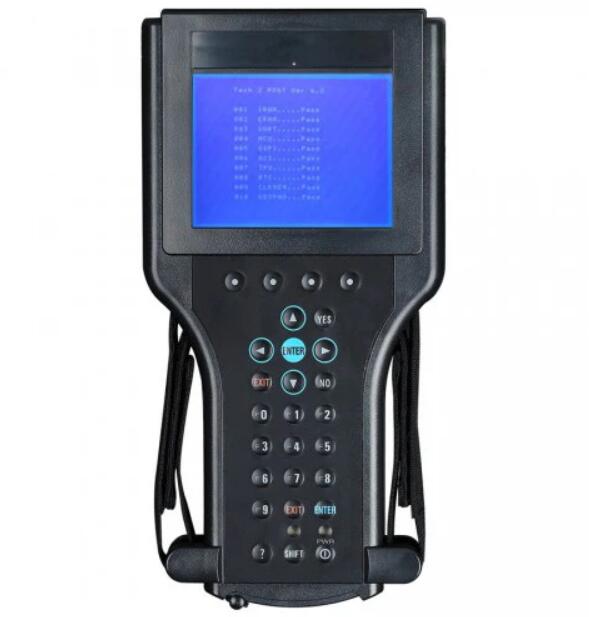
Supported GM Brands & Popular Models
| Brand | Key Models Supported |
|---|---|
| Chevrolet | Silverado, Tahoe, Camaro, Corvette, Impala |
| GMC | Sierra, Yukon, Envoy |
| Cadillac | Escalade, CTS, DeVille, Seville |
| Buick | Regal, LaCrosse, Enclave |
| Pontiac | Grand Prix, Firebird, GTO |
| Oldsmobile & Saturn | All models within supported years |
Expert Tip:
From 2014 onward, GM transitioned to the GM MDI diagnostic platform. However, the Tech 2 is still required for many older GM vehicles that MDI and GDS2 cannot fully diagnose.
Essential GM Tech 2 Software & Updates
To keep your Tech 2 functioning correctly, proper software management is critical.
1. The 32MB PCMCIA Card Explained
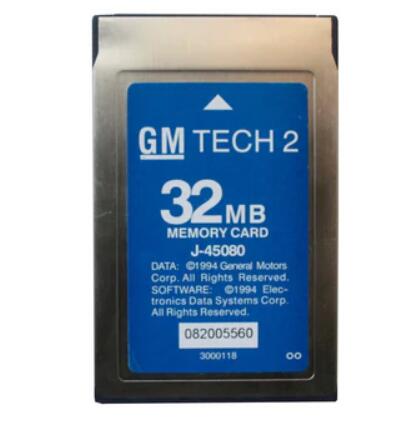
GM Tech 2 diagnostic software—also known as Vehicle Communication Software (VCS)—is stored on a PCMCIA memory card.
Each card contains region- and brand-specific software, such as GM North America 33.004.
2. How to Update GM Tech 2 Software
Updating the Tech 2 typically involves:
-
Replacing an old PCMCIA card with a newer version
-
Flashing updated software onto a compatible card using a programmer
-
Ensuring CAN-based vehicles use the CANdi module
Using up-to-date software ensures the widest vehicle compatibility and stable operation.
3. Recommended GM Tech 2 Software Packages
For complete coverage, professionals often use:
-
GM North America – Essential for U.S. & Canadian vehicles
-
SAAB – Required for post-acquisition SAAB models
-
Holden / Isuzu – Necessary for select international GM platforms
Practical GM Tech 2 Workflow (Mechanic’s Guide)
A proven diagnostic workflow using the Tech 2:
-
Connect the Tool
Plug into the OBD-II port and turn ignition ON (engine off). -
Identify the Vehicle
Navigate: Diagnostics → Year → Make → System
The Tech 2 automatically confirms VIN and system compatibility. -
Read DTCs
Check current, history, and pending fault codes. -
Analyze Live Data
Monitor PIDs such as fuel trims, O2 sensors, misfire counters. -
Perform Bidirectional Tests
Activate components to confirm whether failures are mechanical, electrical, or control-related.
This workflow can cut diagnostic time dramatically compared to trial-and-error methods.
Troubleshooting Common GM Tech 2 Issues
| Issue | Possible Cause | Solution |
|---|---|---|
| No Communication | Wrong vehicle selection, low battery, faulty cable, missing CANdi | Verify vehicle info, check voltage, inspect cables, install CANdi |
| Freezing or Crashing | Corrupt PCMCIA software or weak internal battery | Re-flash software, replace internal backup battery |
| Screen Problems | Ribbon cable or display damage | Replace cable or screen; contact supplier if under warranty |
Why the GM Tech 2 Still Matters Today
The GM Tech 2 is not just a legacy diagnostic tool—it remains indispensable for servicing millions of GM vehicles still on the road.
For workshops handling older GM platforms, it provides dealer-level access, offline operation, and unmatched system control that generic scanners simply cannot deliver.
If you routinely diagnose GM vehicles from the 1990s through early 2010s, the Tech 2 is still one of the smartest investments you can make.
GM Tech 2 FAQ
Q1: What vehicles does GM Tech 2 support?
A: GM Tech 2 mainly supports GM vehicles from 1992 to 2013, including Chevrolet, GMC, Buick, Cadillac, Pontiac, Saturn, and Oldsmobile. Some functions may work on certain models up to 2014–2015, depending on system/platform.
Q2: Is GM Tech 2 still worth buying in 2025?
A: Yes—if you service older GM vehicles. Tech 2 is still one of the most cost-effective tools for dealer-level diagnostics on pre-2014 GM platforms, especially for workshops that want offline operation without subscriptions.
Q3: Does GM Tech 2 require an internet connection or subscription?
A: No. GM Tech 2 is typically an offline diagnostic tool, which means it does not require a dealer account, online login, or yearly subscription for standard diagnostics and tests.
Q4: Can GM Tech 2 do bidirectional tests?
A: Yes. GM Tech 2 supports bidirectional control, allowing you to command components like fuel pumps, fans, ABS solenoids, and more—helpful for confirming whether a problem is a component failure or a wiring/module issue.
Q5: Do I need the CANdi module?
A: If you work on GM vehicles using CAN communication, you usually need the CANdi module. Without it, you may see “No Communication” on certain systems/years.
Q6: Can GM Tech 2 program or configure modules?
A: GM Tech 2 can perform module programming/configuration for many older GM systems when you have the correct software and setup. Capability varies by vehicle and module type.
Q7: What’s the difference between GM Tech 2 and GM MDI/MDI2?
A: Tech 2 is best for older GM vehicles (commonly up to 2013) and works offline. GM MDI/MDI2 is generally used for newer GM vehicles and often involves newer diagnostic platforms and service procedures.
Q8: What software does GM Tech 2 use?
A: GM Tech 2 uses Vehicle Communication Software (VCS) stored on a PCMCIA card (commonly 32MB). Different cards/software packages may be used for different regions and brands.