In this post obd2tool.com shows you a guide for using the MUT-III diagnostic software for ECM reprogramming for Mitsubishi Lancer 2008. For more Mitsubishi articles, see Mitsubishi Trouble Repair.

Preparations:
MUT-3 MUT-III Mitsubishi Diagnostic Software Free Download
Procedures:
Connect Openport 2.0 adapter to Mitsubishi Lancer obd port
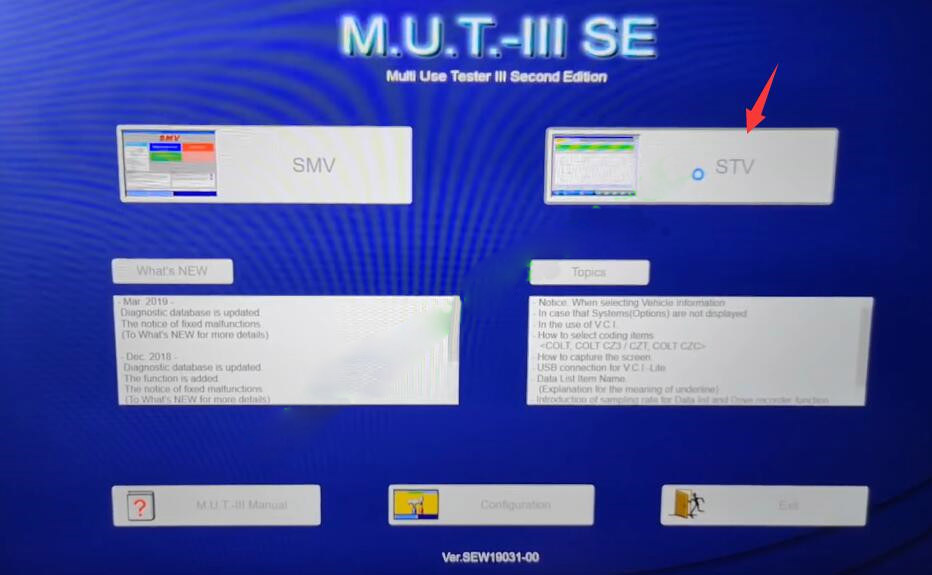
Then run MUT-III software,select “STV”
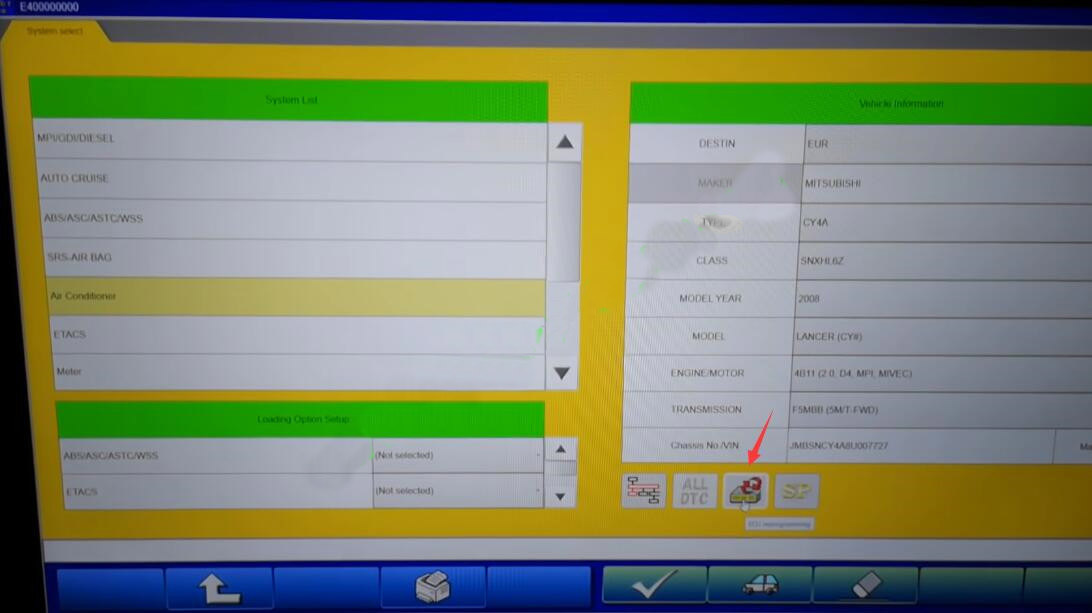
Click “ECU programming” button
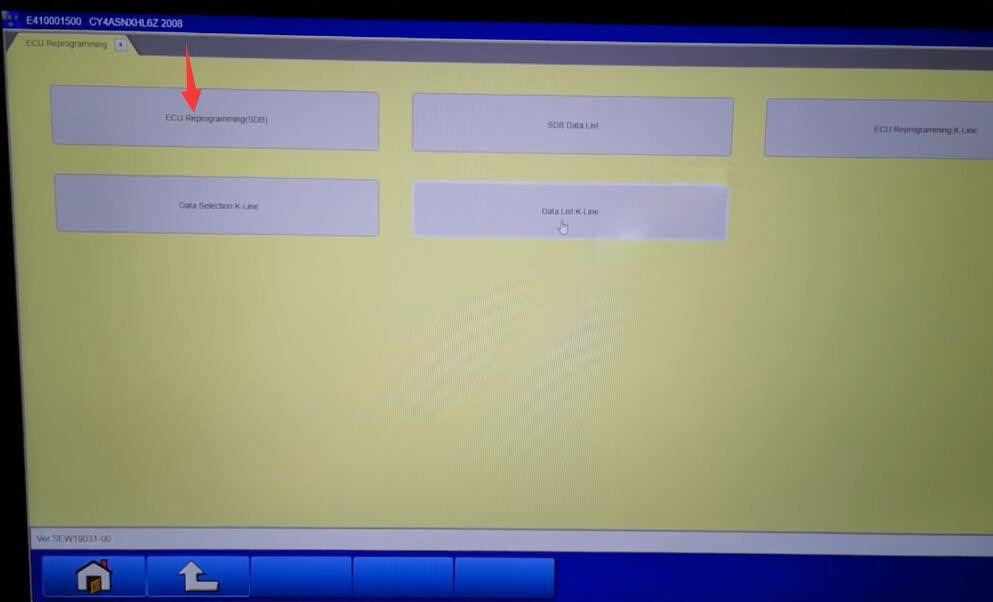
Click “ECU Reprogramming”
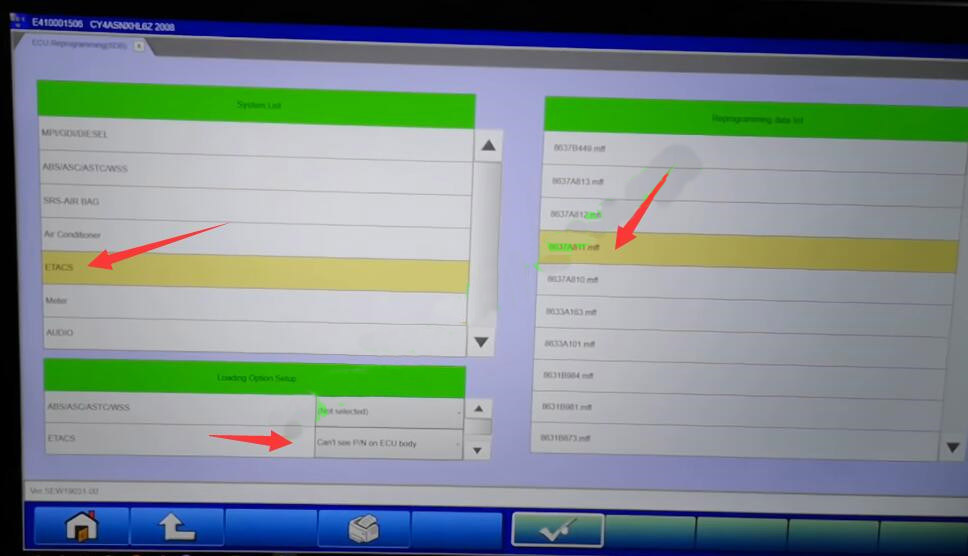
Select “ETACS”,”Can’t see P/N on ECU”
Select data from right side,then click “OK” button to start reprogramming
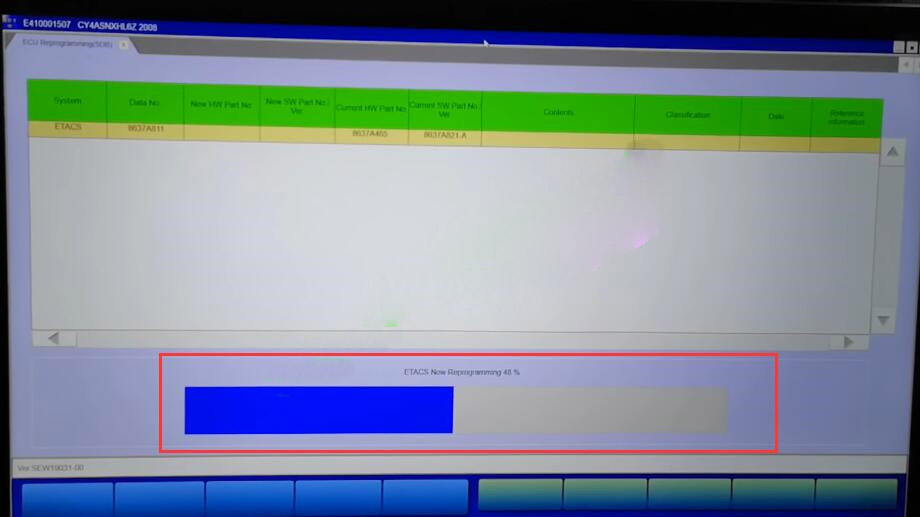
Now it is performing programming process,just wait
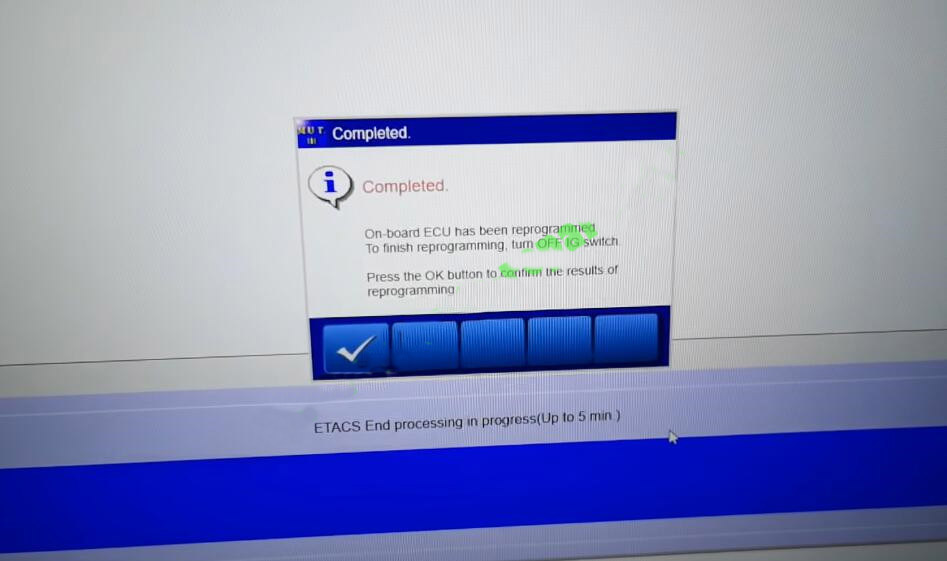
Completed
On-board ECU has been reprogrammed
To finish reprogramming,turn OFF IG switch
Press the OK button to confirm the result of reprogramming