When installing or using Mercedes-Benz EPC, WIS, and Xentry diagnostic software, some users may encounter problems such as missing software modules or the inability to read a vehicle data card.
This guide explains the common issues and correct operating steps to help technicians use the software successfully.
Problem 1: Xentry for Cars Missing / Only Truck Version Installed
Customer Question
This order has no Xentry for cars and no WIS, only ASRA. This is not what I ordered. Please fix.
Explanation
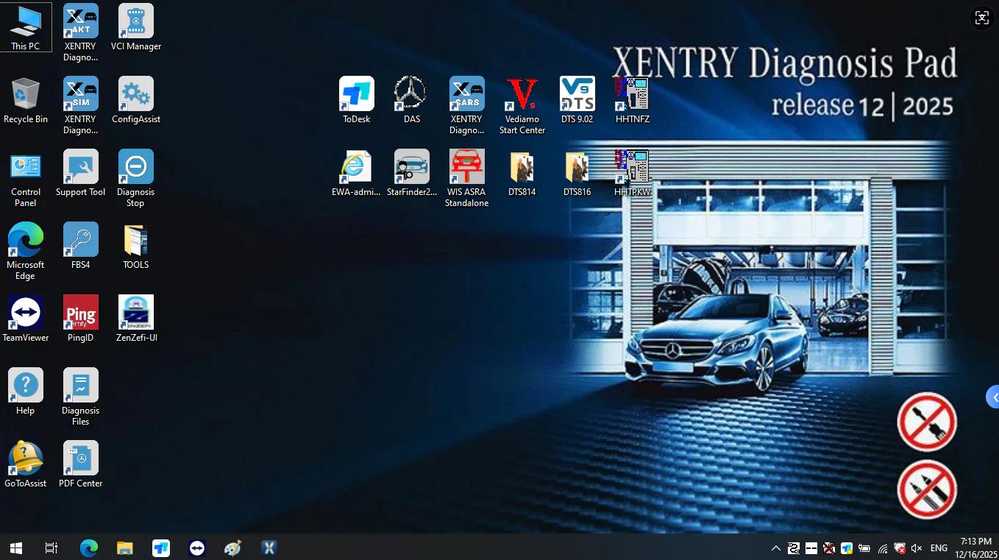
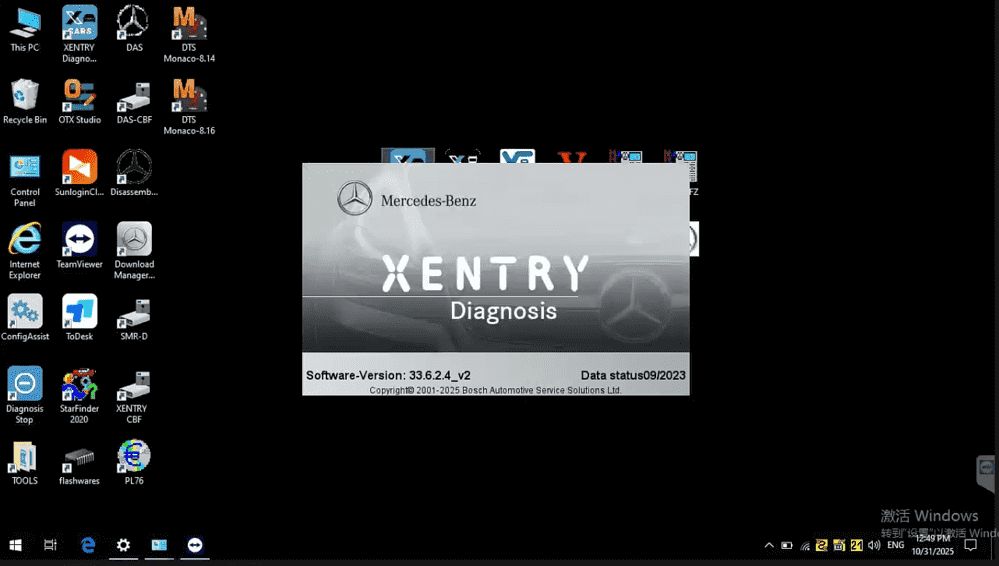
After checking the software configuration, the engineer confirmed that Xentry software is installed, but the current system displayed is Xentry for trucks, not passenger cars.
Solution
- The installed version includes Xentry Truck software.
- If you need Xentry for Mercedes-Benz passenger cars, the system must be switched to the car diagnostic system.
In the installation interface:
- One section shows Xentry for Trucks
- Another section shows Xentry for Cars
Make sure you open the correct version depending on the vehicle type.
Problem 2: WIS or EPC Cannot Open
Some users report that WIS (Workshop Information System) or EPC (Electronic Parts Catalog) cannot be opened properly.
Solution
Follow these steps carefully:
- Before opening WIS or EPC, change the computer system date to 2023.
- Launch WIS or EPC software.
- Use the software normally.
⚠️ Important:
When performing diagnostics with Xentry, change the system date back to the current date. Otherwise, the diagnostic software may not function correctly.
Problem 3: EPC Cannot Read Vehicle Data Card
Customer Question
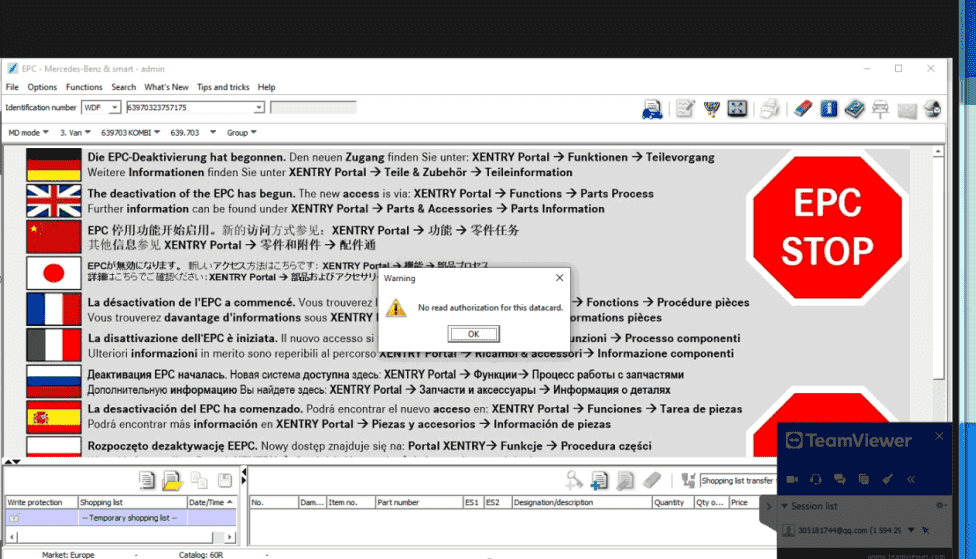
I followed the steps, but the data card still cannot be read.
Cause
After checking the issue, the engineer found that the problem is usually caused by:
- Selecting the wrong option in EPC
- Entering an incorrect VIN number
If the wrong search option is selected, the system cannot retrieve the correct vehicle data card information.
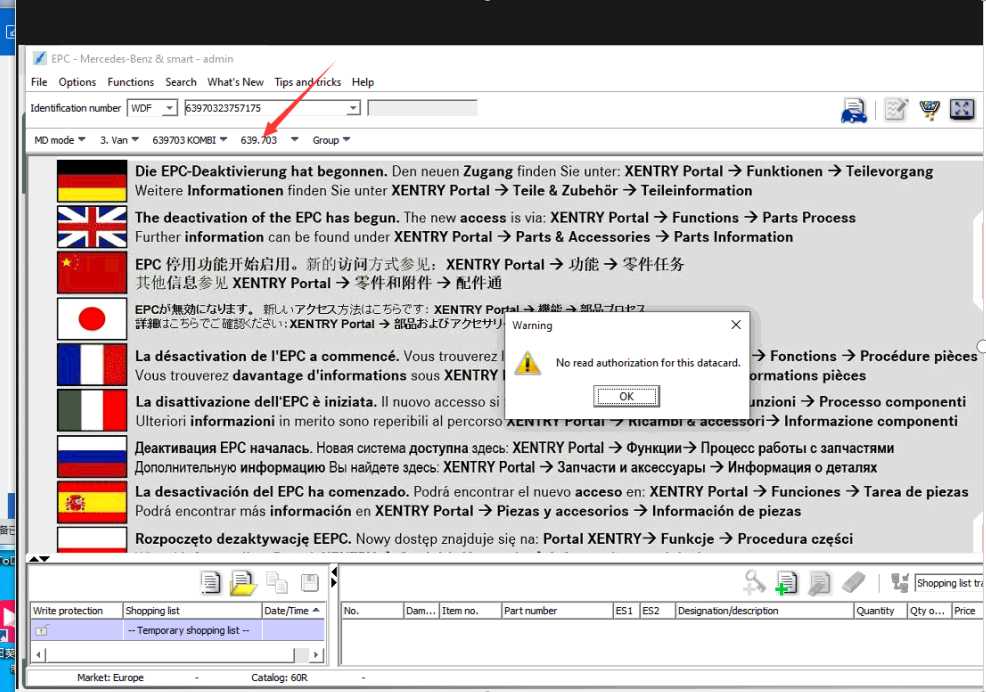
Solution
- Enter the correct VIN number.
- Follow the exact selection steps shown in the instruction image.
- Avoid choosing the incorrect search option.
If the steps are not followed correctly, the EPC system will not display the vehicle information.
Once the correct method is used, the software operates normally.
Tips for Using EPC, WIS, and Xentry Software
To avoid problems during daily use, follow these recommendations:
- Always confirm whether you are using Xentry Car or Xentry Truck.
- Adjust the system date to 2023 before opening WIS or EPC.
- Return the system date to the current date before using Xentry diagnostics.
- Double-check the VIN number and search options when retrieving data cards.
Following these steps will ensure stable operation of Mercedes-Benz diagnostic software.
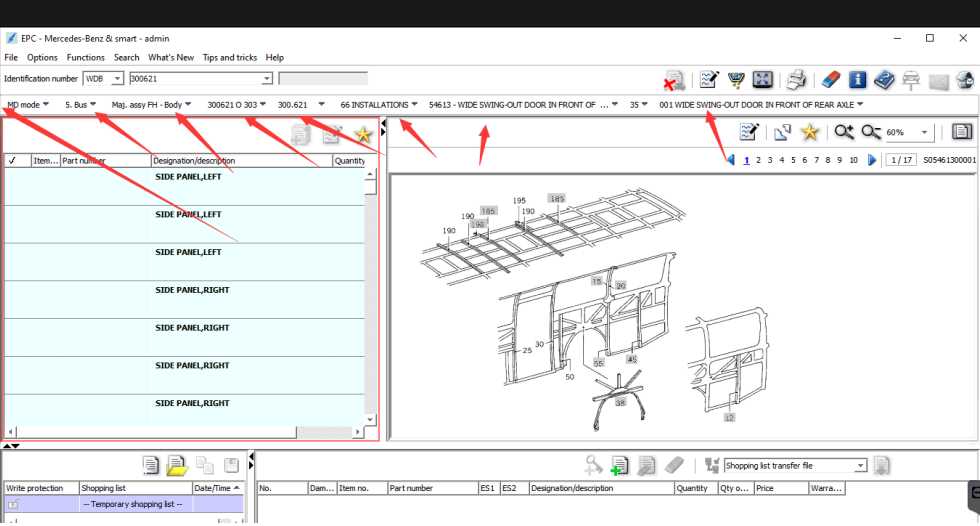
Conclusion
Most EPC and Xentry issues are caused by incorrect system settings or user selection errors, rather than software faults. By adjusting the system date, selecting the correct diagnostic platform, and entering the proper VIN, the software can run normally.
If problems persist, recheck the configuration or consult our technical support sales@obd2tool.com to verify the installation.
FAQ
1. Why does my EPC software not read the vehicle data card?
The EPC data card may not load if the VIN number is entered incorrectly or if the wrong search option is selected. Make sure the VIN is correct and follow the proper selection steps in the EPC interface.
2. Why does my installation only show Xentry for trucks instead of cars?
Some diagnostic systems include both Xentry Truck and Xentry Car. If only the truck interface appears, the wrong system may have been opened. Switch to the passenger car diagnostic system to access Mercedes-Benz car diagnostics.
3. Why can’t I open WIS or EPC software?
In some offline diagnostic installations, WIS and EPC require the system date to be set to 2023 before launching the software. After opening the software successfully, you can use it normally.
4. Should I change the system time when using Xentry diagnostics?
Yes. When running Xentry diagnostic software, the computer system time should be set back to the current date to ensure proper communication with the vehicle.
5. What should I do if EPC still cannot retrieve vehicle information?
Double-check the VIN number and confirm that the correct search method is selected. If the steps are not followed correctly, EPC may not display the vehicle data card even though the software is working normally.