Porsche PIWIS 3 is a professional diagnostic system used for vehicle diagnostics, fault code reading, control unit identification, maintenance procedures, and supported coding functions.
However, technicians may occasionally encounter a PIWIS 3 communication error when attempting to access a specific Porsche control module.
Common symptoms include:
- PIWIS 3 cannot establish communication with a control unit.
- A diagnostic session is unexpectedly interrupted.
- PIWIS 3 cannot identify or access a module.
- Other Porsche control units respond normally, but one module remains unavailable.
- The PIWIS 3 VCI is detected, but communication with the vehicle fails.
In this troubleshooting guide, we examine a real customer-reported problem involving a Porsche 987 steering column system and explain how to identify the possible causes.
1. Real Case: PIWIS 3 Cannot Communicate with Porsche 987 Steering Column Module
Customer’s Problem
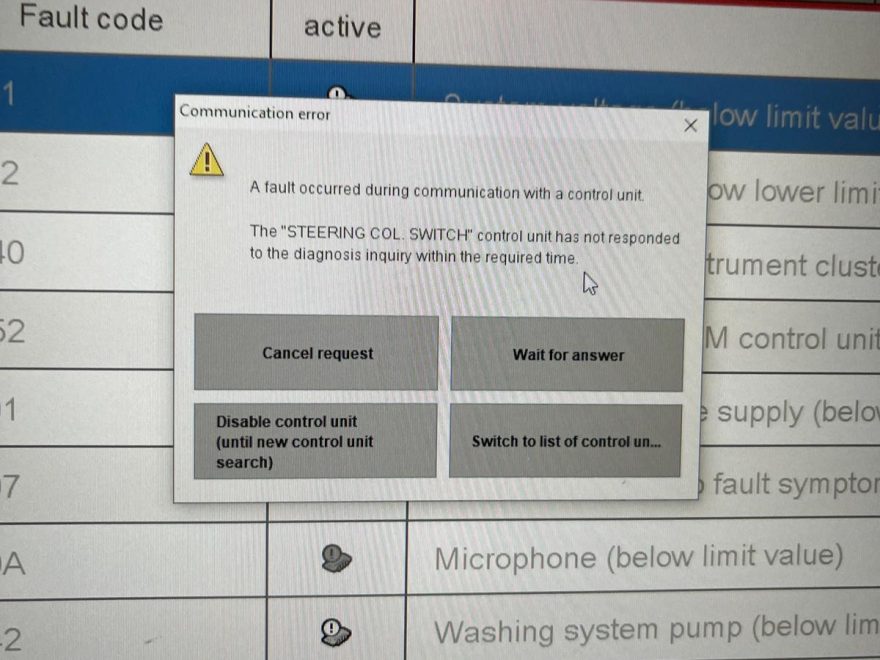
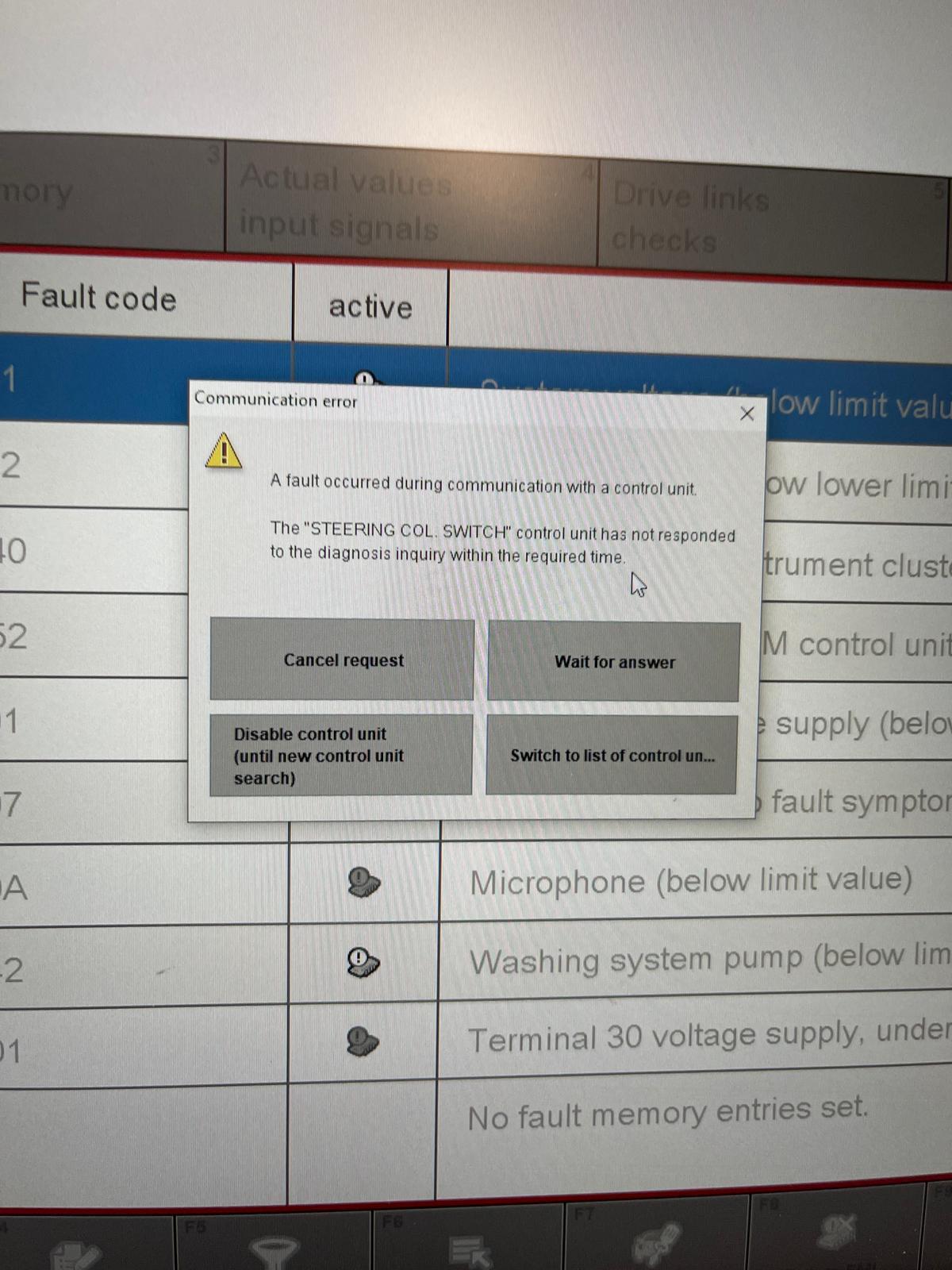
A customer encountered an error message while using a Porsche PIWIS 3 diagnostic tool.
The customer contacted Technical Support:
Customer: “I got this message on a car I was testing. What should I do?”
Technical Support: “Which Porsche model and model year are you testing?”
Customer: “Porsche 987.”
Technical Support: “Which control module were you trying to diagnose?”
Customer: “The steering column.”
After reviewing the information, the technical support engineer identified two initial possibilities:
- Communication interruption: A loose connector, damaged cable, or unstable communication may interrupt the connection between the diagnostic interface and the vehicle.
- Control unit access or communication issue: The selected module may not respond because of an electrical fault, communication failure, incorrect module selection, or a function that requires additional authorization.
Because the issue involved the steering column system, further checks were necessary to determine whether the fault originated from the PIWIS 3 setup or the vehicle itself.
Important: The original case did not include a confirmed diagnostic trouble code or a completed repair. Therefore, do not consider the steering column module defective without additional testing.
2. Why Does Porsche PIWIS 3 Show a Communication Error?
There are several potential causes.
Cause 1: Loose or Damaged Diagnostic Connections
The Porsche PIWIS 3 diagnostic system communicates with the vehicle through a Vehicle Communication Interface (VCI).
If the connection becomes unstable, diagnostic communication may fail.
Possible problems include:
- Loose OBD-II diagnostic connector.
- Damaged diagnostic cable.
- Unstable USB connection between the laptop and VCI.
- Faulty USB port or connector.
- Poor contact at the vehicle’s diagnostic socket.
Recommended solution:
- Switch off the ignition before reconnecting the diagnostic hardware.
- Disconnect and inspect the OBD-II connector.
- Check for bent, damaged, or corroded contacts.
- Reconnect the VCI securely.
- Use a reliable USB data cable for initial troubleshooting.
- Switch on the ignition and restart the diagnostic session.
If PIWIS 3 can communicate with the vehicle after reconnecting the interface, an unstable connection may have caused the issue.
Cause 2: Steering Column Module Not Responding
On Porsche 987 vehicles, the steering column area contains electronic components associated with steering wheel functions and other vehicle systems.
Depending on the exact model year and equipment, the diagnostic system may identify different control units or related functions.
Possible reasons for unsuccessful communication include:
- Missing power supply or ground.
- Blown fuse.
- Damaged wiring or connector.
- Communication network fault.
- Faulty steering-column-related electronic component.
- Incorrect control unit selection.
Recommended solution:
First, use PIWIS 3 to perform a complete vehicle control unit scan.
If the engine, transmission, ABS/PSM, and other installed control units communicate successfully, but the selected steering column control unit does not, focus further troubleshooting on that specific system.
Check the relevant fuses, module power supply, grounds, and communication wiring using the correct Porsche wiring diagram.
Do not replace the steering column module immediately. A communication error alone does not confirm that the module has failed.
Cause 3: Incorrect Vehicle Selection or Software Compatibility
The Porsche 987 platform includes Boxster and Cayman vehicles from different production years.
Vehicle systems and available diagnostic functions can vary with model year and equipment.
If you select an incorrect model or control unit, PIWIS 3 may be unable to establish a valid diagnostic session.
Recommended solution:
- Restart PIWIS 3.
- Verify the vehicle model and model year.
- Use the correct vehicle identification procedure.
- Confirm that the intended module is installed on the vehicle.
- Select the appropriate diagnostic function.
- Retry communication.
If the issue persists, confirm that the installed PIWIS 3 software and VCI configuration support the required diagnostic operation.
Cause 4: PIWIS 3 VCI or Driver Problems
Vehicle electronics do not always cause communication failures.
In some cases, the diagnostic laptop cannot communicate correctly with the PIWIS 3 VCI because of software or driver problems.
Potential causes include:
- Incorrect VCI driver configuration.
- USB connection problems.
- Incompatible VCI firmware.
- Incorrect interface selection.
- Diagnostic software installation issues.
Recommended solution:
Check whether Windows recognizes the VCI and whether PIWIS 3 displays the connected diagnostic interface.
If the VCI is not detected, inspect the USB cable, drivers, and software configuration before attempting vehicle diagnostics again.
For detailed instructions, read:
How to Perform a Self-Test on PIWIS 3 VCI Before Software Activation
You can also refer to:
How to Fix the Connection Issue Between PIWIS 3 Software and VNCI PT3G
3. Step-by-Step PIWIS 3 Communication Error Troubleshooting
When PIWIS 3 cannot communicate with a Porsche control unit, follow this diagnostic sequence.
Step Inspection Recommended Action
1 Vehicle identification Confirm Porsche model, model year, and selected control unit.
2 Vehicle power supply Check battery condition and correct ignition status.
3 OBD-II connector Inspect the diagnostic connector and cable connection.
4 VCI connection Confirm the laptop recognizes the PIWIS 3 interface.
5 Full-system scan Determine whether the failure affects one module or multiple modules.
6 Module power and wiring Inspect relevant fuses, grounds, connectors, and network circuits.
7 Software compatibility Verify the software version, driver, and VCI configuration.
8 Advanced diagnosis Follow Porsche-specific fault-finding procedures if the issue remains unresolved.
How to Interpret the Results
Scenario A: PIWIS 3 cannot communicate with any vehicle module.
Start with vehicle power, diagnostic socket, VCI hardware, cables, drivers, and software configuration.
Scenario B: PIWIS 3 communicates with other modules but not the steering column system.
Check the exact module selection and investigate its power supply, ground, wiring, and network communication.
Scenario C: The module can be identified, but coding or another advanced function fails.
Verify the procedure, software compatibility, vehicle configuration, and any required security authorization.
A control unit access restriction is not necessarily the same as a hardware communication failure.
4. What If the Steering Column Module Is Faulty?
If the communication issue continues after verifying the diagnostic equipment and vehicle connections, the steering column system may require more detailed inspection.
Technicians should:
- Identify the exact steering-column-related control unit or function.
- Read stored fault codes from related vehicle systems.
- Check module supply voltage and ground.
- Inspect wiring continuity and network signals according to the vehicle-specific service information.
- Check for previous repairs, damaged wiring, or water intrusion.
- Confirm the fault before replacing any electronic components.
Safety note: Steering-column repairs may involve SRS/airbag components and immobilizer-related electronics. Follow the manufacturer-approved procedures. Do not disconnect SRS components or attempt immobilizer coding without the necessary training and authorization.
If component replacement requires coding, teaching, or immobilizer authorization, use the appropriate Porsche service procedure and supported diagnostic equipment.
5. Recommended Porsche PIWIS 3 Diagnostic Tools
For Porsche repair workshops and independent technicians, choosing a compatible diagnostic interface can reduce software and communication issues.
OBD2Tool offers several Porsche PIWIS 3 configurations.
Porsche PIWIS 3 PT3G VCI Diagnostic Tool
Porsche PIWIS 3 PT3G VCI Diagnostic Tool with Engineering Software
This diagnostic package is designed for Porsche maintenance, troubleshooting, and supported control unit operations.
Product features include:
- Porsche PIWIS 3 diagnostic software.
- PT3G-style diagnostic VCI.
- Vehicle control unit identification and scanning.
- Diagnostic trouble code reading and clearing.
- Live data and supported service functions.
- Engineering software options for compatible operations.
- Support for Porsche Boxster and Cayman 987 models, subject to configuration.
Advanced coding and programming capabilities depend on the vehicle, software version, installed hardware, and available authorization.
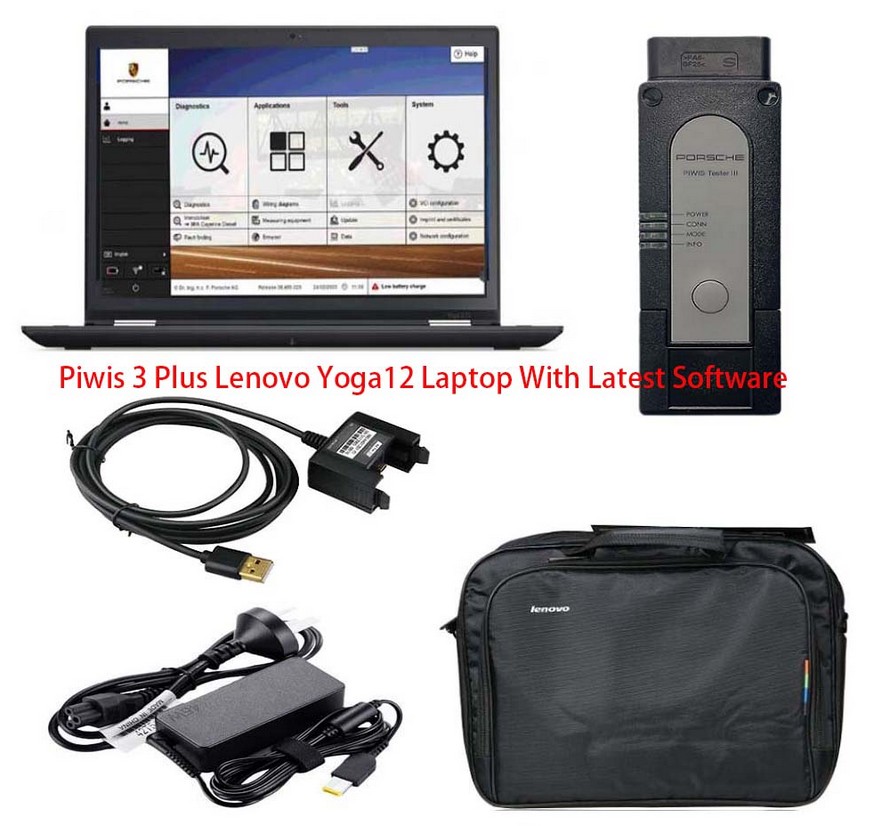
Porsche PIWIS 3 Diagnostic Tool with Lenovo Laptop
For technicians who prefer a more complete diagnostic setup, OBD2Tool also offers:
Porsche PIWIS 3 Diagnostic Tool with Lenovo Yoga Laptop
This configuration includes a diagnostic interface, software drive, and compatible laptop.
It suits workshops that want an integrated Porsche diagnostic workstation rather than installing the software on an existing computer.
Before purchasing, confirm your Porsche model, required functions, software version, and whether you need authorized online access.
6. Frequently Asked Questions
Q1: Why does PIWIS 3 fail to communicate with my Porsche 987?
Possible causes include a loose diagnostic connector, VCI driver issue, incorrect control unit selection, unstable vehicle voltage, wiring fault, or a module that is not responding.
Start by checking the diagnostic connection and performing a complete vehicle scan.
Q2: Does PIWIS 3 support Porsche Boxster and Cayman 987?
Yes. Porsche Boxster and Cayman 987 models are listed among the vehicles supported by the PIWIS 3 products available from OBD2Tool.
However, individual diagnostic, coding, and programming functions may vary by model year, software configuration, and interface.
Q3: Why can PIWIS 3 read the engine ECU but not the steering column module?
If other modules communicate normally, the problem may be specific to the steering column system, the selected diagnostic function, or its communication circuit.
Check module availability, electrical supply, wiring, and related diagnostic fault codes.
Q4: Can a faulty PIWIS 3 VCI cause communication errors?
Yes. A faulty cable, driver problem, firmware mismatch, or VCI communication issue may prevent successful diagnostics.
Test the VCI before concluding that the vehicle control module is defective.
Q5: Can PIWIS 3 perform steering column coding or programming?
Some coding and adaptation operations may be supported, but availability depends on the specific Porsche model, component, software version, and required authorization.
Immobilizer-related procedures may require access that is not included with an offline or aftermarket diagnostic package.
Q6: Should I replace the steering column module if PIWIS 3 cannot read it?
No. A communication error does not automatically mean that the control unit is damaged.
Check the diagnostic equipment, module power supply, ground, wiring, and vehicle network before considering replacement.
7. Conclusion
A Porsche PIWIS 3 communication error can result from several issues, including loose diagnostic cables, VCI configuration problems, incorrect module selection, or faults within the vehicle’s electronic systems.
In the Porsche 987 customer case, the steering column system could not be accessed successfully. The initial assessment identified a possible communication interruption or module-related problem, but the precise cause was not confirmed.
The best approach is to check the diagnostic connection first, verify VCI operation, run a full control unit scan, and then investigate the affected module.
Technicians who need a Porsche diagnostic solution can explore the Porsche PIWIS 3 Diagnostic Tool with Engineering Software at OBD2Tool.
If you are experiencing a similar issue, contact OBD2Tool technical support with your Porsche model and year, PIWIS software version, diagnostic interface type, exact error message, and affected control unit. This information will help the support team identify the next troubleshooting steps.