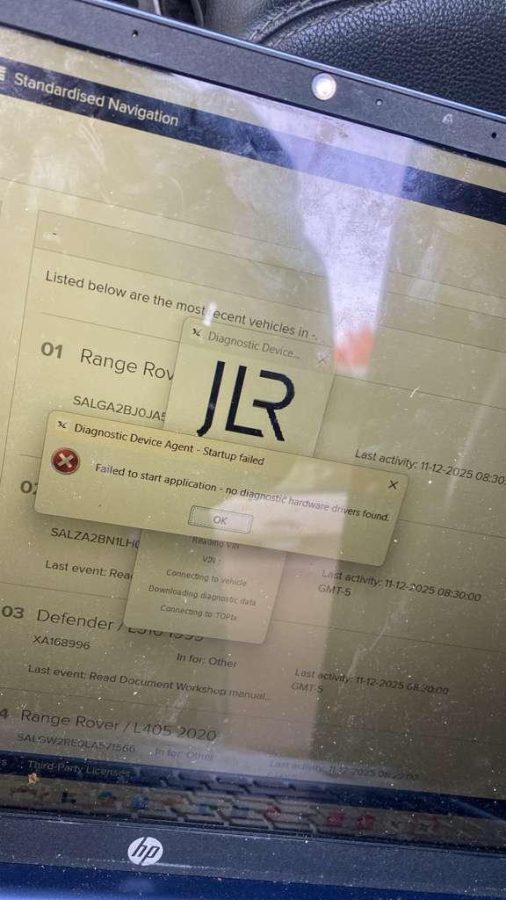
“The tool can see the vehicle VIN but cannot enter diagnostics or read the car systems.”
1. Common Symptoms of the Issue
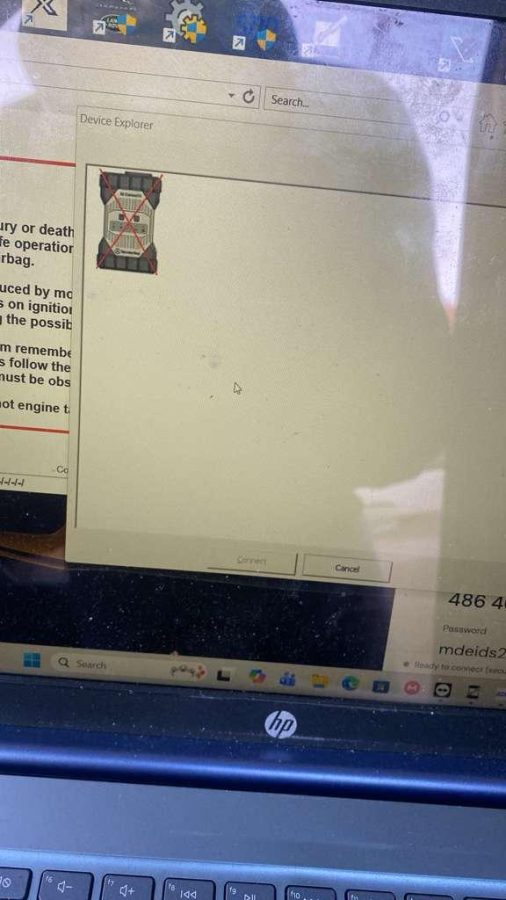
- Vehicle VIN can be detected but no system access.
- “Cannot communicate with ECU”
- “Vehicle not responding”
- Diagnostics stuck at loading screen.
- DoIP connection failure
- SDD/Pathfinder freezes after VIN detection
- No modules detected (ABS, ECU, BCM, etc.)
2. Main Causes of JLR Cannot Read Car Issue
2.1 Wrong Diagnostic Mode (SDD vs Pathfinder vs DoIP)
- Older models → SDD (CAN / K-Line)
- Newer models → Pathfinder / DoIP system
2.2 DoIP Network Connection Failure
- DoIP requires stable Ethernet communication.
- Incorrect IP settings will block ECU access.
- Wrong static IP configuration
- No DoIP network adapter detected
- Firewall blocking communication
2.3 Driver or VCI Interface Problem
- Missing or incorrect RP1210 driver
- Device not properly installed in Windows.
- USB port instability
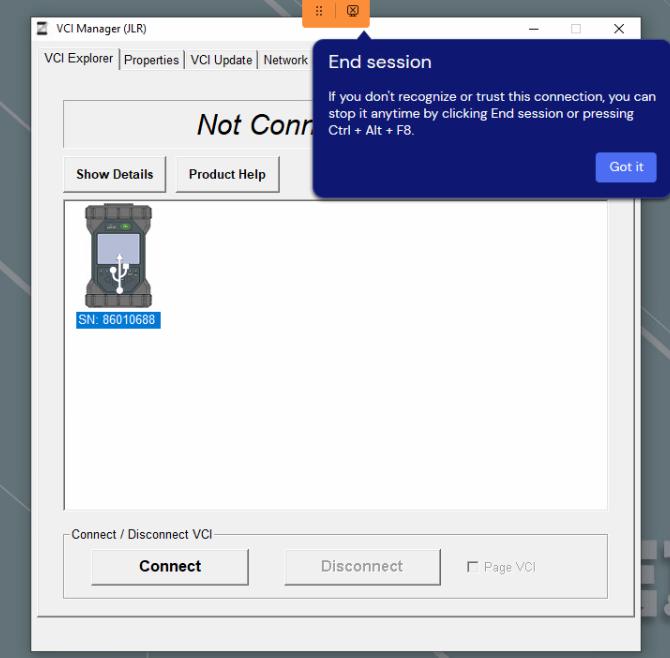
- VIN read works
- ECU diagnostic fails
2.4 Incorrect Vehicle Selection
- Wrong chassis platform
- Incorrect engine system selection
- Software tries an unsupported protocol.
2.5 Software Version Not Compatible
- New Jaguar Land Rover modules
- Updated security gateway
- Latest ECU firmware
2.6 Firewall or Antivirus Blocking Communication
- Windows firewall blocks port communication.
- Antivirus blocks diagnostic service.
- Network discovery disabled
3. Step-by-Step Solution (Workshop Proven Fix)
Step 1: Check Vehicle Power & Ignition
- Ignition is ON
- Battery voltage is stable (12.4V+ recommended)
- All modules are powered.
Step 2: Confirm Correct Software Mode
- Use SDD for older models.
- Use Pathfinder for DoIP vehicles.
Step 3: Check VCI Connection
- Reconnect the USB cable.
- Change USB port (prefer USB 2.0)
- Restart diagnostic software
Step 4: Fix IP / DoIP Settings
- Set the correct static IP (as required by VCI)
- Ensure the network adapter is enabled.
- Disable VPN if active
Step 5: Disable Firewall Temporarily
- Turn off Windows firewall for testing.
- Allow diagnostic software in firewall whitelist.
Step 6: Reinstall Driver (If Needed)
- Remove old VCI drivers.
- Install the correct JLR interface driver.
- Restart PC
Step 7: Test with Another Vehicle (If Possible)
- Likely VCI or software issue
If only one car fails: - Likely vehicle-side communication issue
4. Advanced Troubleshooting (Technician Level)
Check CAN / DoIP Gateway Module
- Gateway may block diagnostic entry.
- Security module may require authentication.
Check ECU Wake-up Signal
- Some modules require ignition cycle reset.
Check Battery Support Unit
- Low voltage can prevent module communication.
5. How to Prevent This Issue
- Always match the software version to the vehicle year.
- Keep VCI firmware updated.
- Use a stable power supply during diagnosis.
- Avoid mixing SDD and Pathfinder systems.
- Disable VPN and unnecessary network filters
6. Recommended Tools for Stable JLR Diagnosis
- JLR DoIP Diagnostic Interface
- Pathfinder software (new models)
- SDD software (older models)
- Stable Windows 10/11 laptop (64-bit recommended)
- Original or tested J2534-compatible VCI
7. FAQ
Why does the JLR tool read the VIN but not the systems?
Can wrong IP settings stop JLR diagnosis?
Do I need Pathfinder for all new Land Rover cars?
Why does SDD freeze after VIN detection?
Can firewall cause JLR diagnostic failure?
Final Recommendation
- Wrong software selection (SDD vs Pathfinder)
- DoIP network configuration issue
- Driver or VCI setup problem
- Firewall blocking communication
If your JLR diagnostic tool cannot read the car, the issue is often not unique. Similar diagnostic communication problems also happen in other brands such as CAT, BMW, and GM systems, especially when dealing with drivers, software versions, or network protocols.
To better understand related diagnostic issues, you can also refer to these technical guides:
🟡 Related CAT Diagnostic Issues (Heavy Equipment Systems)
CAT systems often face similar communication problems when using CAT ET software or adapter tools.
👉 Recommended reading:
- CAT ET communication failure and driver issue guide
- CAT diagnostic tool cannot connect to ECM troubleshooting
- CAT Communication Adapter 3/4 setup problems
📌 Learn more:
CAT ET Diagnostic Software Guide →
https://www.obd2tool.com/blog/best-heavy-duty-truck-diagnostic-software-of-completed-list/
🔵 Related BMW Diagnostic Issues (ISTA / ICOM / DoIP)
BMW vehicles use similar diagnostic structures such as DoIP and Ethernet-based communication, which can cause similar “cannot read car” issues.
Common BMW problems include:
- ISTA cannot detect vehicle
- ICOM connection failure
- DoIP network configuration error
- ECU communication timeout
📌 Related guide:
BMW ISTA Diagnostic Connection Fix →
https://www.obd2tool.com/blog/bmw-ista-icom-connection-guide/
🟢 Related GM Diagnostic Issues (GDS2 / Tech2 / MDI)
GM systems often show similar symptoms when:
- Wrong driver selected
- MDI interface not detected
- Software version mismatch
- Vehicle communication timeout
📌 Recommended reading:
GM GDS2 Diagnostic Software Guide →
https://www.obd2tool.com/blog/gm-gds2-software-free-download/