If you encounter a prompt asking for an activation key when opening the ISTA-P software, follow the steps below to resolve the issue:
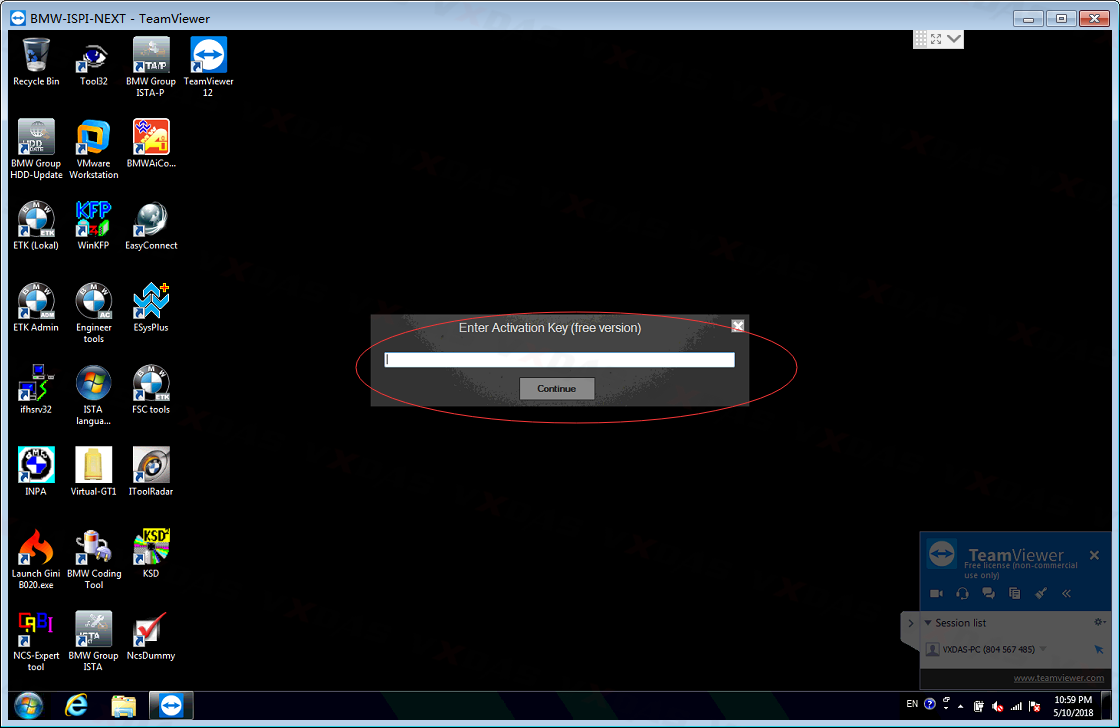
- Locate the “Tools” Folder:
- On your laptop, navigate to and open the “Tools” folder.
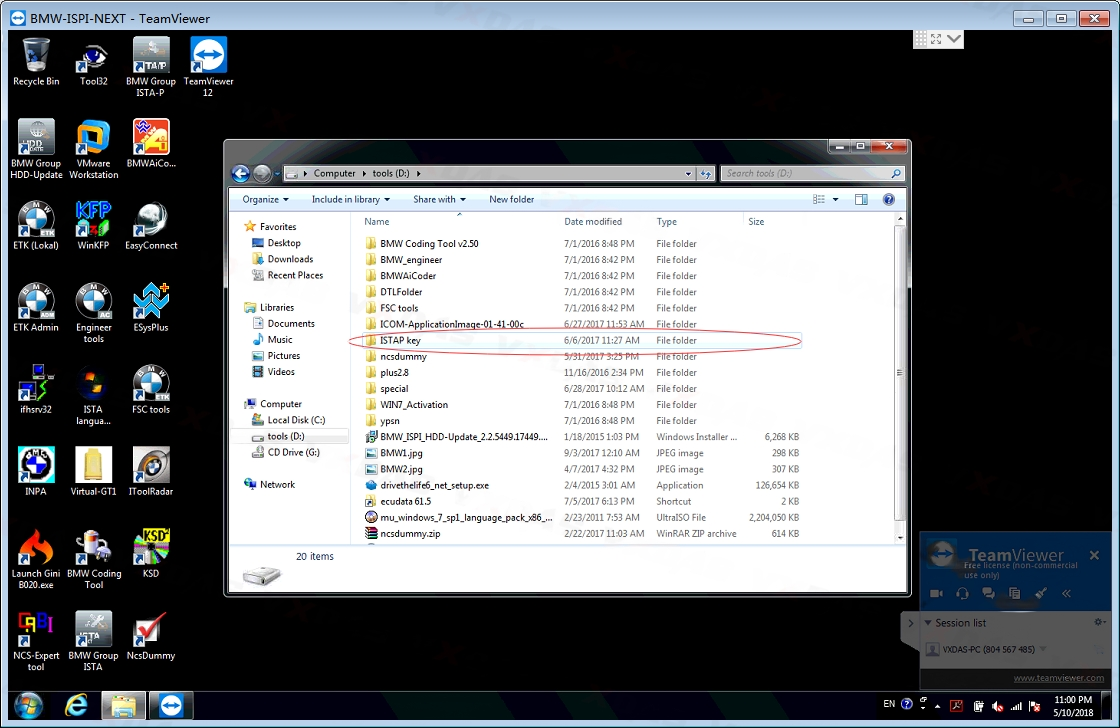
- On your laptop, navigate to and open the “Tools” folder.
- Find the “ISTAP Key” Folder:
- Inside the “Tools” folder, look for a folder named “ISTAP Key”.
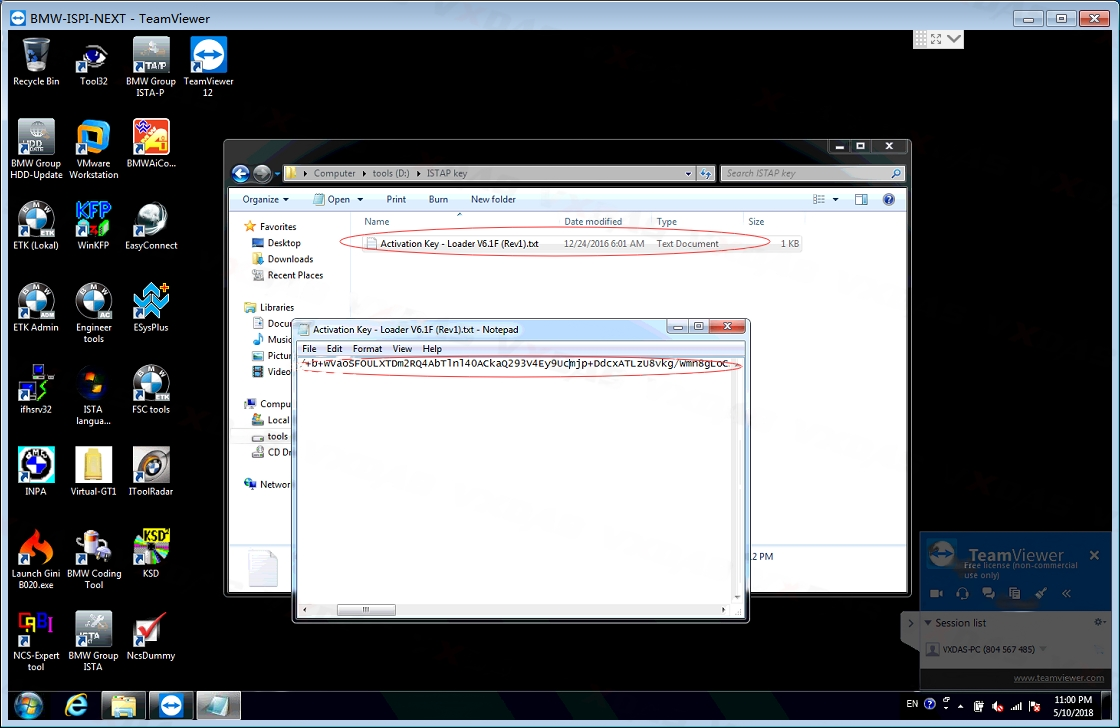
- Open the “Activation Key” File:
- Open the “ISTAP Key” folder and find a text file titled “Activation Key”.
- Copy the Activation Code:
- Open the text file, and you will see an activation code inside.
- Copy the activation code.
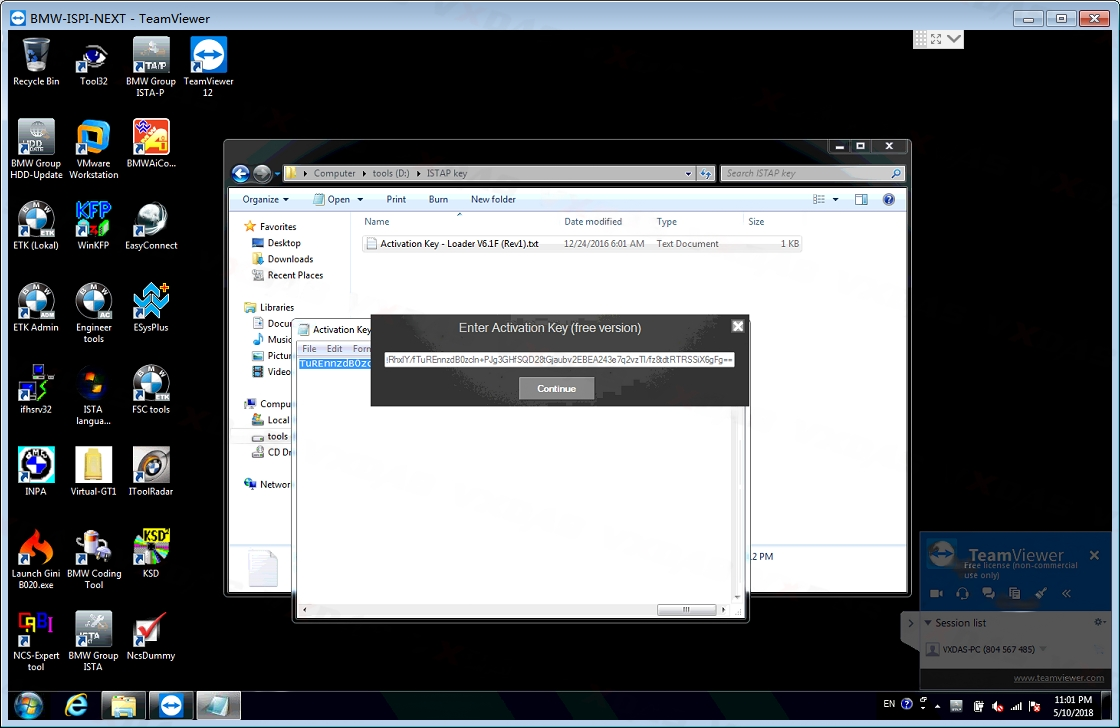
- Enter the Activation Key:
- Go back to the ISTA-P activation prompt and paste the activation code in the required field.
- Click “Continue”.
- Launch ISTA-P:
- After entering the correct activation key, ISTA-P should launch successfully.
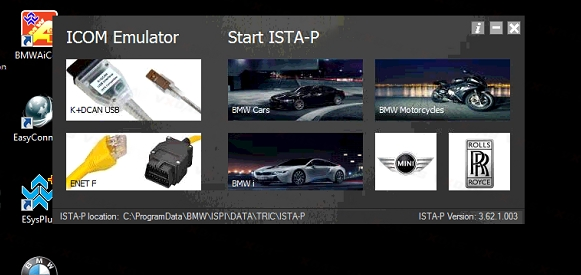
- After entering the correct activation key, ISTA-P should launch successfully.
By following these steps, you should be able to activate and use your ISTA-P software without any issues.