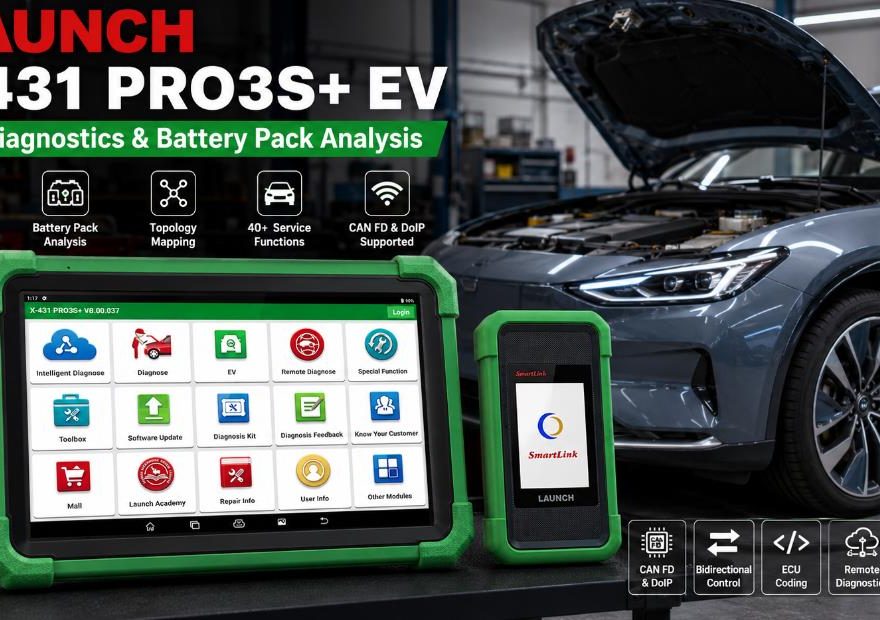
The LAUNCH X431 PRO3S+ EV is designed for professional workshops servicing electric vehicles, hybrid vehicles, plug-in hybrids, and conventional gasoline or diesel vehicles.
It combines full-system diagnostics, EV battery pack analysis, topology mapping, bidirectional controls, ECU coding, CAN FD and DoIP communication, and more than 40 maintenance functions.
Before purchasing, customers often want to confirm vehicle compatibility, battery diagnostic capabilities, software update terms, included adapters, and programming support. This FAQ covers the most common questions about the LAUNCH X431 PRO3S+ EV Diagnostic Scanner.
What Is the LAUNCH X431 PRO3S+ EV?
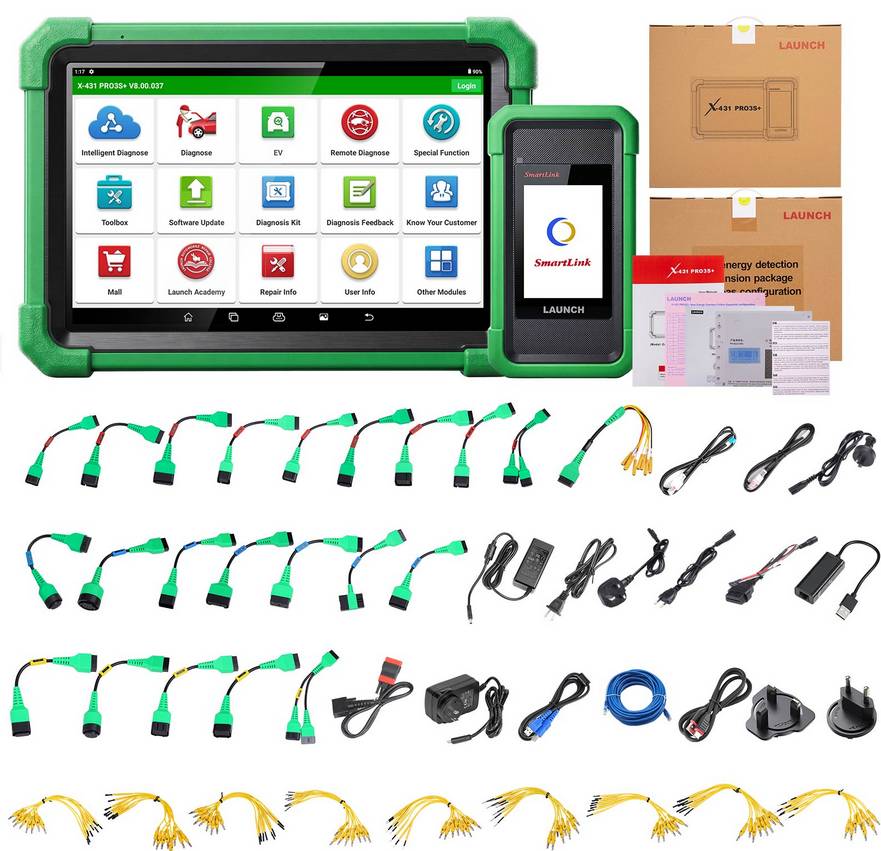
The LAUNCH X431 PRO3S+ EV is a professional automotive diagnostic tablet for new-energy and conventional vehicles.
It can communicate with multiple vehicle control systems, read and clear diagnostic trouble codes, display live data, perform active tests, complete service resets, analyze high-voltage battery information, and generate diagnostic reports.
The EV package also includes functions and accessories for electric and hybrid vehicle diagnosis. Exact capabilities depend on the vehicle manufacturer, model, year, battery system, software version, and package configuration.
1. Does the LAUNCH X431 PRO3S+ EV Support My Vehicle?
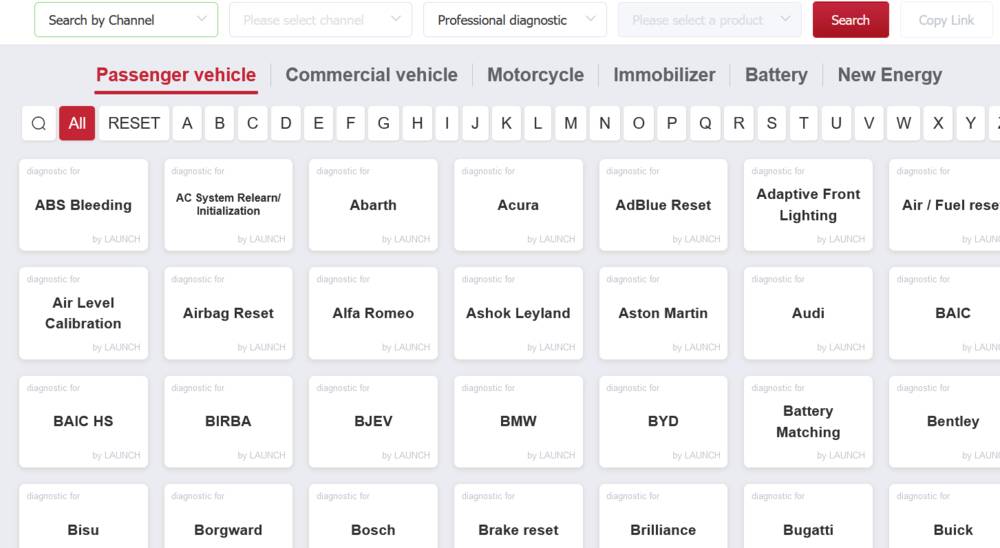
The LAUNCH X431 PRO3S+ natively supports over 200 vehicle brands, covering more than 95% of the global New Energy Vehicle (NEV) and EV market. For full hybrid, battery, and cell-level diagnostics, the tool supports over 20 specific EV battery pack protocols and is compatible with the LAUNCH EV Diagnostic Upgrade Kit
The scanner supports a wide range of electric, hybrid, plug-in hybrid, gasoline, and diesel passenger vehicles.
However, diagnostic coverage is not identical for every vehicle. Functions such as battery cell monitoring, topology mapping, ECU coding, active tests, and online programming may vary by:
- Vehicle brand
- Model and production year
- VIN
- Powertrain type
- Battery pack design
- Installed control modules
- Regional vehicle configuration
For the most accurate compatibility check, customers should provide the complete VIN and the specific function needed before ordering.
2. Can It Diagnose Gasoline and Diesel Vehicles?
Yes. The LAUNCH X431 PRO3S+ EV is not limited to electric vehicles.
It can perform full-system diagnostics on many gasoline, diesel, hybrid, and plug-in hybrid vehicles. Supported systems may include:
- Engine
- Transmission
- ABS
- Airbag
- Body control module
- Steering
- Suspension
- Climate control
- Immobilizer
- Battery management system
- Advanced driver assistance systems
Available functions depend on the individual vehicle.
3. What EV Battery Data Can It Read?
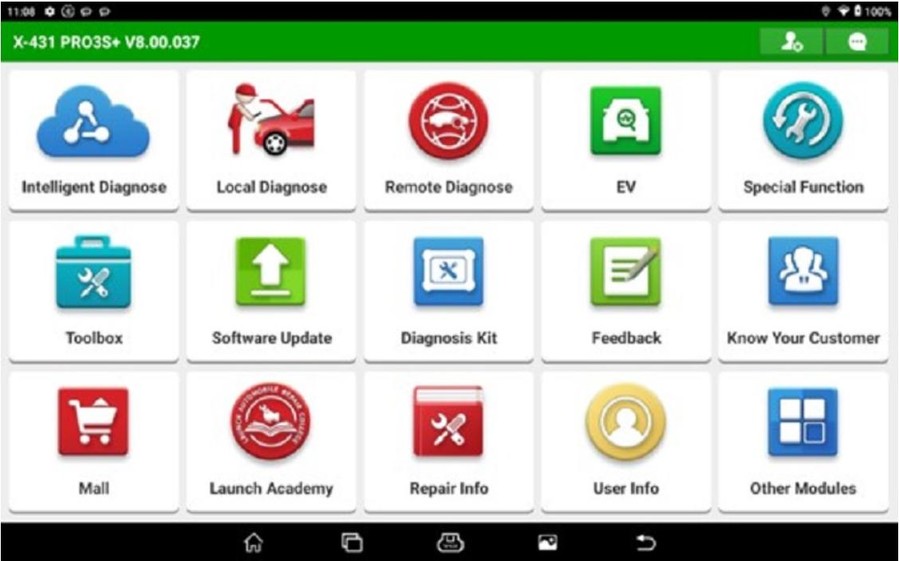
On supported vehicles and battery packs, the scanner can display important high-voltage battery information, including:
- State of charge
- State of health
- Battery pack voltage
- Battery current
- Module quantity
- Individual cell voltage
- Battery temperature
- Cell or module temperature
- Voltage differences between cells
- Battery management system fault codes
This information helps technicians evaluate battery condition and identify abnormal cells, modules, temperatures, or voltage readings.
4. Can It Check Individual Battery Cells?
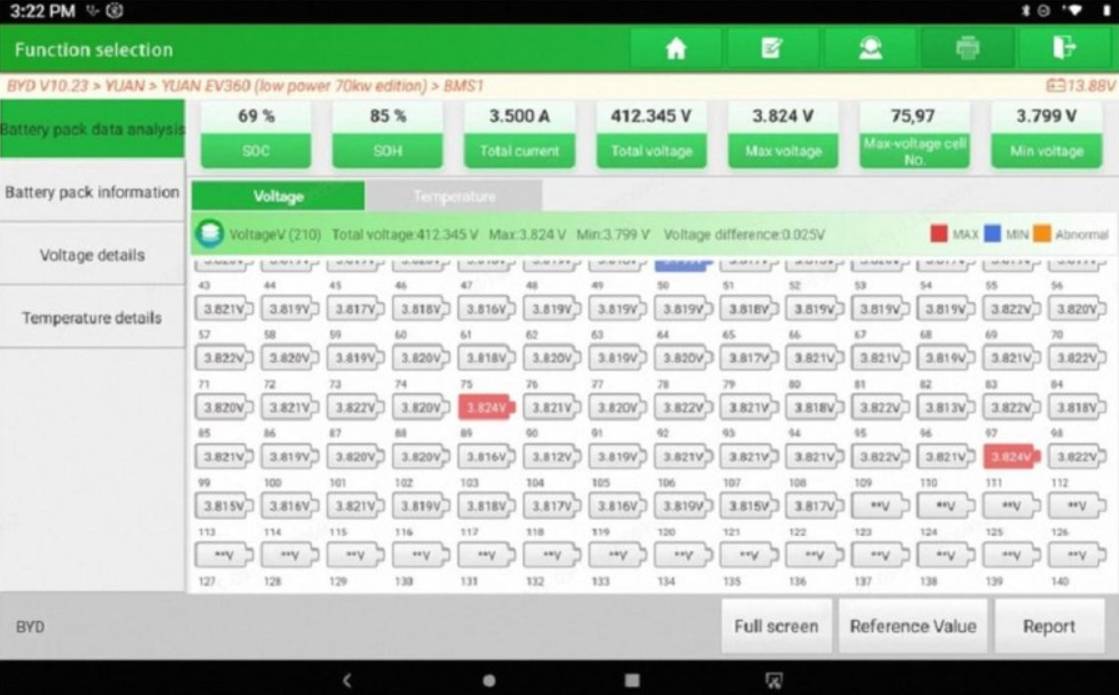
Yes, individual cell data is available for supported battery systems.
The scanner may display the voltage and temperature of separate battery cells or modules. By comparing these values, technicians can locate cells with unusually low voltage, excessive voltage variation, or abnormal temperatures.
Not every manufacturer provides the same level of battery data through diagnostic communication, so coverage should be confirmed for the specific vehicle.
5. How Does the Scanner Connect to an EV Battery Pack?
The connection method depends on the vehicle and the required diagnostic procedure.
Possible connection methods include:
- Standard OBD-II diagnostic connection
- Dedicated battery pack adapter
- Manufacturer-specific battery harness
- Jumper cable connection
- Bench connection to a removed battery pack or battery management module
Technicians should follow the connection diagram and instructions shown by the diagnostic software.
Incorrect connections may damage the diagnostic device, battery management system, control module, or battery pack.
6. Are All EV Battery Adapters Included?
The exact adapters included depend on the seller and package configuration. The package may not include all EV battery adapters, and some vehicle or battery systems may require additional cables, jumpers, or manufacturer-specific adapters.
Some vehicle or battery systems may require additional cables, jumpers, or manufacturer-specific adapters not included in the standard package.
Before ordering, confirm:
- The complete packing list
- The vehicle brand and model
- The battery pack type
- Whether a direct battery pack diagnosis is required
- Whether an optional adapter is necessary
This helps prevent compatibility problems after delivery.
7. Does It Support Vehicle Topology Mapping?
Yes, topology mapping is supported on compatible vehicles.
A topology map provides a graphical view of the vehicle’s electronic control unit network. It can help technicians see:
- Which control modules are installed
- Which modules are communicating normally
- Which systems contain fault codes
- Possible communication interruptions
- Relationships between vehicle control units
Topology mapping can reduce diagnostic time, especially on newer vehicles with many interconnected modules.
8. Does It Support Bidirectional Controls and Active Tests?
Yes. The LAUNCH X431 PRO3S+ EV supports bidirectional controls on compatible vehicles.
Bidirectional testing allows the scanner to send commands to a vehicle control module and activate a component for testing.
Examples may include:
- Cooling fan activation
- Fuel pump testing
- Injector control
- Window and door lock operation
- Electric water pump testing
- Electric air-conditioning compressor testing
- Onboard charger testing
- DC-to-DC converter testing
- Battery cooling system operation
- High-voltage contactor testing
Available active tests vary by vehicle and control module.
9. Does It Support ECU Coding?
The scanner supports ECU coding, matching, adaptation, and programmable functions on many compatible vehicles.
Possible functions include:
- Variant coding
- Component replacement matching
- Personalization settings
- Control module adaptation
- Injector coding
- Battery registration
- Gearbox learning
- Steering angle calibration
- Online coding on supported brands
ECU coding coverage varies significantly between vehicle manufacturers. Some functions may require an internet connection, an authorized account, or a paid manufacturer subscription.
10. Can It Perform ECU Programming?
The SmartLink interface supports J2534 pass-thru communication, allowing it to work with compatible manufacturer programming software.
However, ECU programming may require:
- Original manufacturer software
- A valid OEM account
- A paid programming subscription
- Stable high-speed internet
- A compatible Windows computer
- A regulated battery maintainer
- Security gateway authorization
J2534 compatibility does not mean every vehicle or control module can be programmed automatically through the LAUNCH tablet.
Before programming, verify that the selected vehicle, module, OEM software, and SmartLink interface are compatible.
11. Does It Support CAN FD and DoIP?
Yes. The included SmartLink CV2 interface supports modern vehicle communication protocols, including:
- CAN
- CAN FD
- DoIP
- J2534
- D-PDU
- Other common automotive communication standards
CAN FD and DoIP support are especially important for diagnosing newer vehicles with faster networks and Ethernet-based communication.
12. How Many Service Functions Does It Support?
The scanner provides more than 40 commonly used maintenance and reset functions.
Depending on the vehicle, available functions may include:
- Oil service reset
- Electronic parking brake reset
- Steering angle calibration
- ABS bleeding
- Battery registration
- Injector coding
- Throttle adaptation
- Transmission learning
- Suspension calibration
- DPF regeneration
- Tire pressure reset
- Sunroof initialization
- Seat calibration
- Airbag reset
- Coolant bleeding
- High-voltage battery health detection
The number of available functions depends on the vehicle, not the scanner alone.
13. Are Software Updates Free?
The package generally includes a limited period of free software updates. Customers should confirm the exact update period shown on the product page before ordering.
After the free update period expires, previously downloaded diagnostic software can usually continue to operate.
A software renewal may be required to receive:
- New vehicle coverage
- New model-year support
- Updated diagnostic functions
- Software improvements
- Additional special functions
- Expanded battery pack coverage
Update policies may vary by region, seller, and device activation date.
14. Does It Require an Internet Connection?
An internet connection is required for functions such as:
- Initial registration
- Software downloading
- Software updates
- Online coding
- Security gateway access
- Remote diagnostics
- Cloud-based reports
- Some guided diagnostic functions
Many basic diagnostic operations can be performed offline after the required vehicle software has been downloaded.
15. Does It Support Remote Diagnostics?
Yes. The SmartLink CV2 can support remote diagnostic services when properly configured.
A remote technician may connect to the vehicle through the SmartLink interface to assist with diagnosis, coding, or troubleshooting.
Remote diagnosis generally requires:
- A stable internet connection
- Correct SmartLink configuration
- Compatible software
- An available remote technician
- Permission from the vehicle owner or workshop
- Any required manufacturer account
Remote programming should only be performed with a stable vehicle voltage and a reliable network connection.
16. Does It Support FCA Security Gateway Access?
The scanner may support FCA AutoAuth and other security gateway services.
Access to protected vehicle functions may require:
- A registered AutoAuth account
- A paid subscription
- Regional service availability
- Correct user credentials
- A supported vehicle and diagnostic function
Security gateway access is controlled by the vehicle manufacturer and cannot be guaranteed for all markets or models.
17. Can It Generate Diagnostic Reports?
Yes. The scanner can create professional diagnostic reports containing information such as:
- Vehicle identification
- Scanned control modules
- Diagnostic trouble codes
- System status
- Pre-repair results
- Post-repair results
- Technician or workshop information
Reports can be useful for customer communication, workshop records, repair documentation, and comparison before and after service.
Printing or sharing options depend on the tablet configuration and connected printer or network.
18. What Optional Accessories Are Available?
The LAUNCH X431 PRO3S+ EV can work with various optional diagnostic and workshop accessories.
Depending on the application, compatible accessories may include:
- TPMS programming tools
- ADAS calibration equipment
- Oscilloscope modules
- Multimeters
- Current clamps
- High-voltage insulation testers
- Battery testers
- Videoscopes
- Sensor simulation boxes
- Immobilizer programming devices
These accessories are normally sold separately unless clearly listed in the product package.
19. Is It Suitable for Beginners?
The scanner includes several features that make diagnosis easier, such as:
- AutoVIN identification
- Automatic system scanning
- Topology mapping
- Fault code descriptions
- Guided service functions
- Diagnostic reports
- Active test menus
However, professional training is still required for ECU coding, programming, immobilizer work, and high-voltage battery diagnosis.
Electric and hybrid vehicles contain potentially dangerous high-voltage components. Battery pack testing or disassembly should only be performed by qualified technicians using appropriate insulated tools and personal protective equipment.
20. Can It Diagnose Every Function on Every Vehicle?
No universal diagnostic scanner can provide every function on every vehicle.
Actual coverage depends on:
- Manufacturer authorization
- Vehicle software architecture
- Model year
- Regional configuration
- Control module type
- Diagnostic protocol
- Security access
- Subscription status
Customers should avoid choosing a scanner based only on general statements such as “full-system diagnosis” or “all vehicle coverage.”
The best approach is to confirm the exact vehicle and required function before purchase.
21. What is the difference between Launch X431 PRO3S+ EV and CRP919 EV?
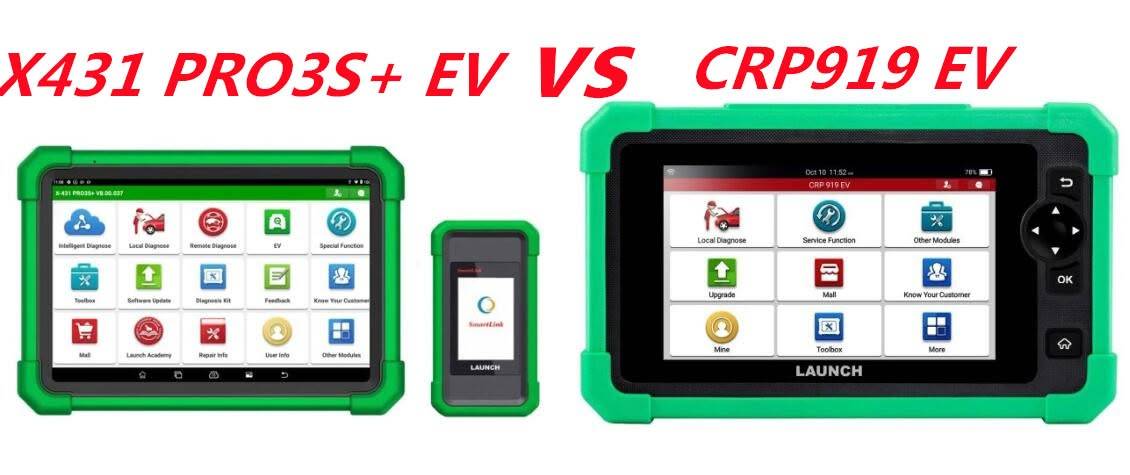
| Item | X431 PRO3S+ EV | LAUNCH CRP919 EV |
| Screen | 10.1 inch | 7 inch |
| Resolution | 1280*800 | 1024*600 |
| Operating System | Android 10.0 | Android 10.0 |
| CPU | Quad-core 2.0GHz | Quad-core 2.0GHz |
| Memory | 4GB | 4GB |
| Storage | 64GB | 64GB |
| Communications/ Upgrades | WIFI 2.4Ghz/ 5Ghz (b/ g/ n) | WIFI 2.4Ghz/ 5Ghz (b/ g/ n) |
| Battery | 6300mAh | 6000mAh |
| Interfaces | TYPE A & TYPE C | TYPE C |
| Free Update | 2 Years | 2 Years |
| EV Battery Pack Diagnostics | YES | YES |
| Special Functions | 45+ | 45+ |
| VCI | SmartLink C V2 | NO |
| Extended Module | 13 | 3 |
| SGW(FCA SGW) | YES | YES |
| CANFD & DOIP | YES | YES |
| Topology function | YES | NO |
| J2534 | YES | NO |
| Remote diagnostics | YES | NO |
| X431 FIX Database | YES (Purchase required) | NO |
| IMMO Programming | YES (Purchase required) | NO |
| Commercial vehicle diagnostics | YES (Purchase required) | YES |
| Motorcycle diagnostics | YES (Purchase required) | NO |
| Hybrid vehicle diagnostics | NO | NO |
What Should Customers Confirm Before Ordering?
Before purchasing the LAUNCH X431 PRO3S+ EV, prepare the following information:
- Vehicle manufacturer
- Model
- Production year
- Complete VIN
- Gasoline, diesel, hybrid, plug-in hybrid, or full-electric powertrain
- Required diagnostic or service function
- Whether a direct battery pack diagnosis is needed
- Whether ECU coding or programming is required
- The country or market version of the vehicle
- Any required battery adapter or optional accessory
Providing this information helps the seller verify compatibility more accurately.
Is the LAUNCH X431 PRO3S+ EV Worth Buying?
The LAUNCH X431 PRO3S+ EV is a strong option for professional repair shops that service a mix of electric, hybrid, and conventional vehicles.
Its main advantages include:
- Full-system vehicle diagnostics
- High-voltage battery pack analysis
- Individual cell data on supported vehicles
- Topology mapping
- Bidirectional active tests
- ECU coding and adaptation
- CAN FD and DoIP communication
- J2534 pass-thru support
- More than 40 maintenance functions
- Diagnostic report generation
- Optional expansion modules
Its value depends on the vehicles your workshop services and the functions you need. Always verify model-specific coverage before ordering.
Ready to Upgrade Your EV Diagnostic Capabilities?
The LAUNCH X431 PRO3S+ EV is designed for professional technicians and repair shops that need one platform for electric, hybrid, gasoline, and diesel vehicle diagnostics.
With EV battery pack analysis, full-system scanning, topology mapping, bidirectional active tests, ECU coding, CAN FD, DoIP, J2534 support, and more than 40 service functions, it provides the flexibility needed for modern workshop diagnostics.
Why Choose the LAUNCH X431 PRO3S+ EV?
- Diagnose electric, hybrid, and conventional vehicles
- Analyze high-voltage battery packs and individual cell data
- View control-module networks with topology mapping
- Perform active tests and component controls
- Access ECU coding, matching, and adaptation functions
- Support newer CAN FD and DoIP vehicles
- Generate professional pre-scan and post-scan reports
- Expand functionality with optional LAUNCH accessories
Confirm Compatibility Before Ordering
Vehicle coverage and available functions vary by brand, model, year, VIN, battery system, and regional configuration.
Before ordering, send us the following information:
- Vehicle make and model
- Production year
- Complete VIN
- Powertrain type
- Required diagnostic, coding, or battery function
Our team can help confirm compatibility and identify any additional EV adapters or accessories required for your application.
View the LAUNCH X431 PRO3S+ EV Diagnostic Scanner:
https://www.obd2tool.com/goods-10884-launch-x431-pro3s-plus-ev-diagnostic-scanner.html
https://www.obd2tool.com/goods-10884-launch-x431-pro3s-plus-ev-diagnostic-scanner.html
Need help before ordering? Contact the OBD2TOOL support team with your vehicle information and required functions for a compatibility check.
Final Safety Notice
High-voltage electric vehicle systems can cause serious injury or death.
Before performing EV battery diagnosis, isolation testing, battery pack removal, or high-voltage component service:
- Follow the vehicle manufacturer’s repair procedures
- Wear approved high-voltage personal protective equipment
- Use insulated tools
- Verify the system is safely powered down
- Maintain stable vehicle voltage during coding or programming
- Do not disconnect the diagnostic interface during module programming
The LAUNCH X431 PRO3S+ EV is a diagnostic tool. It does not replace professional training, manufacturer service information, or high-voltage safety procedures.